
 Install with Gale

Comfort Tweaks
Comfort Tweaks expands Valheim’s comfort and rested systems with additional configuration options, helpful UI information, new mechanics, and optional compatibility with other mods.
Features
- Removes the roof requirement for gaining comfort
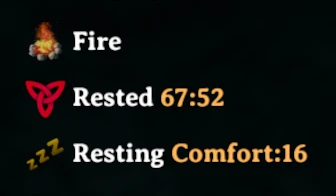
- Shows which nearby items are currently providing comfort
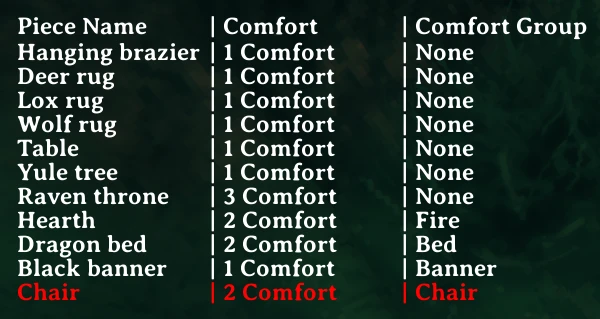
- Shows missing buildable comfort items
- Adds resting potions
- Adds comfort-related gems if Jewelcrafting is installed
- Grants bonus comfort when resting together as a group if Groups is installed
Rested Buff Configuration
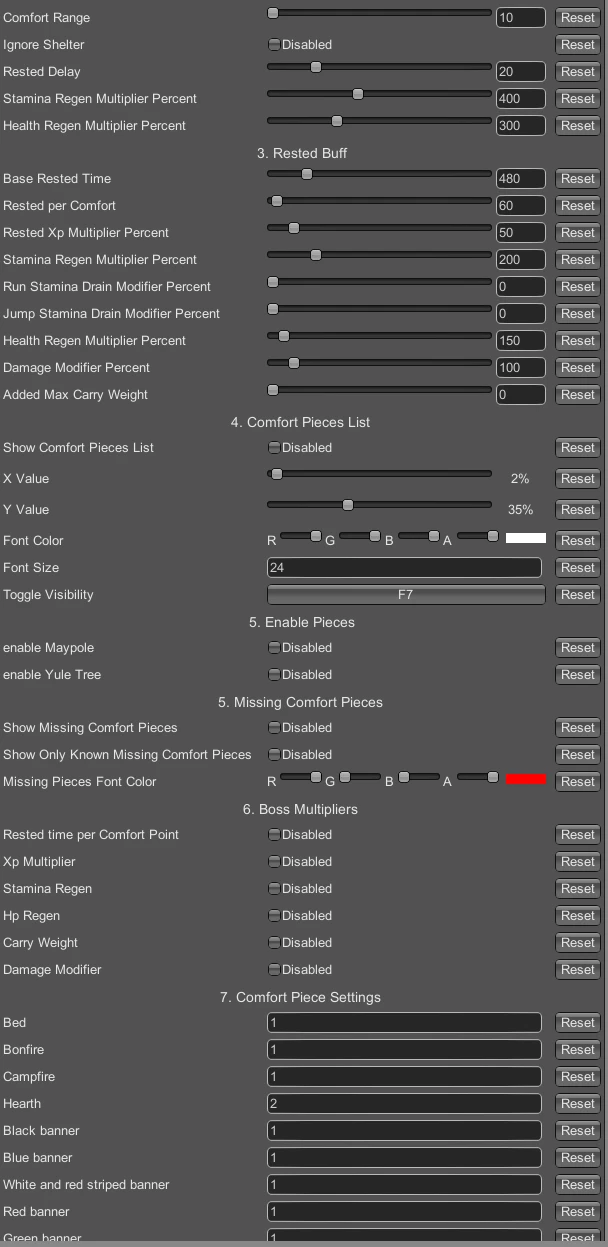
The following rested buff values can be configured:
- Comfort radius
- Base comfort duration
- Rested duration per comfort point
- Experience multiplier
- Health regeneration multiplier
- Stamina regeneration multiplier
- Eitr regeneration multiplier
- Running stamina usage
- Jumping stamina usage
- Damage multiplier
- Carry weight bonus
- Preserve the rested buff when logging out
Resting Configuration
The following resting values can be configured:
- Health regeneration multiplier
- Stamina regeneration multiplier
- Eitr regeneration multiplier
- Delay before entering the resting state
- Comfort value for each individual piece
- Comfort group for each individual piece
Optional Build Recipes
Recipes can be enabled for the following decorative items:
- Maypole
- Yule Tree
- Jack-o’-Lantern
Requirements
This mod requires BepInExPack Valheim.
Follow the installation instructions on the linked mod page if you do not already have BepInEx installed.
Manual Installation
-
Install BepInExPack Valheim.
-
Download the Comfort Tweaks archive.
-
Extract the archive into a temporary folder.
Do not extract the archive directly into the Valheim installation directory.
-
Copy the contents of the
pluginsfolder into:<GameDirectory>\BepInEx\plugins -
Launch Valheim.
-
The mod will automatically generate its configuration file inside:
<GameDirectory>\BepInEx\config
Configuration
Launch the game once to generate the configuration file.
Afterward, you can edit the generated configuration file in the BepInEx configuration directory. Restart the game after changing configuration values to ensure all settings are applied.