 Install with Gale
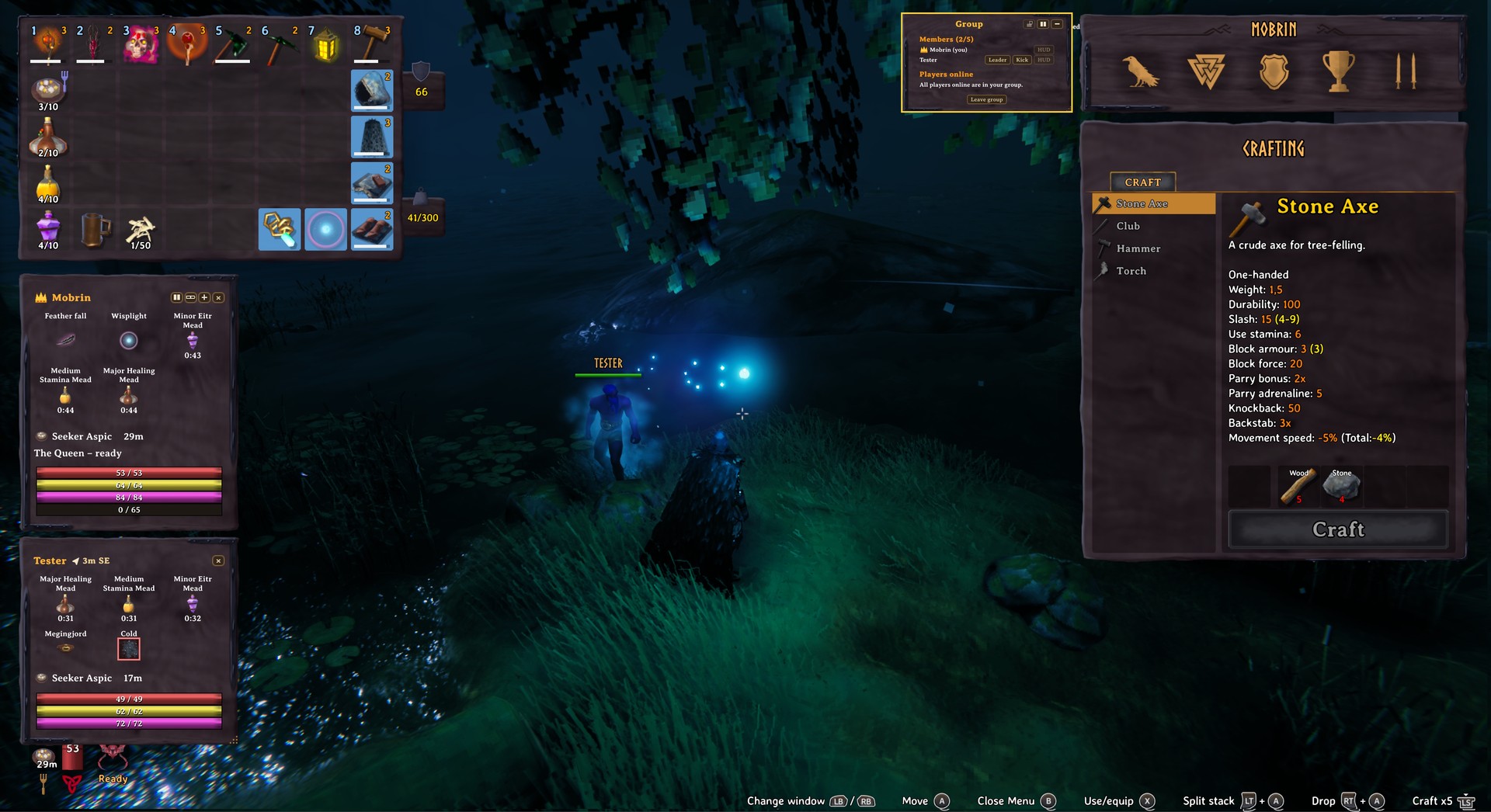
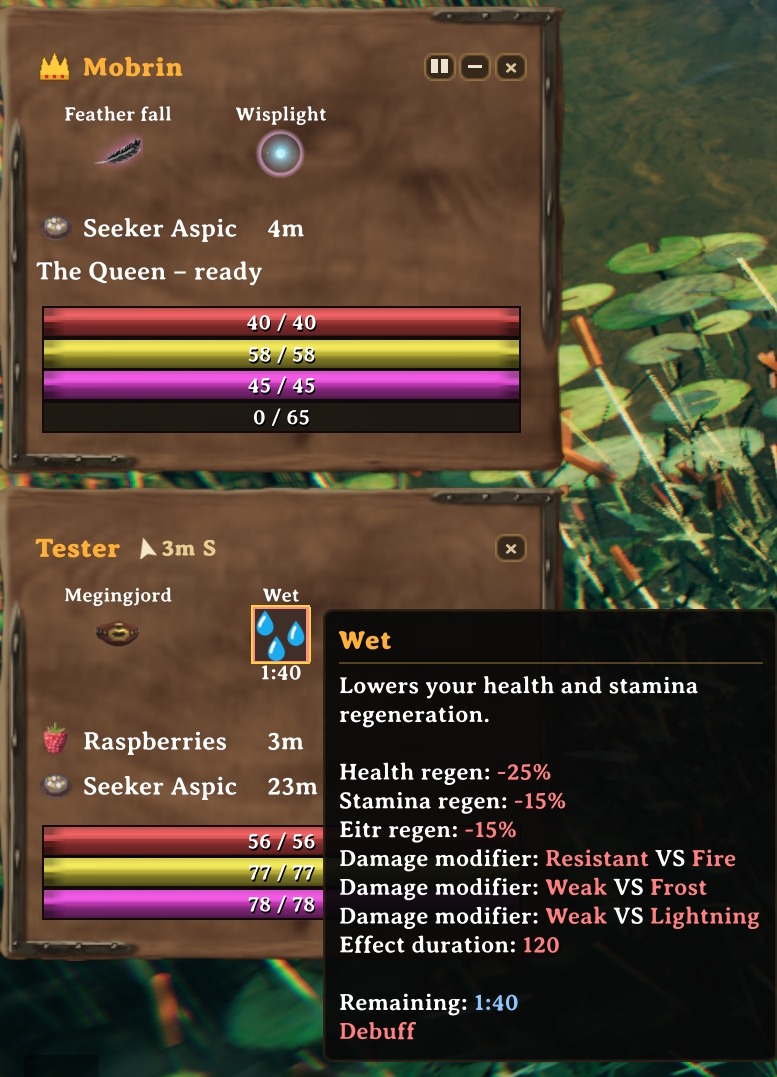
GroupHUD
See how your group is doing – at a glance.
by Mobrin · ⚒️ Mobrin's Forge
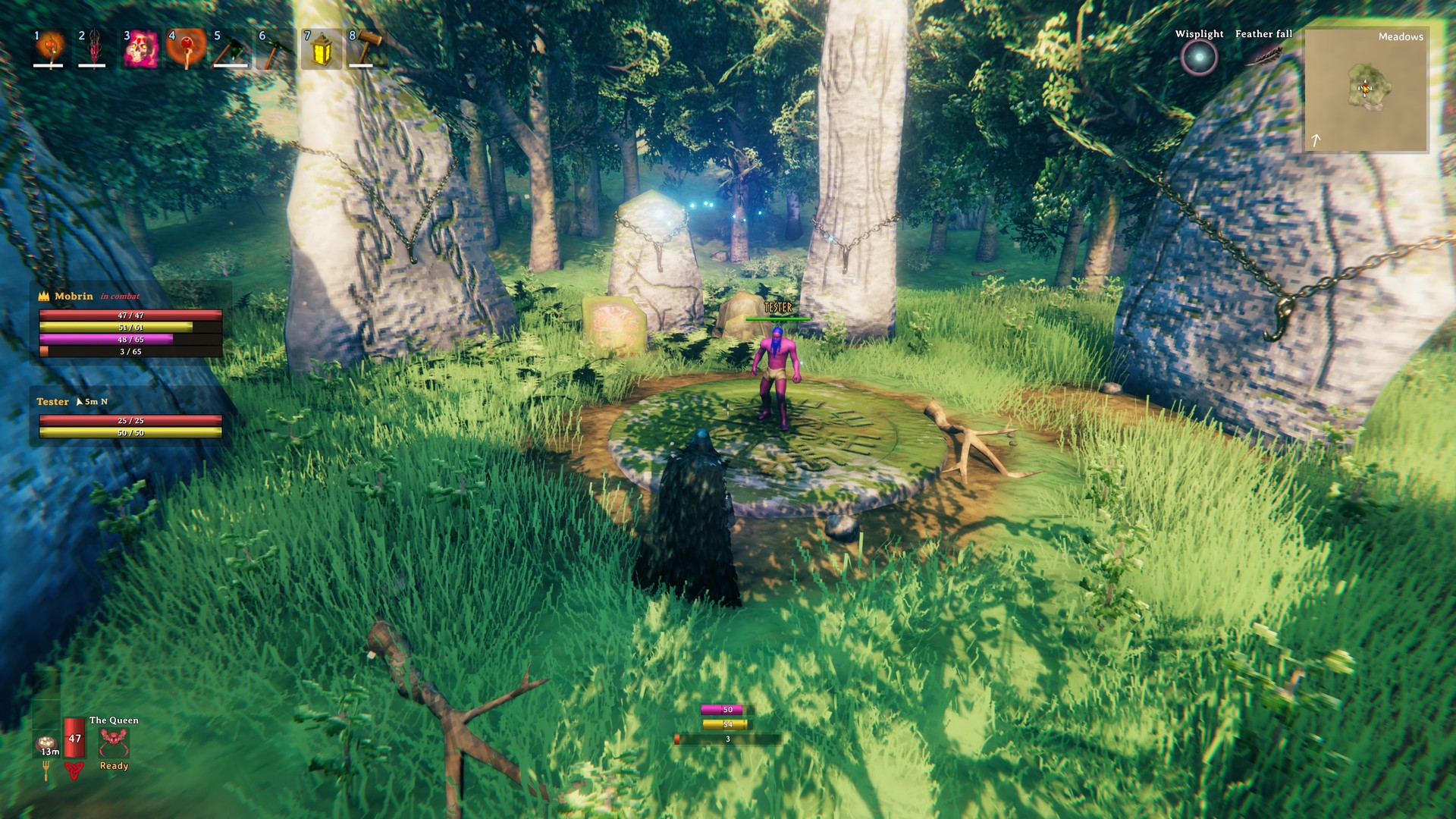
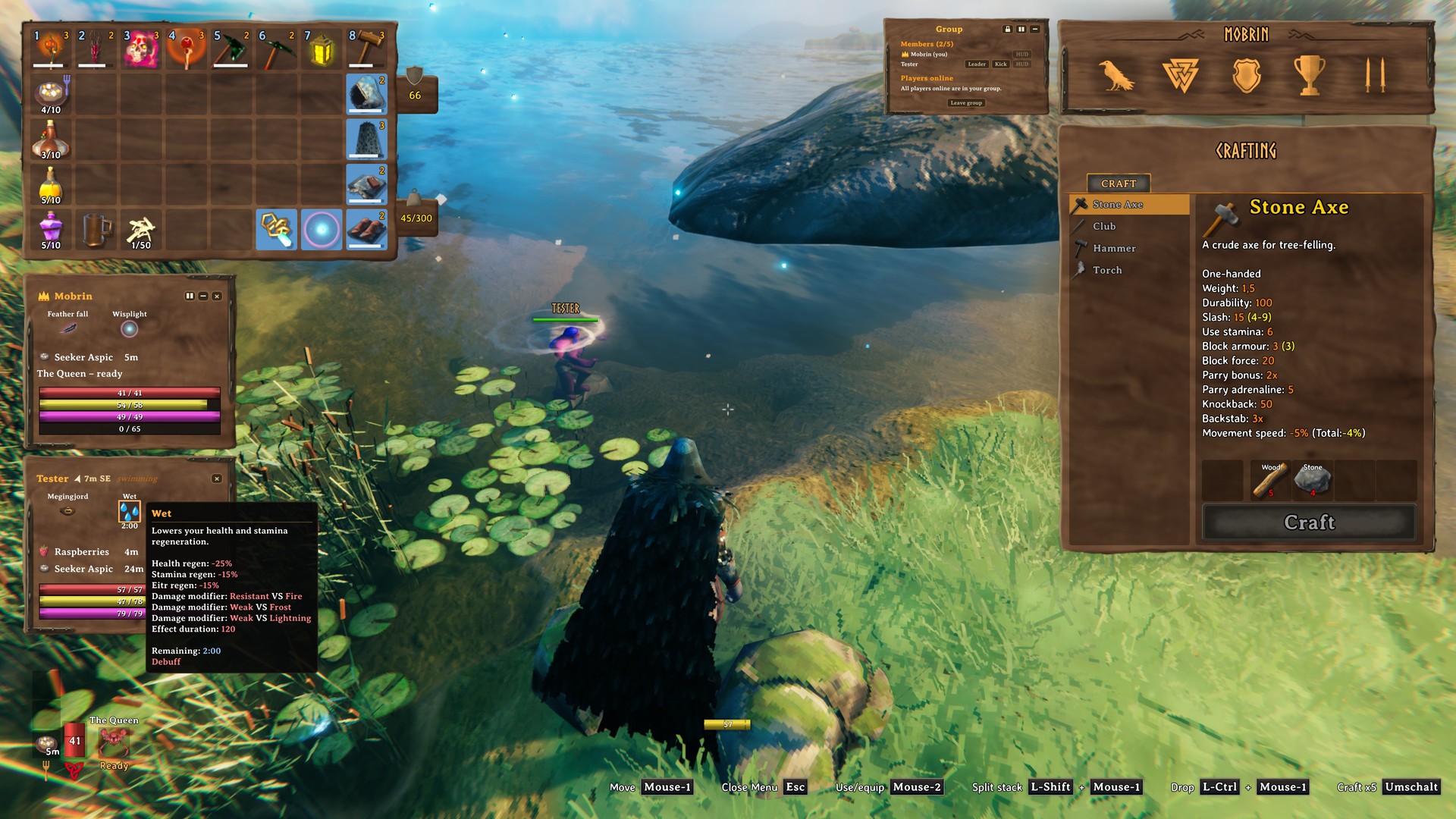
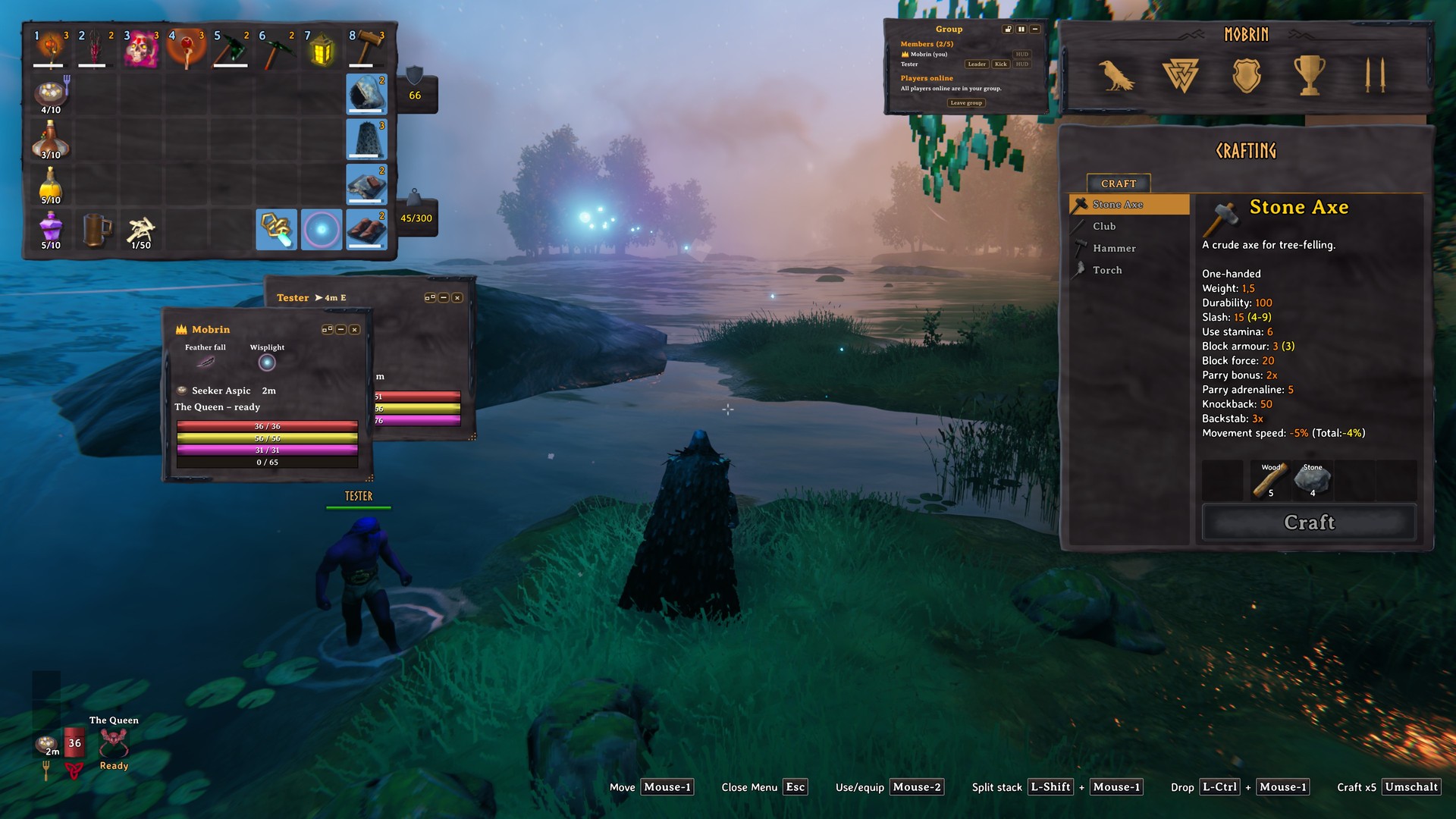
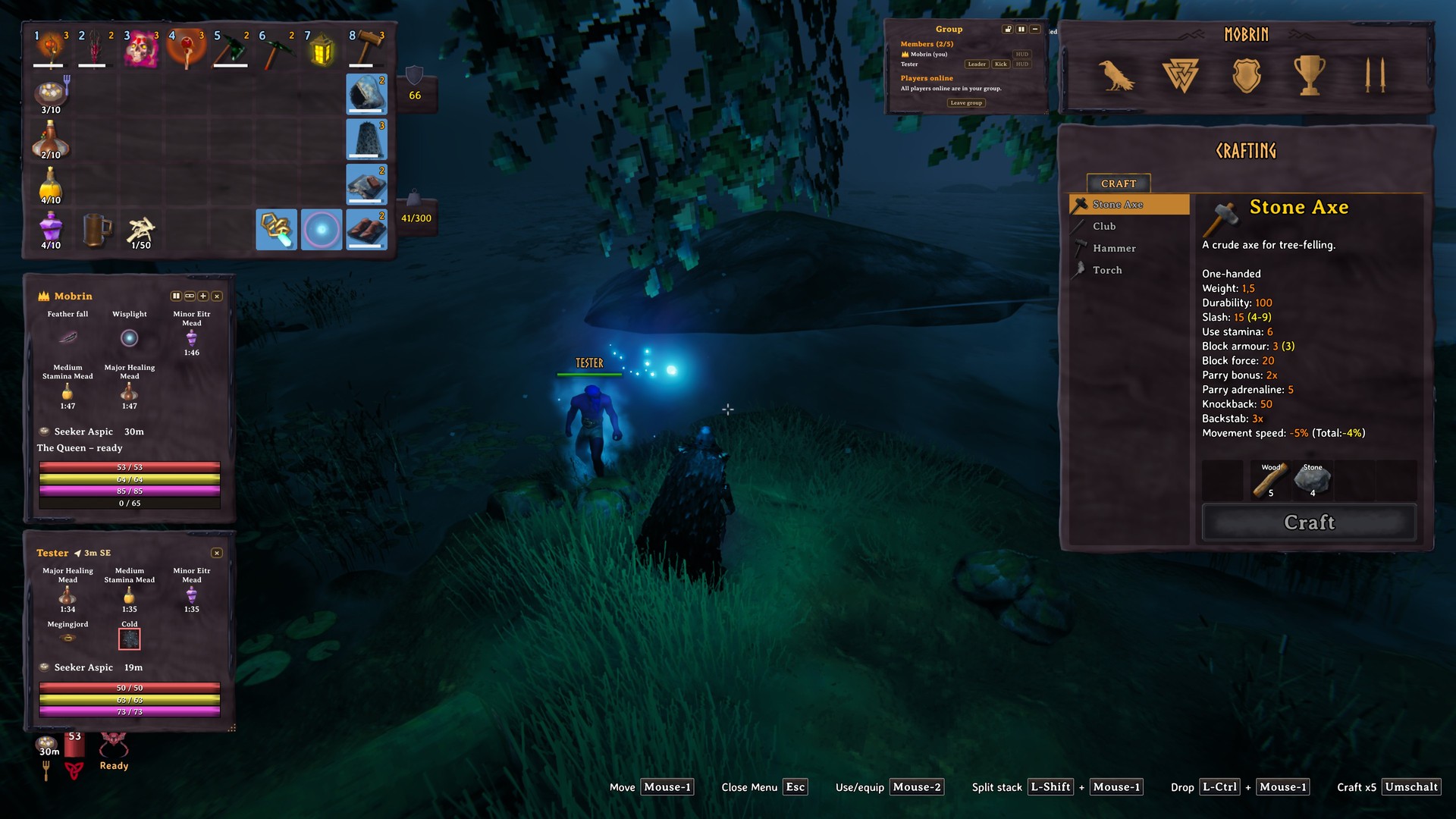
GroupHUD is a standalone party system for Valheim: invite your friends and see everyone's health, stamina, food, effects, distance and state in a clean HUD that looks like it belongs to the game.
Download: Thunderstore · Hexium · Nexus Mods · Support: Discord – Mobrin's Forge

See it in action
- 60 fps showcase – one minute, every feature: watch on YouTube
New in 0.65 – from our group sessions
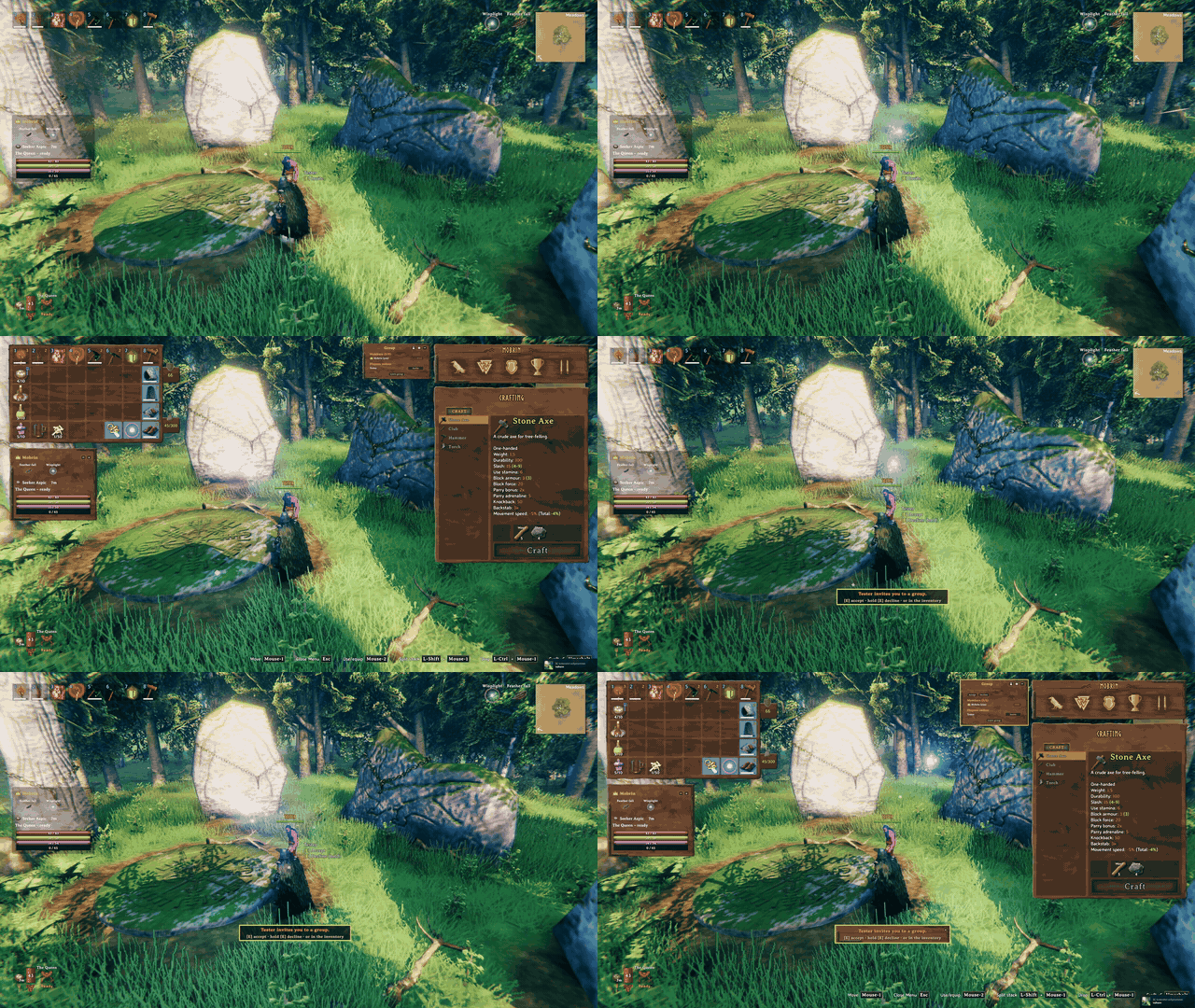
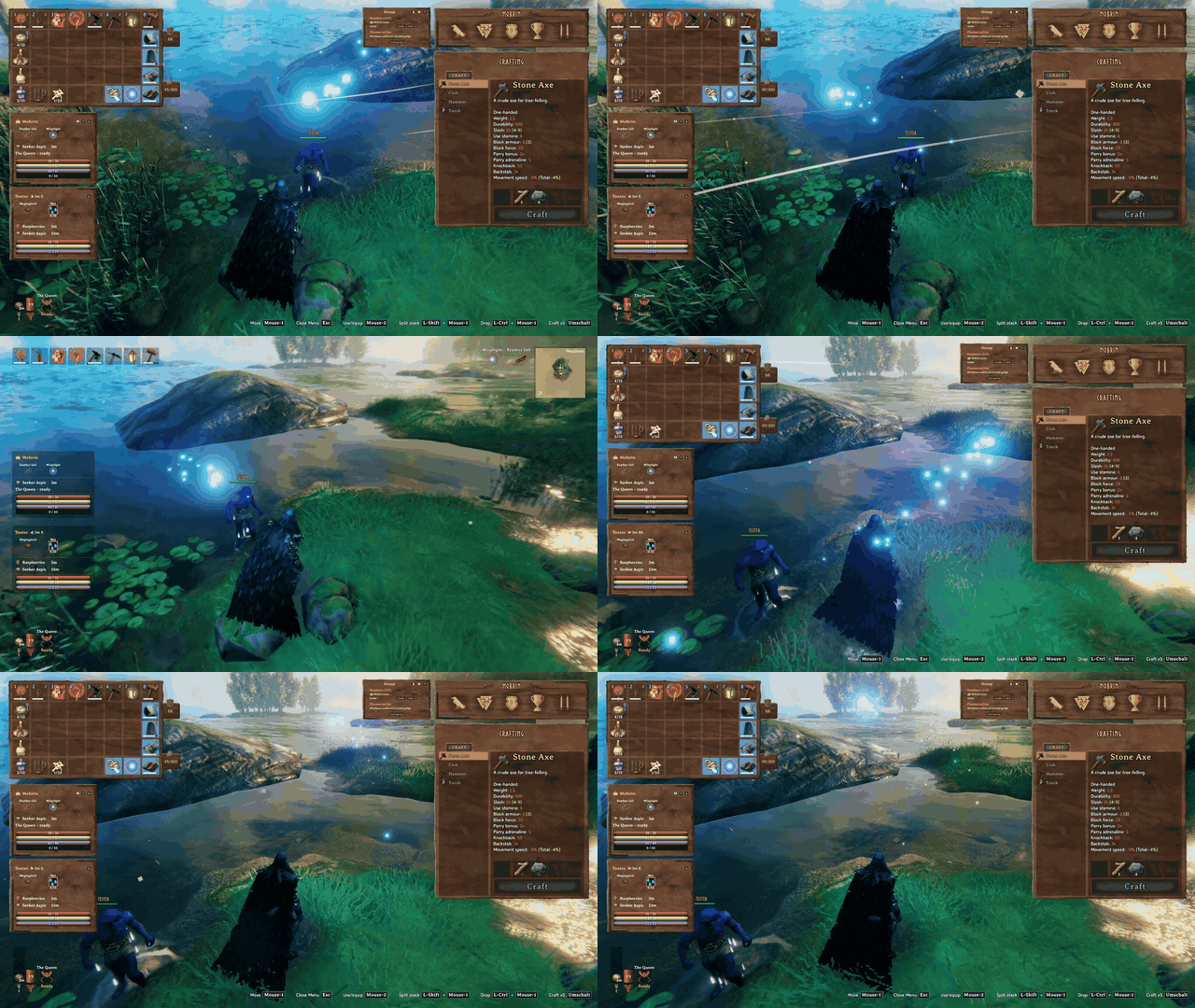
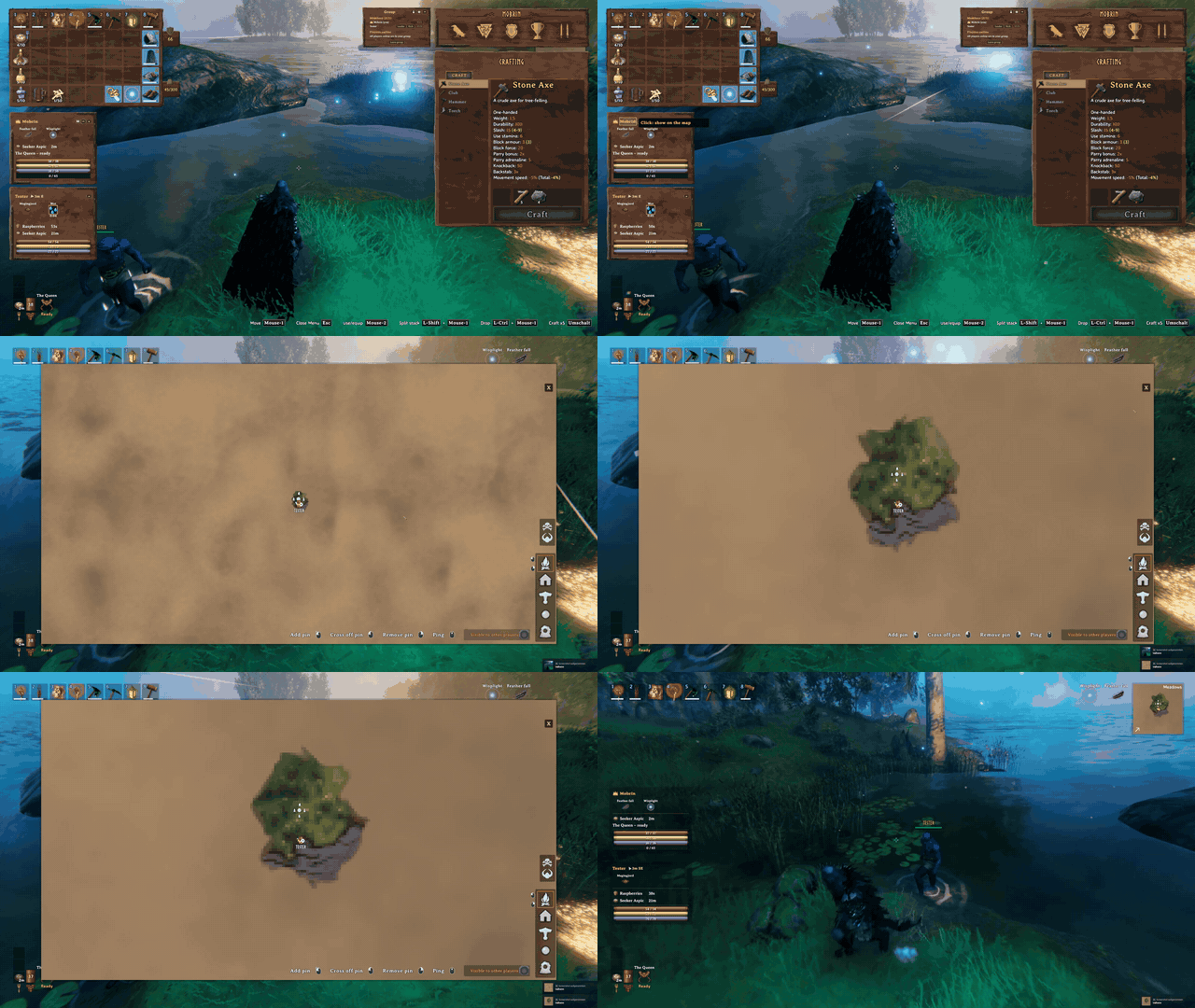
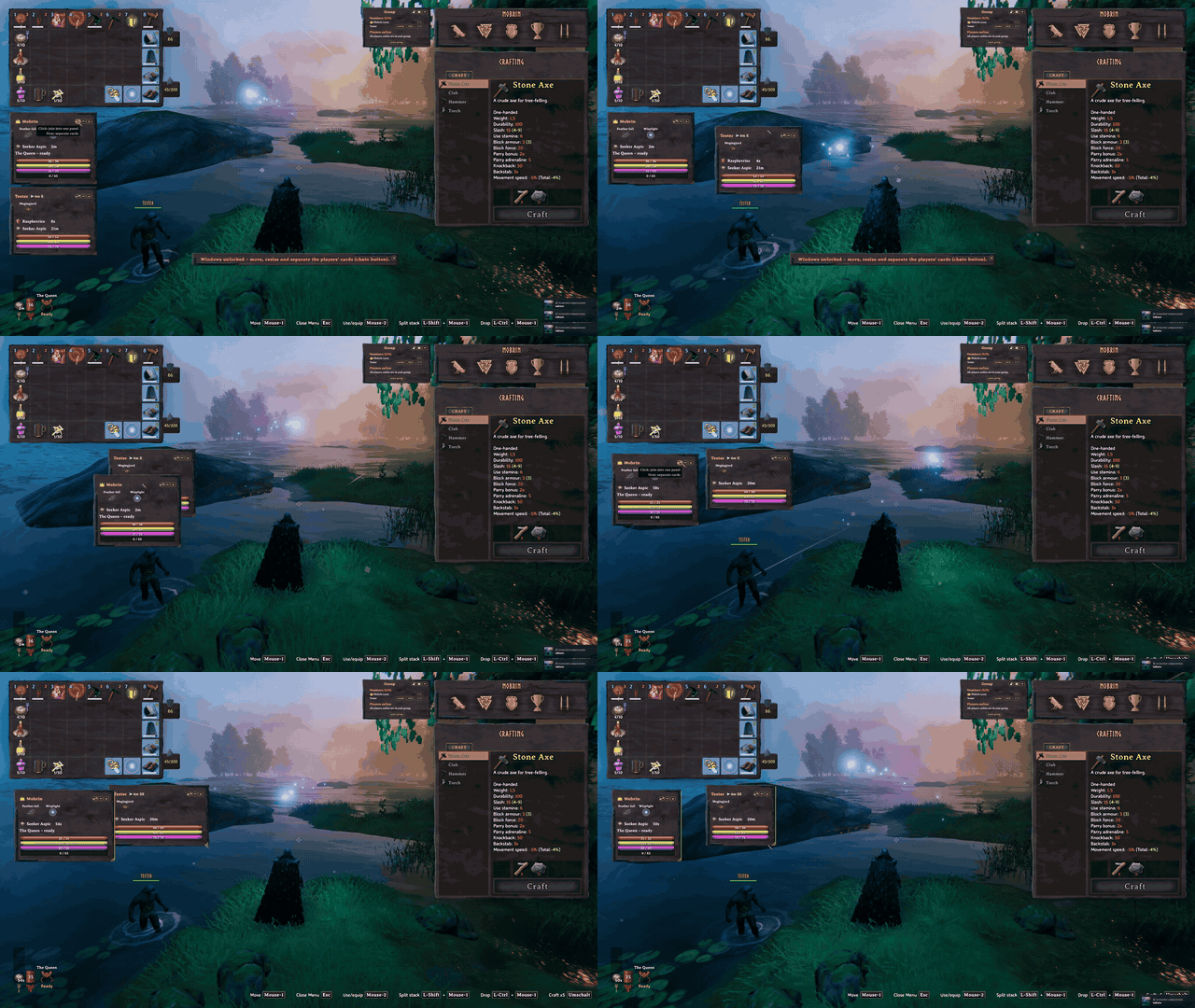
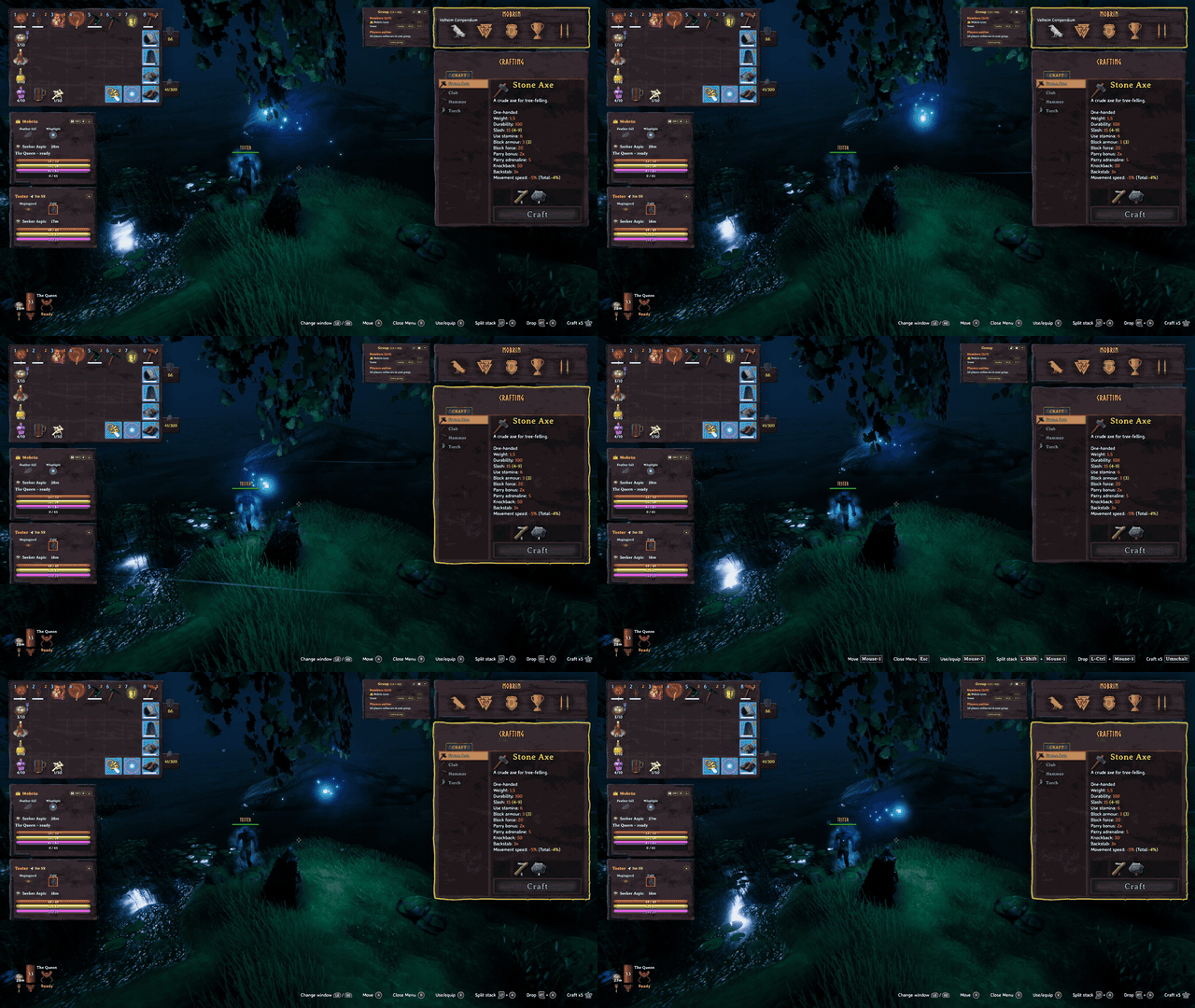
Cards that fade out while everything is calm and pop up when something happens (AutoShow), plus a few moments from our test evenings:


As much or as little as you want
- One click while playing – the –/=/+ button on the panel: only bars (+) → bars + food (=) → bars + effects (≡) → everything (–); in the inventory you always see everything
- Hide cards – your own card (
ShowSelf) or any member with × - Hide single effects – right-click an effect in the panel (e.g. Wisplight) and it's gone; the group menu lists them – bring each one back with Show
- Switch off what you don't need – food, effects, guardian power, effect names, numbers, state … every element on its own in the config
- Smaller –
PanelScale, fewer effects per row (EffectsPerRow,MaxEffectRows) - Only when it matters –
AutoShow: cards fade out or disappear while everything is calm and pop up when something happens – combat, low health, death, food running out, bad effects or far away; per event you choose what pops up (just the bars, food, effects or everything)
Features
Group system

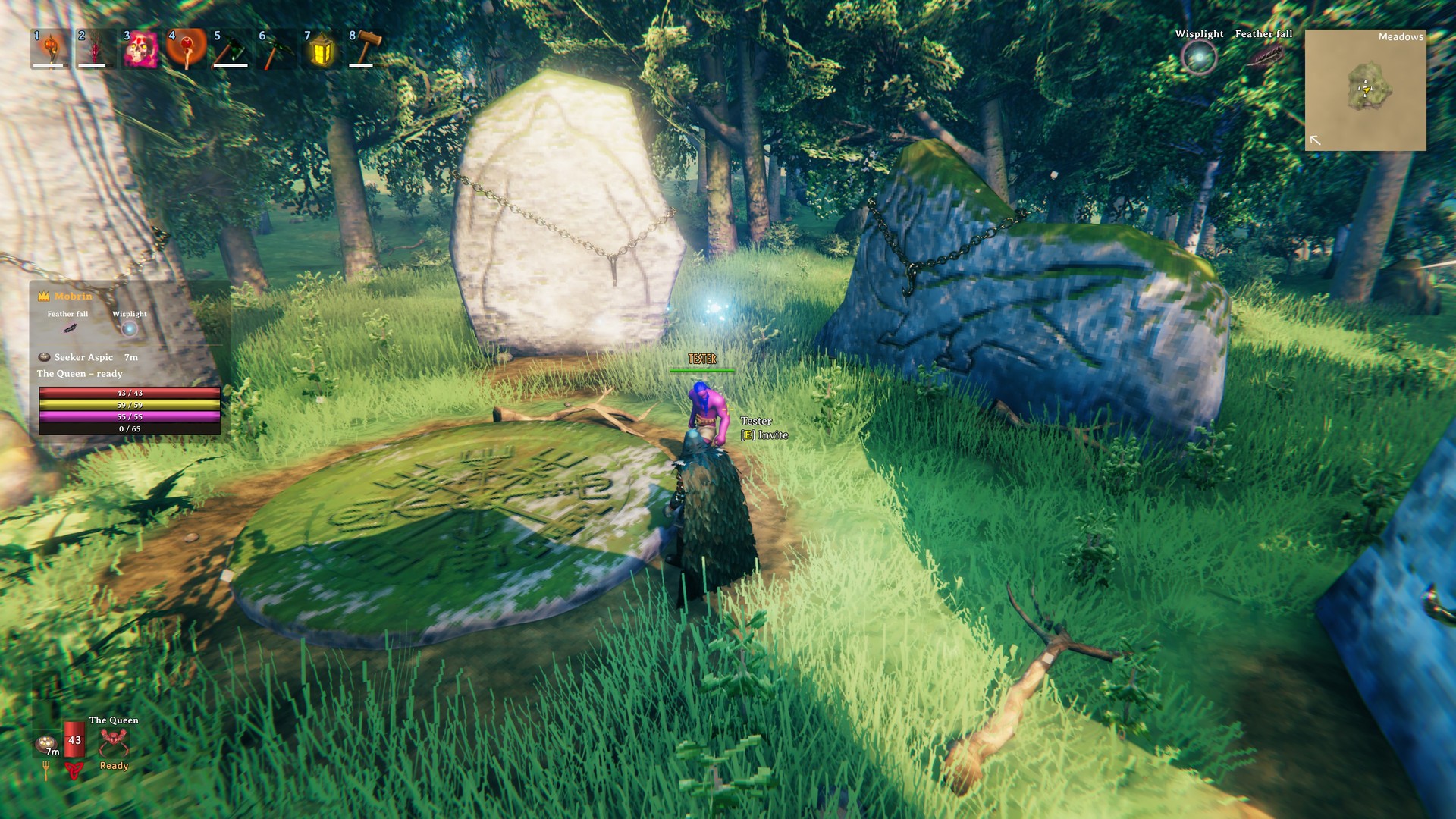
- Invite via the group menu (open your inventory), by looking at a player, or with
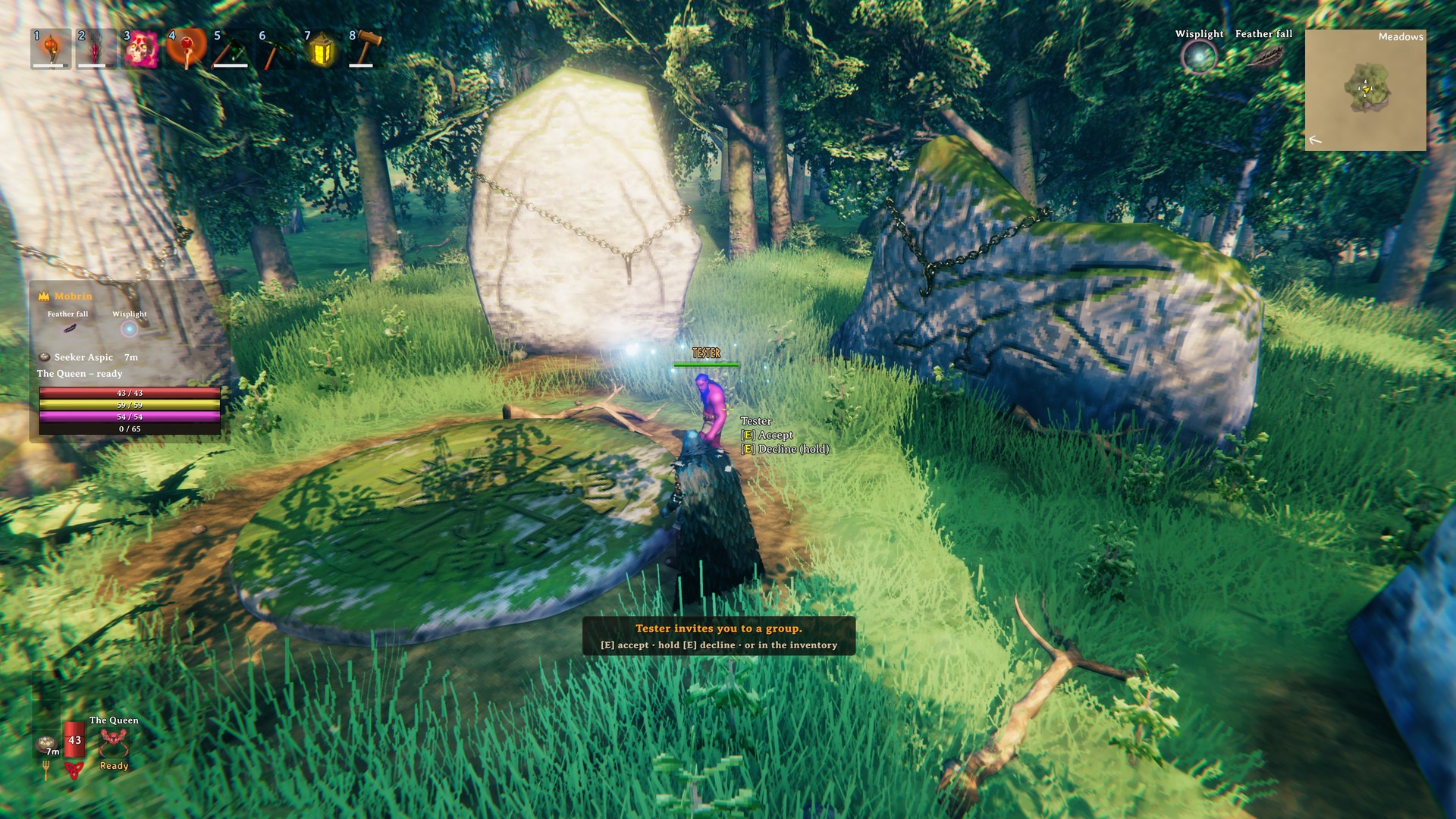
/partychat commands - Accept an invitation with E (controller: X) – no inventory needed, hold to decline; while an invitation is open, E does nothing else
- Accept / decline, leave, kick and pass on leadership with one click
- Leader goes offline? The next member takes over automatically
- Configurable maximum group size
- No friendly fire between group members (optional)
- Group members marked on map and minimap, their names shown in green above their heads (color adjustable) – amber in combat, red with low health, grey when dead

Vitals panel

- Bars for health, stamina, eitr and adrenaline – same colors and textures as vanilla, with numbers (
125 / 125) - Food with icon, name and remaining time, guardian power with cooldown
- Status effects with icon, name and time – including effects from other mods, debuffs highlighted in red; right-click hides an effect you don't care about
- Tooltips for effects and food with the original Valheim description and values – in the panel and also on your own food, guardian power and effects in the vanilla HUD; size adjustable (
TooltipScale) - State of every member: in combat, at the helm, riding, swimming, crafting, building, fishing, mining, chopping, AFK, sleeping …
- Distance and direction, click a name to see the member on the map
- Low health warning and death messages
Controller

- Invite by looking with the Use button – the hint at the crosshair looks exactly like a vanilla chest
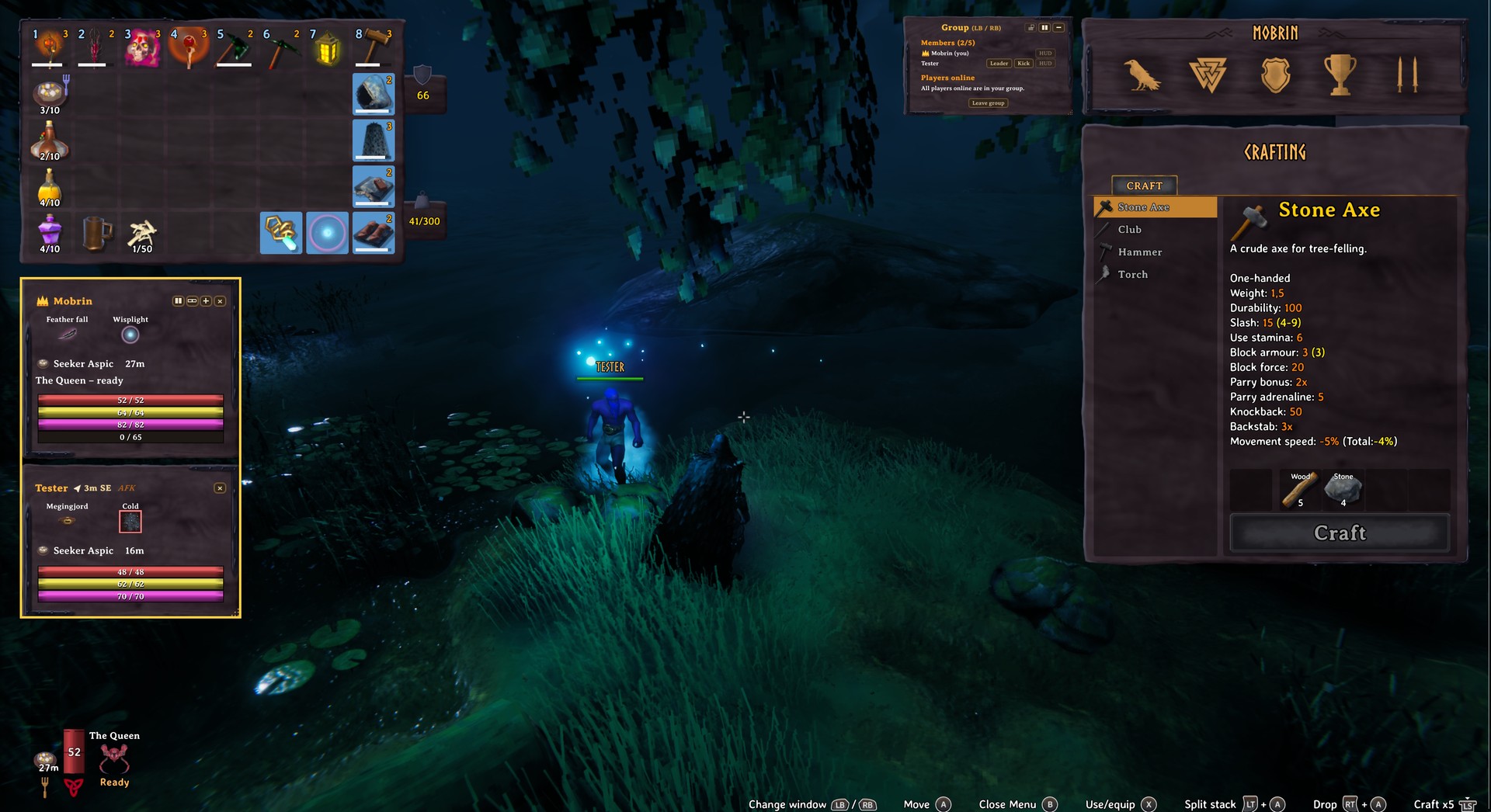
- Panel and group menu are part of the vanilla LB / RB window row: panel ↔ inventory ↔ group menu ↔ character ↔ … ↔ crafting, all the way round, with the same sound
- The active window gets the yellow frame, the selected button a white one – like in vanilla; in GroupHUD nothing is selected until the first D-pad press, so no tooltip pops up while you switch windows; with Extended Player Inventory the extra slots are framed together with the inventory
- D-pad chooses, A presses, B closes the inventory – next time you are back in the same window
- The selected button shows the same hint as with the mouse: what is set now and what a click does
- Every window remembers your spot – the last button is framed again when you come back (the hint follows with your next press); the very first time, the first D-pad press jumps to the button furthest in that direction
- Reopen the inventory (B or Y) and you are back in the window you left – panel, group menu, Info and the other windows; inventory and crafting keep their slot and recipe
- With a chest open, the GroupHUD window you control comes to the front – back in the chest or inventory, the chest lies on top again
- The key for the group menu stands next to its title: Group (LB / RB)
- The lock is greyed out with the controller – moving and resizing windows needs the mouse for now (planned)
- Never triggers other mods: while GroupHUD is active, the game and other mods (e.g. Quick Stack Store) see no controller buttons
HUD & layout

- Vertical or horizontal – members below each other or side by side (layout button on the panel,
MenuLayoutfor the group menu) - Move panel, menu and messages with the mouse – unlock with the lock button in the group menu (with the controller: planned)
- Zoom with the grip in the corner, resize at the right/bottom edge or with Shift + grip, double-click for the default size and place
- Windows snap gently to each other, to Valheim's own windows (inventory, crafting, character overview, chest) and to the screen edge while you drag them – the dragged one always stays on top
- Separate cards – unlock, then the chain button turns every member into its own window; × hides a card, the HUD button brings it back
- The group menu flies in and out together with the vanilla inventory; an open chest simply lies on top of GroupHUD – nothing jumps around
- Every button explains itself: hover it to see what is set now and what a click does
- Small X in the corner of the large map to close it with the mouse

Key highlights
- Vanilla look – bars, fonts, frames and tooltips taken straight from Valheim; in the inventory the panel uses the wooden background of the character window
- Everything about your group in one panel – vitals, food with timers, guardian power, status effects (debuffs in red), distance and direction, leader crown and what everyone is doing right now
- Invite by looking – crosshair on a player and press E, the hint looks exactly like opening a chest
- Tooltips everywhere – hover any food or effect (inventory open) for the full Valheim description with all values, in the panel and on your own vanilla HUD (bottom left food, top right effects)
- Controller support – invite with the door button, panel and group menu are part of the vanilla LB / RB window row
- Movable & resizable – drag, resize and zoom panel, menu and messages; vertical or horizontal layout; separate member cards
- Ready to play – a tidy default layout on every resolution, locked so nothing moves by accident
- Compact mode – only bars, bars and food, bars and effects, or everything while you play – in the inventory you always see everything
- Fully configurable – every element can be switched on or off
- 30 languages – follows your Valheim language
- Standalone – no other mod needed, runs next to other group mods; the server is optional
Installation
- Install with a mod manager (Gale, r2modman) – or copy
GroupHUD.dllintoBepInEx/plugins - Every player in the group needs GroupHUD
- The server is optional: with GroupHUD on the server, the server decides
MaxGroupSize,NoFriendlyFireandShowOnMapfor everyone (marked [Synced] below)
Requires BepInExPack for Valheim.
Usage
- Group menu: open your inventory – the group menu appears. Invite players online, accept invitations, make someone leader, kick or leave.
- Got invited? The notice at the top shows the keys: press E (controller: X) to accept, hold it to decline – or answer in the inventory. Look at the player who invited you and the keys appear at the crosshair too.
- Panel: shows your group while you play. The –/=/+ button sets what you see while playing: only bars (+) → bars + food (=) → bars + effects (≡) → everything (–). In the inventory you always see everything. With
AutoCompactoff the step applies everywhere – your own card still shows your effects in the inventory. - Buttons: hover any button – the hint shows what is set now and what a click does.
- Windows: locked by default – click the lock in the group menu to move, resize and separate the cards (chain button).
ResetWindowsin the config brings back the default layout. - Controller: look at a player and press the Use button (the one that opens doors) to invite. In the inventory, switch windows with LB / RB like in vanilla – panel and group menu are part of the row (panel ↔ inventory ↔ group menu ↔ character ↔ … ↔ crafting, all the way round). D-pad chooses a button or an effect (tooltip), A presses it, B closes the inventory – next time you are back in the same window. Moving and resizing windows works with the mouse only for now – controller support for it is planned.
- Tooltips: with the inventory open, hover food and effects in the panel. Your own food and guardian power (bottom left) and effects (top right) in the vanilla HUD have the same tooltips whenever your own card doesn't show them (no group or card hidden) – effects only where no inventory window covers them.
Chat commands
| Command | Effect |
|---|---|
/party invite <name> |
Invite a player (creates a group if you have none) |
/party accept |
Accept the pending invitation |
/party decline |
Decline the pending invitation |
/party leave |
Leave the group |
/party kick <name> |
Remove a member (leader only) |
/party promote <name> |
Make a member leader (leader only) |
/party list |
Show the group |
Names are not case-sensitive; the beginning of a name is enough if it is unique.
Configuration
BepInEx/config/mobrin.grouphud.cfg (or the config editor of your mod manager). Changes apply instantly in game.
| Section | Setting | Default | Description |
|---|---|---|---|
| 1 - General | Enabled | true | Master switch for the whole mod (group membership and NoFriendlyFire stay active) |
| 1 - General | Language | auto | auto (follows the Valheim language) or a language code (de, fr, es, …) |
| 1 - General | ShowPanel | true | Show the group panel |
| 1 - General | ShowMenu | true | Show the group menu while the inventory is open |
| 1 - General | ShowSelf | false | Show your own card in the panel (your own vitals are in the vanilla HUD anyway) |
| 1 - General | FollowVanillaHud | true | Hide panel and menu together with the vanilla HUD (loading, Ctrl+F3, cutscenes) |
| 1 - General | ShowPanelOnMap | false | Show the panel while the large map is open |
| 1 - General | ColorGroupNames | true | Names of group members above their heads in gold |
| 1 - General | GroupNameColor | green | Color of group member names above their heads |
| 1 - General | MemberNameColors | (empty) | Own color per player, e.g. Tester=#55AAFF, Sprungmatti=#FF8800 |
| 1 - General | MapCloseButton | true | X in the top right corner of the large map to close it with the mouse |
| 2 - Hotkeys | TogglePanelKey | not set | Optional hotkey to show/hide the panel |
| 2 - Hotkeys | CompactKey | not set | Optional hotkey for the –/=/+ button |
| 2 - Hotkeys | InviteLookKey | E | Look at a player (body or name) who is not in your group and press this key to invite them; the hint appears next to the crosshair like a vanilla interaction (empty = off) |
| 2 - Hotkeys | GamepadSupport | true | Controller: invite by looking with the Use button; panel and group menu are part of the LB / RB window row, D-pad chooses, A presses (only while a controller is in use) |
| 2 - Hotkeys | GamepadMenuToggle | LB/RB | How to get to GroupHUD with a controller: LB/RB (panel and group menu are part of the vanilla window row), LT+RT (both triggers), JoyBack (View/Back), JoyRStick, JoyLStick. While GroupHUD is active, the game and other mods see no controller buttons |
| 2 - Hotkeys | QuickStackOnlyInInventory | true | Controller with Quick Stack Store: its D-pad buttons only work while the inventory or the chest is the active window |
| 3 - Group (server) | MaxGroupSize | 5 | [Synced] Maximum group size (2–10) |
| 3 - Group (server) | NoFriendlyFire | true | [Synced] Group members cannot damage each other |
| 3 - Group (server) | ShowOnMap | true | [Synced] Mark group members on map and minimap |
| 4 - Panel | PanelLayout | Vertical | Members below each other (Vertical) or side by side (Horizontal), also with the layout button on the panel |
| 4 - Panel | SectionOrder | EffectsFirst | BarsFirst or EffectsFirst (effects above the bars) |
| 4 - Panel | LeaderFirst | true | Group leader always first in panel and menu |
| 4 - Panel | AutoCompact | true | The –/=/+ button sets what you see while playing; in the inventory you always see everything. Off = the step applies everywhere |
| 4 - Panel | AutoShow | Fade | While you play: Off = always the same, PopUp = cards show more for a moment when something happens, Fade = calm cards fade out and pop up when something happens, Hide = calm cards disappear and pop up when something happens |
| 4 - Panel | FadeOpacity | 0.3 | With Fade: how visible calm cards stay (0 = invisible) |
| 4 - Panel | CalmSeconds | 6 | How long a card stays popped up after the last thing happened |
| 4 - Panel | PopUpCombat | Full | What a card shows in combat: Off, Bars, Food, Effects or Full |
| 4 - Panel | PopUpLowHealth | Full | … at low health (LowHealthWarning) |
| 4 - Panel | PopUpDeath | Full | … when the member is dead |
| 4 - Panel | PopUpFood | Food | … when a food is about to run out (PopUpFoodSeconds, 60) |
| 4 - Panel | PopUpBadEffect | Effects | … while the member has a bad effect (Poisoned, Burning, Frost …) |
| 4 - Panel | PopUpFarAway | Off | … while the member is far away (PopUpFarMeters, 150) |
| 4 - Panel | PanelScale | 0.75 | Size of the panel (1 = matches your screen height) |
| 4 - Panel | PanelOpacity | 1 | Background of panel and menu (1 = like the vanilla slots, 0 = invisible, 3 = almost opaque) |
| 4 - Panel | CardPadding | 14 | Extra space inside each member card on all sides |
| 4 - Panel | BarSidePadding | 4 | Space left and right of the bars |
| 4 - Panel | EffectsBottomGap | 4 | Space below the last row of effects |
| 5 - Panel content | ShowHealth / ShowStamina / ShowEitr / ShowAdrenaline | true | Individual bars |
| 5 - Panel content | ShowBarNumbers | true | Numbers inside the bars |
| 5 - Panel content | LowHealthWarning | 0.25 | Red name and pulsing bar below this share of health (0 = off) |
| 5 - Panel content | ShowCrown | true | Crown next to the group leader |
| 5 - Panel content | DistanceStyle | ArrowAndCompass | Distance next to the name: arrow + compass, only arrow, only compass or Off |
| 5 - Panel content | DistanceColor | light | Color of distance, direction and arrow |
| 5 - Panel content | ShowState | true | State next to the name: sleeping, in bed, in combat (also blocking), at the helm, riding, swimming, crafting station name, building, planting, fishing, mining, chopping wood, AFK, sitting, emotes |
| 5 - Panel content | CombatStateSeconds | 8 | "In combat" stays this long after your last attack or damage taken (0 = off) |
| 5 - Panel content | AfkMinutes | 3 | "AFK" after this many minutes without moving (0 = off) |
| 5 - Panel content | ShowFood / ShowFoodIcons / ShowFoodTime | true | Food rows |
| 5 - Panel content | ShowGuardianPower | true | Guardian power row |
| 5 - Panel content | ShowEffects / ShowEffectNames / ShowEffectTimes | true | Status effect grid |
| 5 - Panel content | ShowEffectsWithoutIcon | true | Effects without icon as text |
| 5 - Panel content | HighlightDebuffs | true | Red frame around debuffs |
| 5 - Panel content | HiddenEffects | empty | Effects hidden in the panel – easiest with a right-click on the effect |
| 5 - Panel content | ShowAllEffectsAgain | false | Switch on once: all hidden effects show again |
| 5 - Panel content | EffectAlignment | Left | Effect icons start Left or Right |
| 5 - Panel content | EffectsPerRow | 3 | Effects per row (1–8) |
| 5 - Panel content | MaxEffectRows | 4 | More effects than EffectsPerRow × MaxEffectRows: no names, 6 icons per row (0 = never) |
| 5 - Panel content | EffectNameLines | 3 | Max. lines for effect names (1–3) |
| 5 - Panel content | ClickNameForMap | true | Click a name to show the member on the map |
| 5 - Panel content | ShowTooltips | true | Tooltips with the full Valheim description and values for effects and food in the panel (inventory open) |
| 5 - Panel content | TooltipScale | 1.25 | Size of tooltips and their text (0.8–2) |
| 5 - Panel content | VanillaHudTooltips | NoOwnCard | The same tooltips for your own food, guardian power and effects in the vanilla HUD: NoOwnCard (whenever your own card doesn't show them – no group, ShowSelf off, hidden with × or a compact step without food or effects), Always, Off |
| 5 - Panel content | ColorTooltipValues | true | Tooltip values: buffs green, debuffs red, times light blue (colors adjustable: BuffValueColor, DebuffValueColor, NeutralValueColor) |
| 6 - Group menu | MenuLayout | Horizontal | Group menu: members above players online (Vertical) or side by side (Horizontal) |
| 6 - Group menu | MenuScale | 0.79 | Size of the group menu |
| 6 - Group menu | MenuSidePadding | 34 | Extra space left and right inside the menu (the title row keeps its own margin) |
| 6 - Group menu | MenuTopPadding | 6 | Extra space above the menu title |
| 6 - Group menu | MenuSlideIn | 0.25 | The group menu flies in from the nearest screen edge when the inventory opens and out again (a bit faster) when it closes, in sync with the vanilla inventory – Tab mid-flight turns it around (seconds, 0 = off) |
| 6 - Group menu | MenuFollowInventory | true | The group menu flies in and out exactly as fast as the vanilla inventory – it follows the character overview window (PvP, Trophies, Skills). Off = own timing from MenuSlideIn |
| 6 - Group menu | InviteFrameThickness | 3 | Blinking yellow frame around the menu while an invitation is waiting; thickness in pixels, 0 = off |
| 7 - Windows & look | MatchInventoryLook | true | Panel and menu use the background of the character overview while the inventory is open |
| 7 - Windows & look | InventoryFrame | Vanilla | Frame with MatchInventoryLook: Vanilla (background and frame 1:1 like the character overview, not distorted when resized) or Smooth (simple rounded frame) |
| 7 - Windows & look | ShowSeparators | OutsideInventory | Golden lines: Always, OutsideInventory, InsideInventory, Never |
| 7 - Windows & look | ShowLayoutButton | true | Layout button on the panel (hidden automatically when there is nothing to arrange) |
| 7 - Windows & look | AvoidVanillaHud | true | Windows never cover Valheim's health, food and guardian power in the bottom left – they move up on their own |
| 7 - Windows & look | ShowResizeGrip | true | Resize grip: drag = zoom (stops before the window leaves the screen), Shift + drag = width and height (content rearranges, scroll bar if needed), double-click = default size and place (Shift + double-click: only the size). The right and bottom edges change width and height |
| 7 - Windows & look | SnapToVanilla | true | Dragged windows also snap to Valheim's own windows: inventory, crafting, character overview and an open chest |
| 7 - Windows & look | LockWindows | true | Lock panel, menu and messages against moving and resizing – click the lock in the group menu to unlock |
| 7 - Windows & look | ChestOverlap | ChestOnTop | An open chest and GroupHUD overlap: ChestOnTop (the chest lies on top, GroupHUD stays put – while you control GroupHUD with the controller, it comes to the front), MoveAside (panel and menu move next to the chest), Off (GroupHUD on top) |
| 8 - Messages | NoticeStyle | GroupHUD | Group messages as golden box (GroupHUD) or Valheim messages (Vanilla) |
| 8 - Messages | NoticeSeconds | 10 | How long group messages stay on screen |
| 8 - Messages | InviteNotice | true | Golden notice at the top while an invitation is open – who invites you and the keys (E / X accept, hold to decline); stays until you answer |
| 8 - Messages | NotifyDeath / NotifyLowHealth | true | Messages when a member dies or is low on health |
| 8 - Messages | AlertsInChat | false | Also write death warnings to the chat |
| 9 - Advanced | SendInterval | 0.5 | Seconds between updates |
| 9 - Advanced | Font | AveriaSerifLibre-Bold | Font name |
| 9 - Advanced | EffectNameMinFontSize | 7 | Long effect names shrink down to this size before being shortened |
| 9 - Advanced | DebuffNames | Wet,Smoked,Cold,… | Additional debuffs by internal effect name |
| 9 - Advanced | LogEffectNames | false | Log internal names of your active effects |
| 9 - Advanced | LogGamepadButtons | false | Log every controller button you press and whether the group menu was active |
| 9 - Advanced | InventoryLookSource | auto | Which inventory window is copied; auto = character overview. Possible values are written to the log ("Inventar-Look") |
| 9 - Advanced | BlockClicksBehind | true | Clicks on panel and menu do not reach inventory buttons underneath |
| 9 - Advanced | ResetWindows | false | Set to true to move panel, menu and messages back to their default position and size and join separated cards (resets itself) |
[Synced]: if the server runs GroupHUD, the server's values are used for everyone.
Languages
GroupHUD follows the language you chose in Valheim. Included: English, German, French, Spanish, Italian, Portuguese (Brazil and Portugal), Russian, Ukrainian, Polish, Turkish, Japanese, Korean, Chinese (Simplified and Traditional), Swedish, Norwegian, Danish, Finnish, Icelandic, Czech, Slovak, Hungarian, Romanian, Bulgarian, Macedonian, Lithuanian, Thai, Georgian and Dutch. Names of food and effects always come from Valheim itself.
The translations (except English and German) were made with AI help and may not be perfect – corrections are very welcome! To fix or add a language, copy BepInEx/config/GroupHUD_Translations/_template.txt, rename it to your language (e.g. French.txt or fr.txt) and translate the right side of each line. This also works for languages added by other mods.
Compatibility
GroupHUD uses its own network messages and its own /party command, so it can run next to other group mods without interfering – groups from other mods are not shared with GroupHUD.
Support & community
Mobrin's Forge is the home of Mobrin's Valheim mods – questions, bugs and ideas: join on Discord
grouphud-guide– how everything worksgrouphud-help– questions about setup and configgrouphud-bugs– something broken? Please attach yourLogOutput.loggrouphud-ideas– suggestions and votes
GroupHUD on Thunderstore · Hexium · Nexus Mods
Planned
Roughly what comes next – nothing is set in stone:
- Move and resize windows with the controller – today this works with the mouse only
- Your ideas – suggest and vote in
grouphud-ideason Mobrin's Forge; the most wanted ones land here
Credits
- Groups by Smoothbrain – the original group mod that inspired early versions (Thunderstore · Hexium). Since 0.15.0 GroupHUD is fully standalone and contains no code or assets from Groups.
- Bear Weizenson and Tester – the first multiplayer test crew: thanks for playing, breaking and reporting! 🛡️
- Claude by Anthropic – coding assistance. The idea, the in-game testing and all decisions are by Mobrin.
License & disclaimer
MIT License (see LICENSE) – use, change and build on it, as long as the copyright notice stays included.
GroupHUD is a fan-made mod and is not affiliated with or endorsed by Iron Gate or Coffee Stain. Valheim is a trademark of its respective owners. Back up your worlds and characters before installing mods.