 Install with Gale


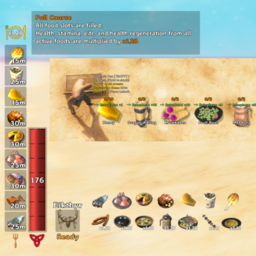

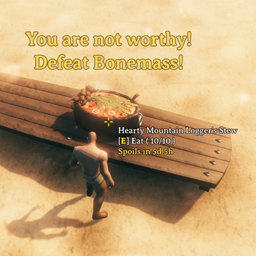
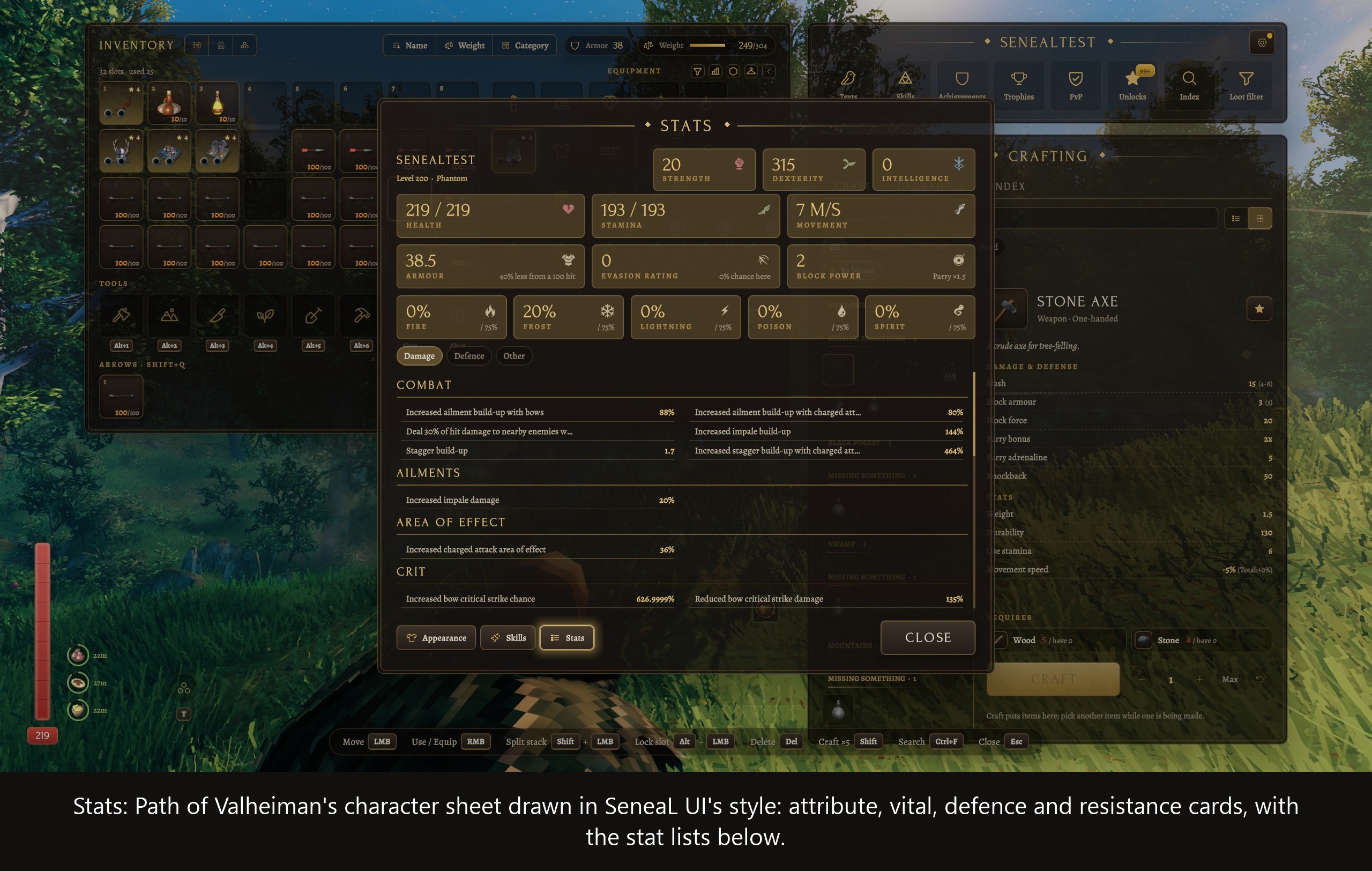
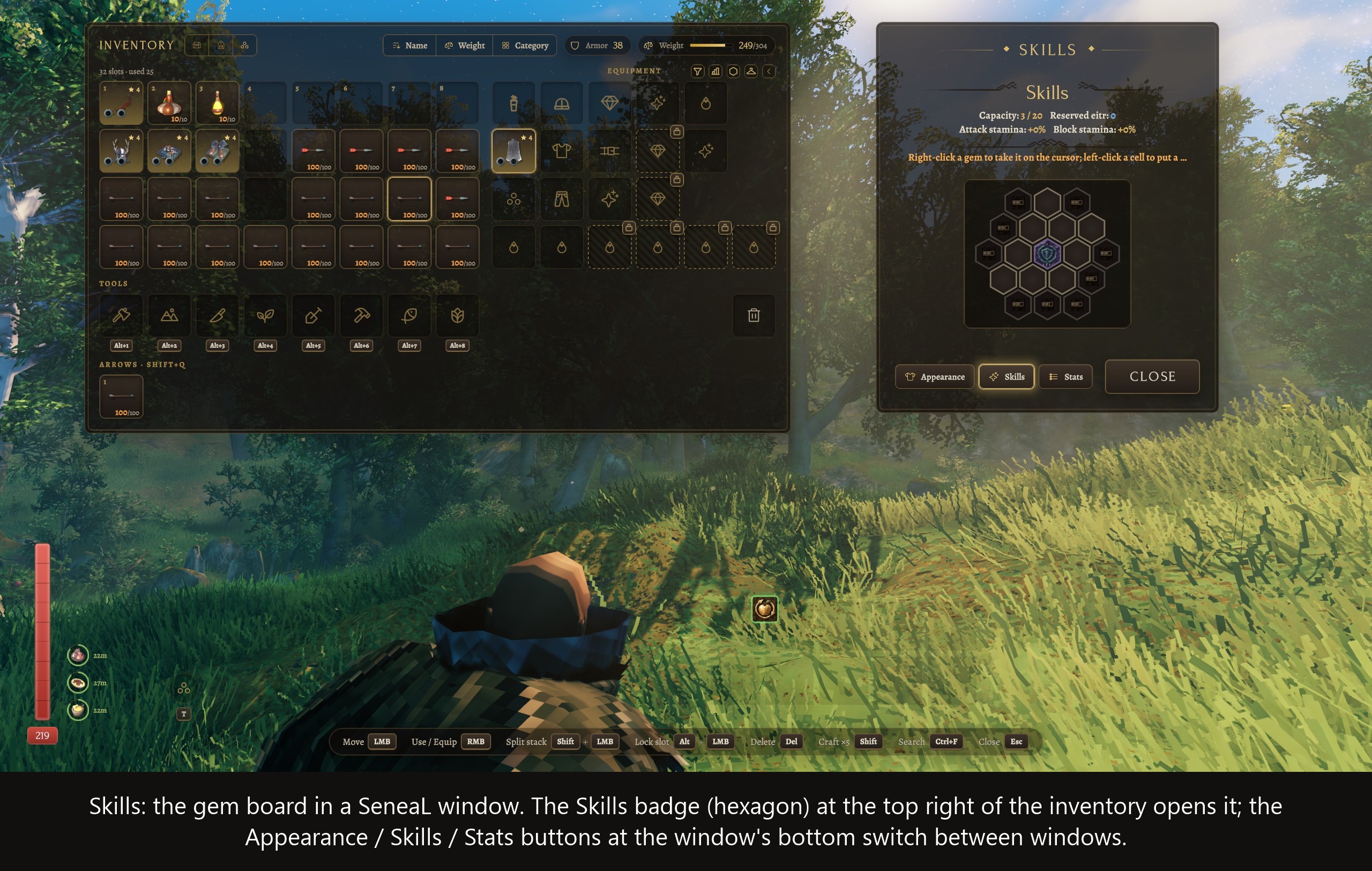
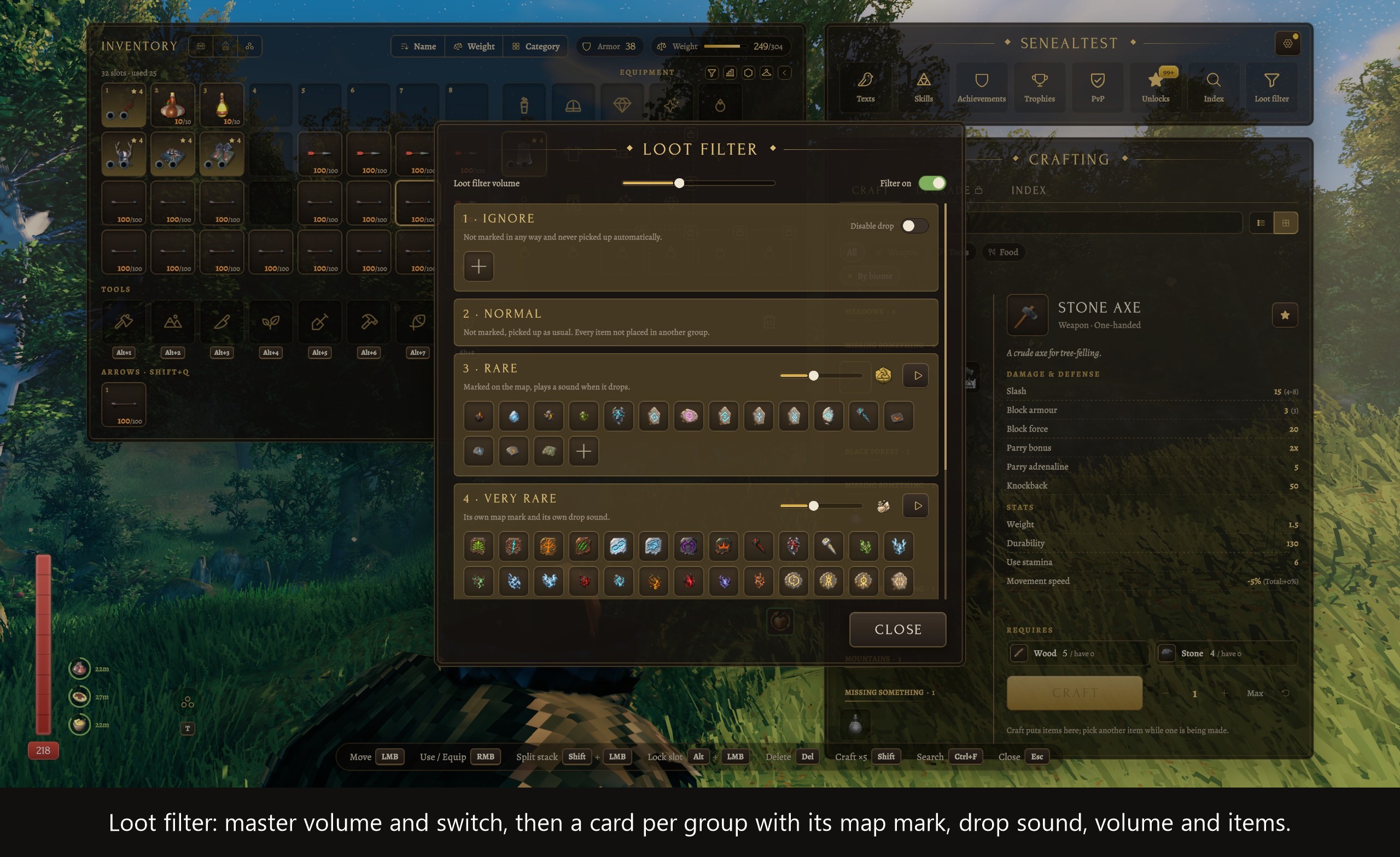
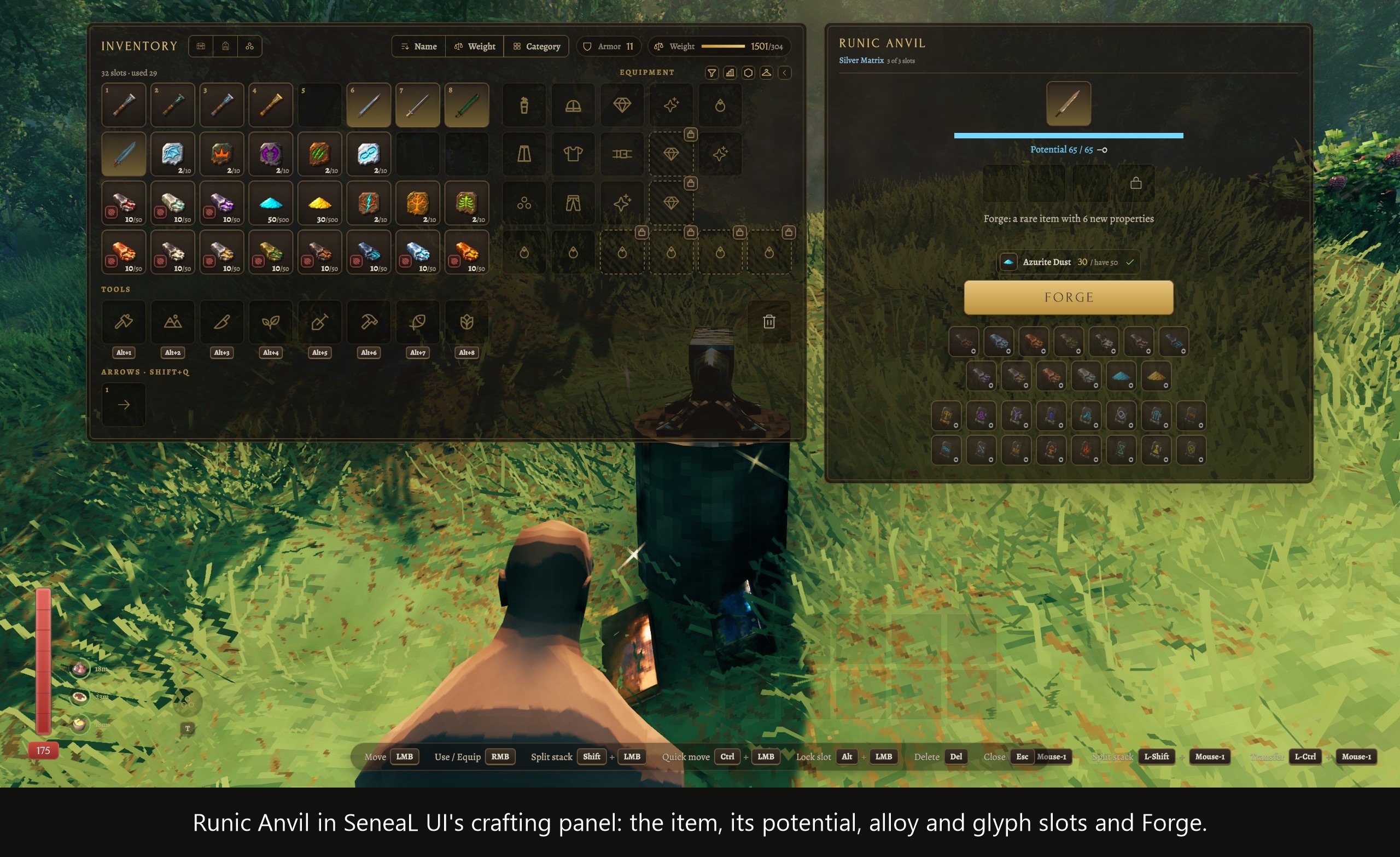
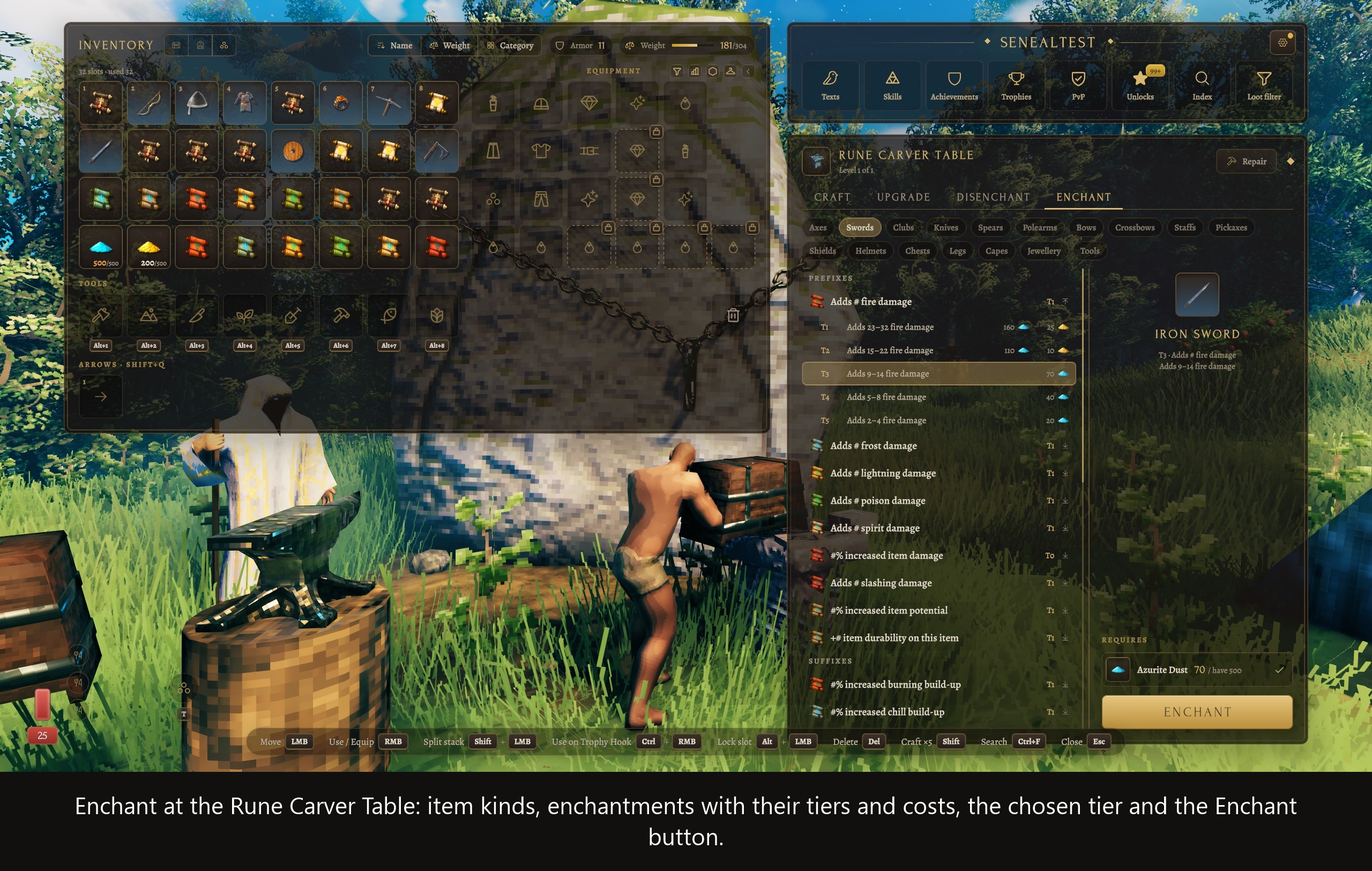
Path of Valheiman 6.0 ships a gem board, a character sheet, a loot filter, a Runic Anvil, enchanting, merchants and a Book of the Halls. SeneaL UI replaces the inventory, crafting panel and HUD those windows are attached to, so most of them end up hidden or out of reach. This bridge gives them a place to live: each Path of Valheiman window is drawn inside SeneaL UI, using SeneaL's panels, fonts, tooltips and layout.
Path of Valheiman keeps doing the work. The numbers, rules, costs and messages are its own. The bridge only shows them.
Highlights
- Both mods, one look. Path of Valheiman's windows and tooltips follow SeneaL's style, while the colours that carry meaning in Path of Valheiman (damage types, gains and losses, rarity) stay as they are.
- Hands off the originals. Neither mod's files are touched. At startup the bridge checks the code it relies on; if an update changed something, only the part that uses it switches off, and the log names it.
- A switch for every part, in the config file.
- New name for SeneaLUI_PovSkills. It is the same plugin, so uninstall the old package before installing this one.
Where things are
| You want | Look here |
|---|---|
| Skill gem (gem board) | the hexagon badge at the top right of the inventory |
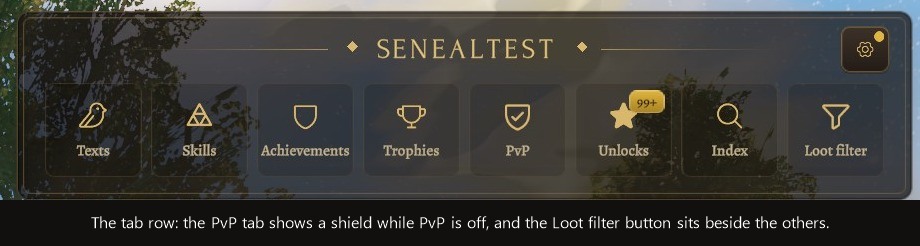
| Stats (character sheet) | the bar chart badge beside it; also the second tile of the tab bar above the crafting panel, while Path of Valheiman has the game's skills switched off |
| Skills (the game's skills) | the Skills button at the foot of the Appearance, Skill gem and Stats windows; also that second tile, while the game's skills are on |
| Loot filter | the funnel badge beside that |
| Runic Anvil, Enchant, Salvage / Disenchant, merchants, Book of the Halls | SeneaL's crafting panel, when you use the station |
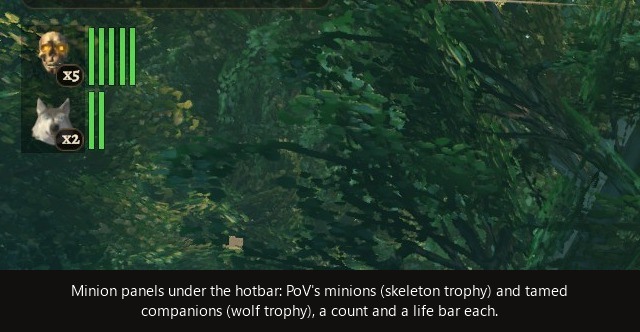
| Minions | under SeneaL's hotbar; movable in the HUD editor as Minions |
The three badges sit next to the Appearance badge and the character menu caret.
The windows
- Skills. The game's skills, three columns to a window, with each skill's level, progress and bonus; hover one for its description. While Path of Valheiman has them switched off, the window says so once at the top.
- Skill gem. Path of Valheiman's gem board, in the crafting panel's place. Drag a gem from the bag onto a cell, right-click a placed gem to lift it, left-click an aura or effect to switch it on or cycle it. Right-clicking an Awakening Chisel opens the board too. It closes with the inventory.
- Stats. The character sheet: attributes, vitals, armour, evasion, block and resistances as cards, and the Damage, Defence, Minions and Other lists as rows. Hover a card or row to see what it means.
- Loot filter. A master switch and volume, then one card per group with its map mark, drop sound, volume and items. Click an item to send it back to Normal; the plus cell opens a searchable list of every item.
The crafting panel
Path of Valheiman's own window stays open out of sight behind each of these and does the work.
- Runic Anvil. The item, its potential, alloy and glyph slots, the Forge button with its dust cost, and the upgrade. Right-click the item to return it to the bag, or drag one in from the bag.
- Enchant (Runecarver Table). Item kinds, enchantments and tiers, the cost, and the Enchant / Remove button. Put an item in by clicking the cell with it on the cursor, or Ctrl+click it in the bag.
- Salvage / Disenchant. SeneaL's Recycle tab under Path of Valheiman's names. Chips show what each item gives back, including the masteries' chance to recover materials. Disenchanting an item with socketed sigils asks first.
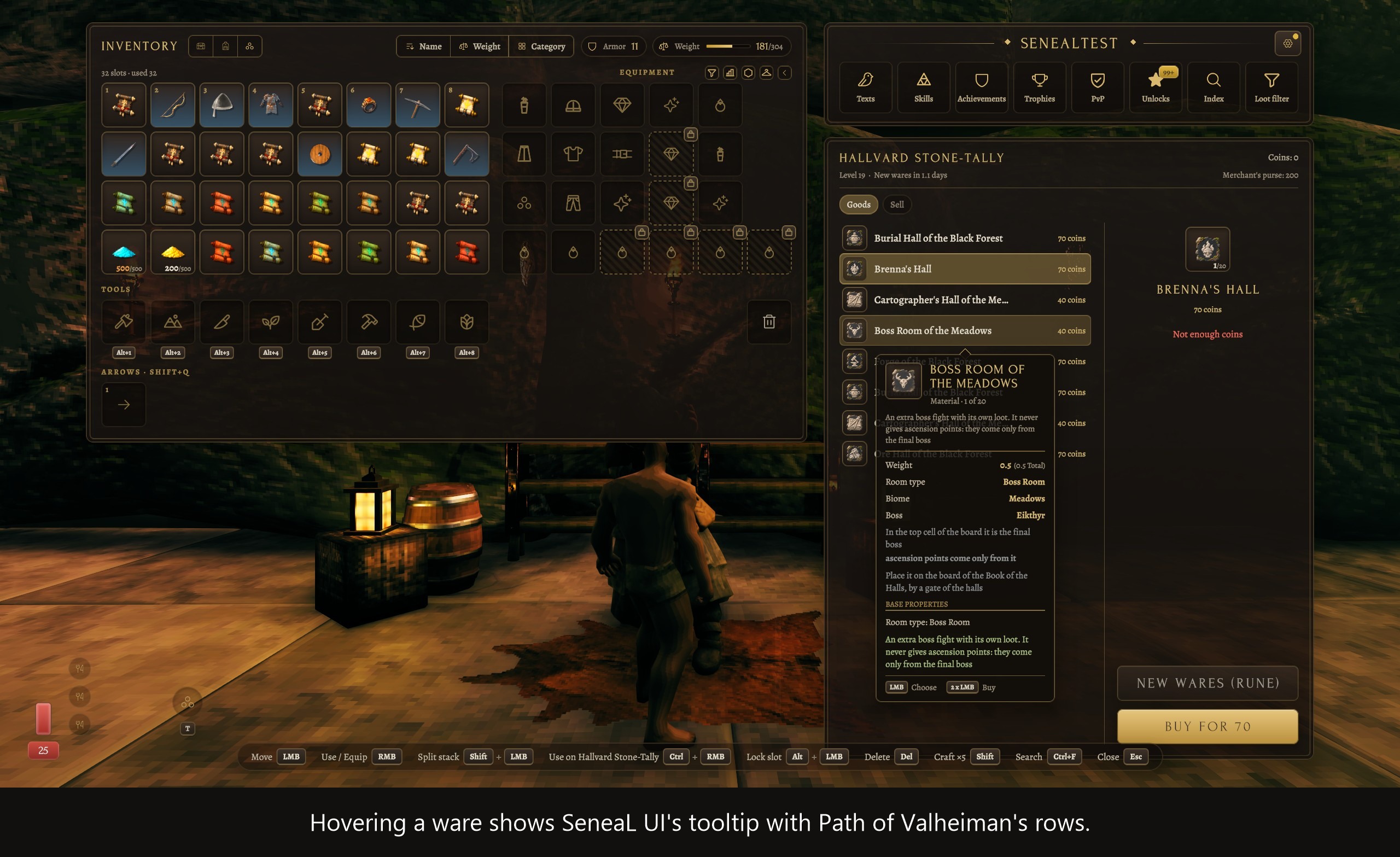
- Merchants. Wares on the left; the chosen one with its price and the Buy, Sell and New wares buttons on the right.
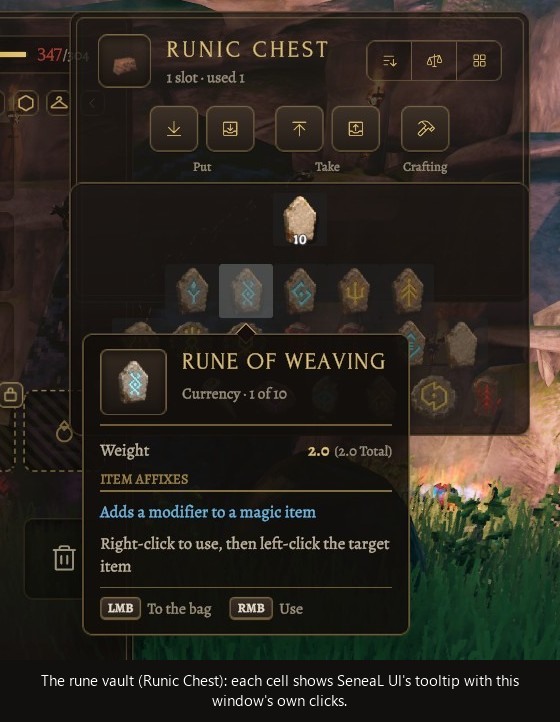
- Rune vault (Runic Chest). Right-click a rune in the vault, then click the item placed in it, and the rune is applied (part
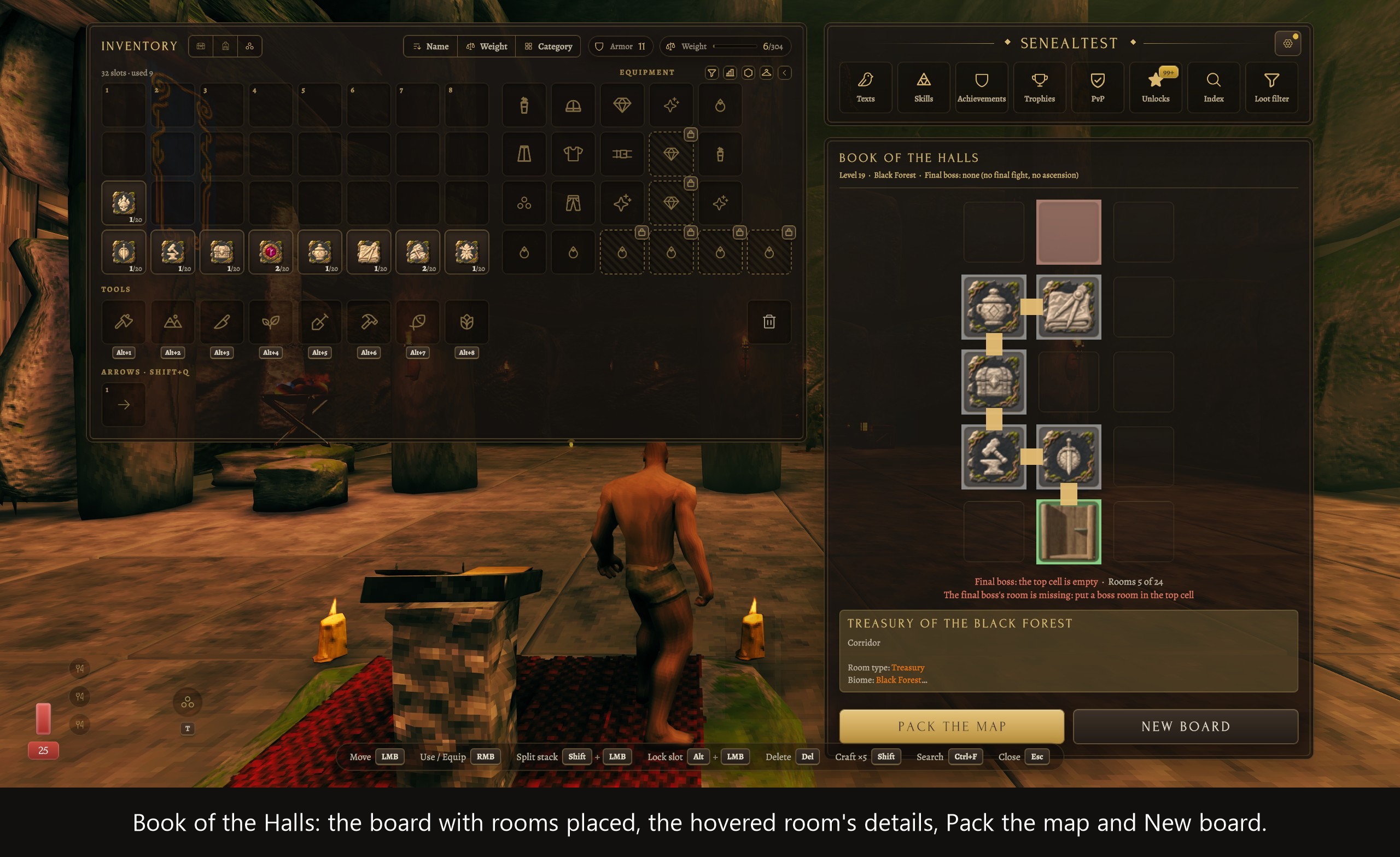
RuneVaultClicks). - Book of the Halls. The board, details of the hovered cell, Pack the map and New board, then the packed map with its modifiers, plan and Launch. Click a cell with a room on the cursor to place it, right-click to take it back.
Item tooltips
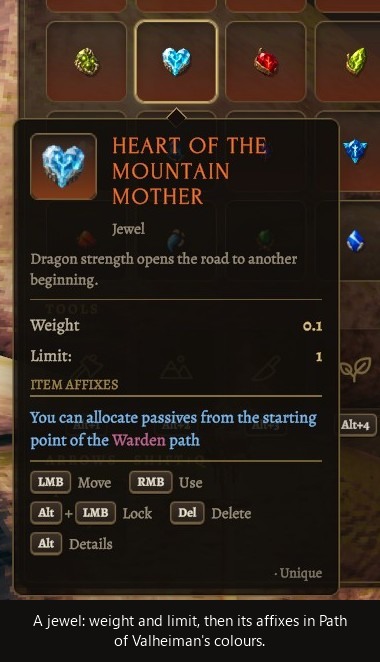
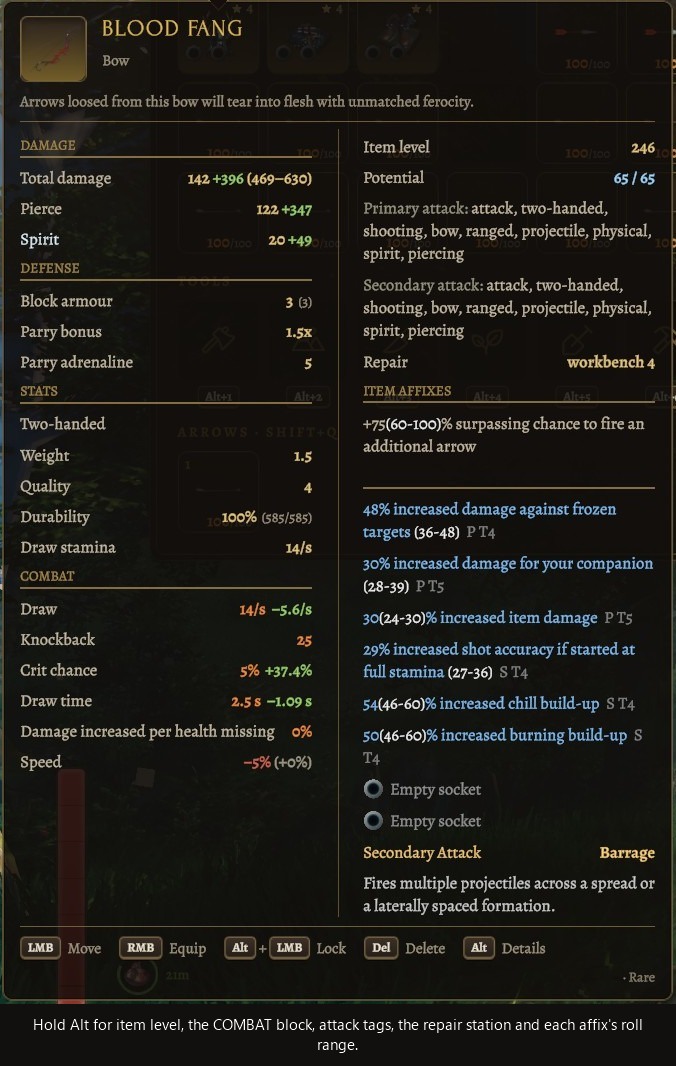
The tooltip follows Path of Valheiman's own item card, laid out in two columns.
- Left: what the item does. Damage first (the total, then each type with what your build adds, such as 200 +90), then defence, stats and Path of Valheiman's own sections. A damage type your gear adds that the weapon doesn't have, for example extra lightning from a sigil, gets its own row, and the range sits on the total.
- Right: what it carries. Potential, implicit modifiers, a dividing line, the affixes, the secondary attack, and "You are not worthy" last.
- Alt adds item level, the COMBAT block (crit chance, reload, fire rate), attack tags, the repair station and each affix's roll range. Weight is in the main block without it.
- Alt over a tooltip also lets you read Path of Valheiman's underlined words: move onto one and its wiki entry shows.
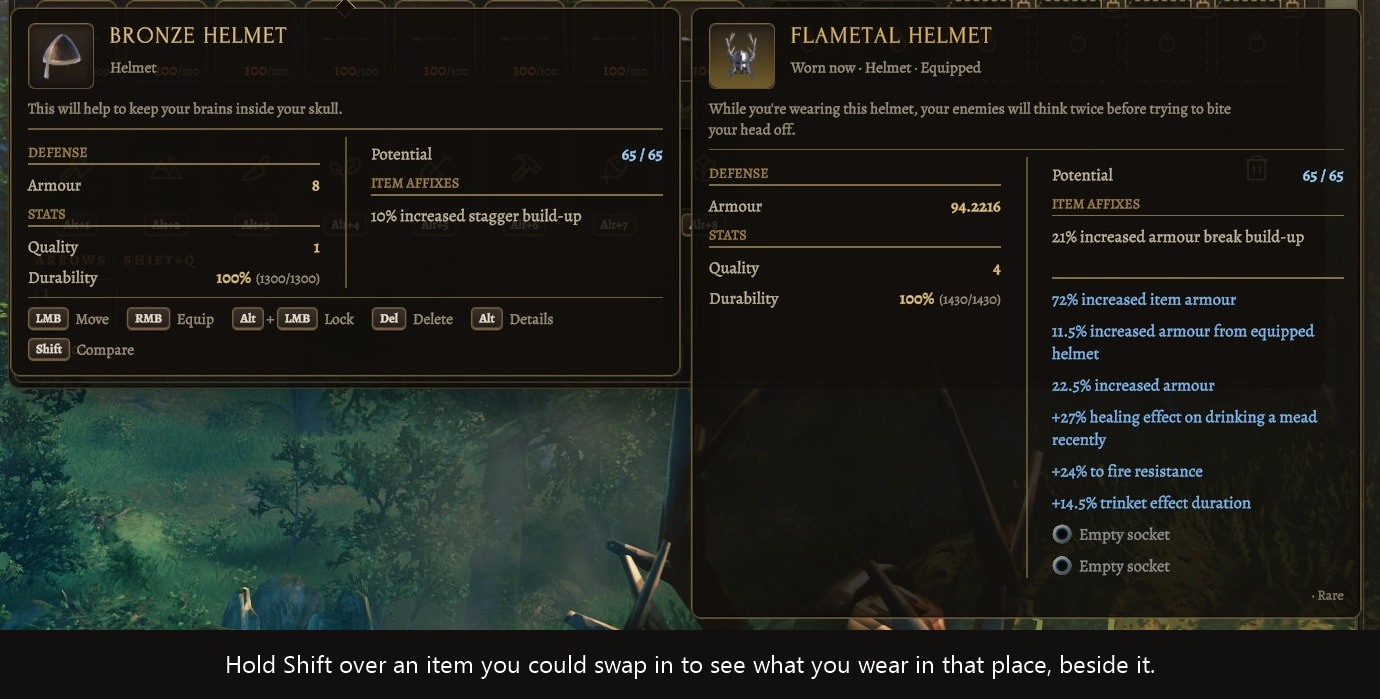
- Shift over an item you could swap in shows the one you wear in that place beside it.
- Sockets, and the sigils inside them, are drawn on item icons.
- Materials, alloys and meads are one panel; weapons and armour keep two columns.
- A set's effect is listed once, on the right, in Path of Valheiman's wording and colours.
HUD and equipment
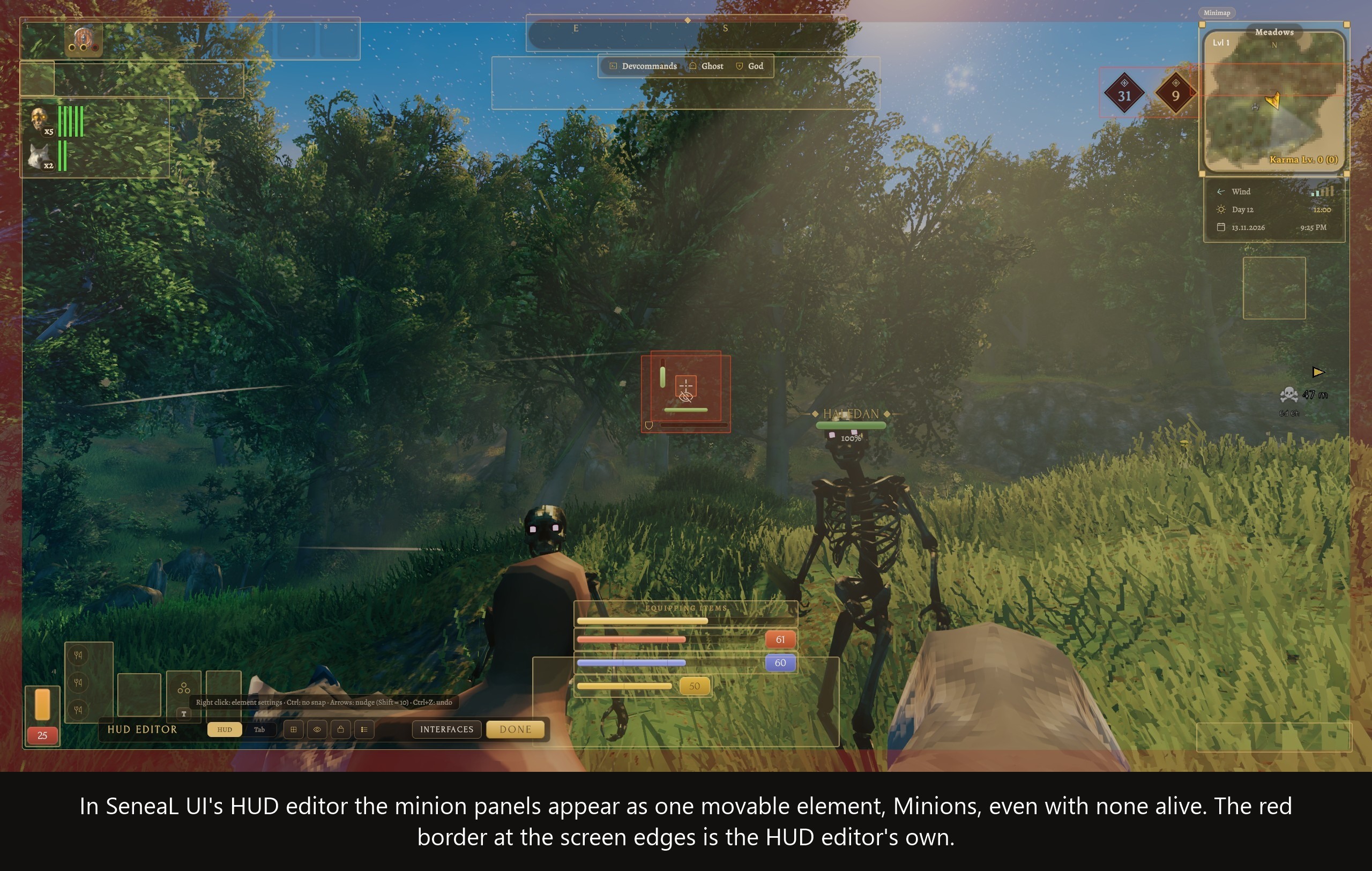
- Minion panel. Path of Valheiman's minions appear under SeneaL's hotbar: a skeleton trophy, a count badge and one life bar per minion (up to 20). Summons from other mods that follow you (MagicPlugin, staff summons) join that panel. Tamed pets and companions that follow you get a second panel with a wolf trophy. In SeneaL's HUD editor the panel is one element, Minions, which can be moved even with none alive. The bridge also fixes a Path of Valheiman fault where the life bars stayed missing after a relog.
- Boss modifiers. A boss's Path of Valheiman modifier icons sit under the right end of its bar on SeneaL's boss card, and follow the card when the Boss panel is moved or resized in the HUD editor. With CreatureManager installed, its combined row of both mods' icons is shown there instead. Part
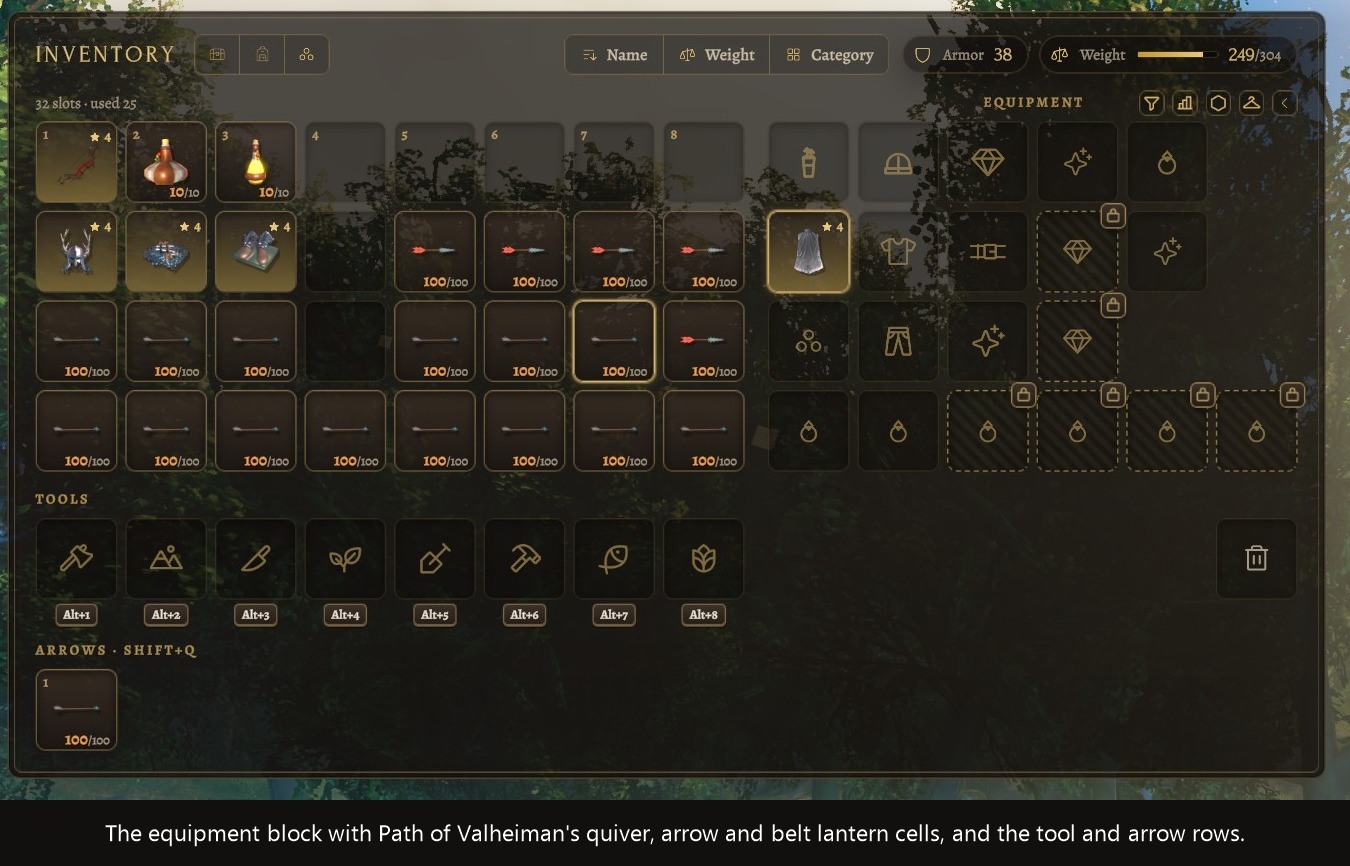
BossModifiers. - Equipment cells. Path of Valheiman's quiver and arrow cells, and the belt lantern cell once you have taken that node, sit among SeneaL's equipment cells.
- Halls pins. Path of Valheiman's own artwork on SeneaL's map.
- Ballista count. The "Ballistas n/m" line in SeneaL's build panel.
- PvP tab. A shield icon while PvP is off, SeneaL's sword while it is on.
Requirements and compatibility
- SeneaL UI 1.2.8 and Path of Valheiman 6.0, with BepInEx. A mod manager installs them as dependencies.
- Tested in game on SeneaL UI 1.2.8 and Path of Valheiman 6.0.12, in single player. Other 6.0.x builds have not been played with this version; if one changes something the bridge uses, only that part turns off.
- Languages. English, French, Spanish, Russian, Turkish and Portuguese (Brazilian). The bridge has no translation files of its own: it shows Path of Valheiman's and SeneaL UI's texts, and these are the languages both of them cover. In any other language of the game, the texts one of the two lacks show in English.
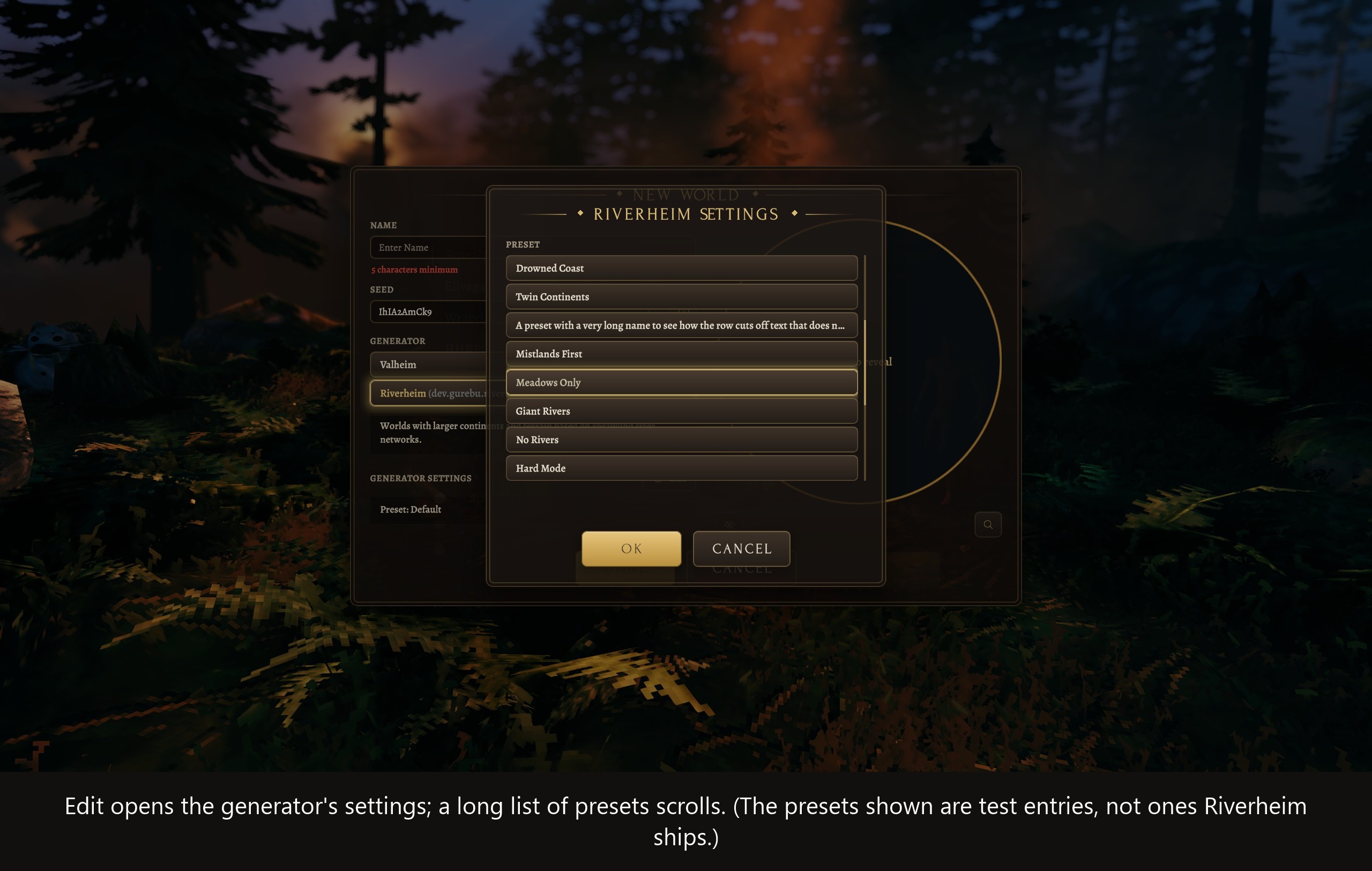
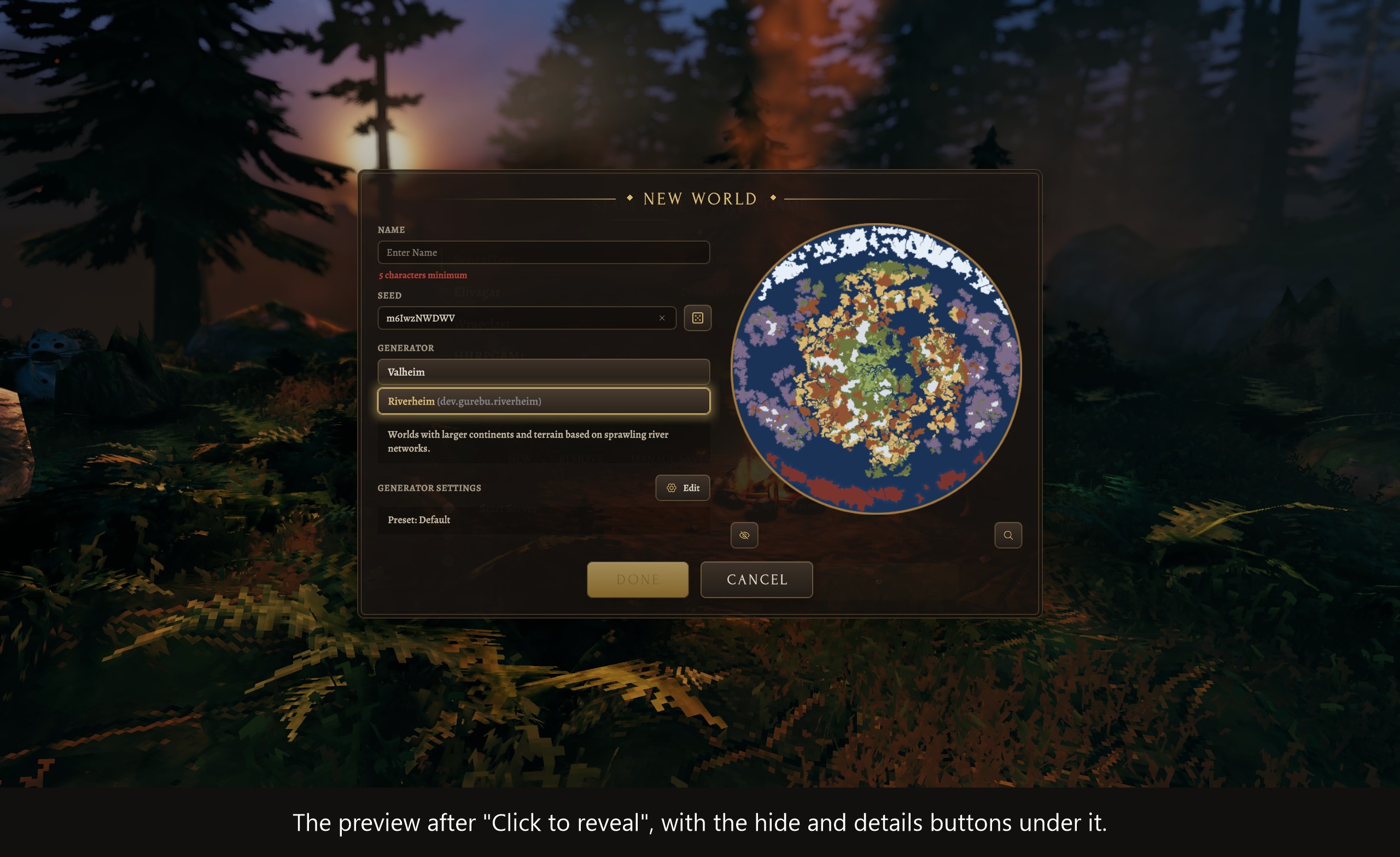
- Worldhalla (optional). Its New World dialog is drawn as a SeneaL UI dialog: generator choice, generator settings, the map preview and the full map with locations. Riverheim appears among the generators when Worldhalla has registered it. Without this part SeneaL UI shows its own name-and-seed dialog, which cannot choose a generator.
- VNEI (optional). While SeneaL UI draws VNEI's item browser itself, VNEI's own window (shown when VNEI's "Attach To Crafting" is off) stays shut instead of lying behind SeneaL UI's panels.
Settings and troubleshooting
Every part has its own switch in the [Parts] section of BepInEx/config/avesatanas.senealui.povskills.cfg, with a note on what stops being shown. Changes apply the next time the game starts.
The wait before a tooltip shows is the one setting that is not a switch: ShowDelay in the [Tooltips] section (default 0.03 seconds; SeneaL UI's own wait is 0.12). It changes at once.
For a tooltip problem, open the console and run pov_tip_dump: it writes the contents of every bag item's tooltip to BepInEx/povtip-dump.txt, which makes a good attachment for a report. For an item shown both on the doll and in the bag, run pov_doll_dump (writes BepInEx/povdoll-dump.txt).
If SeneaL UI's "Item and button tooltips" element is switched off, the bridge's own windows and the rune vault's cells keep their tooltips (part WindowTooltips).
Disclaimers and Legal
Disclaimers
This mod was written with help from an AI coding assistant (Claude, by Anthropic), from studying decompiled builds of SeneaL UI and Path of Valheiman, and tested by hand in one modded single-player setup.
Back up your characters and worlds before installing. It is an unofficial fan-made mod, not affiliated with or endorsed by the authors of SeneaL UI or Path of Valheiman, or by Iron Gate, so please don't report problems with it to them.
License
The MIT License covers this mod's own code. SeneaL UI and Path of Valheiman are separate works by their authors and are not covered by it.
MIT License
Copyright (c) 2026 Ave Satanas
Permission is hereby granted, free of charge, to any person obtaining a copy of this software and associated documentation files (the "Software"), to deal in the Software without restriction, including without limitation the rights to use, copy, modify, merge, publish, distribute, sublicense, and/or sell copies of the Software, and to permit persons to whom the Software is furnished to do so, subject to the following conditions:
The above copyright notice and this permission notice shall be included in all copies or substantial portions of the Software.
THE SOFTWARE IS PROVIDED "AS IS", WITHOUT WARRANTY OF ANY KIND, EXPRESS OR IMPLIED, INCLUDING BUT NOT LIMITED TO THE WARRANTIES OF MERCHANTABILITY, FITNESS FOR A PARTICULAR PURPOSE AND NONINFRINGEMENT. IN NO EVENT SHALL THE AUTHORS OR COPYRIGHT HOLDERS BE LIABLE FOR ANY CLAIM, DAMAGES OR OTHER LIABILITY, WHETHER IN AN ACTION OF CONTRACT, TORT OR OTHERWISE, ARISING FROM, OUT OF OR IN CONNECTION WITH THE SOFTWARE OR THE USE OR OTHER DEALINGS IN THE SOFTWARE.