 Install with Gale
TeleportCreatures
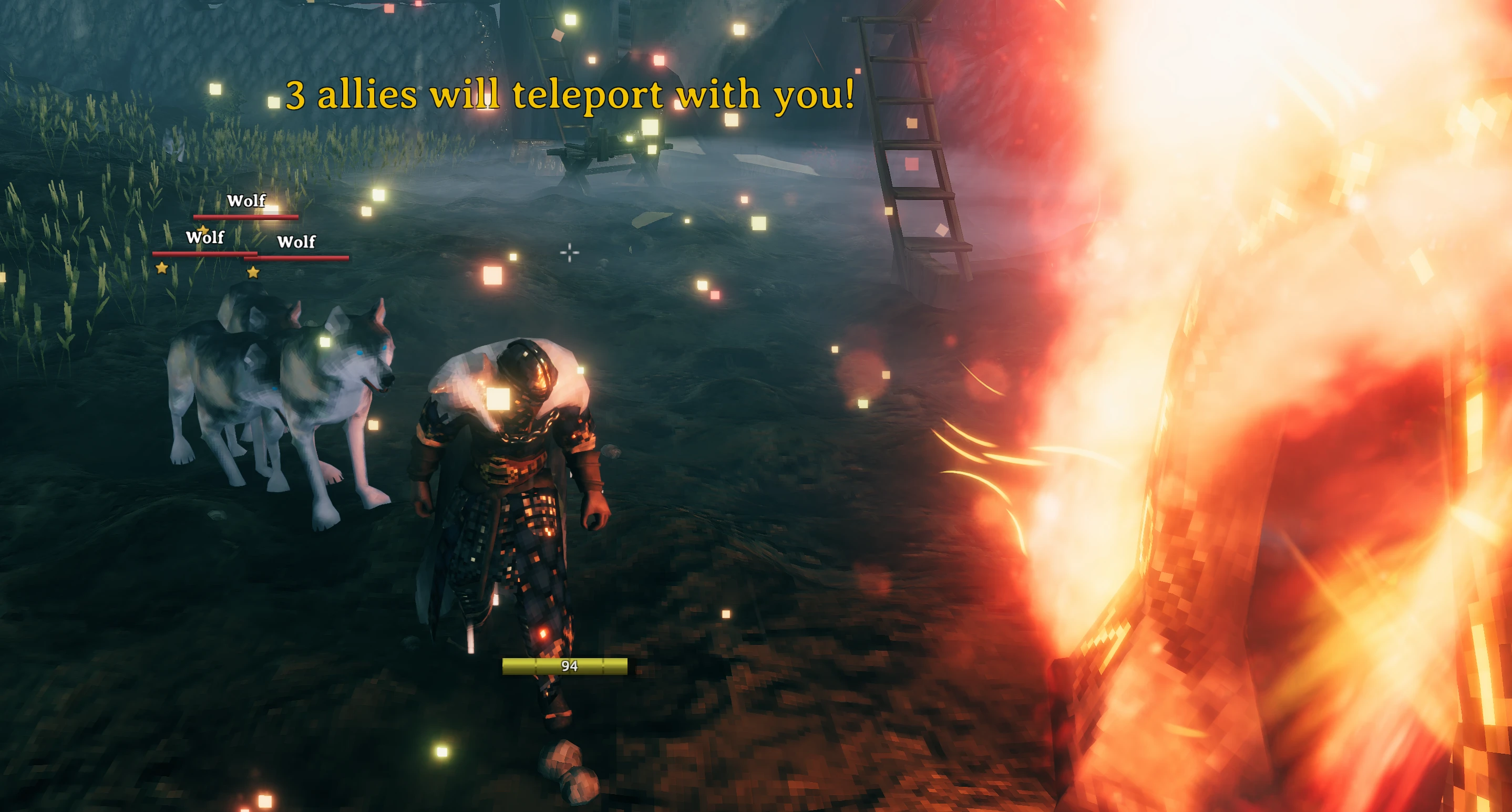
TeleportCreatures is the creature transport module of the modularized TeleportEverything 3 pack. It safely brings nearby eligible tamed allies through Valheim's normal portal, dungeon, and Basements transitions. It waits for Valheim's native player arrival and never changes teleport timing, fade, readiness, or the selected destination. It is compatible with Valheim 1.0 (Deep North).
Installation
Recommended: install with Gale. Gale can use both the Hexium and Thunderstore catalogs and imports existing profiles on startup. Install TeleportCreatures in the same profile used for Valheim, on the server and every participating client.
Manual: install BepInExPack for Valheim, then extract TeleportCreatures.dll from this package into Valheim/BepInEx/plugins/. Install the same version on the server and every participating client.
Server policy and player preferences
The source-of-truth server generates and synchronizes BepInEx/config/odinplus.TeleportCreatures.server.yml.
Each player gets odinplus.TeleportCreatures.yml, which is local-only and restrictive. A malformed file is rejected while the last valid policy remains active.
In-game editor
Open the BepInEx ConfigurationManager and use Advanced Configuration → Teleport Rules, then click Open YAML Configuration Editor to edit both YAML files in game as raw text with syntax highlighting and live validation (Tab inserts spaces, errors are listed in the window and block saving). The server policy document is editable only on the server host and read-only on clients; the player preference document is always editable. Saving writes the file atomically and flows through the same validation and ServerSync snapshot pipeline as an external edit.
Local diagnostic logging is controlled by the Diagnostics settings in ConfigurationManager's Advanced settings.
Server policy YAML
# Server policy: synchronized and authoritative.
# Filters accept all/*, none, exact prefab names, and * / ? globs. Deny always wins.
# Lower Priority wins (1 is strongest; omitted is 100). Tags are portal link text.
SchemaVersion: 1
Allies:
  # Disable all allied-creature transport for every player.
  Enabled: true
  # Hard limits for each player's local SearchRadius and SearchHeightRadius.
  MaximumSearchRadius: 20
  MaximumSearchHeightRadius: 8
  # Global server creature ceiling; portal rules can only narrow it.
  Allow: ["all"]
  Deny: []
  Teleport:
    Portals:
      # Disable creature transport through every normal portal.
      Enabled: true
      Rules:
        # Neutral defaults for Wood and Stone portals.
        - Id: "wood-portals"
          Source:
            Prefabs: ["portal_wood"]
          Allow: ["all"]
          Deny: []
        - Id: "stone-portals"
          Source:
            Prefabs: ["portal_stone"]
          Allow: ["all"]
          Deny: []
        # Add a source-specific override with Priority: 1..99, for example:
        # - Id: "farm-stone-portal"
        #   Priority: 1
        #   Source:
        #     Tags: ["FarmToPlains"]
        #     Prefabs: ["portal_stone"]
        #   Allow: ["Lox", "Wolf", "Boar"]
        #   Deny: []
    Dungeons:
      # Covers both dungeon entrances and exits.
      Enabled: true
    Basements:
      # Requires the Basements mod on the server.
      Enabled: true
Placement:
  # Search forward from the arriving player, up to this distance.
  Radius: 10
  # Reject candidates farther above or below the arrival height.
  MaximumHeightDifference: 3
  # Start placement this far in front of the arriving player.
  DistanceFromPlayer: 3
  # Keep this minimum distance between transported allies.
  AnimalSpacing: 2.5
  # Allow, Avoid, or Require water placement.
  Water: Allow
  Dungeons:
    # Used for both dungeon entry and exit placement searches.
    Radius: 12
    # Exit-only protection against placement on crypt roofs.
    RequireNaturalGroundOnExit: true
  Basements:
    # Basements use a smaller search area around their destination.
    Radius: 8
    # Require enough physical space at the selected floor location.
    RequireClearance: true
Player preference YAML
# Local player preference: never synchronized; it can only restrict server policy.
# Filters accept all/*, none, exact prefab names, and * / ? globs. Deny always wins.
SchemaVersion: 1
Allies:
  # Disable allied-creature transport only for this player.
  Enabled: true
  # AllTamed, OnlyFollow, OnlyNamed, or AllTamedExceptNamed.
  Mode: AllTamed
  # Personal search limits; the server clamps them to its configured maximums.
  SearchRadius: 10
  SearchHeightRadius: 3
  # Personal restrictions, applied in addition to server filters.
  Allow: ["all"]
  Deny: []
  Teleport:
    Portals:
      # Disable normal portal transport only for this player.
      Enabled: true
      # Optional personal rules; they can narrow, never expand, server policy.
      Rules: []
    Dungeons:
      # Disable dungeon entrance and exit transport only for this player.
      Enabled: true
    Basements:
      # Disable Basements transport only for this player.
      Enabled: true
Server global Allow is the hard creature ceiling. A selected server portal rule can narrow it but never expand it. A selected player portal rule may replace the player's global preference only; it cannot bypass server policy. Any matching Deny wins. Player search values are clamped to the server maxima.
Rules choose the lowest priority number: 1 is strongest; 100 is weakest; an omitted priority is implicitly 100. Rules with equal priorities keep their YAML order. Source.Tags matches portal link text and Source.Prefabs matches its prefab. When both are present, both must match.
Filters are case-insensitive. Use all or * for every prefab, none for no prefab, exact prefab names such as Wolf, or globs such as Custom_Neck_*. Allow: [] allows no allies.
Raw .NET regular expressions are not accepted; convert
^Wolf$toWolfand^.*$toall.
Message Configuration
The BepInEx CFG Portal Message Mode is under Allies Display and is customizable per player:
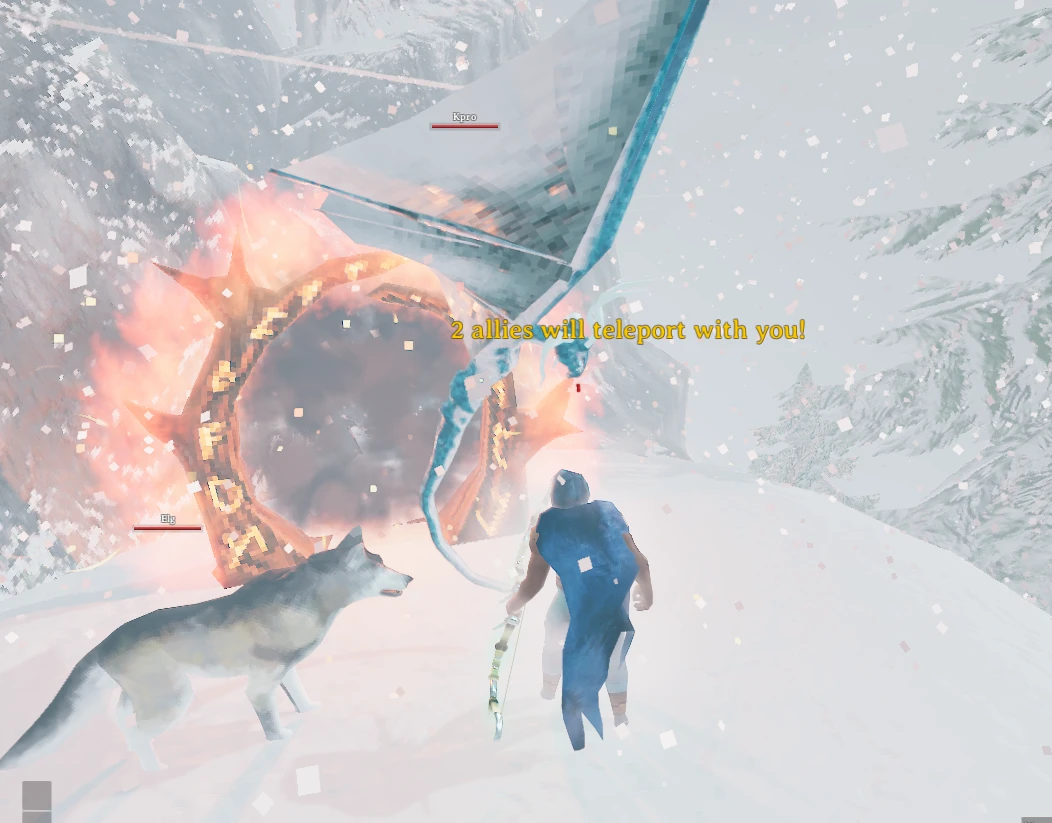
Top left(default) — live localized counter below Valheim's top-left message area.Center— live localized counter above the crosshair.Top center— Valheim's native yellow center message.No messages— hides the live counter.
After a successful portal arrival, the actual localized Transported X allies. result is always queued in Valheim's top-left message log. These settings do not change gameplay or server policy. Enable local diagnostics and Profile Creature Transport for one concise completed-transition summary.
Placement and diagnostics
The server owns placement. The search begins forward of the arriving player at DistanceFromPlayer, opens sideways, and moves forward to Radius; it never uses a rear fallback. Terrain/floor height, slope, water, clearance, and other arrivals are checked before an ally moves. Unsafe animals remain at the source. Water: Allow accepts land and water candidates.
Dungeons.Enabled covers entry and exit. Dungeon exits can require natural ground to avoid crypt roofs. Basements support is activated only if Basements is installed; its placement permits constructed floors after clearance checks.
Compatibility
| Compatible | Mod | Quick description |
|---|---|---|
| Yes | TeleportEverything | Coexists in same ecosystem. |
| Yes | TeleportCarts | Coexists seamlessly when installed together. |
| Yes | QuickTeleport | Observes native lifecycle without a timing patch. |
| Yes | TargetPortal | Keeps its selected destination. |
| Yes | LetMeTameYou(AllTamable) | TeleportCreatures transports all tameable creatures set by this type of mod. |
| Yes | Basements | Uses guarded transition and placement behavior when installed. |
| Yes | OdinsUndercroft | You can bring allies to the first room. |
Troubleshooting
- No ally moved: it must be tamed, allowed by both server and player policy, selected by the player's
Mode, inside effective search radii, and on an enabled transition. - Ally was skipped: enable local diagnostics; missing ownership, terrain, clearance, water, or spacing keeps it safely at the source.
- YAML rejected: check the BepInEx log, correct the named field and formatting, and save. The last valid snapshot remains active.
Support
Need help? Find Elg in the Odin Plus Discord.