 Install with Gale
Runeheim Core
The shared library behind the Runeheim mods. Your mod manager installs it when another Runeheim mod needs it.


Mods from Dreanegade, our favorite Valheim mod author. Give them a try:
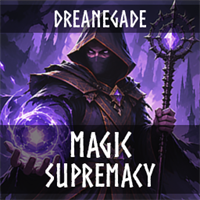 Magic Supremacy Experience magic like never before: deeper, greater and more diverse. |
 Hunter Legacy Master the art of ranged combat: hunt your enemies with deadly precision. |
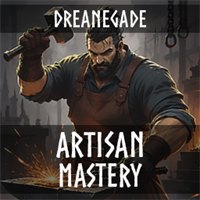 Artisan Mastery Discover the artisan's way: master the crafts that shape life beyond battle. |
 Warrior Glory Follow the warrior's path: discover a new arsenal and claim glory in battle. |

 Controller support: every Runeheim window works with a controller, with button names for Xbox, PlayStation and Switch (picked by itself, or set in the Controller type setting).
 One settings screen: every Runeheim mod's settings in one place, in Runeheim UI or in Valheim's own Settings, with switches, sliders, pulldown menus and text boxes.
 Hotkey triggers: Runeheim hotkeys can count on press, on release, single tap, double tap or hold, picked per key.
 Server sync: server settings reach every player, and admins can change them in game.
 Shared player level and Compendium pages for the Runeheim mods.
 One loading screen: whatever the Runeheim mods prepare while the game or a world loads shows on one loading bar in your theme, so nothing stutters or pops in afterwards.
 Support (F8 > Runeheim Core):
- Get my log saves your log, mod list and Runeheim settings in one zip and opens its folder. Attach it when you click Report a bug in #bug-reports on the Runeheim Discord.
- Record lag: press Start, play where the game stutters, press Stop. You get a report of your fps, every stutter and its cause, and the time each mod takes, by name, plus the top three causes on screen. Post it in #why-am-i-lagging on the Discord and Runeguard explains what to change. Recording costs some fps while it runs and stops by itself after 10 minutes.
- Private by design: nothing is sent anywhere, and both files leave out personal details (your name, user folder, Steam ID and name, IP addresses, passwords, emails, character, world and server names), so they are safe to post.
A clear startup log: a list of every Runeheim mod with any notes or errors.
 For mod authors: make your windows follow Runeheim UI's theme with
RhTheme.ThemeMe(window), or keep them untouched with RhTheme.NeverTouch(window). No reference needed: [RuneheimTheme] or [NoRuneheimTheme] in the window's object name does the same.
For mod authors: reference RuneheimCore.dll and add [BepInDependency("daytreee.runeheimcore")].

- License: Runeheim Core is © 2026 Daytreee, all rights reserved. Free to play and to list as a modpack dependency; don't reupload it or reuse its code, art or music without permission. Full terms in LICENSE.txt.
- Made with AI: AI was used on this project, as it is on all Runeheim projects.


- Runeheim UI: A calm Norse reskin of Valheim's whole interface, with Runeheim, Elden Ring and Path of Valheiman themes.
- Runeheim Souls: Elden Ring-style progression and combat: runes, levels, stats, talismans and Elden Ring's own moves.
- Runeheim Performance: Smoother frames and longer views: FSR and DLSS with frame generation, far view to 1,200 m, no freezes near new places, faster big bases and smoother multiplayer.
- Runeheim Music: A new dark orchestral soundtrack with Nordic folk for every Valheim music slot.
- Runeheim QOL: Craft from chests, sort, pull and store, self-running machines, freecam building and discovery markers.