 Install with Gale
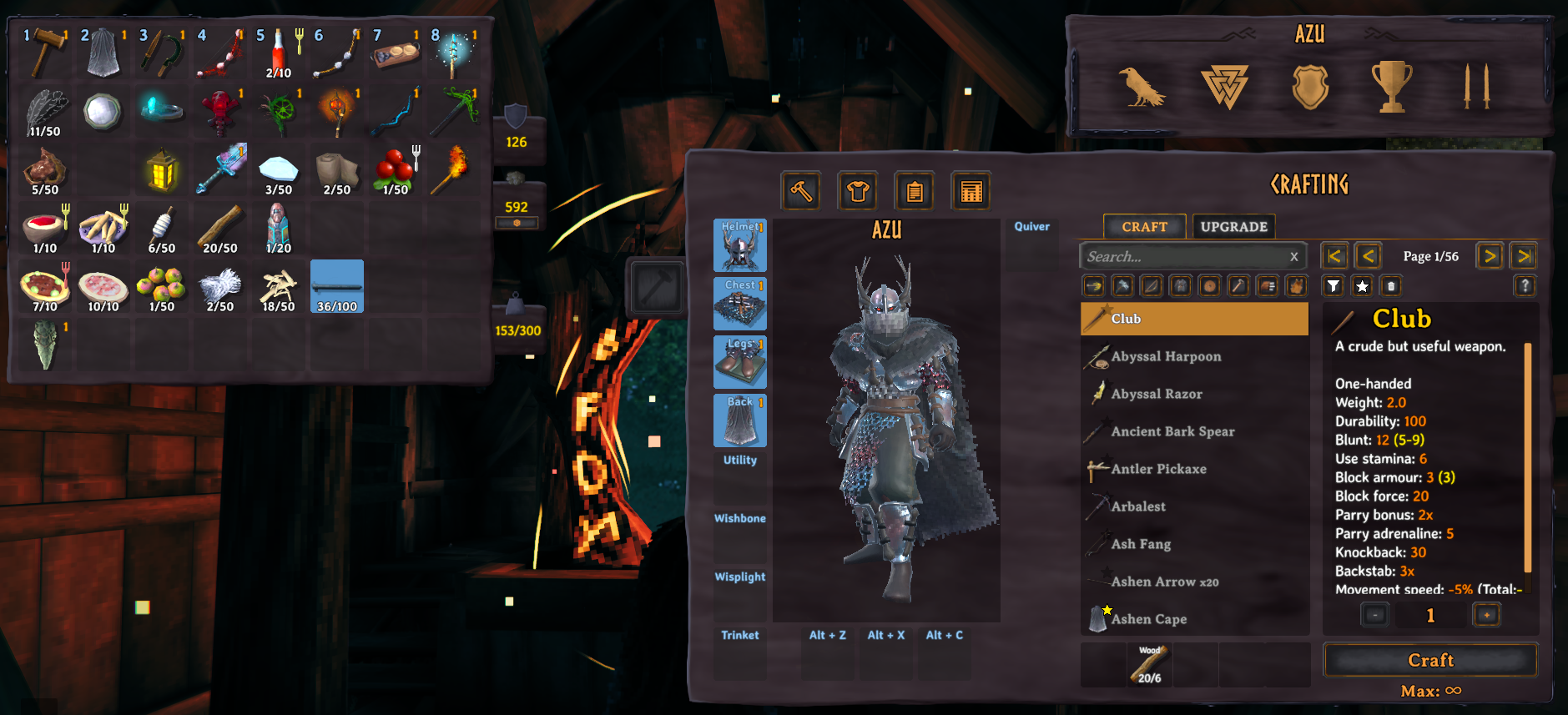
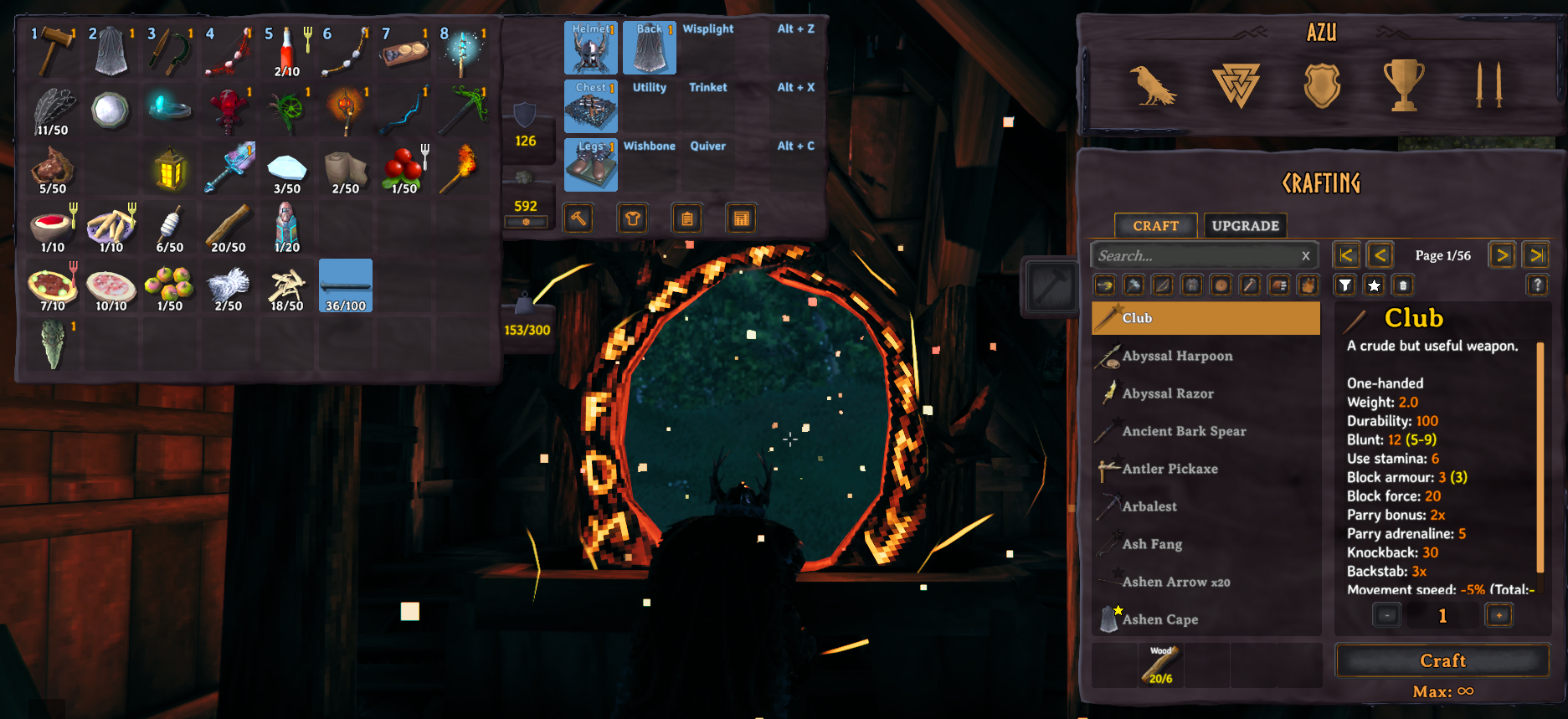
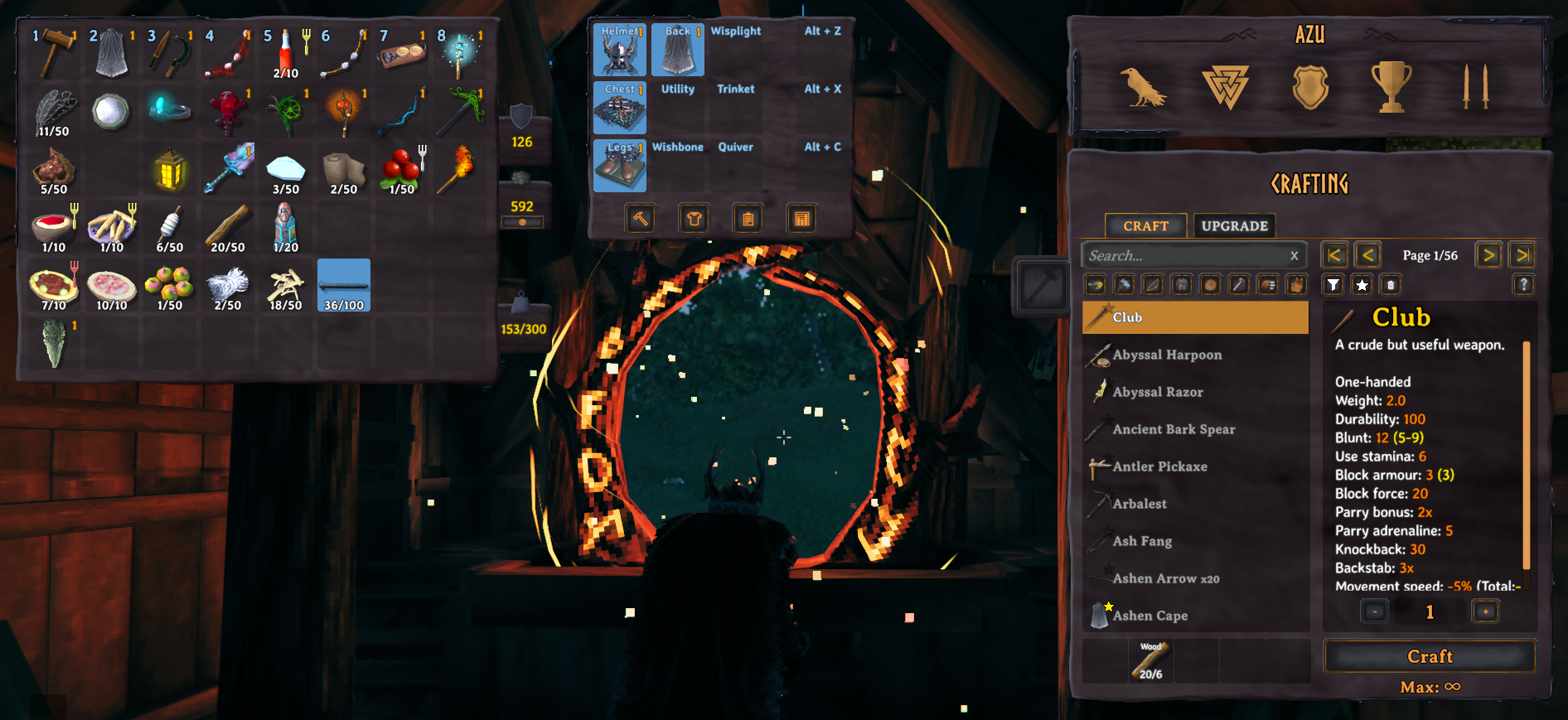
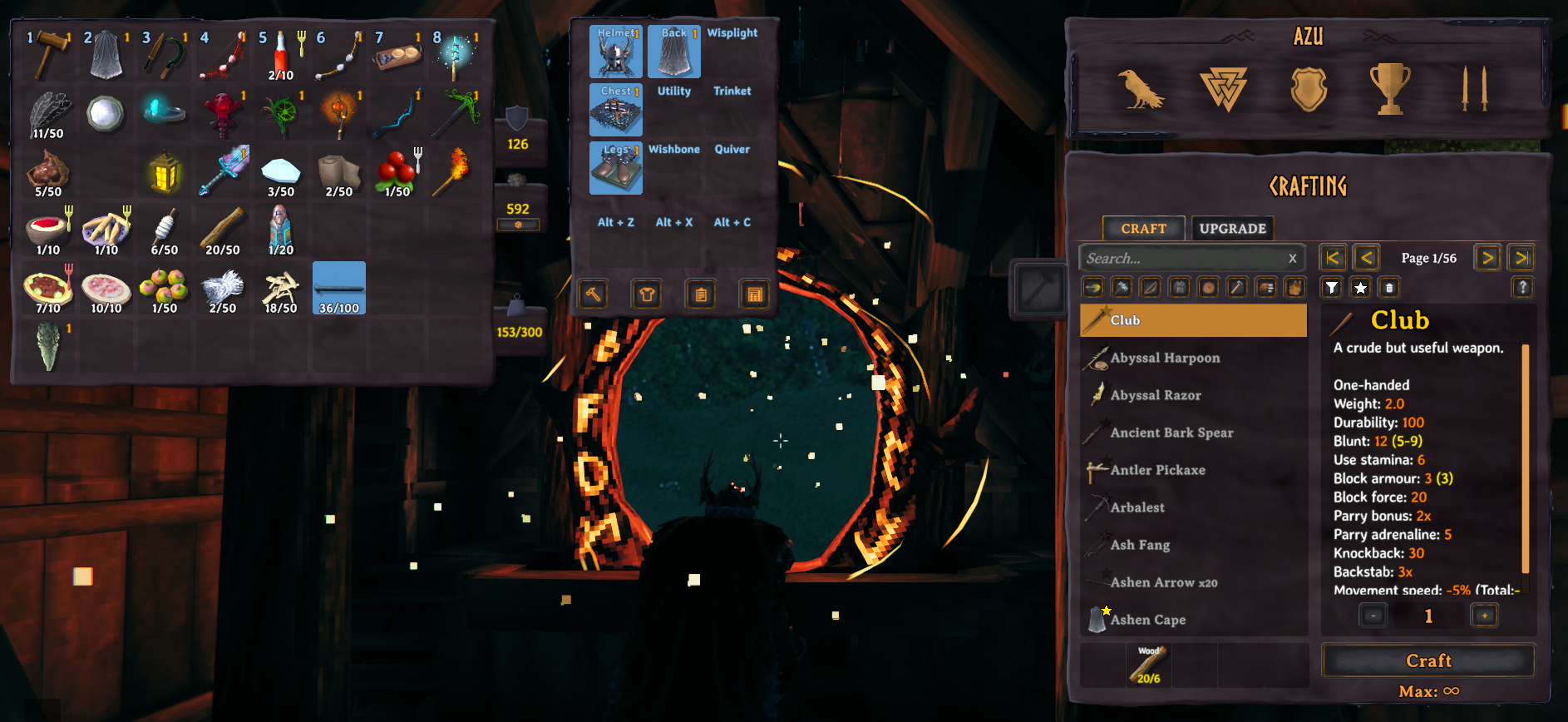
AzuEPI - Extended Player Inventory
Valheim's most widely integrated inventory mod — around 1,900 other mods declare AzuEPI as a dependency, and slots from different mods merge instead of fighting. Works with an existing character and existing save.
Only want the slots? Set 0 - Presets → Apply Preset to Minimal and the extra UI disappears.
Mod author? Adding an equipment slot is one line — jump to the API.
- Vanity System - Change how your armor, weapons and shields look without losing stats
- Loadout System - Save & swap 10 equipment sets with custom names
- Player Stats - 40+ customizable stats with smart formatting, in multiplayer you can view others stats also!
- Player Preview - Real-time 3D character view matching your vanity
- Quick Slots Expansion - Now 0-8 slots (up from 3) with full customization
- 6 Inventory Layouts - Default, Tabbed, two classic ones, or lookalikes of ExtraSlots and Equipment and Quick Slots
- Your Own Slots - Add or remove equipment slots from the config, no other mod needed
- Favoriting - Mark items and slots so storage mods leave them alone


Features
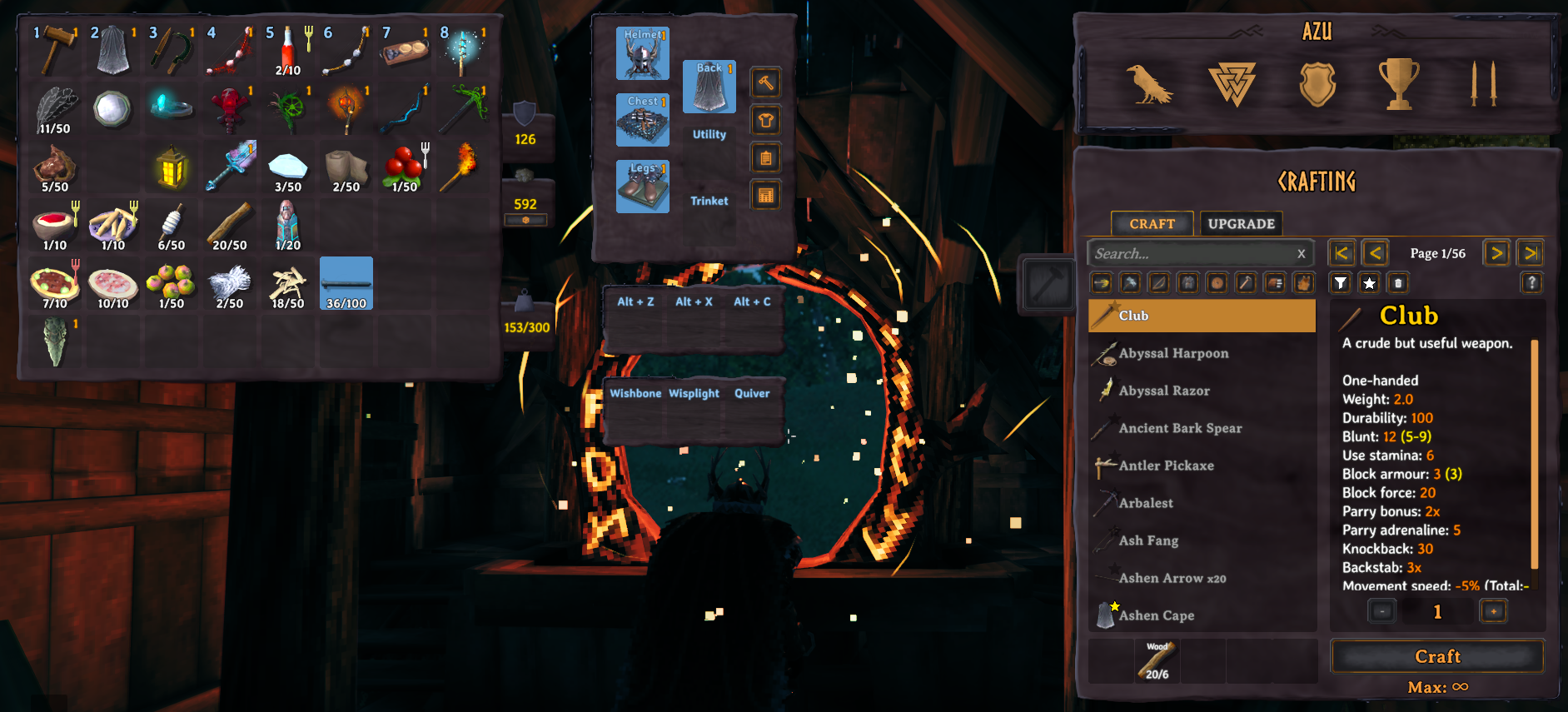
AzuEPI (Extended Player Inventory) expands Valheim's inventory with equipment slots, quick slots, vanity customization, and loadout management.
Mods that add slots using the API will either create the slot, or extend the slot if it already exists. Meaning, AdventureBackpacks will share the Backpack slot with Smoothbrain's Backpacks. Hunter Legacy will share the quiver slot with BowsBeforeHoes & Rusty Bags.
Disclaimer, if you don't like the new layout you can use the configuration file to use the old layout (with improvements added)! See Inventory Layouts.

Inventory & Equipment
- 0-5 extra inventory rows (configurable)
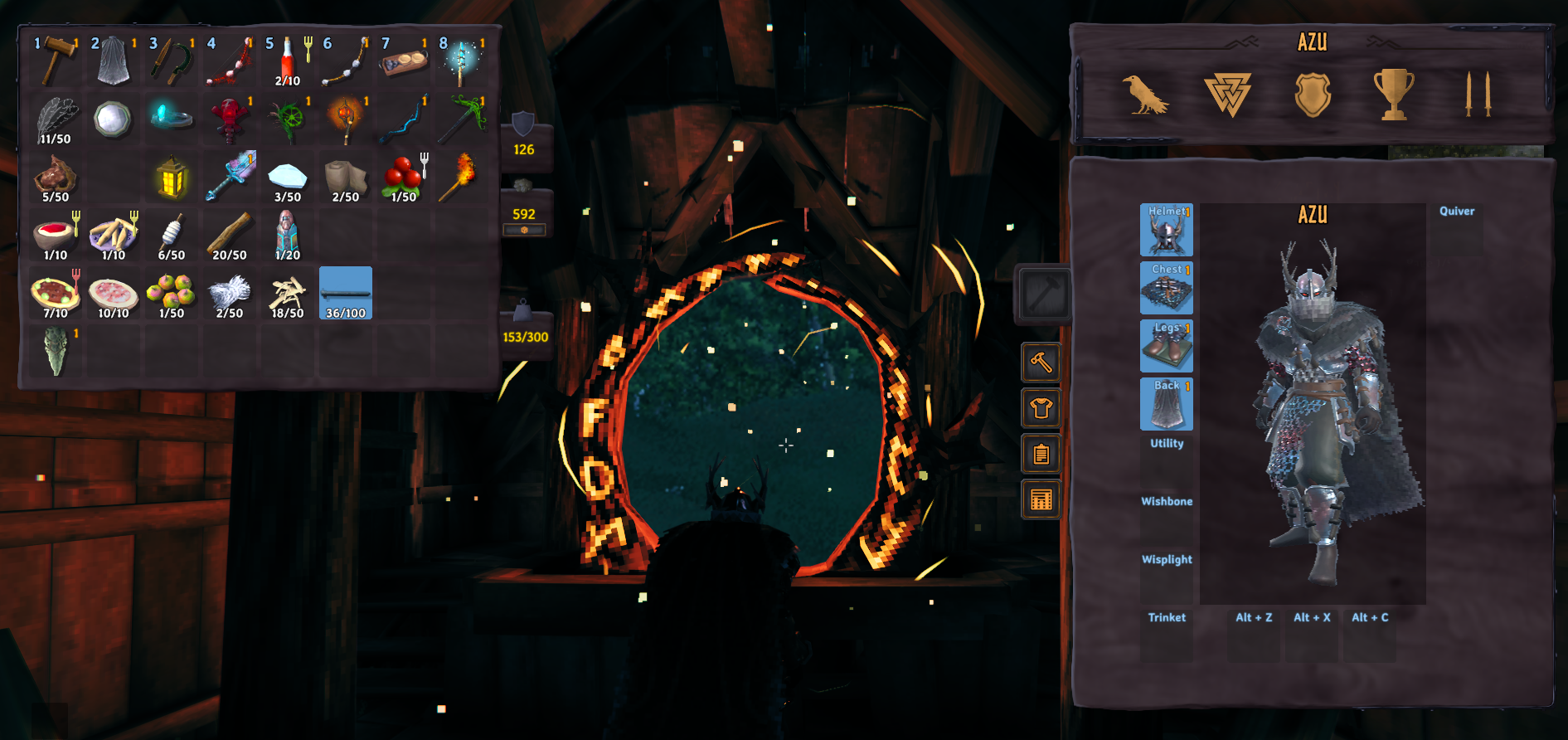
- 6 standard equipment slots: Helmet, Chest, Legs, Back, Utility, Trinket
- 2 special slots: Wishbone, Demister (toggleable). If Jewelcrafting has either one set as a gem, that slot is hidden.
- API for mod slots: Other mods can add custom equipment slots
- Config slots: Add your own slots or remove any slot, see Slot Management
- Auto-equip: Items equip automatically when picked up or dragged into an equipment slot. Upgrading an item that was equipped will re-equip the upgraded version automatically.
Inventory Layouts
Pick one with Inventory Layout in 5 - UI Features. It changes live.
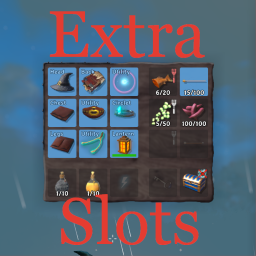
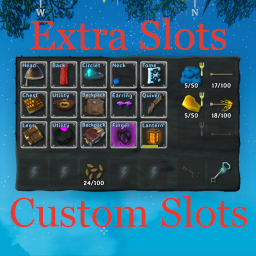
Default: the standard look from the screenshots above.Tabbed: your character and slots sit on top of the crafting panel. The hammer button flips between them. At a crafting station it opens on crafting.Legacy: the old classic layout.LegacyDetached: classic, but in its own box away from the inventory.ExtraSlots: looks like shudnal's Extra Slots. Has its own alignment settings (ExtraSlots Layout Alignment,ExtraSlots Quick Slots Centered).EquipmentAndQuickSlots: looks like Randy Knapp's Equipment and Quick Slots.
Got a ton of slots? The side layouts wrap instead of hiding under the crafting panel.
Slot Management
Everything here lives in 4.5 - Equipment Slot Management. With a Configuration Manager installed you get a
Slot Manager (UI) with buttons and a prefab browser. Without one, edit the two lists by hand.
- Custom Equipment Slots: add your own slots. Format is
SlotName:Prefab1,Prefab2;OtherSlot:Prefab3, for exampleRing:RingIron,RingGold;Quiver:QuiverBone,QuiverLeather. - Removed Equipment Slots: comma separated slot names to take away, for example
Head, Utility, Trinket. Works on the built-in slots and on slots other mods added. Removing a slot unequips what was in it. - Slots Use Armor / Utility Slots Use Armor: whether armor on items in custom slots counts.
- One Utility Item At A Time (in
4 - Special Equipment Slots): keeps the dedicated slots but goes back to vanilla rules, equipping one utility item unequips the others.
When slots change (your config, the server's config, or another mod), items stay with their slot. Anything whose slot is gone moves to your inventory. Slot settings sync from the server.
Favoriting
Hold the Favoriting Modifier Key (Left Alt by default) and left click an item, or right click any player inventory
slot, to favorite it. Storage mods won't move favorited items or anything sitting in a favorited slot.
- Border colors and tooltip text are in
10 - Favoriting. - Favorites are shared with AzuAutoStore.
- If AzuAutoStore or Quick Stack Store is installed, use their favoriting key instead. This one is ignored.
Quick Slots (v2.0: 0-8 Slots!)
- Expanded from 3 to 8 slots with individual hotkeys
- Default hotkeys: Alt+Z/X/C/V/B/N/1/2 (fully customizable)
- HUD customization: Resize, reposition, horizontal/vertical layout
- Drag to move: Ctrl+LeftClick to reposition on screen


Vanity System
- Change appearance of your armor without losing stats
- Weapons and shields too. A weapon can only look like another of the same kind, so nothing gets held wrong. Turn
it off with
Weapon Vanity. - Custom slots get their own vanity section, including the ones you add in the config (might need a restart to show up)
- Hide equipment while keeping benefits
- Hide Unknown Vanity Items: only list armor you've already picked up, instead of black silhouettes
- Real-time preview - character updates instantly
- Multiplayer sync - appearance syncs across network
- Auto-disables when Armoire mod is detected
Left click to set, right click to clear. Controller is A and X respectively.
Loadout System
- 10 saveable loadouts with custom names (20 char max)
- Rename feature: Click "R" button on any loadout
- One-click swapping preserves current gear
- Visual previews and item tooltips
- Loadout Inventory Grid: View all items in selected loadout in a dedicated grid
- Drag items directly from player inventory into loadouts
- Ctrl+Click or Right-Click to remove items from loadout
- Full tooltip support showing item details
- Persistent: Saves across sessions
Player Stats & Preview
- Player Preview: Real-time 3D character in inventory - Rotate and zoom.
- Stats Panel: 40+ stats with smart formatting
- Distances: "5.2km" or "500m"
- Time: "2d 5h" or "45m 30s"
- Numbers: "1.5M" or "500k"
- in multiplayer you can view others stats also!
- Access: Click 📋 button or hover over character name
- Fully customizable: Choose which stats to display
Right stick to scroll the stats window with controller.
Gamepad Support (where possible!)
- Complete controller navigation for all panels
- D-Pad/Stick for loadouts and vanity selection
- Button hints and visual overlays
- Seamless keyboard/mouse + controller switching
Console Commands (7 Total)
Access via F5 console:
azuepi.repairall- Instant full repair (most useful!)azuepi.dropall- Drop all inventory itemsazuepi.quickfix- Fix stuck items/inventory issuesazuepi.invlistall- List all items to consoleazuepi.slotsfree- Show free space infoazuepi.breakall- Break all equipped itemsazuepi.removeall- ⚠️ Permanently delete all items
Installation
Recommended: Install via Gale, r2modman or Thunderstore Mod Manager
Manual: Install BepInEx for Valheim, then
place the DLL in BepInEx/plugins folder.
Server Setup
- Version check: Kicks clients without the mod installed
- ServerSync: Configs sync from server to all clients automatically (the ones tagged with
[Synced with Server]) - File watcher: Config changes sync in real-time
Quick Start Guide
Vanity System
- Open inventory (Tab) → Click Vanity button (👔)
- Select equipment slot (Helmet, Chest, Legs, a weapon, one of your custom slots, etc.)
- Choose vanity item or hide the slot
- Appearance changes, stats unchanged!
Note: Auto-disables if Armoire mod is installed
Loadout System
- Equip desired gear → Click Loadout button (🎯)
- Select empty slot (1-10) - saves automatically
- Rename: Click "R" button (max 20 characters)
- Switch: Click different loadout to swap instantly
- Manage Items: Use the inventory grid to the right of loadouts
- Drag items from your inventory to add to loadout
- Ctrl+Click or Right-Click items in grid to remove
- Grid shows all items currently in selected loadout
Tip: Create loadouts for combat, building, farming, etc.
Player Stats
- Open inventory → Click 📋 button OR hover over character name
- Customize stats: Press F1 ( a Configuration Manager is required) → "5 - UI Features" → "Player Stats to Display"
- Use checkboxes to select from 40+ stats
Categories: Combat, Resources, Travel, Crafting, Misc
Quick Slots
- Setup: Config → Set slots (0-8)
- Place items: Open inventory, drag to quick slots
- Use: Alt+Z/X/C/V/B/N/1/2 (or custom hotkeys)
- Customize HUD: Ctrl+LeftClick to drag, config for size/layout
Configuration
Access via BepInEx Configuration Manager ( F1). Most settings apply instantly!
Just want slots? (vanilla-plus setup)
AzuEPI works out of the box — you do not have to touch any of this. But if you want only extra slots and none of the
extra UI, set 0 - Presets → Apply Preset to Minimal.
That turns off the vanity button, the loadout button, the stats panel, the crafting button and the Drop All button, and switches to the
classic (Legacy) layout. You are left with equipment slots, quick slots and extra rows — nothing else on screen. Full puts
everything back.
The preset only touches those UI toggles — your rows, quick slot count, hotkeys and custom slots are never changed by
it. It resets itself to None after applying, so the individual settings below always stay in charge; the preset is a
starting point, not a mode you get locked into.
Key Settings:
- Section 2 - Inventory: Extra rows (0-5), equipment row, auto-equip
- Section 3 - Quick Slots: Number (0-8), HUD visibility, layout
- Section 4 - Special Slots: Wishbone, Demister toggle, one utility item at a time
- Section 4.5 - Slot Management: Add your own slots, remove slots, armor on custom slots
- Section 5 - UI Features: Inventory layout, Vanity/Loadout/Stats/Crafting buttons, stats selection, weapon vanity
- Section 6 - Labels: Customize equipment slot text
- Section 7 - HUD: Quick slots size, position, drag keys
- Section 8 - Hotkeys: Individual hotkeys for slots 1-8
- Section 8.5 - Panel Toggle Keys: Gamepad keys for the vanity, loadout and stats panels
- Section 9 - Additional Features: Drop All button (off by default)
- Section 10 - Favoriting: Modifier key, border colors, tooltip text
⚠️ Important: Turn OFF "Enable Equipment Row" if using Randy Knapp's Equipment and Quick Slots mod. This mod will automatically do this on boot, but keep it off.
Compatibility
Compatible:
-
Equipment And Quickslots (automatic migration)
-
Armoire (vanity auto-disables)
-
ValheimPlus, Adventure Backpacks, Better Archery
-
Jewelcrafting, BowsBeforeHoes, Backpacks, MagicPlugin
-
Epic Loot, Fenrir's Curse, Wizardry, RustyBags
-
Minimal_UI, JudesEquipment

Incompatible:
- ExtraSlots, ExtraSlotsCustomSlots — both mods rewrite the same inventory grid, so run one or the other
How AzuEPI compares to ExtraSlots
Both mods add equipment and quick slots. They differ in scope and in how they treat other mods.
| AzuEPI | ExtraSlots | |
|---|---|---|
| Mods declaring it as a dependency | ~1,900 | — |
| Slot API for other mods | Yes | Yes |
| Slots merge when two mods claim the same one | Yes — AdventureBackpacks and Backpacks share one Backpack slot | No |
| Native support for mods with no API call | Adventure Backpacks, Wizardry, Epic Loot, Judes Equipment, Hunter Legacy | — |
| Vanity / transmog | Yes | No |
| Loadouts | 10, named, with drag-in grid | No |
| Player stats panel & 3D preview | Yes | No |
| Slot progression gating | No | Yes |
| Dedicated food / ammo slots | No | Yes |
Pick ExtraSlots if you want progression-gated slots and dedicated food/ammo categories. Pick AzuEPI if you run a large modpack, or you want vanity, loadouts, or the stats panel.
Troubleshooting
Items stuck or equipment not working?
- Run
azuepi.quickfixin console (F5) - Auto-fix runs when opening inventory
Button disappeared (👔/🎯)?
- Vanity: Check if Armoire is installed (auto-disables)
- Verify buttons enabled in config (Section 5)
Can't rename loadouts?
- Click small "R" button on saved loadout
- Max 20 characters
Stats panel missing?
- Click 📋 button near character preview
- Or hover over character name
Quick slots not showing?
- Enable in config: Section 3 → "Show Quick Slots on HUD"
- Set slots > 0
Loadout won't swap?
- Need free inventory space for swapped items
- Doesn't delete - preserves gear by swapping back
Vanity not syncing?
- Ensure all players have mod installed (shouldn't be required, but just in case)
- Try: Close/reopen inventory, re-equip item
Using existing save?
- Yes! Works perfectly with existing characters
Multiplayer?
- Install on server + all clients for full functionality
- Configs sync automatically via ServerSync
Migration from Equipment And Quickslots
- Remove Equipment And Quickslots mod
- Install AzuEPI
- Load game - items auto-migrate on spawn
- Save character
⚠️ One-way migration - reverting may cause item loss!
Migration from ExtraSlots
There is no automatic transfer between the two mods, but you will not lose anything if you empty the slots first.
- Before uninstalling, load in with ExtraSlots still active
- Move everything out of every extra slot (equipment, quick slots, food and ammo slots) into a chest
- Log out and let the character save
- Remove ExtraSlots and ExtraSlotsCustomSlots, install AzuEPI
- Load in and re-equip
Back up <profile>/saves/characters/<name>.fch first if you want a guaranteed rollback point.
The same procedure works in reverse if you decide to go back — clear the slots while AzuEPI is still installed and nothing is stranded.
API for Mod Developers
AzuEPI provides a comprehensive API for adding custom equipment slots. Adding one is a single line — the slot's validation, its equipped-item lookup, and its character-preview visual are all wired up for you:
// Soft dependency: safe to call even if AzuEPI is absent
if (API.IsLoaded())
{
    // One prefab
    API.AddSlot("Grimoire", "MyGrimoirePrefab");

    // Several prefabs share the slot
    API.AddSlot("Quiver", new[] { "QuiverBasic", "QuiverAdvanced" });

    // Or your own predicate
    API.AddSlot("Relic", item => item.m_shared.m_name.StartsWith("$relic_"));

    // A quick slot that accepts anything
    API.AddQuickSlot("Utility Belt", showName: true);
}
Reference AzuExtendedPlayerInventoryAPI.dll (the stub assembly from the API build configuration). Its methods
compile away to no-ops, so your mod ships one build that works with or without AzuEPI installed — no hard dependency
required.
Slots merge instead of colliding. If two mods call AddSlot with the same name, they share one slot rather than
producing duplicates. That is why AdventureBackpacks and Smoothbrain's Backpacks both land in a single Backpack slot,
and why Hunter Legacy, BowsBeforeHoes and Rusty Bags all share one Quiver slot.
Also available: RemoveSlot, RegisterVisualPrefabs, RegisterSlotVanity / GetSlotVanity (vanity for slots your mod draws itself), vanity integration, slot lookup by item or grid position,
and events (SlotAdded, SlotRemoved, OnHudAwake, OnQuickSlotsAdded).
Full Documentation: https://github.com/AzumattDev/AzuEPI/wiki/API-Home
Mods Using API:
- Jewelcrafting - Neck & Finger slots.
- BowsBeforeHoes - Quiver slot.
- Backpacks - Backpack slot.
- MagicPlugin - Tome & Earring slots.
- Fenrir's Curse -
- Rusty Bags - Quiver & Bag slots.
- Vikings Summoner - Grimoire slot.
Mods supported natively
- Adventure Backpacks - Backpack slot
- Wizardry - Ring slot
- Epic Loot - Finger Slot
- Judes Equipment - Backpack slot
- Hunter Legacy - Quiver slot
Support & Community
Need Help?
- GitHub Issues
- Discord servers (see below)
- Include
LogOutput.logfrom BepInEx folder when reporting bugs
Author: Azumatt
Discord: Azumatt#2625 Steam: https://steamcommunity.com/id/azumatt/

|

|

|