 Install with Gale
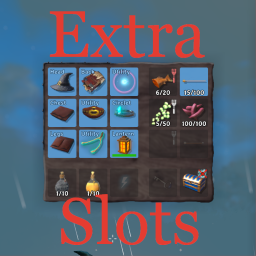

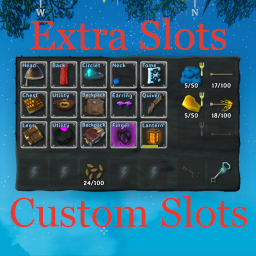
Extra Slots Custom Slots
Custom slots for various mod that supports custom items.
This mod depends on ExtraSlots mod to work.
This mod can add custom slot for:
- Backpacks (Backpack slot)
- AdventureBackpacks (with option to equip cape and backpack at the same time)
- Jewelcrafting (Neck and Ring slots)
- MagicPlugin (Tome and Earring slots)
- BowsBeforeHoes (Quiver slot)
- CircletExtended (Circlet slot)
- HipLantern (Lantern slot)
- Judes Equipment (Backpack slot)
- Rusty Bags (Bag slot)
- up to 8 user defined custom slots where you can set any item(s) to be placed in dedicated slot
You can change slots order in the game as you wish.
You can rename and enable/disable slots in the game. Restart is recommended only after toggling AdventureBackpacks and JudesEquipment slots.
"Slot progression" feature from ExtraSlots is supported and default settings is obtaining items related to particular mod. It means you will have Backpack slot the moment you first obtain you backpack.
You can use ExtraSlots translation files to add your own strings for custom slot names.
Conditional Config Sync
- All configuration settings except logging are synchronized from the server by default
- Server administrators can change the synchronization policy for policy-controlled settings in
BepInEx/config/shudnal.ConditionalConfigSync/ConditionalConfigSync.SyncPolicy.cfg - Prefix an exact setting or whole-section identifier with
+to force server control or-to make it client-controlled. Exact-setting rules take precedence over whole-section rules - Slot availability, order, names, progression requirements, accepted item lists, and equipped-item visibility are policy-controlled.
Lock Configurationalways remains server-controlled - Use shared modpack configs or distribute your config manually if you also want client-controlled settings to be identical for all players initially
- If you install this mod manually, also install ConditionalConfigSync
Installation (manual)
extract ExtraSlotsCustomSlots.dll into your BepInEx\Plugins\ folder
Configurating
The best way to handle configs is Configuration Manager.
Or Official BepInEx Configuration Manager.