
Confirm with your password

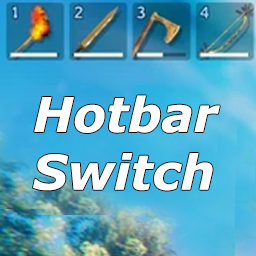
HotbarSwitch

Fork of aedenthorn/HotbarSwitch. Switches hotbar row with a hotkey press. Updated for Valheim 1.0.

Client-only

· Website

Stars
0
Downloads
3
Version
0.4.3
Updated
Author
cjayride
Virus scan
✓ Scan successful
Runs on
Client-only
Required by
1 mods

Description

HotbarSwitch

Updated for Valheim 1.0

A fork of aedenthorn/HotbarSwitch

ThunderStore | GitHub

Switch hotbar rows

  • This mod switches the hotbar rows with a key press.

  • Switch between rows of your inventory. (Default row 1 and 2).

  • Press the tilda key `

Configuration

  • Run the game once to generate the config file cjayride.HotbarSwitch.cfg

  • RowsToSwitch = 2 (default)

  • HotKey = (tilda) `

Contact

  • 𝕏: x.com/cjayride

  • Discord: discord.gg/cjayride (find me at the top of the user list) "cjayride"

  • Twitch: twitch.tv/cjayride

AI Generated

This code was not AI Generated, however, AI was used to verify that it works with the new version of the game.

Changelog

0.4.3 Latest
  • Updated for Valheim 1.0
  • Faster hotbar switch: items swap immediately, and the 8 hotbar icons update without rebuilding the full inventory UI
0.4.2
  • Faster combat swap: only redraw the player item grid, not the full inventory/crafting UI
0.4.1
  • Faster hotbar switch: refresh the inventory UI directly instead of calling Inventory.Changed, which was rebuilding recipes and build pieces

2 older entries, full version history & downloads →

Manual installation instructions
1

Install BepInExPack Valheim

BepInExPack Valheim is required to run mods in Valheim.

Download BepInExPack Valheim 5.4.2350 · View mod page

Check out the mod page for detailed installation instructions.

2

Install HotbarSwitch

This mod only needs to be installed on the client.

Download HotbarSwitch 0.4.3

Extract the ZIP and place the file(s) into the BepInEx/plugins/ folder inside your Valheim game folder.