 Install with Gale
MagicMirror
What does Magic Mirror do?
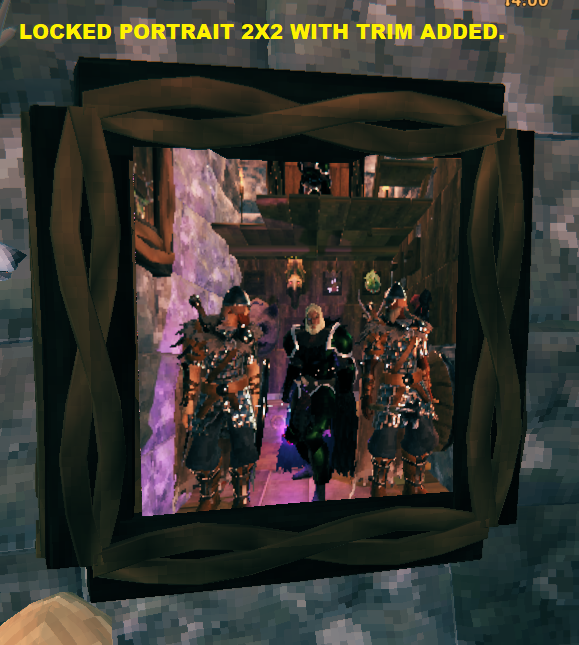
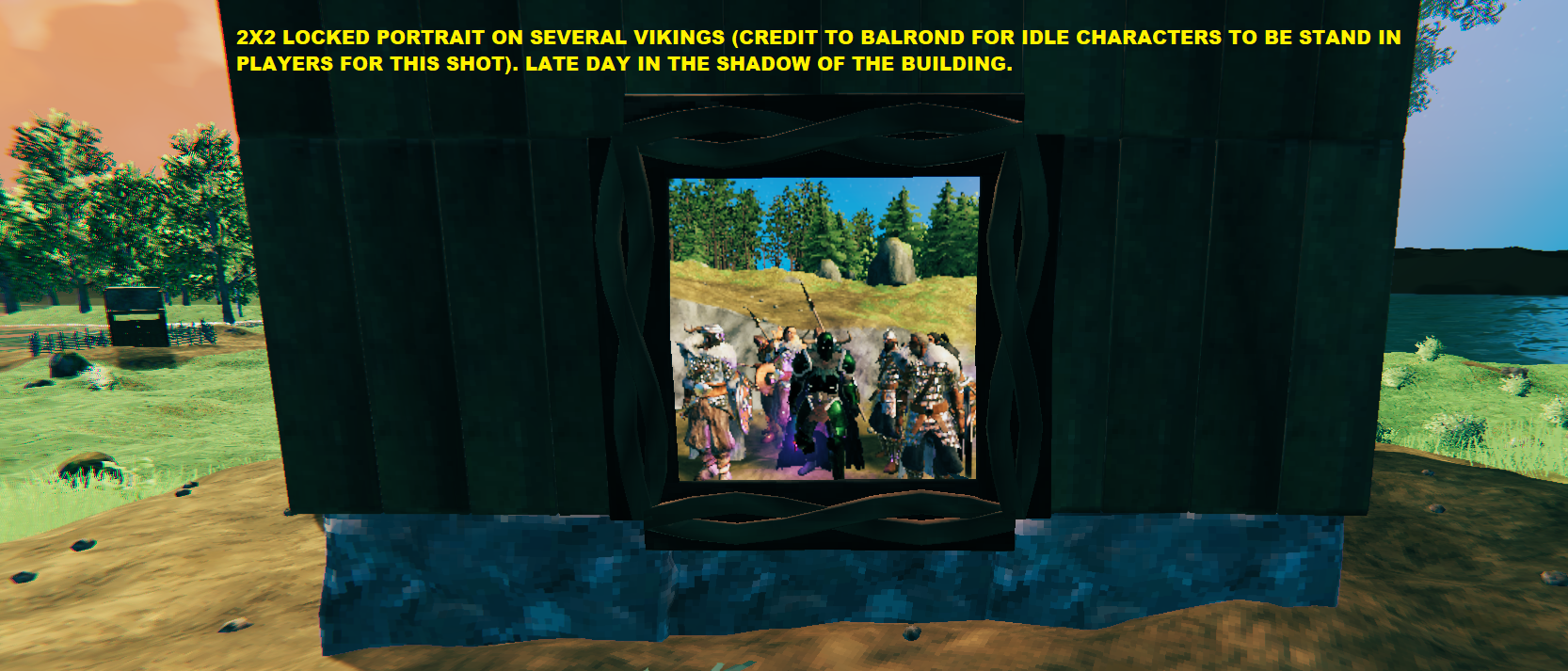
- MagicMirror introduces a customizable, in-game mirror portrait frame piece that acts as a mirror but it's magic so if you stand in front of it and hit F7 then it will keep that reflected image permanently as a portrait of you or you and your buddies for the ages!!
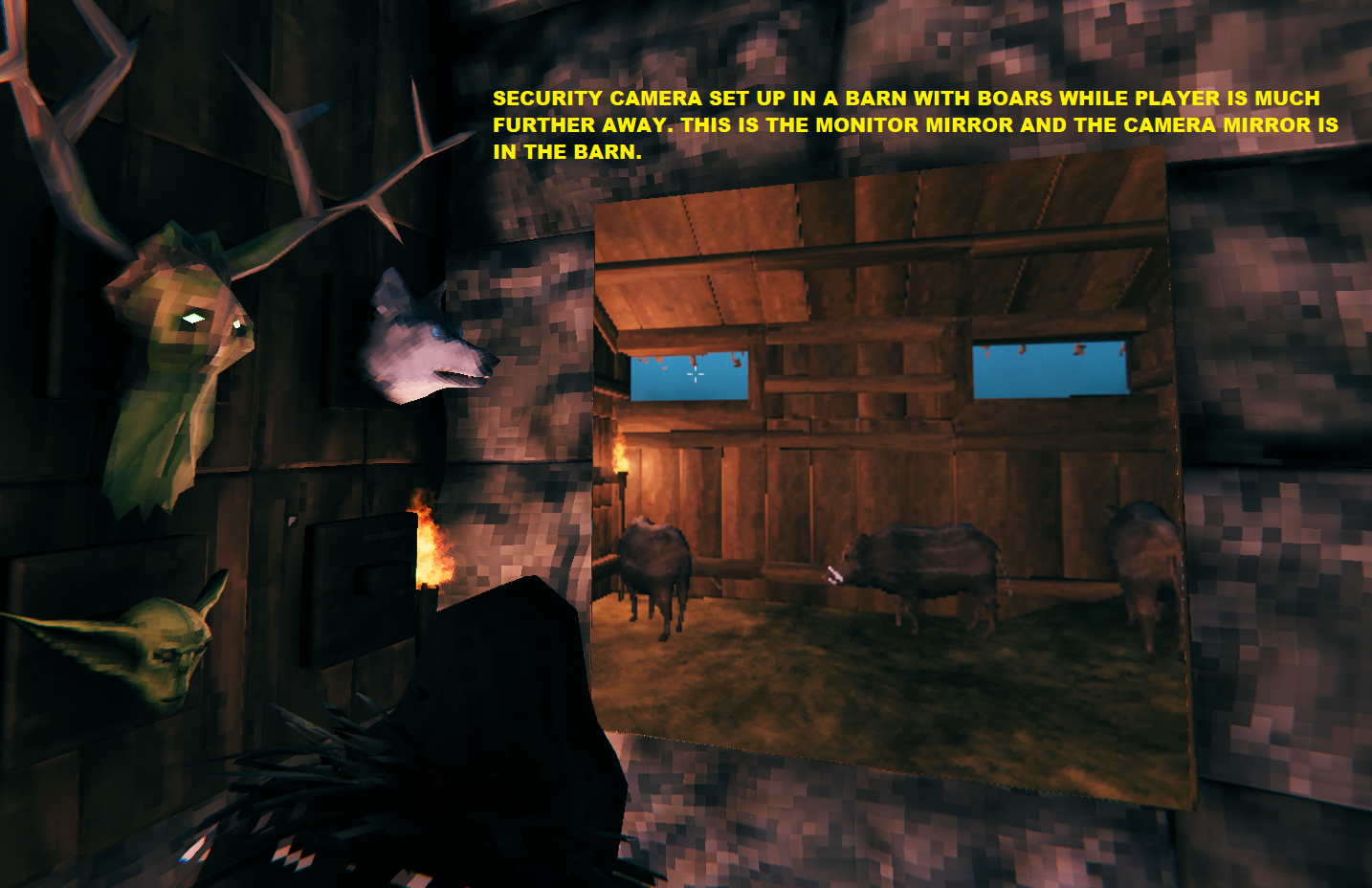
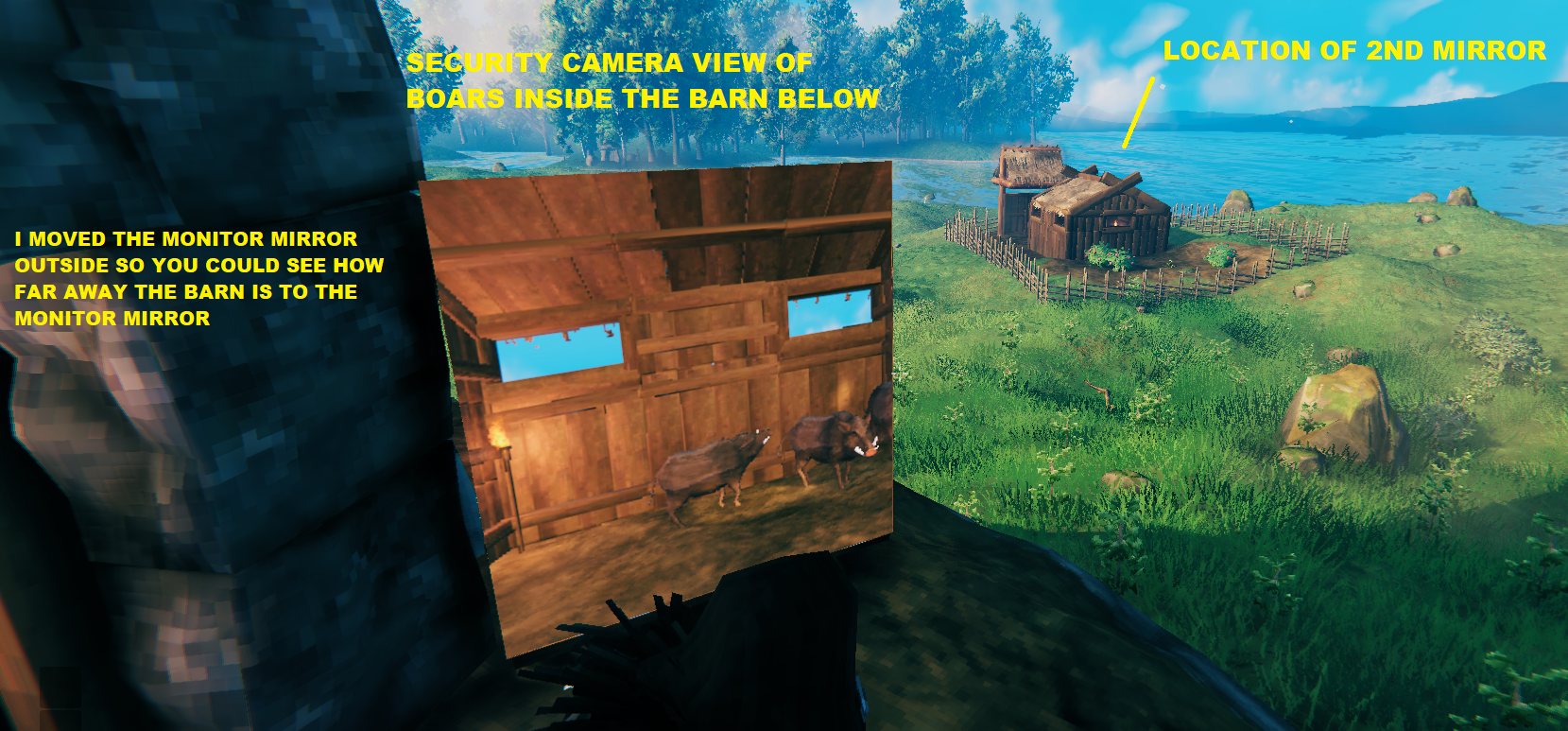
- Make two mirrors in the same zone and the last mirror made acts as a security camera! Put a Magic Mirror in a hole in a wall and once locked with the hotkey it will have your portrait on both sides of the mirror! Leave it as a single a mirror in a hole in a wall and it becomes a one-way mirror that allows you to see into the other room unseen from that room! It's Magic!
How it works
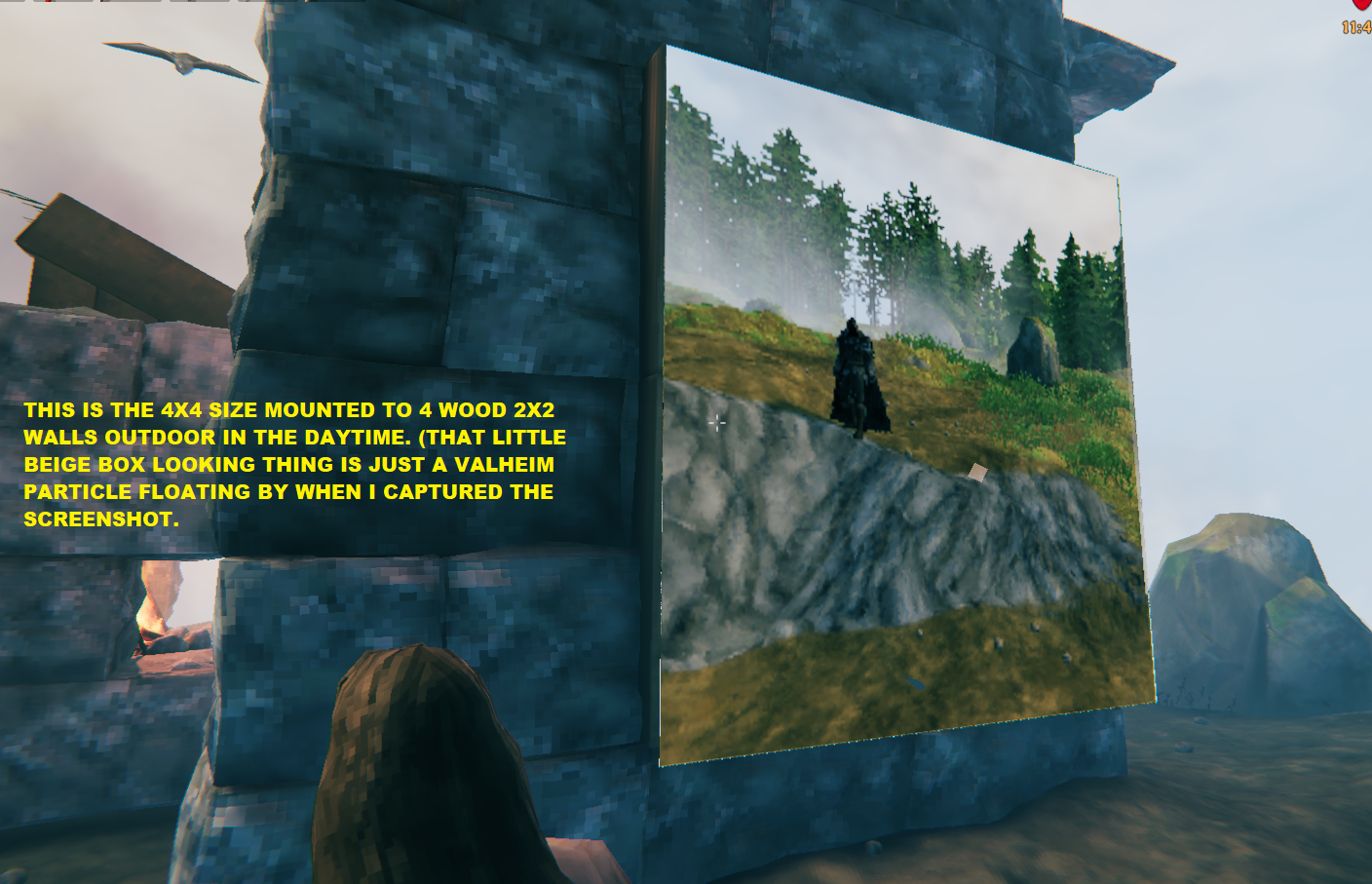
- Before making a Magic Mirror you can set the size of the mirror in the config as a 2x2 size or a 4x4 size.
- Auto-Reloading Config: Modifies config values dynamically in real-time or via live file watchers without needing a full game restart. (Requires a separate config manager like Azu's mod to be installed else you have set before launch or log out/back into your game to change the setting.)
- From the hammer's Decor category look for the Mirror icon to make a Magic Mirror.
- You will need 5 Finewood and 5 Greydwarf Eyes plus the workbench.
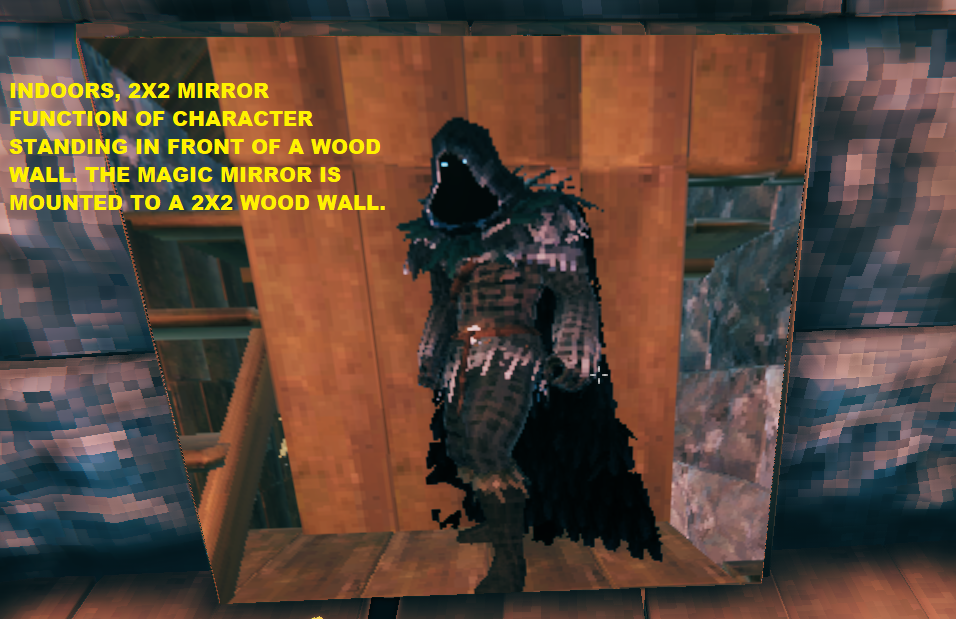
- Once placed, it behaves like as a mirror with a live view of whatever is in front of it.
- Place a second one within a zone then you get the security camera function. NOTE! Only 2 mirrors are permitted for this function.
- Press F7 (configurable) while standing near any non-locked Magic Mirror to permanently lock the image in it that you see. (This is how you make portraits of you and/or your buddies!
- Locking captures the exact current view, saves it permanently on only that Magic Mirror without affecting other already made Magic Mirror's saved images.
- Saved snapshots are stored in the world object data (ZDO) and will automatically persist across world reloads and relogs.
- You can leave a Magic Mirror borderless on a wall, etc. or you can use any vanilla or mod based object to make a frame to set it into for your own personal preference.
- Be creative and post your screen shots on my Discord server RageZro!
HINT !
- For best results place the mirror without anything directly behind its surface for it to touch or at the minimum place the Magic Mirror on a flat smooth surface to avoid any rough surface (like stone) from poking through the Magic Mirror and ruining your image.
Gale Installation
- Choose Install with Gale on this page in the top right corner.
Manual Installation
- Download and install BepInEx for Valheim.
- Place
MagicMirror.dllinto yourValheim/BepInEx/pluginsdirectory. - Launch the game to generate the configuration file.
Configuration
The configuration file is automatically generated at BepInEx/config/com.RageZro.MagicMirror.cfg after launch.
I highly recommend deleting the old config file with every new update, the mod will generate a new one and you won't lose any saved images.
| Section | Settings | Default | Notes |
|---|---|---|---|
| General | HotKey |
F7 |
Key to freeze/unfreeze the nearest (10f) non-locked Magic Mirror's reflection |
| Size | 1 or 2 |
1 |
Toggle between two predefined frame dimension presets: Size 1 (Default: True): Sets frame dimensions to 2x2. Size 2 (Default: False): Sets frame dimensions to 4x4. |
The major fixes
- Image brightness/contrast: To correct the original oversaturation of the frame's display surface, it is now switched to an unlit shader so it isn't affected by room lighting so should give a consistently bright, high-contrast image regardless of nearby torches or daylight.
- A Unity engine warning about collider scale may still occasionally appear in the log for this mod. It's cosmetic (Unity automatically corrects the collision shape and logs about it every time), not a sign of anything broken.
- Frame depth was removed so the incorrect Viking Era look of the original frame is gone, along with its overly reflective texture that washed out the image.
- Added 2 sizes of Magic Mirrors that are different than the original, 2x2 and 4x4.
- Gave the Mirror all its Magic, now with the ability to become a portrait of whatever is in front of it, a 2-way mirror, and a security camera.
- The C+ code is now compatible with BepInEx and Valheim as of Ashlands.