
Confirm with your password

Ragnavik UI

A branded Ragnavik experience with custom menus, loading screens, updates, and character selection.

· MIT license · Website · 💗 Donate

Stars
1
Downloads
78
Version
1.2.17
Updated
Author
LostKode
Virus scan
✓ Scan successful
Runs on
Client-only
Required by
1 mods

Compatibility

Required 2

Install these too — Gale pulls them in for you.

Description

Ragnavik UI

Ragnavik UI brings the Ragnavik experience into Valheim with a branded main menu, community links, Ragnavik updates, custom loading screens, helpful gameplay tips, and a dedicated character selection experience.

Main menu

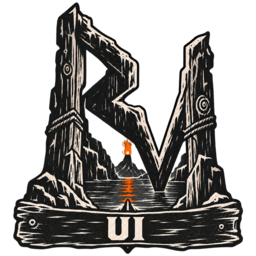
The main menu includes the Fjord Gate mark and quick links to Ragnavik community support. A separate Ragnavik Updates panel keeps server and pack news easy to find without replacing Valheim's own news.

Ragnavik characters

Ragnavik uses a dedicated character list so your Ragnavik adventurers stay separate from characters used in other worlds. Existing Valheim characters are left untouched and are not shown in the Ragnavik selector.

If you are joining Ragnavik for the first time, create a new character from the character selection screen. Your character still benefits from Valheim's normal save, backup, cloud, and recovery features.

Loading screens

Original Ragnavik artwork and randomized tips appear while the game starts and while you enter a world or server. Portal travel continues to use its normal loading experience.

Installation

Ragnavik UI is included with the Ragnavik Client Pack and requires no separate setup or configuration.

Changelog

1.2.17 Latest

Show planned maintenance disconnects as a maintenance notice directing players to Discord, instead of a generic connection failure.

1.2.16

Unselected professions earn 50% skill XP; selected professions earn 100%. Keep normal maximum levels and unchanged character XP. Update profession guidance.

1.2.15

Update farming and profession tips to match retained profession levels and normal cultivator stamina costs.

21 older entries, full version history & downloads →

Files

20 files · 24 MB download

Loading files…

Manual download
Just this mod One .zip — Ragnavik UI 1.2.17
Files you'll get 3

Your browser may ask permission to download several files at once. How to install these manually

Manual installation instructions
1

Install BepInExPack Valheim

BepInExPack Valheim is required to run mods in Valheim.

Download BepInExPack Valheim 5.4.2351 · View mod page

Check out the mod page for detailed installation instructions.

2

Install Ragnavik UI

This mod only needs to be installed on the client.

Download Ragnavik UI 1.2.17

Extract the ZIP and place the file(s) into the BepInEx/plugins/ folder inside your Valheim game folder.