 Install with Gale
TabardShare
Custom tabards for Valheim, shared as a single zip file.
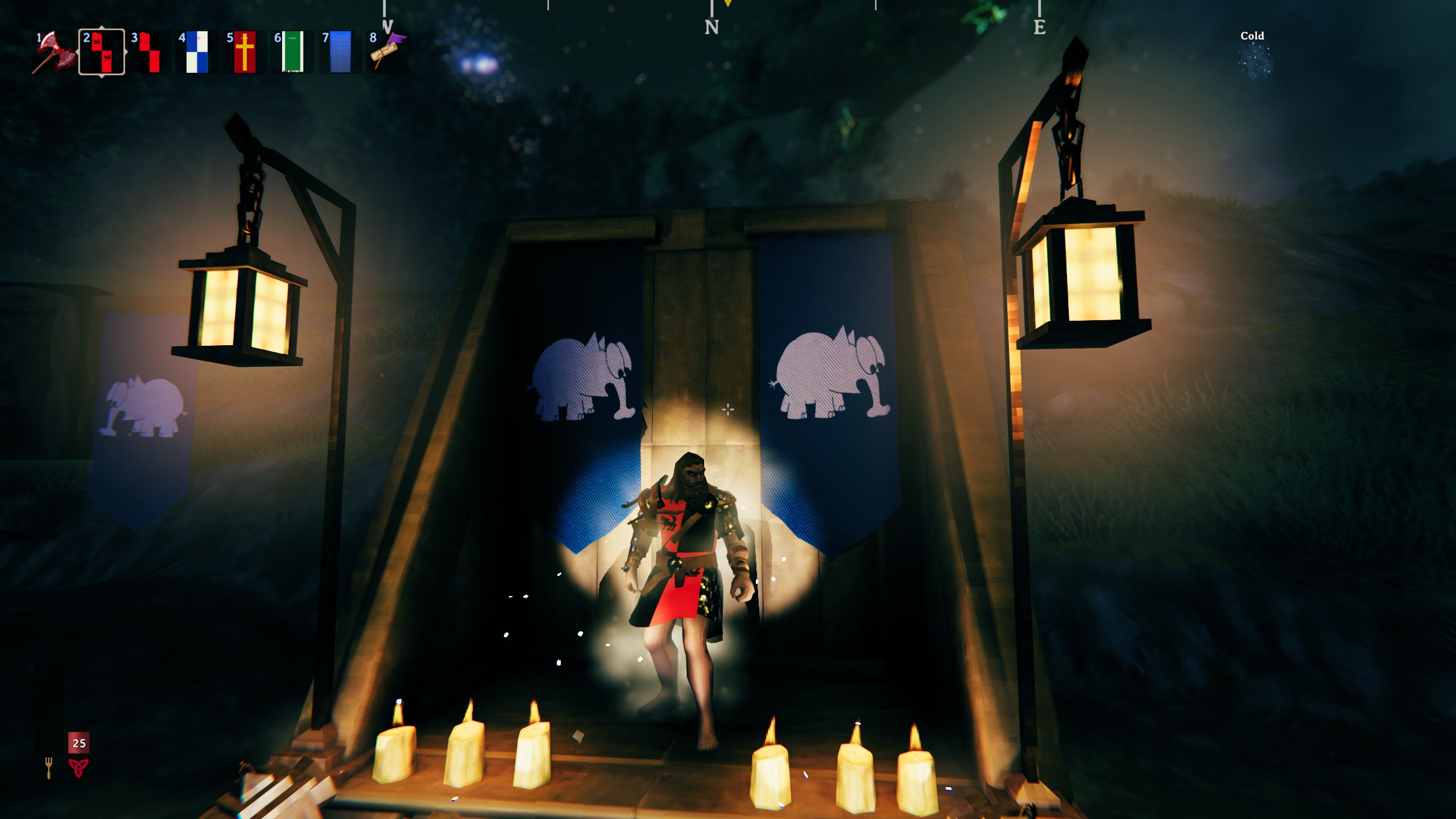
A proper tabard with its own model - worn over your chest armour, under your belt and pauldrons, in its own equipment slot. Paint your own designs, give them to your friends as a zip, and pick your style at the crafting station just like the vanilla shields.
Features
- A new wearable tabard in its own slot - it doesn't replace your cape, chest or utility item.
- Fitted for both body types, and the skirt follows your legs.
- Up to 16 styles per tabard, chosen at the crafting station.
- Front and back designs in one image. Transparent areas become holes - ragged hems and cut-outs are easy.
- Icons are made for you from your artwork (or bring your own).
- A paint-over UV template is written to your documents folder.
- Missing packs never cost anyone a tabard (see below).
Wearing a tabard
Craft one, then right-click it (or use it) in your inventory to put it on or take it off. It's purely cosmetic - no armour, no weight to speak of, no durability.
Installing tabards
After running the game once there is a folder called Valheim Custom Tabards in your Documents folder. Put TabardPack .zip files in there - don't unzip them - and start the game. Each tabard in the pack is a new item at its crafting station. Remove a zip to remove its tabards.
Playing with friends
Everyone on a server needs TabardShare and should have the same TabardPacks.
If someone has a tabard from a pack you don't have, you'll see it as a quarterly magenta and black "missing" tabard - on them, on the ground or in a chest - and a message tells you to check your chat, where every missing tabard is listed. Ask around for the pack, drop the zip in your Valheim Custom Tabards folder and restart. Nothing is ever deleted: the real tabard comes back as soon as you have the pack. The same happens to your own tabards if you remove a pack.
Making a TabardPack
I made a tool to help with this
https://github.com/Hippoflotomas/Custom-Valheim-Tool/releases/latest
Each tabard is a folder inside the zip, and that tabard's files go inside that folder. One folder is one entry in the crafting menu; every pattern in it is a style of that entry.
MyTabards.zip
  BlackDog/            <- the tabard's ID - must be unique, don't rename it later
    Tabard.json        <- required
    Pattern1.png       <- style 1 artwork
    Pattern2.png       <- style 2 ... up to Pattern16.png
    Icon1.png          <- optional; made from the pattern's front if missing
    BumpMap.png        <- optional normal map, shared by every style
- Files loose at the top of the zip, and folders inside folders, won't work.
- Images must be PNG. File names are fixed but capitals don't matter.
- Each pattern is a square image: the front on the left half, the back on the right half,
neck at the top. Paint over
Valheim Custom Tabards\_Templates\Tabard - UV layout.png. - 1024 x 1024 is the reference size; 2048 x 2048 for fine detail.
- Transparency cuts holes - anything less than half opaque isn't drawn. Keep the panels solid unless you want a hole there.
Tabard.json
The file must exist, but every line is optional. The smallest valid file is just {} - that gives you a
tabard named after the folder, made at the workbench for 4 leather scraps.
{
  "displayName": "Black Dog Tabard",
  "description": "Worn by the Black Dogs.",
  "craftingStation": "workbench",
  "minStationLevel": 1,
  "hidden": false,
  "requirements": [
    { "item": "LeatherScraps", "amount": 4 },
    { "item": "DeerHide", "amount": 2 }
  ]
}
craftingStation can be workbench, forge, stonecutter, artisan, blackforge, galdr, cauldron or none.
requirements use the game's item names (Wood, LeatherScraps, DeerHide, LinenThread ...).
The full guide is written to Valheim Custom Tabards\HOW TO MAKE A TABARD.txt.
If a pack isn't laid out right, the BepInEx log says exactly what's wrong.
An example pack is available on the GitHub page.
Config
Testing.CraftableTestTabard (default off) - makes the built-in Test Tabard (the UV layout, front blue and
back red) craftable at the workbench for 1 wood, for checking your artwork lines up.
Known issues
- There's no slot box in the inventory screen yet - the tabard shows as equipped on its icon, like other gear.
- The fit is tuned around the iron armour. Very bulky chest armour can poke through in places.
- Tabards can't go on armour stands.
See also
- ShieldShare - the same idea for shields.
- BannerShare - the same idea for banners.