
Confirm with your password

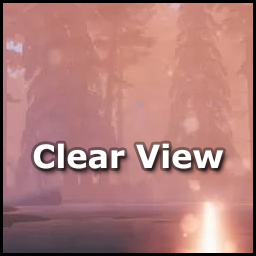
ClearView

Turn off screen effects the game has no setting for, like lens flares, lens dirt, heat haze, vignette and film grain.

Client-only

· Website

Stars
0
Downloads
25
Version
1.0.0
Updated
Author
Dreich
Virus scan
✓ Scan successful
Runs on
Client-only

Description

ClearView

Turn off the screen effects the game has no setting for

Features

  • Lens flares - no flares from the sun and bright lights
  • Lens dirt - no smudges and specks on the screen when looking towards bright light
  • Heat distortion - no wavy heat haze, like in the Ashlands
  • Vignette - no darkening around the edges of the screen
  • Film grain - no grain noise
  • Screen space reflections - turned off
  • Eye adaptation, colour grading and dithering - can be turned off too, but are left on by default since they change how the game looks

Installation

Install with your mod manager, or drop the DLL into BepInEx/plugins.

Support

Changelog

1.0.0 Latest
  • Initial release

Full version history & older downloads →

Files

5 files · 59 KB download

Loading files…

Manual installation instructions
1

Install BepInExPack Valheim

BepInExPack Valheim is required to run mods in Valheim.

Download BepInExPack Valheim 5.4.2360 · View mod page

Check out the mod page for detailed installation instructions.

2

Install ClearView

This mod only needs to be installed on the client.

Download ClearView 1.0.0

Extract the ZIP and place the file(s) into the BepInEx/plugins/ folder inside your Valheim game folder.