 Install with Gale
WardIsLove
Another dedicated ward mod from the author of BetterWards, built around one simple idea: every base should be able to run its ward its own way.
Server owners choose the defaults and decide what players may change. Admins and ward owners handle the rest through an in-game menu.
WardIsLove is NOT backwards compatible with BetterWards.
The mod must be installed on both the server and every client. Versions must match.
Ward Information
- Prefab name:
Thorward - Default recipe: 10 Fine Wood, 10 Surtling Cores, 1 Thunder Stone and a nearby Forge
- The recipe is configurable
- Vanilla wards are disabled while WardIsLove is running
How configuration works
The config file contains the global defaults for newly placed wards. It also contains server rules such as maximum radius, ward limits, owner controls and raid policy.
After a ward is placed, its options belong to that ward. Changing a server default does not flatten every existing ward back to the same settings.
Admins can edit everything. Owners can edit the options selected in Owner Controls. If you want admins to manage every
ward, turn Ward Control off.
ServerSync handles config locking and version checks. Saving the server config reloads it and sends the synchronized values to connected players.
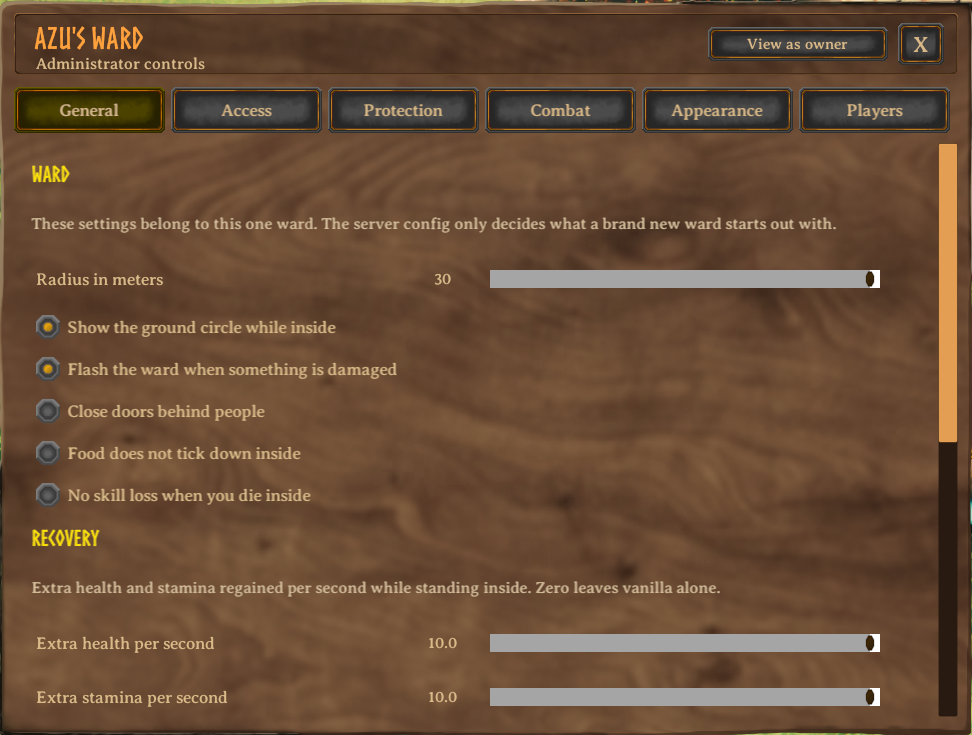
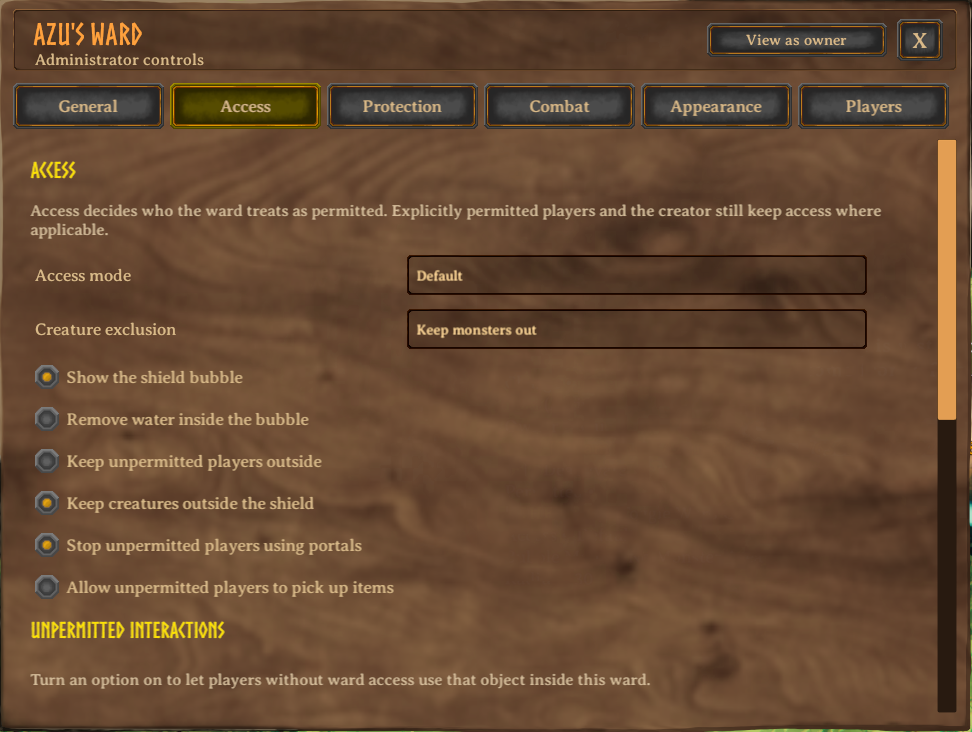
Ward menu
Hold Left Shift while interacting with a ward to open its menu.
The menu is split into readable sections instead of one giant wall of switches:
- General: radius, marker, damage flash, doors, food, death penalty, recovery, charge and notifications
- Access: access mode, monster exclusion, bubble, water removal, pushout and object interaction rules
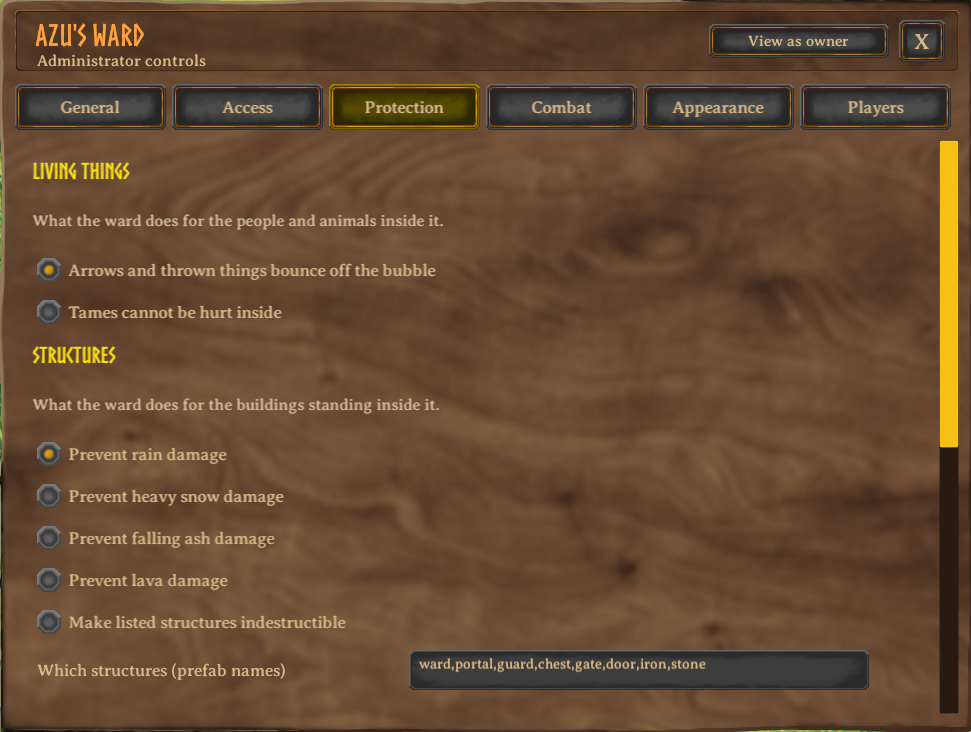
- Protection: projectiles, tames, structures, weather, raids and unlimited fire sources
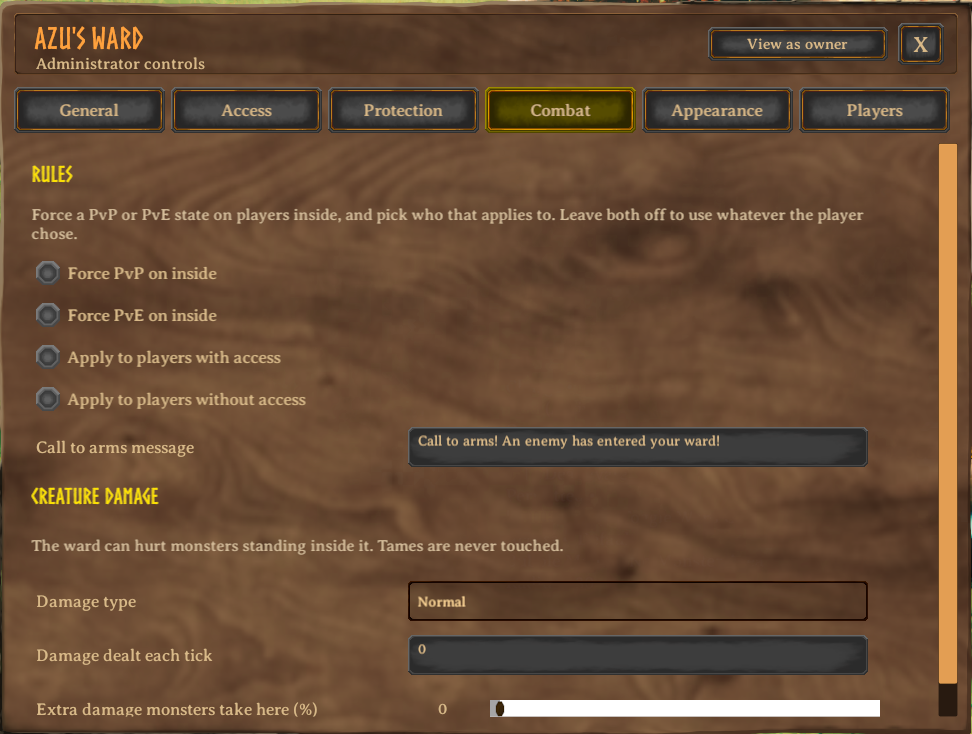
- Combat: PvP/PvE rules and creature damage
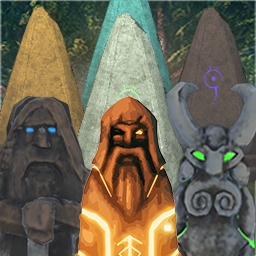
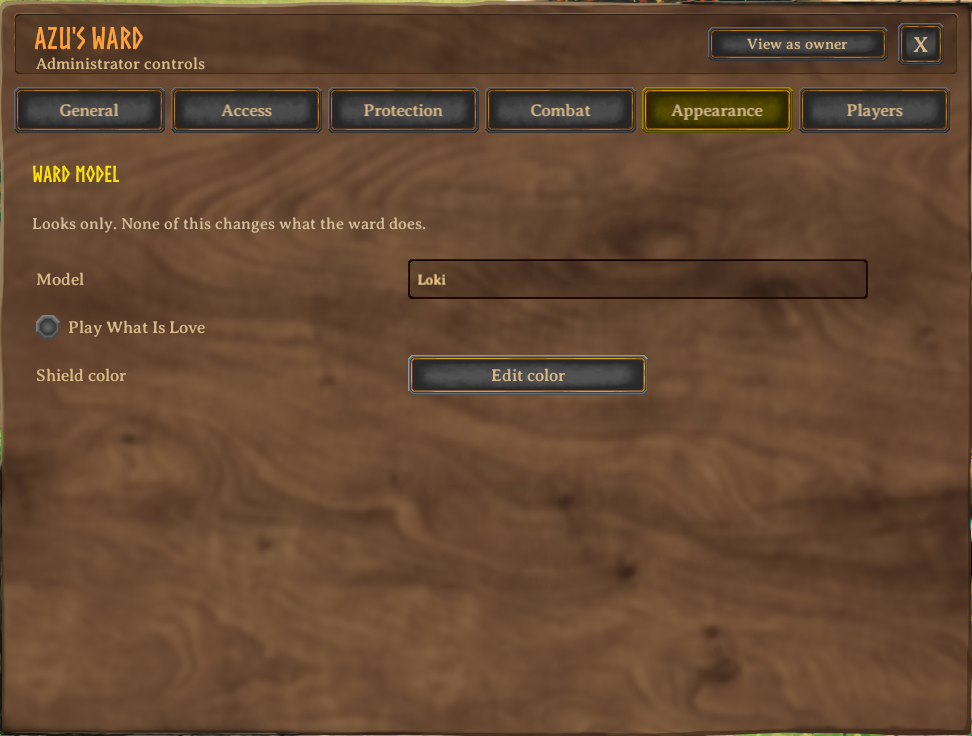
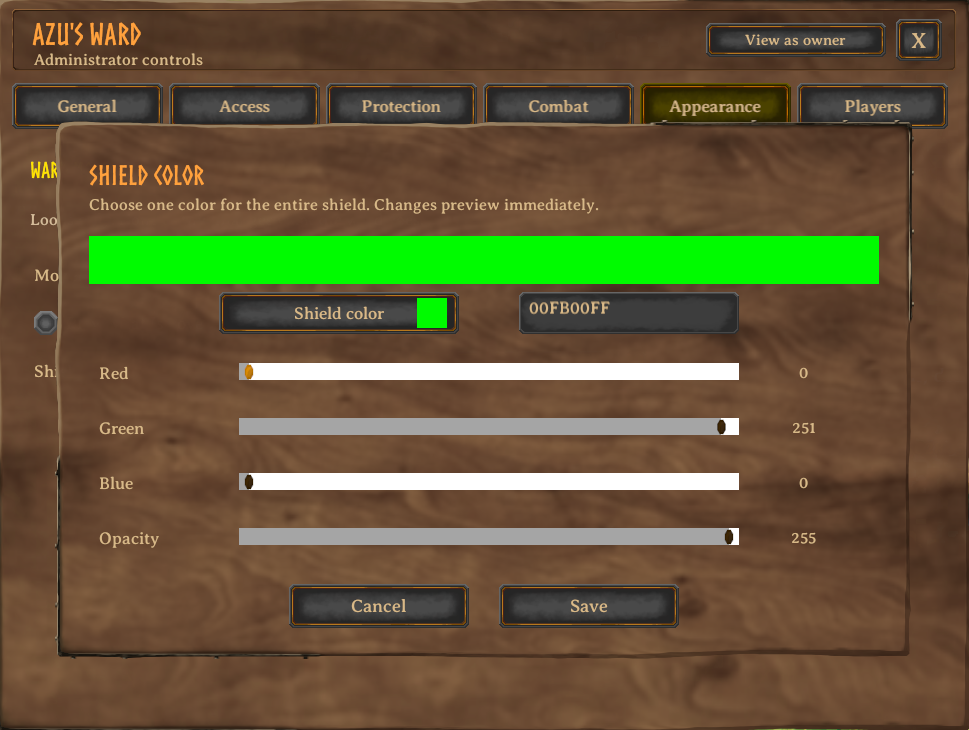
- Appearance: ward model, shield color and the extremely important What Is Love option
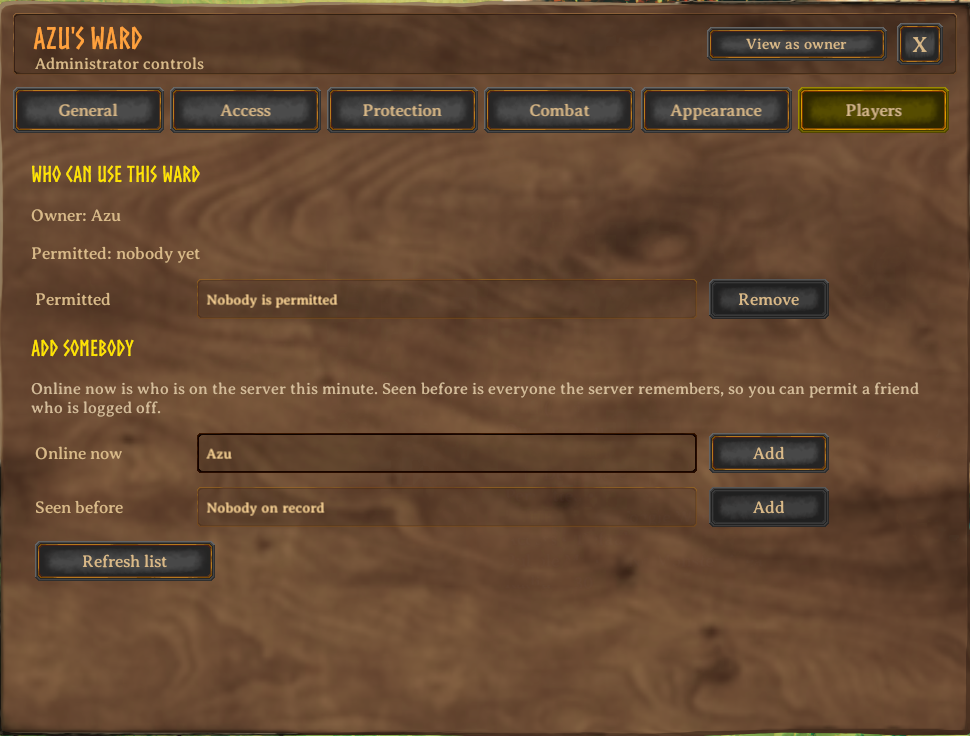
- Players: permitted players, people online now and players seen on the server before
Admins can switch the menu into owner view to see exactly what the ward owner is allowed to change.
Main features
Individual wards
- Per-ward settings with server-defined defaults
- Separate admin and owner control
- Live multiplayer updates when two people edit the same ward
- Server-approved ward changes, including owner and admin checks
- Multiple ward models, including the legacy BetterWards models
- Configurable radius with a separate server maximum
- Configurable shield color, marker and hit flash
- Optional, non-changeable ward music (What Is Love)
Players and access
- Permit players who are online or offline
- Separate
Online now,Seen beforeandPermittedlists - Offline players are remembered in
Azumatt.WardIsLoveKnownPlayers.yml - Default, owner-only, everyone, group and guild access modes
- Permitted players may toggle the ward with the configurable hotkey, default
G - Admins may optionally be treated as permitted everywhere
- Players can remove themselves from nearby wards with
unpermit - Admins can permit or unpermit any player by name from the console
Shield and area behavior
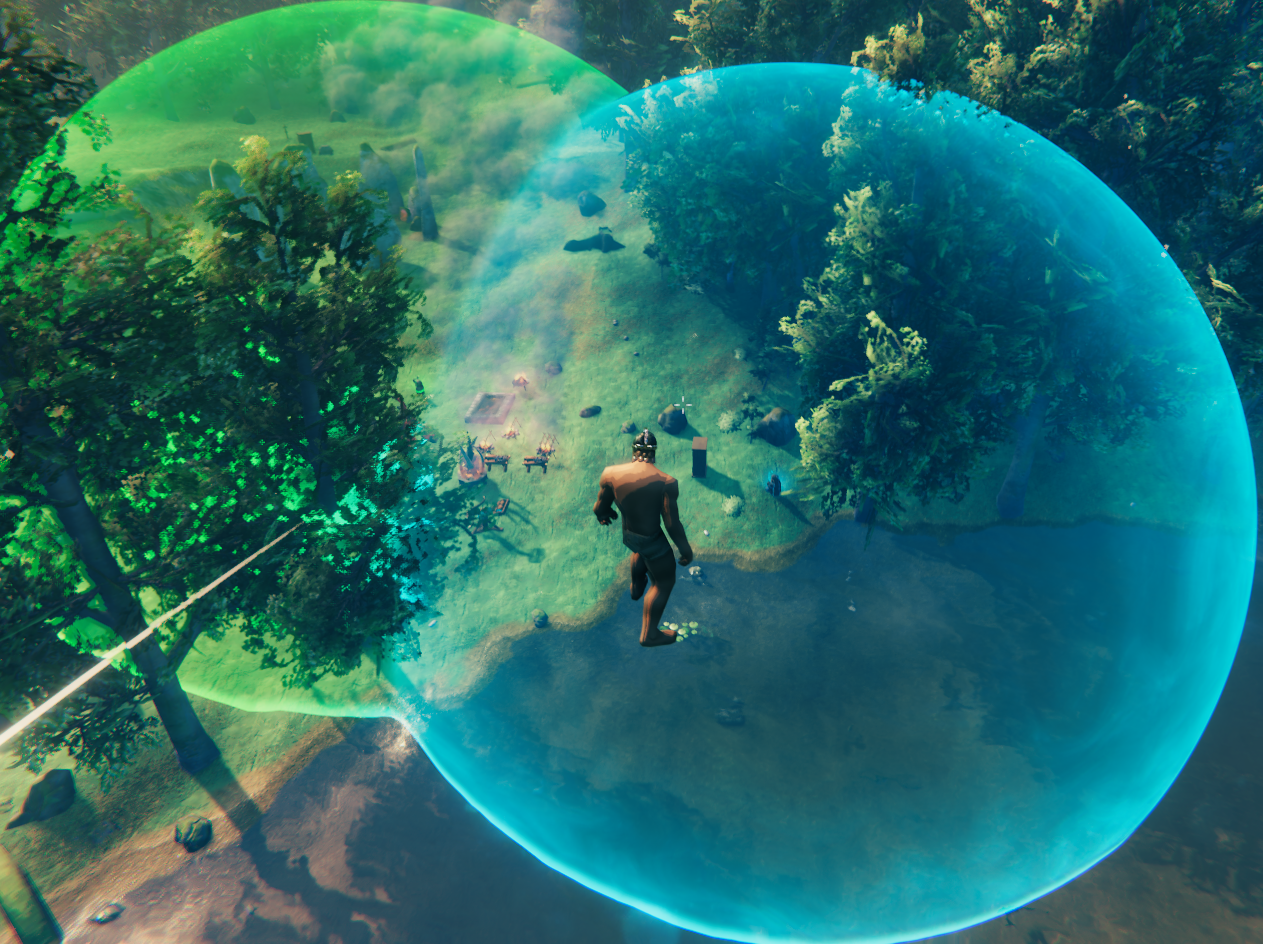
- A cleaner shield based on Valheim's shield generator look
- Smoothly merged overlapping bubbles
- The visual dome, marker, effects, projectile wall and gameplay checks use the same live radius
- Optional creature pushout and unpermitted-player pushout
- Optional projectile blocking
- Optional protection for tamed creatures
- Active bubbles keep rain and snow particles outside
- Fires stay dry inside an active bubble
- Optional removal of visible water and water physics inside the bubble
- The bubble can be hidden without disabling the ward's gameplay effects (some effects are tied to the bubble!)
Monster control
- Default: prevents creature spawning inside the ward
- No Monsters: keeps monsters from targeting players or the ward inside its area
- Optional damage over time to hostile creatures
- Configurable damage type, damage amount and increased damage taken by creatures
Building protection
- Prevent normal rain damage
- Separate protection from heavy snow, falling ash and lava
- Configurable structure damage reduction
- Optional indestructible structures selected by prefab-name matching
- Offline raid protection with a configurable number of players required online
- Optional no-skill-loss-on-death area
Interaction control
Choose what unpermitted players may use inside each ward:
- Doors, containers and dropped items
- Crops and pickables
- Portals and item stands
- Crafting and cooking stations
- Smelters, beehives and cartography tables
- Signs and ships
- Fireplaces, torches and candles
- Turrets and traps
Tombstones remain usable by their owner.
Player comforts
- Configurable passive health and stamina recovery
- Optional no food drain
- Auto-close doors
- Unlimited fireplaces, ovens and hot tubs
- Configurable ward entry and exit messages
- Connected overlapping wards can announce only at the outside edge instead of spamming every boundary
Charge, not fuel
Wards do not eat bones, run on shield-generator fuel or lose power when an arrow hits them.
A ward has one upkeep system: charge. I'm thinking I might change this system eventually though.
- Default full charge: 30 real-world days
- Default recharge cost: 5 Thunder Stones
- Hold Left Alt and interact with the ward to recharge it
- Expired wards switch off until recharged
- The bubble fades as charge runs down
- Admin wards may be set to never expire
- Recharge items, amounts and charge duration are configurable
Time comes from the server and is handled in UTC. These are real days, not Valheim days.
Map pins and ward travel
- Map pins for wards you own or are permitted on
- Optional radius circles around ward pins
- Configurable vanilla pin icon and refresh rate
- Optional double-click travel between permitted wards
- Configurable landing offset, cooldown and combat lock
- Optional ore restriction
- Optional requirement to begin inside another accessible ward
- Optional charge cost paid by the departing ward
- Optional admin ward hopping: admins see every ward on the map and can travel to any of them, without opening travel up to players
Ward travel is off by default because it changes progression quite a bit.
Server moderation
- Forced server config and version matching
- Server-side authorization for ward edits
- Server-owned ward data with optional tamper protection
- Safe simultaneous edits from multiple players
- Ward limits with a separate VIP limit
- VIP list by player ID
- Owner controls selected by the server
- Admin-only policy options can be kept out of the owner menu
- Server-backed online and offline player lists with a configurable history limit
- Lightweight requests instead of continuously sending full ward settings
Bubble appearance options
The visual settings are client-side. They change how bubbles look, not what the server protects.
You can adjust visibility, opacity, edge glow, refraction, draw distance, shimmer, idle movement, ground contact, overlap smoothing, hit ripples and quality. If bubbles cost too many frames, lower quality or draw distance before disabling the feature entirely.
Commands
Everyone
unpermit- remove yourself from nearby wards
Admins
permit- permit yourself on nearby wardspermit <player>- permit somebody else on nearby wards, online or seen before (tab completes names)unpermit <player>- remove somebody else from nearby wardswardmenu- open the menu of the closest ward without walking up to itenable- enable nearby wardsdisable- disable nearby wardsflash- flash nearby ward shields for everyone
FAQ
What happens when wards overlap?
Their protected areas work together. Shield visuals blend, each ward keeps its own access rules, and notifications can treat connected wards as one larger outside boundary.
Why can I only set a ward to 30 meters?
MaxWardRange is the server's safety limit and defaults to 30. The server owner can raise it as high as 100 meters.
WardRange only decides the starting radius of a new ward.
Why can an owner not see a certain option?
The server decides which controls owners receive through Owner Controls. Admins always see the complete menu.
Where is the config file?
BepInEx\config\Azumatt.WardIsLove.cfg
Where is the offline player list?
BepInEx\config\Azumatt.WardIsLoveKnownPlayers.yml
What if Valheim updates?
Game updates may break part of the mod. If something acts strange after an update, send me the log and a useful description of what happened.
Known mod conflicts
Mods that forcibly manage PvP or PvE can fight WardIsLove when both try to control the same player state. Known examples include:
- Marketplace Territories
- PvPAlwaysOn
BetterWards and BetterNetworking are marked incompatible.
Author Information
Azumatt
DISCORD: Azumatt#2625
STEAM: https://steamcommunity.com/id/azumatt/
For questions or comments, find me in the Hexium, Odin Plus Team Discord or in my own:

|

|

|
Ward Model Author
The custom ward models were commissioned for this mod and are used with permission.
deBARBA
Sketchfab: https://sketchfab.com/dillonbarba