 Install with Gale
ZoneSavior
Automatically archiving Inactive-player structure and tamed animals per zone, zone bundle save/load/restore, player activity tracking, archive protection rules, per-zone WearNTear limits and terrain proxies that you can save in blueprints.
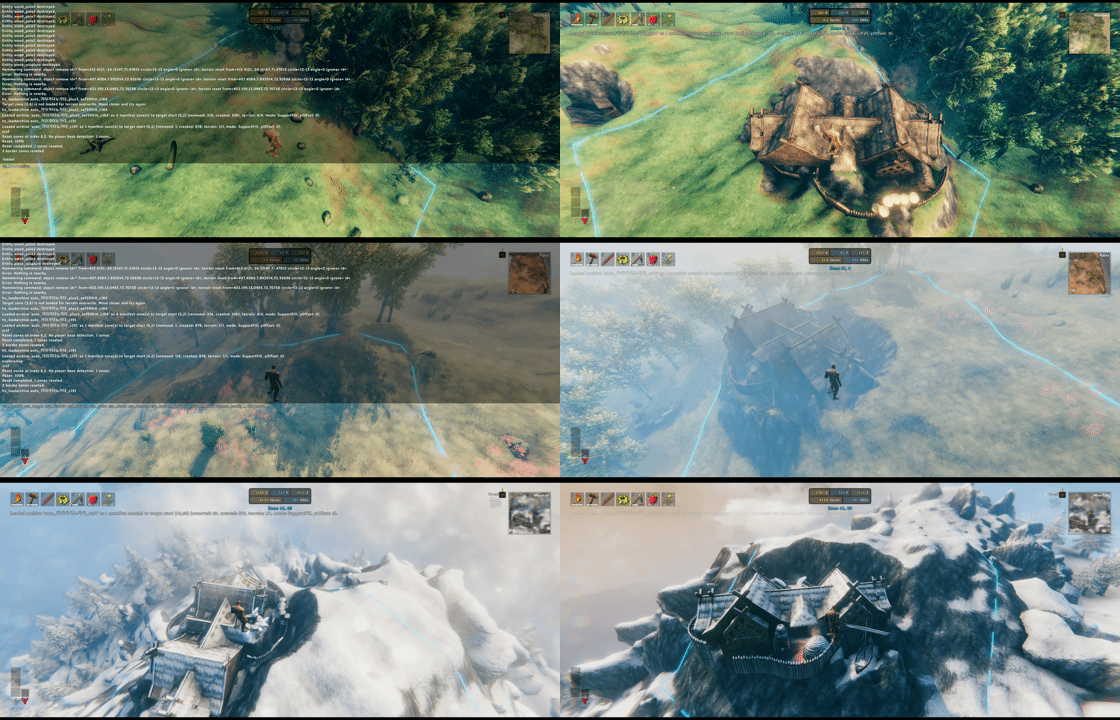

ZoneSavior is a Valheim server maintenance mod for zone-based cleanup, archive, restore, and build-count control.
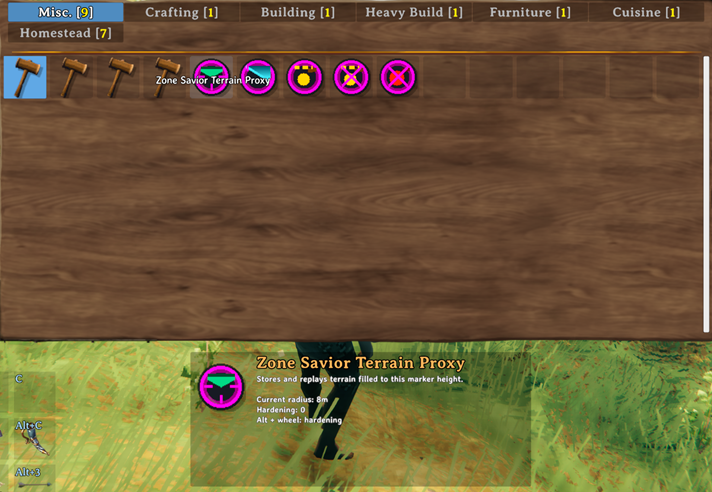
Terrain proxies that you can save in blueprints.
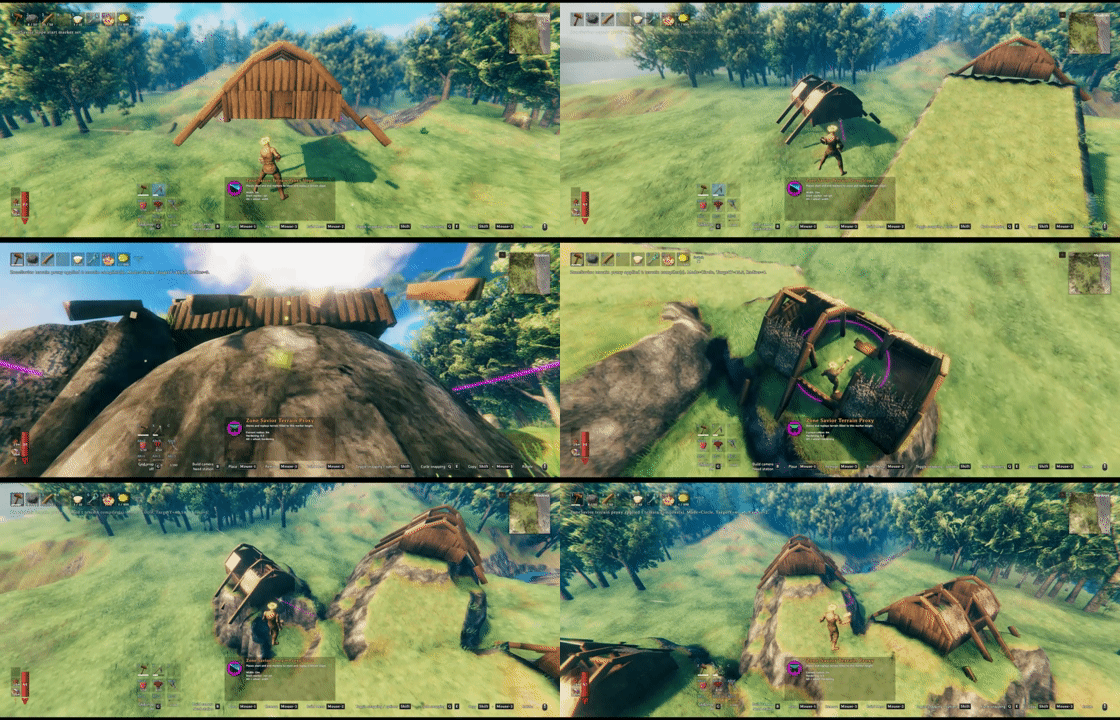
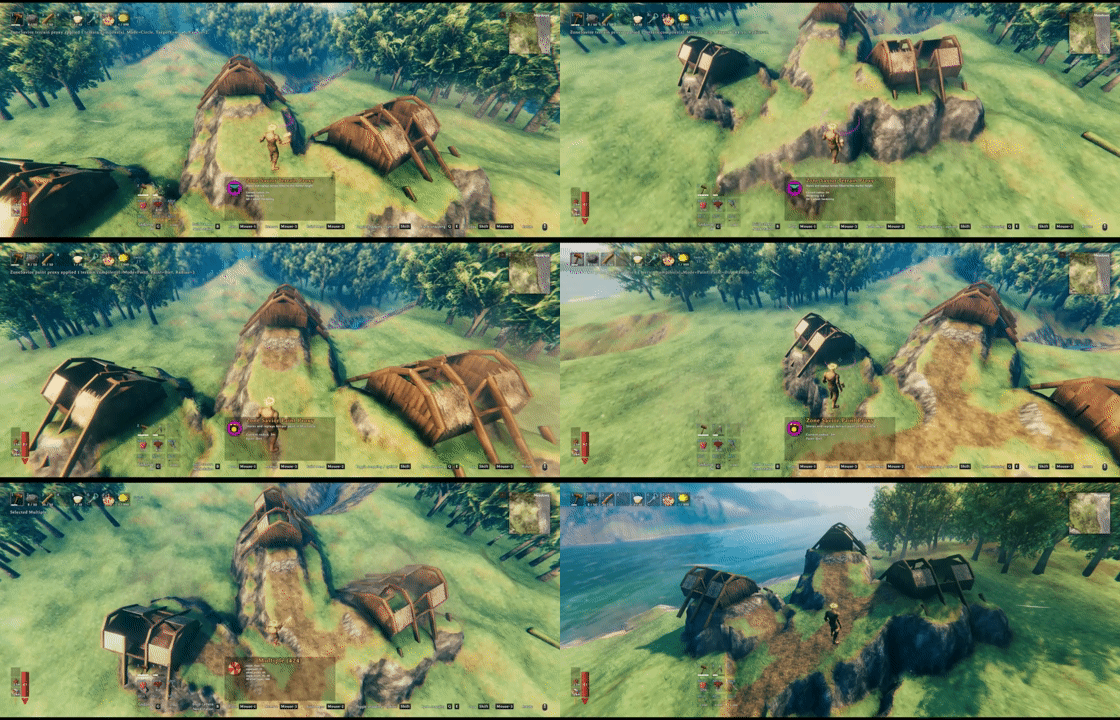
Put terrain proxies and paint proxies for your blueprints!
It can:
- archive inactive player structures into zone bundle files
- restore saved bundles to the original place or a new zone
- optionally reset archived source zones
- enforce per-zone WearNTear limits from
zones.yml - track player activity for inactive-owner cleanup
- provide admin terrain proxy tools that can be saved in blueprints
- provide an optional client zone UI
Files
ZoneSavior uses one BepInEx config file and one data folder:
BepInEx/config/
  sighsorry.ZoneSavior.cfg
  ZoneSavior/
    activity.yml
    zones.yml
    Diagnostics/
    ZoneBundles/
      tag_name/
        manifest.yml
        bundle001_<generation>.zonebundle.yml.gz
activity.yml stores player activity, scan state, and recent scan records. ZoneSavior reloads it conservatively at runtime: broken YAML, dirty runtime state, and active scans are ignored.
zones.yml stores zone limits and archive protection rules. Every rule must declare a non-negative limit. Steam IDs are the best long-term protection key; player names are convenient but can change.
ZoneBundles/<tag>/manifest.yml records the archive shape. Each bundleNNN_<generation>.zonebundle.yml.gz stores one source zone as a compact, gzip-compressed YAML bundle. ZoneSavior reads and writes these files directly; no manual extraction is required. New bundle files are committed by replacing the manifest only after every zone is saved successfully.
Previous manifest and bundle versions, including uncompressed legacy zone bundles, are not loaded or converted. If the original world data is still available, create a new archive from the live world with the current ZoneSavior version before restoring it.
Diagnostics/ contains YAML reports written by zs_debugzone.
Config
Config sections:
01 - GeneralLock Configuration: lets the server control synced settings.
02 - ZoneSaviorWearNTear Save Mode: controls whether zone bundle saves include creatorless WearNTear.Zone WearNTear Limit: enables zone limits fromzones.yml.Zone UI Toggle Hotkey: toggles the client zone overlay.Build Counter Visible Seconds: controls how long the placement counter stays visible.Support Fill Contact Tolerance: terrain contact capture tolerance. Source terrain must be loaded to capture exact contacts.Zone Bundle Support Fill Feather Width: blend width around restored support terrain.
03 - Auto ArchiveDry Run: report only.Reset After Save: reset eligible source zones after saving.Minimum Pieces Per Cluster: small clusters are skipped, or reset without save during reset runs.Inactive Days: owner inactivity threshold.Scan Interval Minutes: automatic scan interval.0disables scheduled scans.Scanner Batch Size: ZDOs inspected before yielding a frame.Max Zones Per Run: maximum number of zones reserved for work in one automatic scan. Failed save/reset attempts still consume this budget.
04 - Terrain ToolRadius: default circle radius.Slope Width: default slope width.Terrain Edge Softness:0is a hard edge,1is more rounded.Paint Type: default paint proxy type.Terrain Tool Modifier Key: modifier used with mouse wheel for terrain tool adjustments and pressed to switch Terrain Reset mode.
What Gets Archived
ZoneSavior saves player-build structures, not arbitrary world clutter.
Saved:
- player-build WearNTear objects with normal build recipes/resource costs
- tamed monsters with
MonsterAIandTameable - creator metadata when present
- terrain support data for saved structures
Skipped:
- players, tombstones, loose item drops, projectiles, ragdolls, fish
- location objects and volatile world objects
- vanilla terrain comps and most raw terrain modifiers
- WearNTear prefabs without normal build recipes/resource costs
Auto archive candidate detection only starts from creator-linked WearNTear with creator != 0. WearNTear Save Mode = IncludeCreatorless can include nearby creatorless WearNTear during the save step, but creatorless structures alone do not make a zone eligible for inactive-owner cleanup.
Terrain Restore
ZoneSavior uses SupportFill terrain restore.
When saving a loaded zone, it samples the lower footprint of saved structures and records terrain contacts where terrain is close enough to the structure bottom. When loading, those contacts can raise or cut terrain so structures regain support.
If exact contacts are missing, ZoneSavior falls back to saved collider/footprint data and places terrain near the lowest reasonable support plane. The fallback is clamped to avoid extreme spikes.
Terrain Proxy Tools
Admin terrain tools appear in the hammer Misc tab while debug mode is enabled and the local player is an admin.
Tools:
ZoneSavior Terrain Proxy: fills terrain to the marker height in a circle.ZoneSavior TerrainProxy Slope: place a start marker and an end marker to create a saved slope.ZoneSavior Paint Proxy: stores terrain paint in a circle and previews both its circular range and affected heightmap nodes.ZoneSavior Terrain Reset: resets terrain height and paint in the radius and removes intersecting terrain, slope, and paint proxies. Press the terrain-tool modifier key (Alt by default) while directly placing it to switch to Paint Only mode, which resets only paint and removes only intersecting Paint Proxy objects.
Wheel controls:
- Terrain Proxy: wheel changes radius, modifier+wheel changes edge softness.
- TerrainProxy Slope: modifier+wheel changes width.
- Paint Proxy: wheel changes radius, modifier+wheel changes paint type.
- Terrain Reset: wheel changes radius; press the modifier key to switch between Terrain + Paint and Paint Only. Deselecting the tool or leaving the world restores Terrain + Paint.
The active radius, slope width, edge softness, paint type, reset mode, and modifier hint are shown in the piece tooltip. Terrain Reset, Paint Proxy, and Paint Only Reset range outlines follow the loaded terrain surface, while Terrain Proxy keeps a flat outline at its target height. Paint Proxy and Paint Only Reset also show their exact affected-node grid. Grids above 2,048 visible nodes fall back to the circular outline instead of showing a partial grid.
Reset preflights complete loaded terrain coverage, known intersecting proxy footprints, and ownership. If any known requirement is not loaded and ready, no terrain is changed and no proxy is removed; move closer to the affected area and try again.
Terrain, paint, and slope proxies are persistent prefab objects. They can be captured by blueprint tools, then replay terrain changes when placed again.
Commands
zs_savezone
Save one source zone or a rectangular source range.
zs_savezone (x,z) tag
zs_savezone (x~x,z~z) tag
Examples:
zs_savezone (-21,-4) test_base
zs_savezone (-21~-20,-4) old_base
A manual save command accepts at most 1,024 zones. zs_savezone does not accept a target or vertical offset.
zs_loadzone
Load a saved tag.
zs_loadzone tag [to (x,z)] [offset=Y]
zs_loadzone tag restore
zs_loadzone tag source (x,z) [to (x,z)] [offset=Y]
Examples:
zs_loadzone auto_halla_c178 restore
zs_loadzone auto_halla_c178 to (-4,0)
zs_loadzone auto_halla_c178 source (-21,-4) to (10,3)
zs_loadzone test_base to (10,3) offset=2
Notes:
- Without
source, ZoneSavior loads every bundle in the tag manifest and preserves the saved shape. source (x,z)loads only one saved source zone from the manifest.restoreloads every saved bundle back to its original source zone.to (x,z)is the target anchor.- If
to (x,z)is omitted, ZoneSavior uses the local player's current zone. offset=Yadds a vertical offset after the support anchor is calculated.restoredoes not acceptto (x,z)or an offset.
zs_scan
Run the inactive-player archive scanner manually.
zs_scan [steamID] [dry|save|reset]
Examples:
zs_scan dry
zs_scan save
zs_scan reset
zs_scan 76561198000000000 dry
zs_scan steam:76561198000000000 reset
Modes:
dry: report candidates only.save: save matching archives but do not reset.reset: save matching archives and reset eligible source zones.
Without a Steam ID, inactive days, archive protection, minimum cluster size, and auto archive config apply. With a Steam ID, the scan is an admin override for that owner; mixed-owner zones are protected from targeted reset.
zs_status
Write a YAML report with recent auto archive runs.
zs_status
The console prints a short summary and the generated report path.
zs_debugzone
Write a YAML diagnostic report explaining one zone's auto archive eligibility.
zs_debugzone (x,z)
Example:
zs_debugzone (-7,12)
Reports are written under BepInEx/config/ZoneSavior/Diagnostics/.
Common Workflows
Test one save/load:
zs_savezone (-21,-4) test_base
zs_loadzone test_base to (10,3)
Dry-run inactive cleanup:
zs_scan dry
zs_status
Save inactive clusters without reset:
zs_scan save
zs_status
Save and reset inactive clusters:
zs_scan reset
Restore an archive elsewhere:
zs_loadzone auto_halla_c178 to (20,-3)
Restore an archive to its original zones:
zs_loadzone auto_halla_c178 restore