 Install with Gale
HipLantern
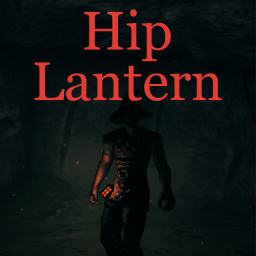
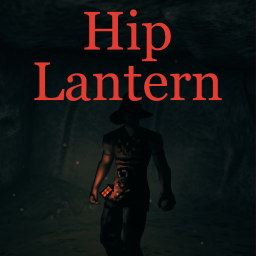
Craft a little lantern and place it on your hip to cast away the darkness.
If you like darker nights you can also check CircletExtended and Firefly mods.
Must be installed on server in multiplayer. Configuration is synchronized with Conditional Config Sync.
EpicLoot integration supports both legacy releases and EpicLoot 0.13 or later.
Features
You can change some item and light properties:
- crafting station and recipe
- fuel usage and refuel recipe
- light color
- light intensity, range and shadows strength (indoors and outdoors)
- lantern hip position and rotation
- equip duration
- AzuEPI custom slot support
- lantern can be enchanted with EpicLoot or socketed with Jewelcrafting (disabled by default)
Item recipe is confurable: SurtlingCore x3, BronzeNails x10, FineWood x4.
Refuel recipe is configurable: SurtlingCore x1.
The Lantern takes its own equipment slot. That slot ID is configurable to avoid potential incompatibilities. You can also configure it to use the standard Utility item type. Utility mode is compatible with EquipmentAndQuickSlots 3.x, including its additional Utility slots.
The goal of the mod is to make fighting easier at dungeons or at night. Default light intensity is only good to barely see your enemy up close.
It serves the same purpose as the Hand Lantern in Bloodborne and Elden ring.
Lantern can be placed an item stands to provide light. At the night it will lure insects to create cozy effect.
Heat sound
The continuous heat sound plays only while an equipped lantern's heat mode is active. The Heat / Enable heat sound option is enabled by default. Heat sound volume and Heat sound pitch both default to 0.5; the allowed ranges are 0 to 1 for volume and 0.1 to 3 for pitch.
Switch sound volume controls the one-shot light/heat toggle sounds and defaults to 0.5. Toggle sounds are positional world sounds and are emitted once per actual lantern toggle. Switch effects are local audio instances synchronized by HipLantern, preventing the vanilla effect prefabs from being network-replicated a second time.
Changes apply without restarting or re-equipping the lantern; adjusting volume or pitch does not restart the playing loop. Disabling the sound does not change the heat aura, fuel consumption, or the separate Emit sound effects on switch setting. These settings use ConditionalConfigSync, so server policy determines whether clients control their own values. The heat loop is positional, fades with distance from other players, and follows the local client's Master and SFX volume settings.
Fuel and crafting presets
- Default settings - craft at forge, refuel(recraft) at hands, can't be repaired
- To make lantern repairable - clear Refuel recipe (if refuel crafting station is set - it will be used as repair station)
- Crafting station minimum level is also level required for repair (vanilla behaviour)
- To make fuel infinite - set Fuel minutes to 0
- Fuel is set in minutes to better displayed in tooltip
- All crafting and item settings is applied on the fly
Installation (manual)
Install Conditional Config Sync, then extract the HipLantern folder to your BepInEx\Plugins\ folder.
Configurating
The best way to handle configs is Configuration Manager.
Or Official BepInEx Configuration Manager.
Dependencies
Install ConditionalConfigSync as a separate dependency; do not copy its DLLs into this mod's package.