
Confirm with your password

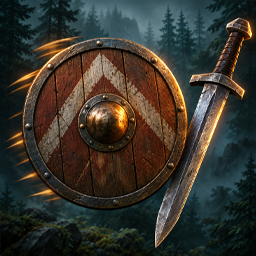
SmartShield

Auto-equips a shield when you switch to a one-handed weapon, including after a bow or crossbow.

Client & Server

· Website

Stars
0
Downloads
334
Version
1.0.12
Updated
Author
cjayride
Virus scan
✓ Scan successful
Runs on
Client & Server
Required by
4 mods

Description

🛡️ SmartShield

Automatically equips your shield when you switch to a one-handed weapon in Valheim.

✨ Features

  • Automatic Shield Equip — Equips your shield when you draw a one-handed weapon.
  • Smart Weapon Switching — Handles weapon draws and hotbar switching.
  • Vanilla Sheathing Behavior — By default, sheathing with R keeps both your weapon and shield visible on your back.
  • Configurable Sheathing — Choose whether your shield stays equipped when you sheath your weapon.

⚙️ Configuration

Configuration file:

BepInEx/config/cjayride.SmartShield.cfg

Setting Default Description
UnequipOnSheath false Set to true to unequip the shield when sheathing, leaving only the weapon on your back.

📦 Installation

  1. Install BepInEx for Valheim.
  2. Install the SmartShield mod.
  3. Launch the game. The mod will automatically create its configuration file.

📁 Package Information

  • Thunderstore package: Cjayride.SmartShield
  • Build artifact: dist/Cjayride.SmartShield-1.0.12.zip
    Generated during the build process; not committed to the repository.

See CHANGELOG.md for release history.

Changelog

1.0.12 Latest
  • Verified against Valheim 1.0.21 (Steam build 26249040).
  • BepInEx dependency set to denikson-BepInExPack_Valheim-5.4.2360.
1.0.11
  • Default UnequipOnSheath is now false so R-sheath shows weapon + shield on your back (vanilla). Set UnequipOnSheath = true if you prefer weapon-only on the back.
1.0.10
  • Fix: first sword draw after spawn now auto-equips the shield (warmup no longer baselines the weapon without applying).

1 older entry, full version history & downloads →

Files

5 files · 134 KB download

Loading files…

Manual installation instructions
1

Install BepInExPack Valheim

BepInExPack Valheim is required to run mods in Valheim.

Download BepInExPack Valheim 5.4.2360 · View mod page

Check out the mod page for detailed installation instructions.

2

Install SmartShield

This mod must be installed on both the client and the server.

Download SmartShield 1.0.12

Extract the ZIP and place the file(s) into the BepInEx/plugins/ folder inside your Valheim game folder.