 Install with Gale
Tone Down the Twang
- Made by WackyMole
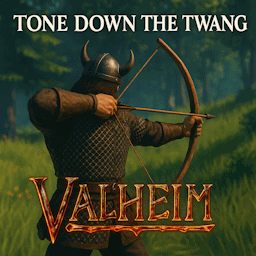
This mod adjusts how bows scale with skill level in Valheim. Bows become extremely powerful at higher skill levels due to reduced draw time. This mod caps how fast you can draw, keeping things more balanced.
What It Does
By default, at skill 100, the minimum bow draw time becomes 0.5 seconds for most bows.
This mod lets you configure the default factor. You can set a more reasonable minimum, such as:
1.2 seconds for slower play
0.7 seconds for a mild nerf
This mod gives admins a "Min Bow Draw Time Factor" that allows you to change the default .2f to whatever you would like.
etc 2.5(m_drawDurationMin for most bows) x .2f = .5s
Changing this value will effect lower skills a bit, but not too much. It's a curve. https://docs.unity3d.com/ScriptReference/Mathf.Lerp.html
Majestic mod request
Vanilla Code
		if (currentWeapon != null && currentWeapon.m_shared.m_attack.m_bowDraw && m_attackDrawTime > 0f)
		{
			float skillFactor = GetSkillFactor(currentWeapon.m_shared.m_skillType);
			float num = Mathf.Lerp(currentWeapon.m_shared.m_attack.m_drawDurationMin, currentWeapon.m_shared.m_attack.m_drawDurationMin * 0.2f, skillFactor);
			if (!(num > 0f))
			{
				return 1f;
			}
			return Mathf.Clamp01(m_attackDrawTime / num);
		}
		return 0f;
For questions or suggestions please join discord channel: Odin Plus Team or my discord at Wolf Den
Support me at https://www.buymeacoffee.com/WackyMole or https://ko-fi.com/wackymole