

ValheimDisplayBepInExInfo

2.0.1 ✓ Scan successful

This helper plugin displays BepInEx information in Valheim. Displays BepInEx info in Valheim’s main menu, logs/errors in the in-game console, and server name in the console title for dedicated servers.

Client + Optional Server Quality of Life

Display BepInEx Info

This helper plugin displays BepInEx information in Valheim.

Features

BepInEx version and number of loaded plugins in main menu

Shows BepInEx info in top left corner of game main menu:
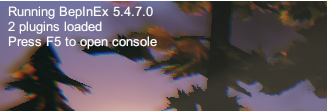
BepInEx info in top left

Prints BepInEx logs into game console

Shows BepInEx logs and errors in game console:
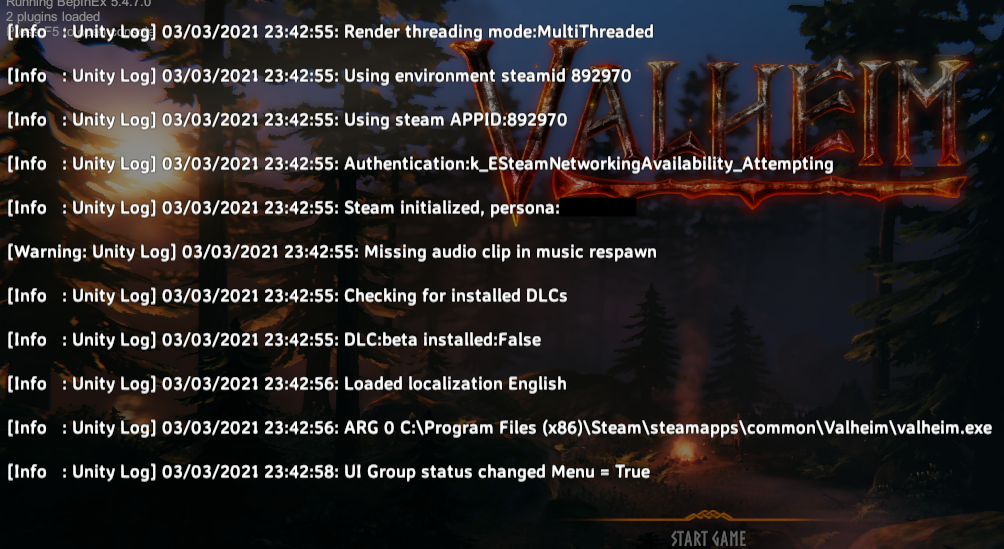
BepInEx info in top left

Shows server name in console title

Shows Valheim server name in BepInEx console title when running a dedicated server:
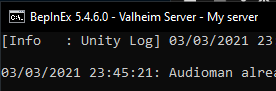
BepInEx info in top left


Threads

No threads yet.

Log in to post a thread.

Manual installation instructions
1

Install BepInEx

BepInEx is the mod loader required to run mods in Valheim.

Download BepInEx 5.4.2333 · View mod page

Check out the mod page for detailed installation instructions.

2

Install ValheimDisplayBepInExInfo

This mod needs to be installed on your client (and optionally on the server for config syncing).

Download ValheimDisplayBepInExInfo 2.0.1

Extract the ZIP and place the file(s) into the BepInEx/plugins/ folder inside your Valheim game folder.