 Install with Gale



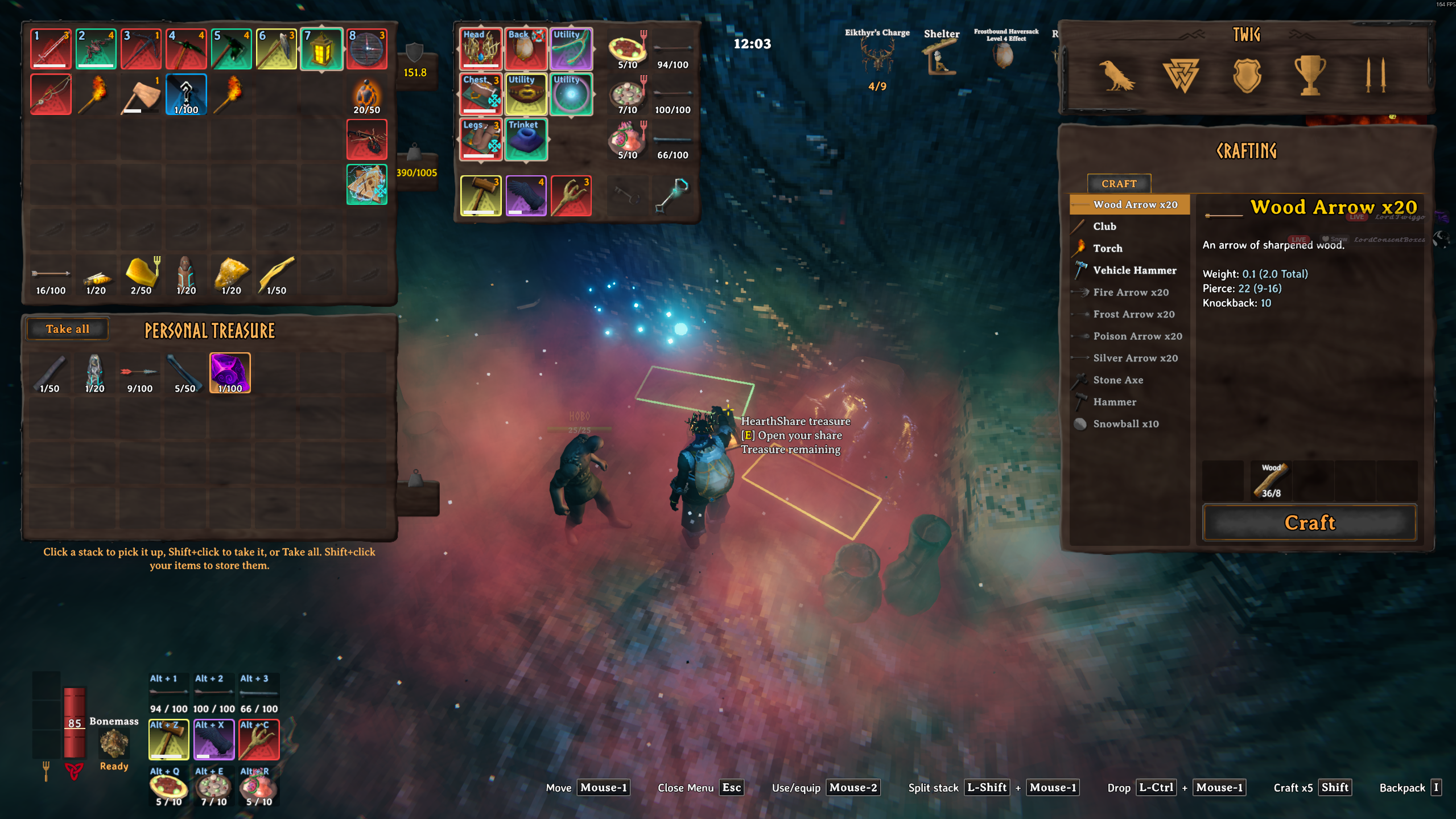
HearthShare
Personal loot chests for Valheim co-op.
In co-op, whoever reaches a chest first takes everything, and everyone else finds it empty. Your friend who joins on day 20 never gets to explore the Black Forest the way you did.
HearthShare gives every player their own share of every natural treasure chest. Play together, split up or join late: the world still has loot for you.
Inspired by the Lootr idea from Minecraft. This is an independent Valheim implementation, with no code or assets from any other mod.
How it works
- Your own roll, from the chest's own loot table. The first time you open a chest, the server rolls it for you from that chest's normal drop table.
- Fixed once rolled. Reopening, reconnecting, restarting or a friend opening the same chest never re-rolls your share.
- Everyone else still gets theirs. Your friend opening the same chest gets their own independent roll.
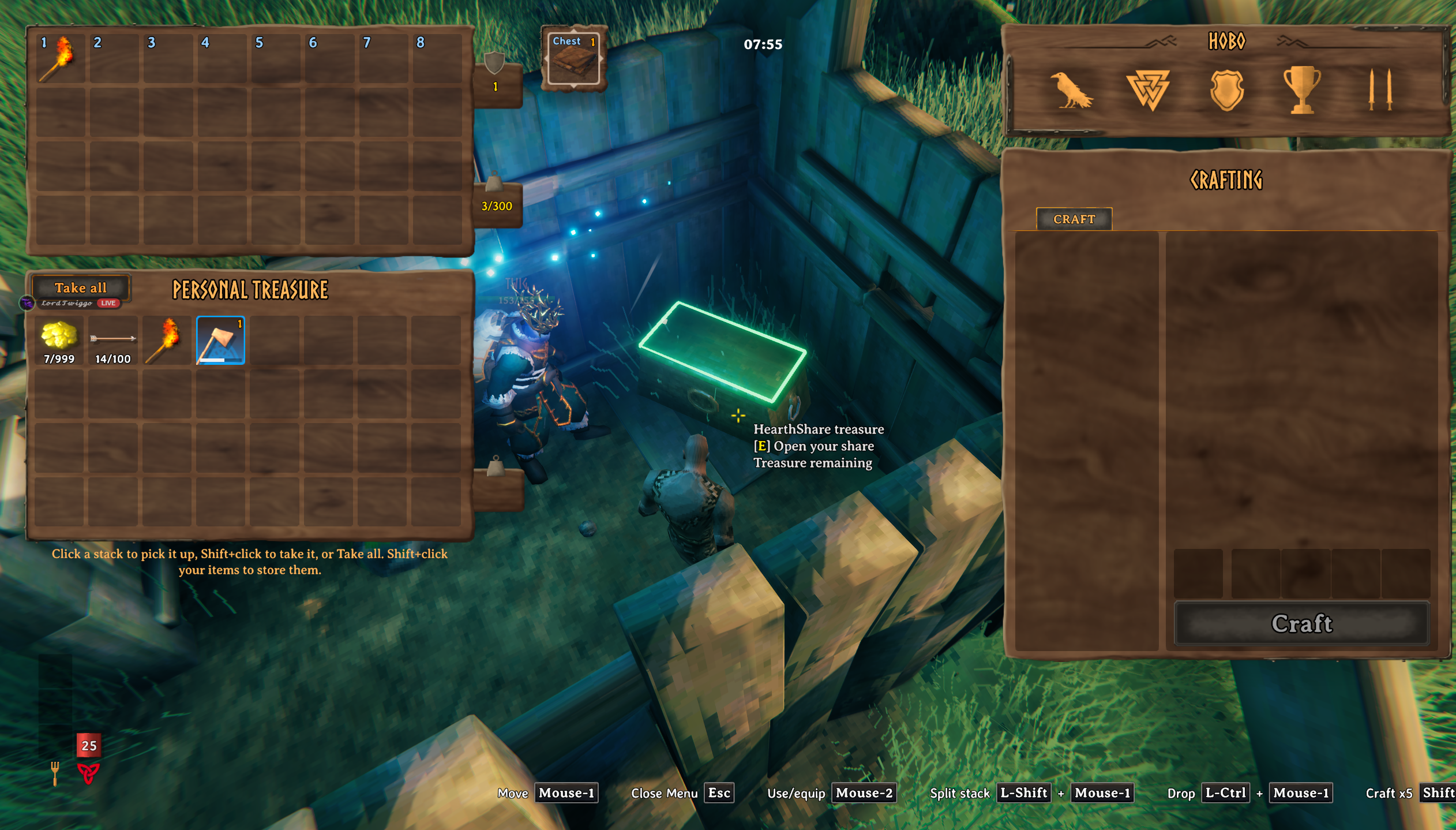
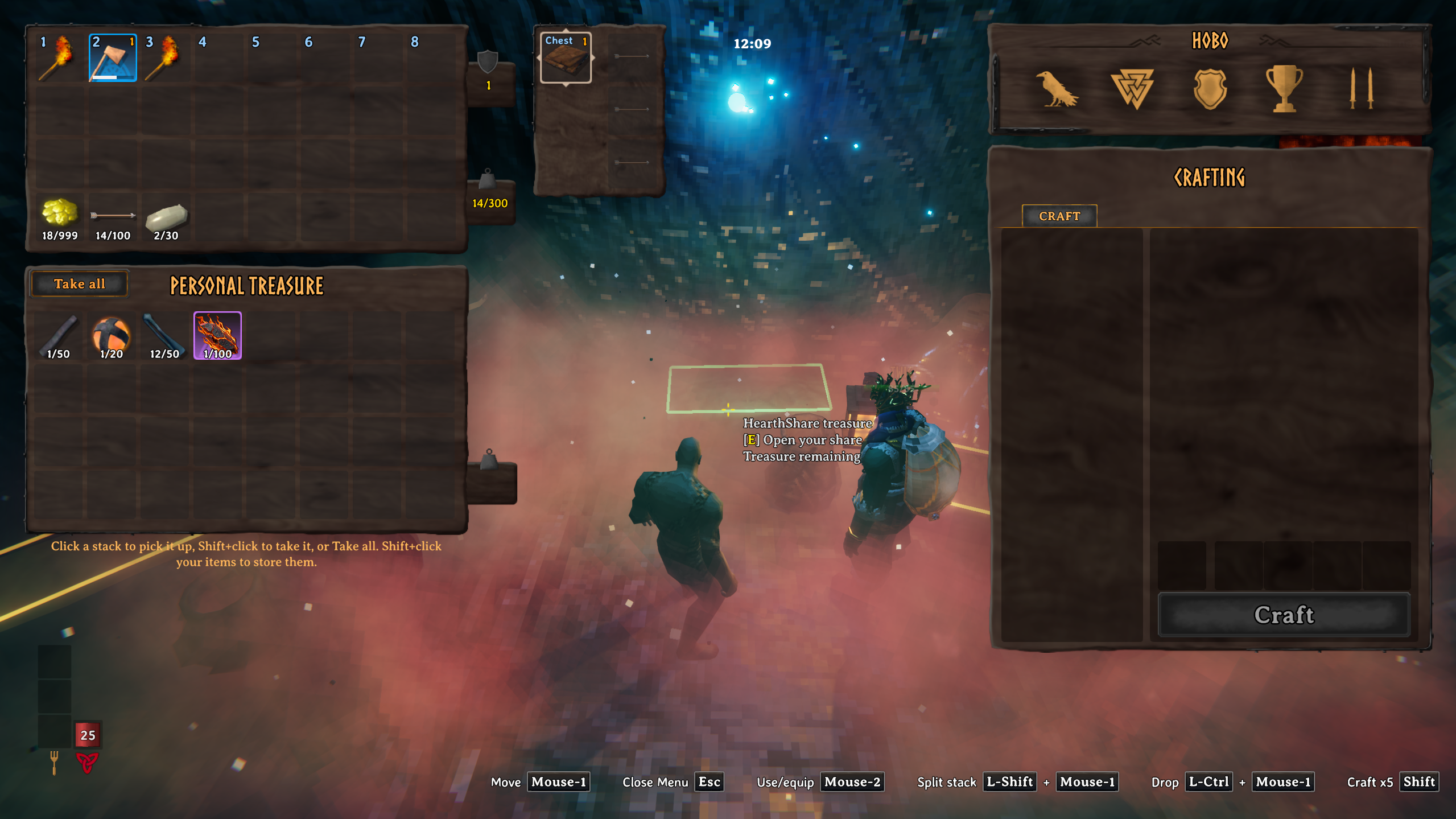
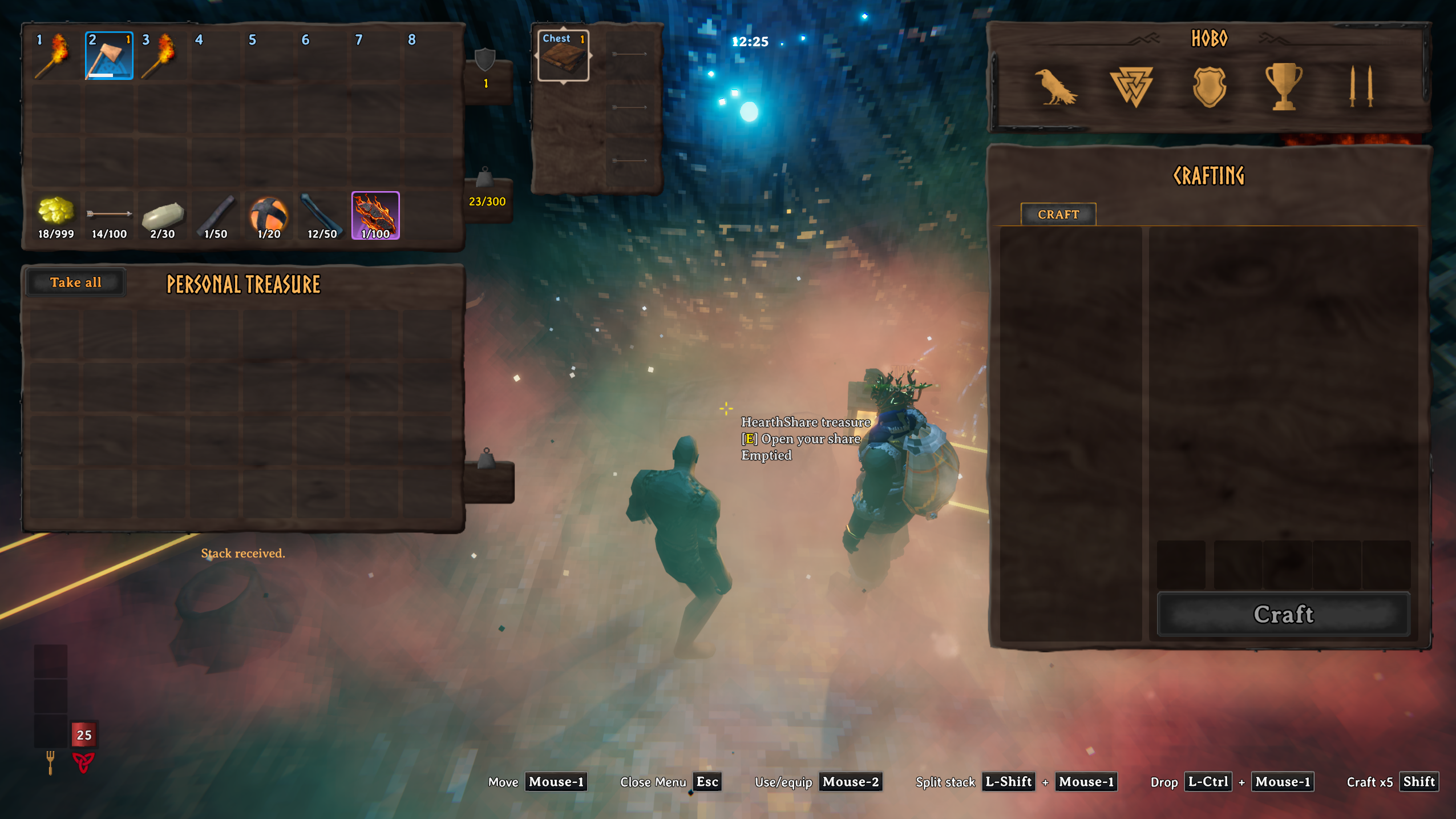
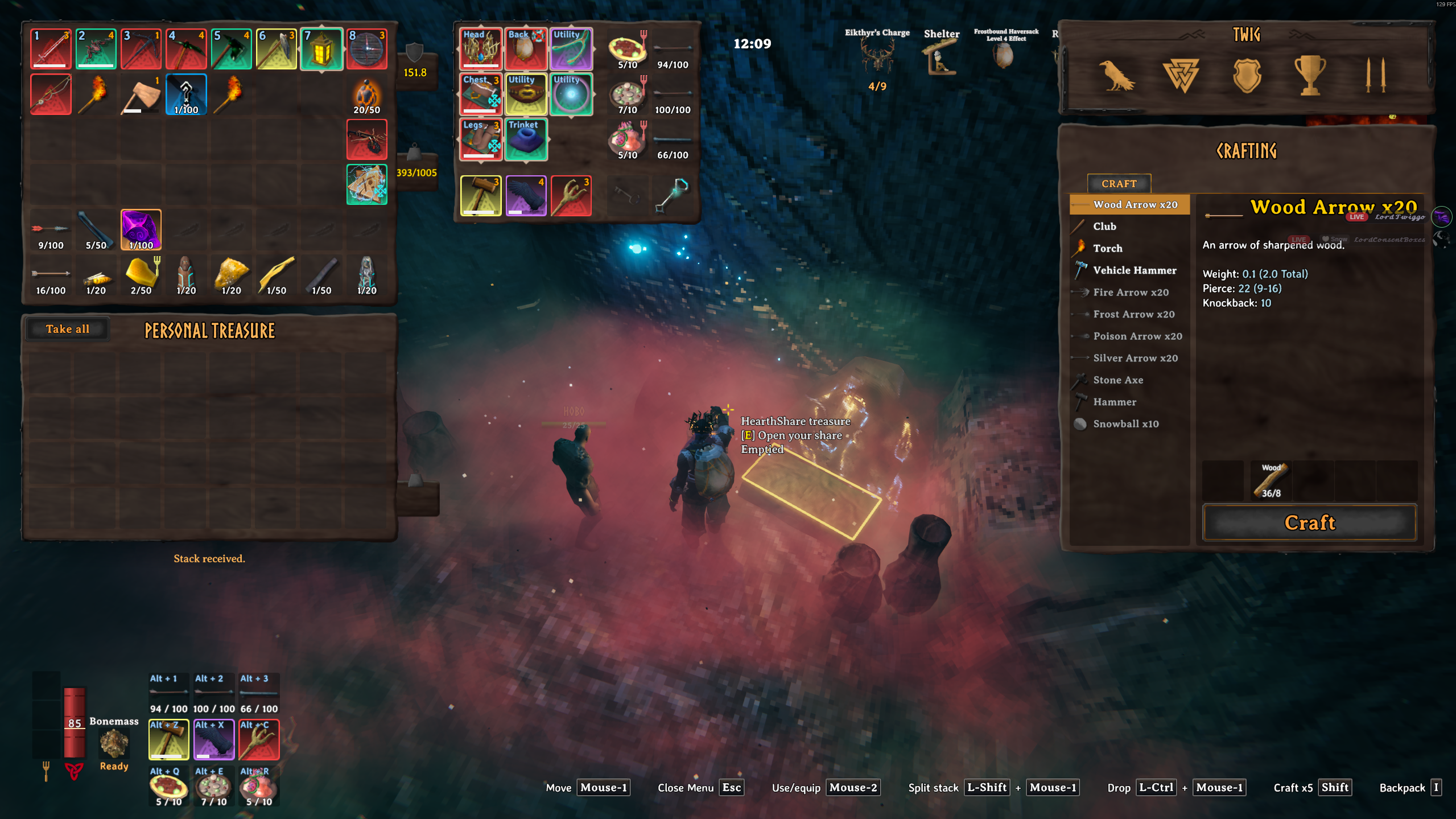
- The real chest panel. It uses Valheim's own chest UI, not a custom window.
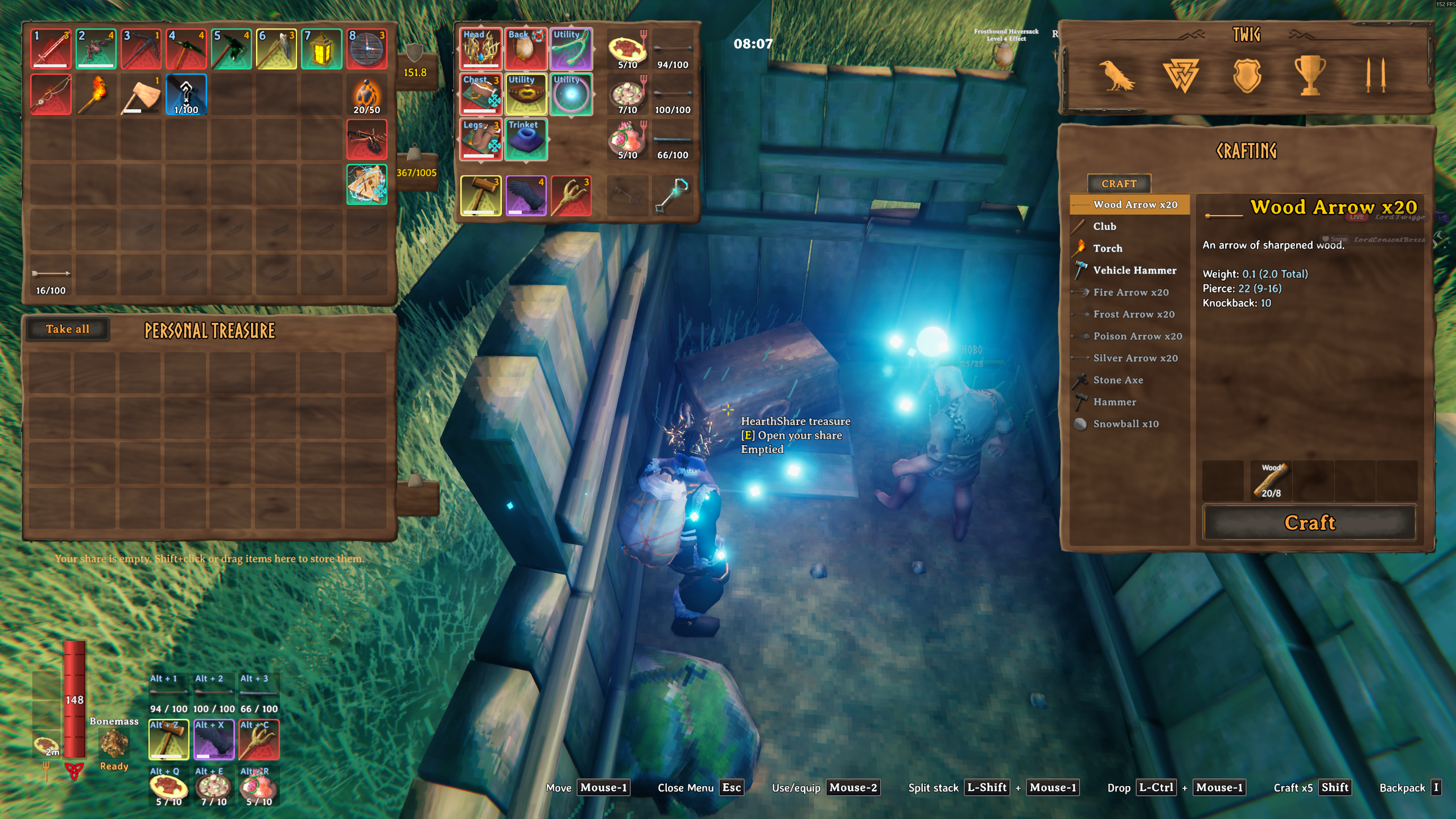
- Your share, your rules. Take all, click to pick up and place, swap with your bag, drop out of the chest, and store your own items back into your share. Matching stacks combine.
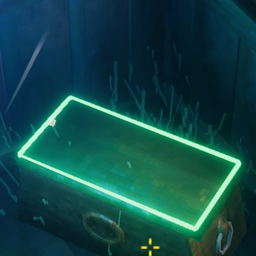
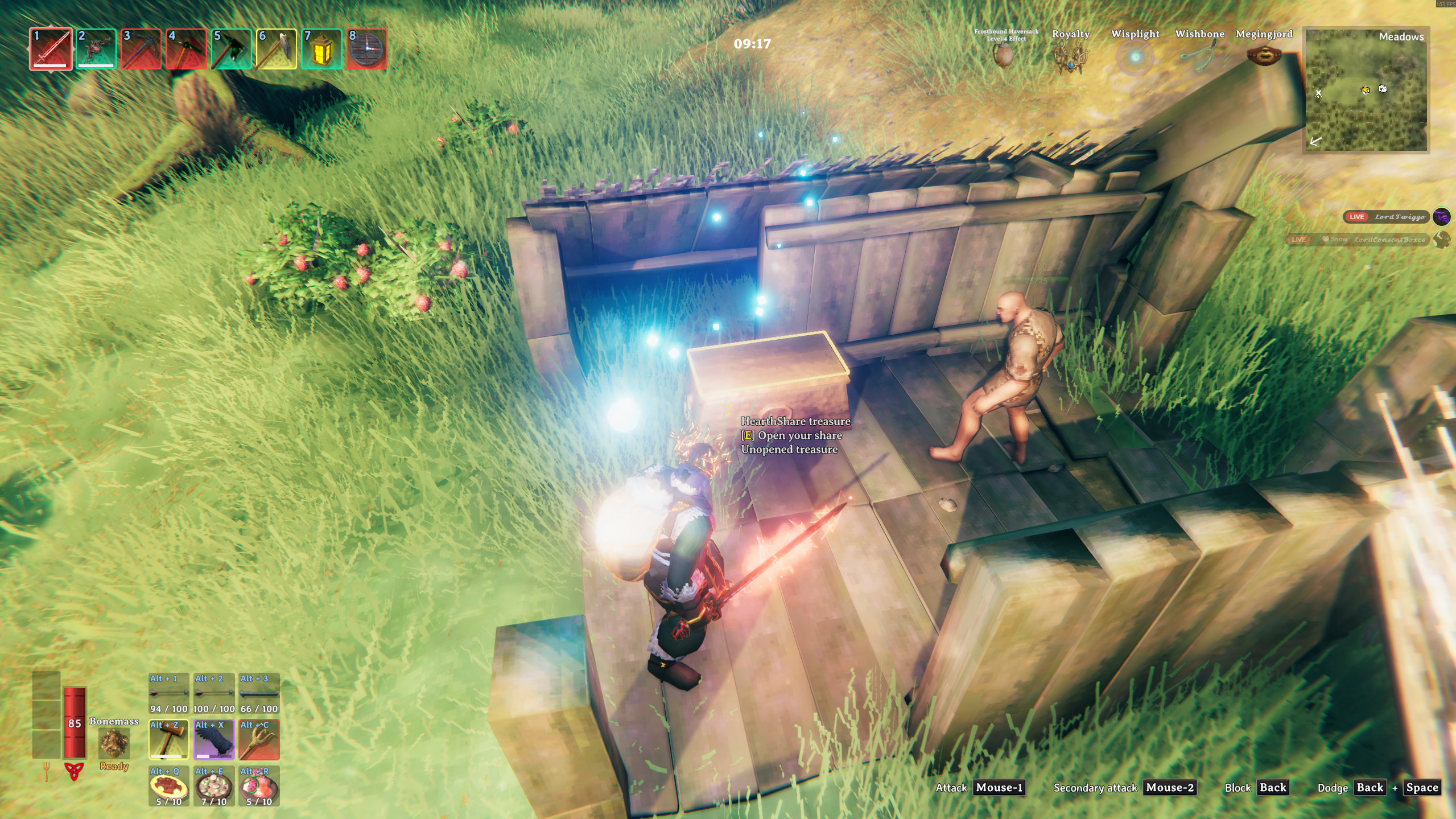
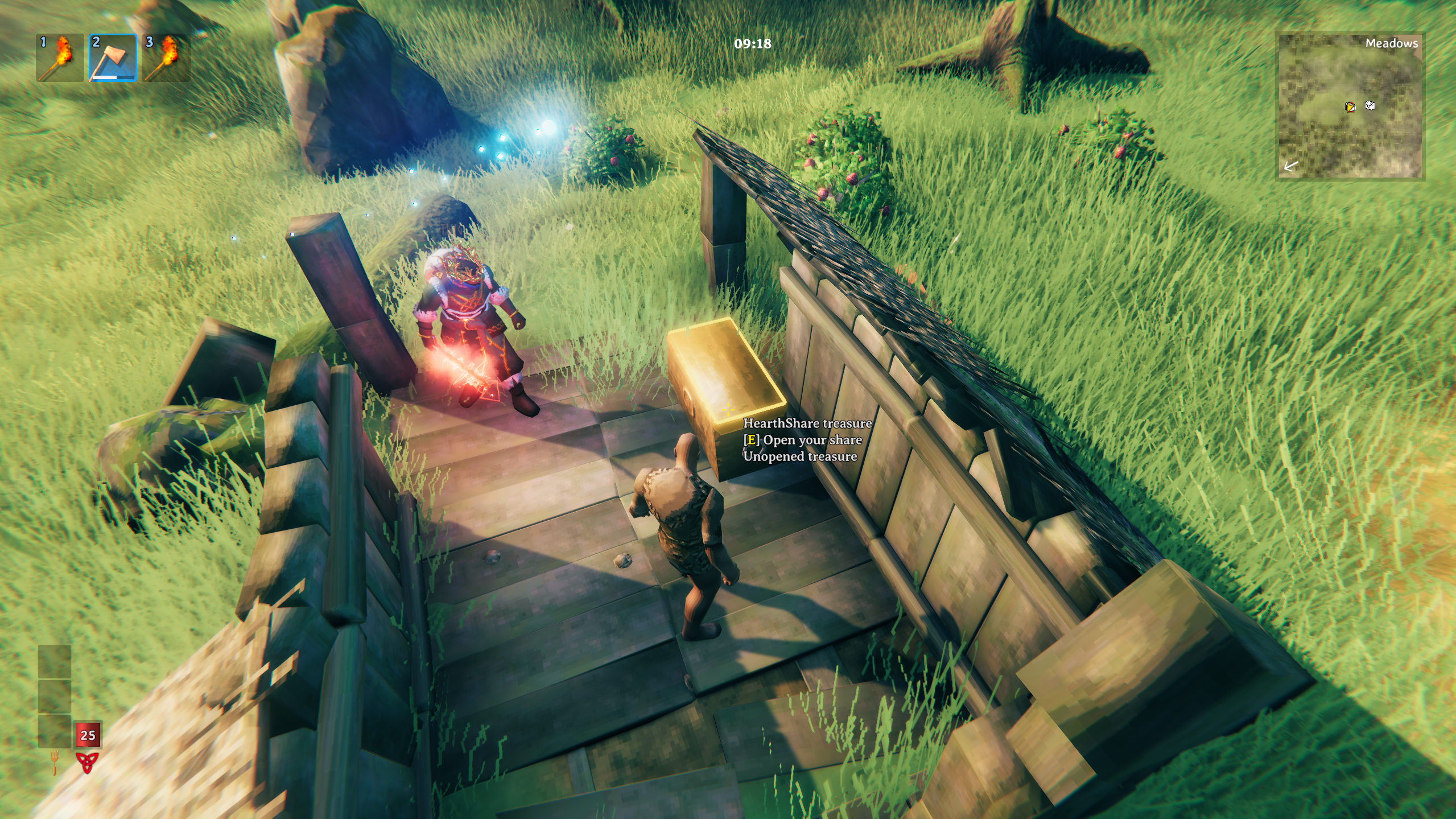
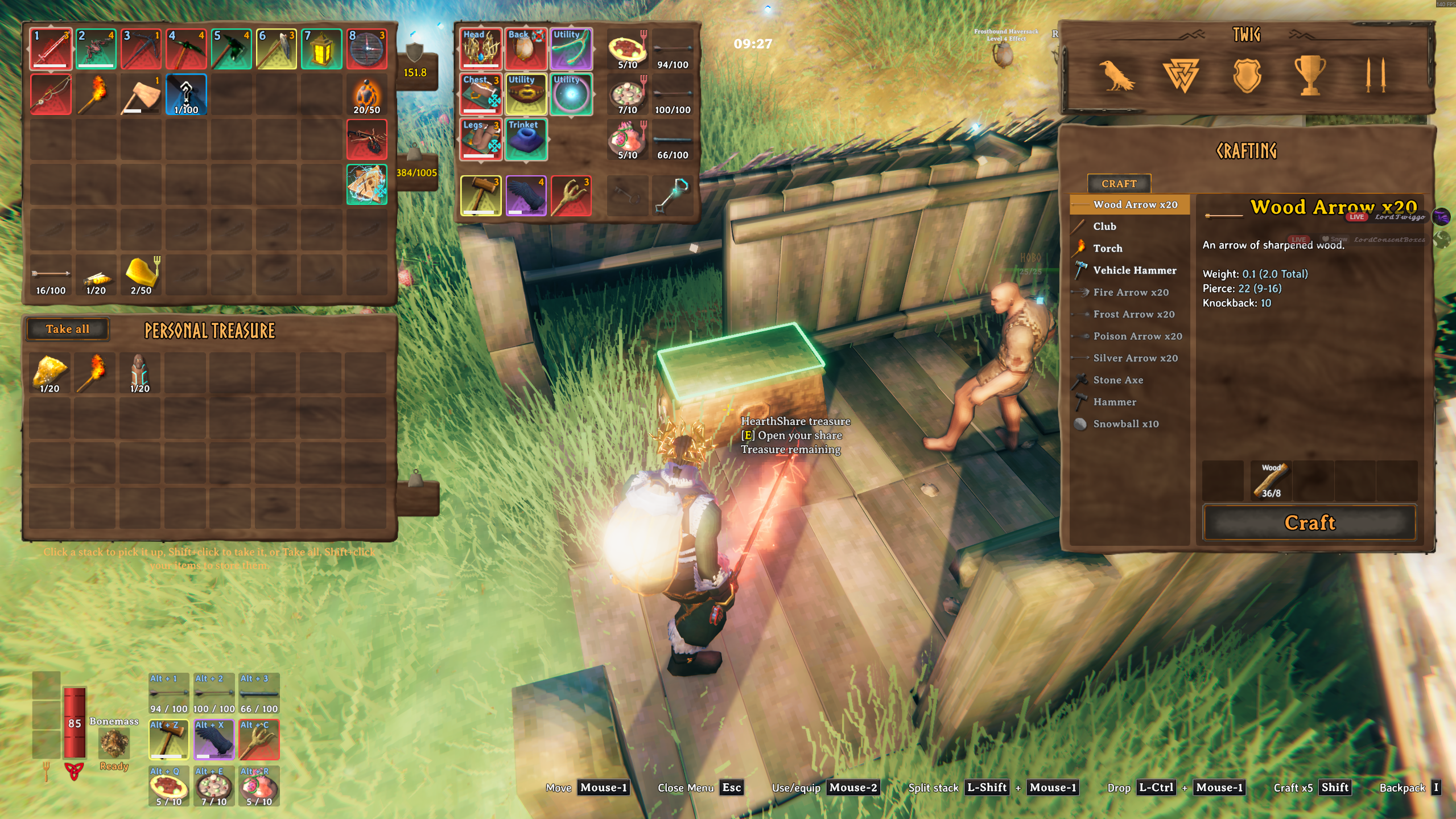
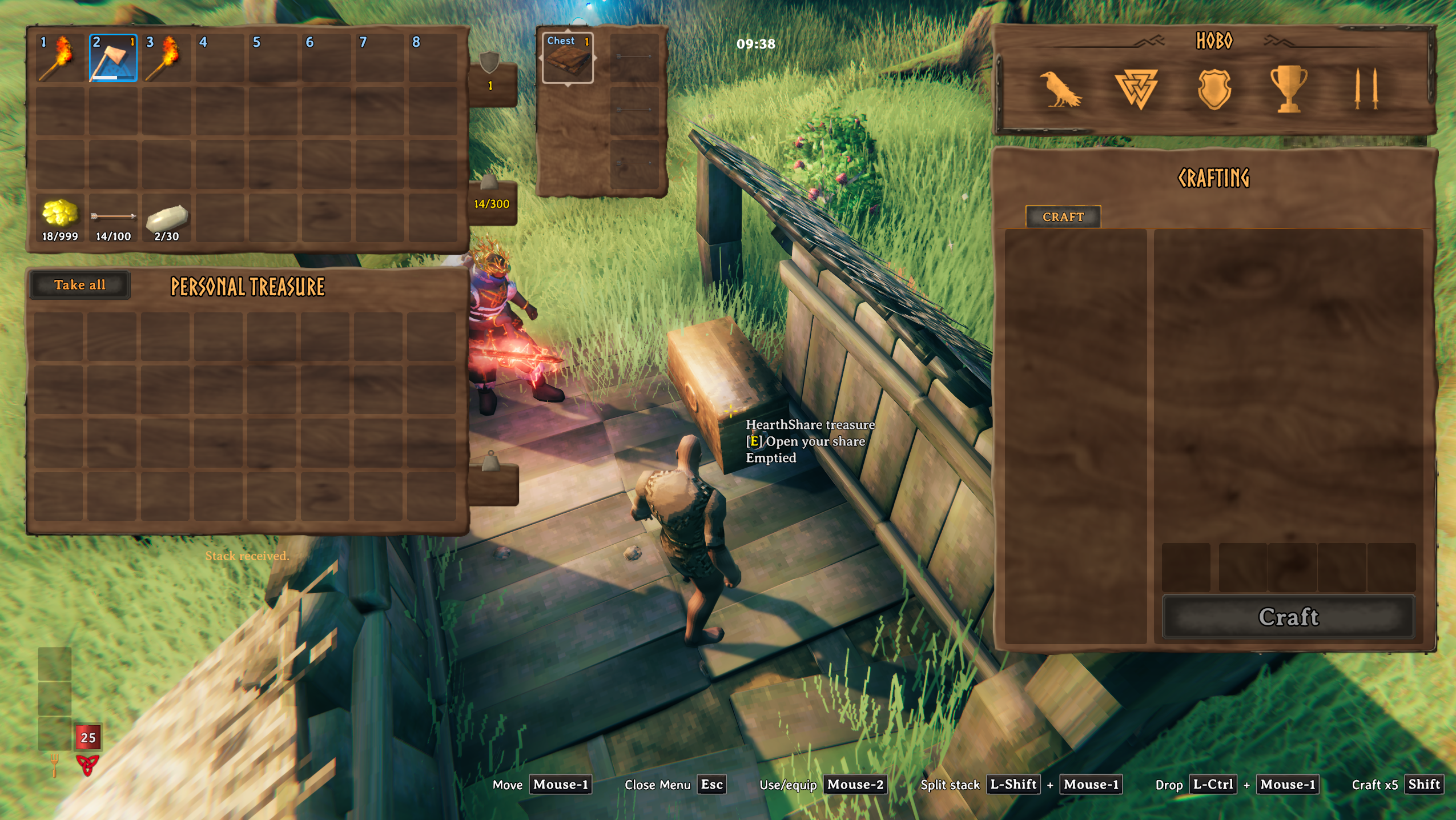
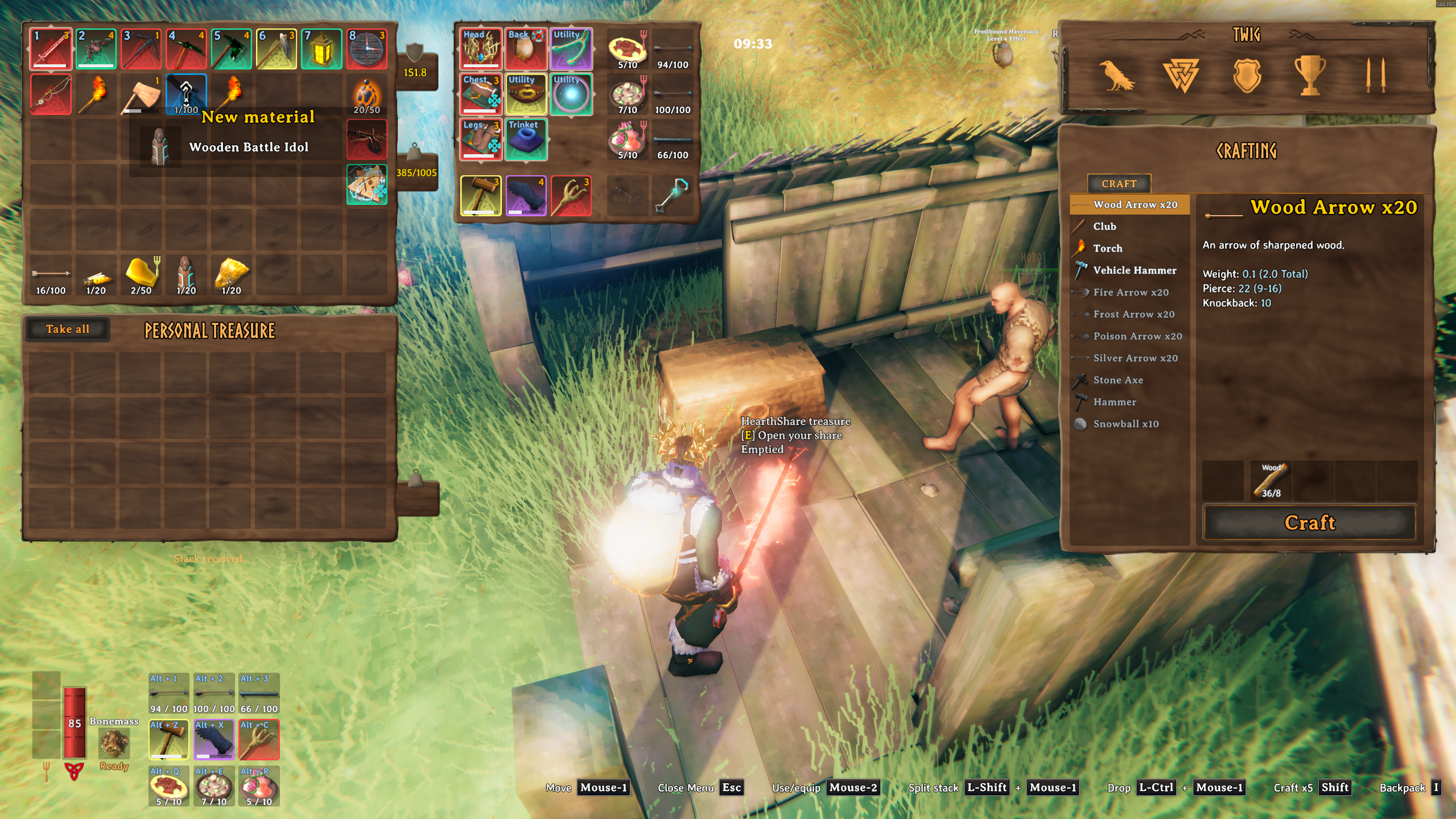
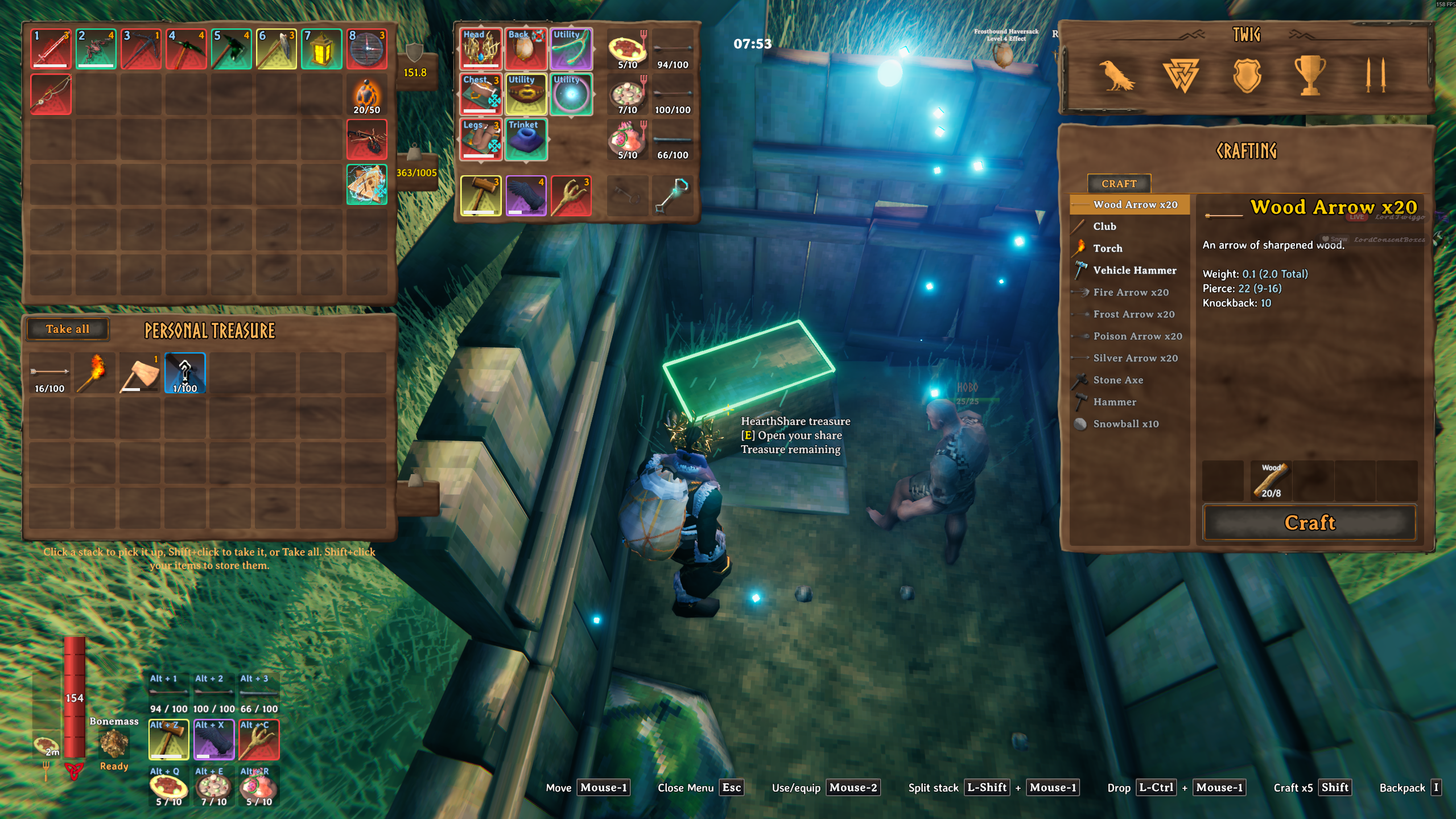
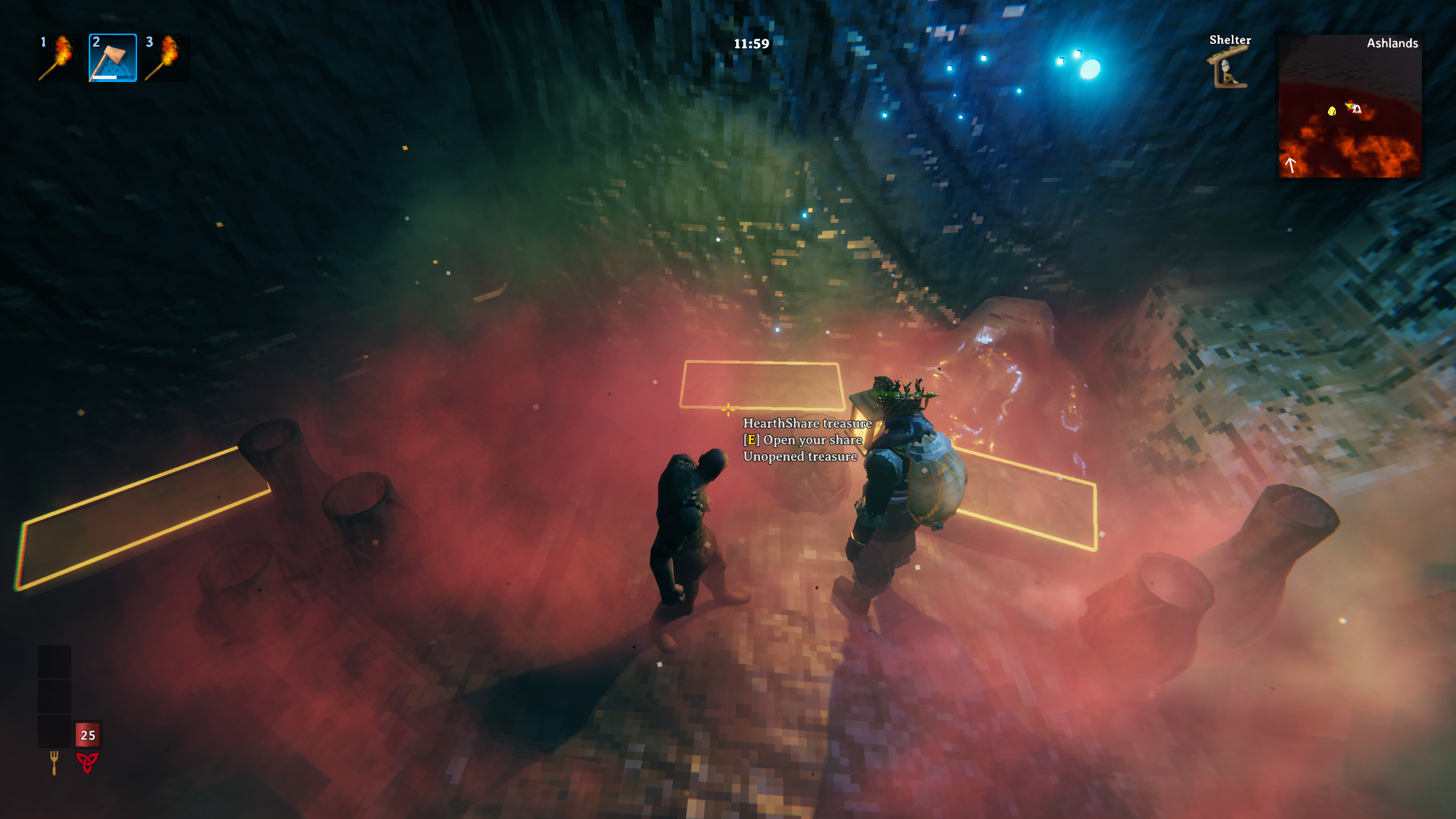
- See what's left at a glance. Each chest is marked just for you:
- Gold: you haven't opened it yet
- Green: you opened it and loot is still inside
- Vanilla look: you emptied it
Which chests are personal
- All 26 natural treasure chest types in the base game, from Meadows to the Deep North.
- Quest chests stay shared (Hildir's chests and treasure map chests), so quests keep working.
- Chests you build are never touched. Your base storage works exactly like vanilla.
- Server admins can add or exclude chests through the config, for example chests added by other mods. The server's list wins.
EpicLoot support (optional)
With EpicLoot installed, personal shares are rolled through EpicLoot's own loot roller, so magic items drop the way EpicLoot intends, gated by the world's boss progress.
- EpicLootIntegration = Auto (default): uses EpicLoot when it's present.
- Enabled: requires EpicLoot.
- Disabled: vanilla loot only.
The host's setting decides everyone's rolls.
Tested in game with EpicLoot 0.15.6. HearthShare checks EpicLoot's code at startup. If a future EpicLoot update changes what it relies on, personal chests refuse to open with an error rather than roll loot the wrong way. Nothing is lost: set EpicLootIntegration = Disabled for vanilla loot until HearthShare is updated. The log shows the result of the check.
Compatibility
Tested together with:
- EpicLoot (see above)
- Contents Preview: the preview shows your share
- Cartur's Map Pins: looted icons and dungeon ticks follow your share
- Extra Slots: deliveries land in safe slots
- Adventure Backpacks: backpacks and other items that hold their own inventory can't be stored in a share (by design, to prevent duplication)
- Craft From Containers and Valheim Plus: part of our own group's mod list, with no problems seen so far
Other mods that change chests or loot may not know about personal shares. If something looks off, please report it and include your mod list.
Installation
Everyone needs it, on the same version: the host or server and every player. HearthShare won't connect across different versions. If your group mixes download sites, make sure everyone has the same version number.
Installing with a mod manager handles BepInEx and Jötunn for you. Valheim 1.0.21 ("Deep North") or newer is required.
Multiplayer: the host or server keeps everyone's personal shares in BepInEx/config/HearthShare/. Back that folder up together with your world, just like the world itself.
Configuration
BepInEx/config/twiggy.hearthshare.cfg
- [Chests] AdditionalChests: extra chest prefab names to make personal (server-controlled).
- [Chests] ExcludedChests: chest prefab names to leave shared (server-controlled).
- [Integration] EpicLootIntegration: Auto, Enabled or Disabled.
- [Appearance] ShowPersonalRuneRing: show your gold, green or vanilla chest markers.
- [Appearance] MarkerStyle: Tint, Outline or Both.
- [Appearance] OutlineBrightness: 0.1 (faint) to 1.0 (full, the default). The outline ignores the game's lighting, so lower it if it stands out in dark places.
Good to know
- Works in existing worlds. Every natural treasure chest becomes personal right away, including chests that were opened before you installed HearthShare: each player gets a fresh roll from them. Want the classic "fresh world" feel? Start a new world.
- Resource multipliers apply to stacking loot. With a higher world Resources setting, materials, ammo and coins are multiplied just as in vanilla. Items that can't stack, such as torches, tools and gear, come one per pick.
- Boss gating is world-wide. EpicLoot gating follows the world's boss kills, not each player's own. Personal boss tracking may come later.
- Same as vanilla chests: if you drop or trade an item and the game crashes before it saves, that item can exist twice. HearthShare doesn't make this worse, and it doesn't fix it either.
- Uninstalling: removing it from a world mid-playthrough hasn't been tested yet, so back up your world first. Items still in a personal share live in the server's
BepInEx/config/HearthShare/folder and don't move back into the world on their own, so take what you want out first. - Dedicated servers: tested on a dedicated server with one player: joining, chest markers, relogging, a server restart and crashes. Co-op with two players has been played on a player-hosted world. Two players together on a dedicated server hasn't been tested yet.
About AI use
In the spirit of transparency: HearthShare was built with AI assistance.
- The idea, design and every decision (what's personal, how chests look, what's allowed) are mine. They come from wanting my friends to enjoy exploring together.
- The code was written with AI coding assistants: Claude (Anthropic) and ChatGPT Codex (OpenAI). I directed the work, and the two cross-reviewed each other's builds.
- It was tested a lot before release: hundreds of automated checks on every build, independent reviews, and real play sessions with friends, and deliberate crashes and deaths. Those runs lost no loot, but no mod can promise that for every crash, so please report anything odd.
- No AI-generated art or assets. HearthShare uses Valheim's own chest panel and models, and the icon is a crop of an in-game screenshot.
If that's a dealbreaker for you, no hard feelings. If you try it, I'd love to hear how your group likes it.