 Install with Gale
Market Stalls 2.0.0
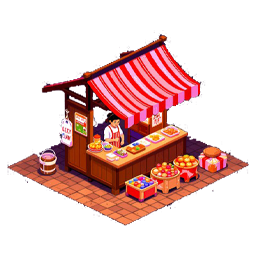
Buildable market stalls with customizable NPC vendors.
Version 2.0.0 completely overhauls the plugin's presentation. Market stalls are now represented by NPCs instead of tables, providing a more immersive way to buy and sell items.
Features
- Build market stalls as placeable pieces
- Customize the NPC model used by a stall
- List items for sale
- Set custom prices for listed items
- Collect revenue from completed sales
- Server-synced configuration
Selling Items
Any player can list items for sale at any market stall, regardless of who built the stall.
Use the Set Price button to define the price of an item. Prices can use any item prefab registered in the game.
For example:
Coins, 50
or:
SurtlingCore, 1
This allows items to be sold for virtually any item available in the game.
Stall Ownership
The player who builds a stall is considered its creator.
Only the stall creator or an admin can destroy the stall. This means the creator can potentially destroy a stall containing items or revenue belonging to other players.
Be careful when placing items for sale in a stall owned by another player.
When a stall is destroyed, all items and accumulated revenue are dropped in crates.
NPC Models
The default model is Haldor, when placing the piece. Once placed, the stall will automatically switch to the defined default model from the configs.
The stall's NPC model can be customized to any prefab registered in the game's ZNetScene.
This includes NPCs and other compatible game prefabs, provided they are available in the shared network prefab list.
The ability to edit the model can be restricted to admins through the configuration.
Configuration
The following options are available:
- Define the resources required to build a market stall
- Restrict NPC model editing to admins
- Set the default NPC model
- Define Items that cannot be put up for sale
All configuration settings are server-synced.
Revenue
Revenue is tracked per seller.
For example, if Player A lists an item for sale and Player B purchases it, the revenue belongs to Player A. The revenue tab will only display revenue belonging to the player viewing it.
FAQ
Why can I not edit the model?
Only the stall creator can edit the model by default. If model editing is restricted to admins, only admins can change it.
My friend put an item up for sale and it sold, but I cannot collect the revenue. Why?
Revenue is assigned to the player who listed the item for sale. Each player can only view and collect their own revenue.
Can I set the model to anything in the game?
Yes, provided the prefab is registered in the game's ZNetScene.
What happens when I destroy a stall containing items or revenue?
The stall will drop crates containing all items and accumulated revenue stored within it.
Screenshots


