 Install with Gale
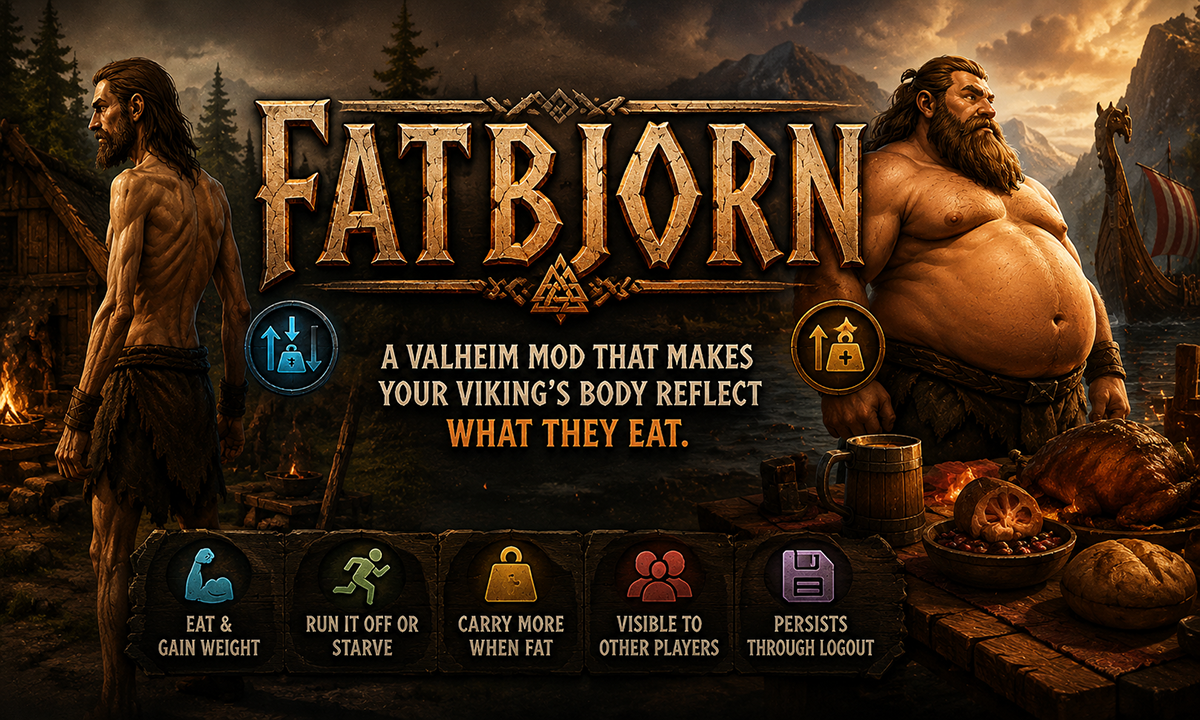
A Valheim mod that makes your viking's body reflect what they eat.
Eat well and your character gains weight over time — belly grows, torso widens, movement slows, but carrying capacity increases. Run it off, starve, or just stop eating and the weight gradually returns to normal. Weight is visible to other players and persists through logout and login.
How It Works
Weight is tracked on a scale from 0.0 (skeletal) to 1.0 (very fat), with 0.35 being normal.
Every tick (default: 30 seconds), weight is recalculated based on:
- Active food buffs → weight gain. More food slots filled = faster gain.
- Passive decay → weight slowly drops over time regardless of food.
- Running → extra weight loss per tick.
- No food at all → additional starvation penalty on top of passive decay.
Weight is saved directly into your character file (.fch) so it persists through logout, login, and server restarts. You cannot reset your weight by logging out.
Effects
Visual
Your character's body shape changes based on weight. At maximum weight, the torso, belly, and upper thighs visibly widen. At minimum weight, the silhouette narrows slightly.
Stats
| Stat | At Max Fat (1.0) | At Skeletal (0.0) |
|---|---|---|
| Movement speed | −15% | −8% |
| Carry weight | +25 kg | −20 kg |
| Stamina regen | −15% (above 0.7 weight only) | No change |
All stat values are configurable.
Multiplayer
Weight changes are synced to other players via ZDO — everyone sees your character's current body shape. The character select screen also reflects your saved weight.
Configuration
All settings are in BepInEx/config/com.odinplus.fatbjorn.cfg. Server admins can lock the configuration so only they can change values.
1 - General
| Setting | Default | Description |
|---|---|---|
| Lock Configuration | true |
If on, only server admins can change config values |
2 - Weight Change
| Setting | Default | Description |
|---|---|---|
| Tick Interval (seconds) | 30 |
How often weight recalculates. Lower = faster changes (5–300) |
| Gain Rate Per Tick | 0.012 |
Weight gained per tick when fully well-fed |
| Base Decay Per Tick | 0.004 |
Passive weight lost per tick regardless of food |
| Running Decay Bonus Per Tick | 0.006 |
Extra weight lost per tick while running |
| Hungry Decay Bonus Per Tick | 0.008 |
Extra weight lost per tick with no food buffs active |
Example with defaults at 30s ticks: Fully well-fed gains ~0.008/tick net (after base decay). At that rate, going from normal (0.35) to very fat (1.0) takes roughly 40 minutes of sustained eating. Starving while running loses ~0.018/tick, returning to normal from max fat in about 18 minutes.
4 - Stats
| Setting | Default | Description |
|---|---|---|
| Speed Penalty At Max Fat | -0.15 |
Speed modifier at weight 1.0 (−0.15 = 15% slower) |
| Speed Penalty When Skeletal | -0.08 |
Speed modifier at weight 0.0 |
| Carry Bonus At Max Fat (kg) | 25 |
Extra carry capacity at weight 1.0 |
| Carry Penalty When Skeletal (kg) | -20 |
Carry capacity reduction at weight 0.0 |
| Stamina Regen Penalty At Max Fat | -0.15 |
Stamina regen penalty above 0.7 weight |
Console Command
Open the console with F5 and use the fatbjorn command:
fatbjorn          → prints your current weight value
fatbjorn 0.8      → sets weight to 0.8 (very fat)
fatbjorn 0.35     → resets to normal weight
fatbjorn 0        → sets to minimum (skeletal)
fatbjorn 1        → sets to maximum (very fat)
Useful for testing or if you want to manually adjust your character's weight.
Installation
- Install BepInEx if you haven't already.
- Drop
Fatbjorn.dllintoBepInEx/plugins/. - Launch the game. A config file is created at
BepInEx/config/com.odinplus.fatbjorn.cfg.
For multiplayer, the mod should be installed on all clients. The server does not need it unless you want server-side config locking.
Known Limitations
- The hip/pelvis area geometry is constrained by Valheim's skeleton — the Hips bone is the root of the entire skeleton, so it cannot be scaled independently without affecting leg placement. The fat silhouette is driven by the torso and upper leg bones instead.
- Armor and clothing clip through the body shape changes (this is inherent to bone-scaling outside the mesh system).
- Leg width scaling may look slightly different during some animations due to the animator driving those bones simultaneously.
For Questions or Comments find Gravebear in the Odin Plus Team on Discord:

Visit my buymeacoffee for a free Admin craft Shark Hat and Tuna Sword!