 Install with Gale
Immersive Portals
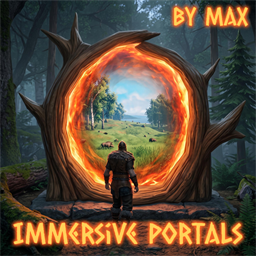
See through your portals. Walk up to a connected portal and its swirl becomes a window onto the other side, with real parallax as you move, the current sky behind it, its brightness following the time of day, and light spilling out of the ring when the far side is brighter than where you stand. Both faces of a portal are windows: the back of a portal looks out of the back of its partner.
Cosmetic and client-side. This mod changes nothing about how the game plays. Portals teleport exactly as they always have, with the same rules, the same item restrictions and the same loading screen. There is no server part, nothing is sent over the network, and other players do not need the mod: they see ordinary portals, you see windows. Remove it and nothing is left behind but the pictures it stored on your PC.
How it works
The far side is not loaded. Valheim only has the world around you in memory; the area at the other end of a portal does not exist on your machine until you go through, and this mod does not change that. So it cannot show you a live view. Instead, it shows you the last one you saw.
- Every trip takes a picture. As you step into a portal, and again as you arrive at the other one, the mod photographs the surroundings from inside the ring: six directions from several points across the opening, with the depth of every pixel (how far away each thing is). That takes about a tenth of a second, spread over a few frames, while the screen is dark anyway.
- The picture becomes a relief. From the colour and depth the mod builds a small three-dimensional model of what it saw: near things stand in front of far things, and the ground and hills keep their shape. This is what gives the window real parallax instead of a flat image stuck in the ring.
- The partner portal shows it. Each portal displays its partner's latest capture. A small camera renders the relief from exactly where your eye is, through the ring, so the far side lines up with the world around the portal and shifts correctly as you walk past.
- Some of it is live. The sky behind the relief is the real sky at this moment. The picture is tinted to the current sun, ambient light and fog compared with when it was taken, so a noon capture darkens at night and warms at dusk. The grass on the far side is drawn as real grass and sways in the wind.
- The rest is frozen. Creatures and players who were in view when the picture was taken stay where they were. Shadows stay where the sun was. Torches and fires keep burning at their captured brightness whatever the time of day, because their light is captured separately from the sun's; one that has since gone out still burns in the window until your next trip updates it.
Captures are stored on your PC only and survive restarts. You see your own last trips: walk through once and both windows are set from then on.
Install
BepInEx plugin, client-side only. Install with Gale, r2modman or Thunderstore Mod Manager, or drop LivePortals.dll
into BepInEx\plugins. Nothing is needed on the server and nothing changes for players without the mod.
Performance
A window costs about a millisecond and a half to redraw, and it is only redrawn when your eye moves and the portal is on screen. Several portals in a hub share a per-frame budget (the nearest first). Captures are rendered a couple of faces per frame and finished on a background thread, so a trip does not stall the game.
Config (BepInEx\config\com.maxst.liveportals.cfg)
| Key | Default | Meaning |
|---|---|---|
RangeMultiplier / FullMultiplier |
4 / 1 | Where the window starts to dissolve in and where it is complete, as multiples of the portal's activation range (4 = 20 m in vanilla) |
PaneWidth / PaneHeight / RingCenterOffset / PaneForwardOffset |
2.7 / 2.8 / -0.35 / 0 | The pane size, a vertical nudge of the ring centre (found from the portal model), and a forward nudge, metres. With TuneKeys (section Debug, off by default) numpad keys tune these in game |
OtherPaneWidth / OtherPaneHeight / OtherCenterHeight |
0 = measured | The pane of every portal that is not the wooden one (the stone portal is measured from its colliders) |
CaptureResolution / CaptureViewpoints |
768 / 4 | Pixels per captured face, and how many viewpoints each portal is captured from (centre, above, right, left, below) |
MeshGrid |
128 | Cells per edge of each face's relief mesh. Silhouettes are cut per pixel regardless; this is how finely surfaces follow the captured depth |
WindowResolution |
768 | Most pixels a window is drawn at; far windows use fewer |
CaptureOnDeparture / CaptureOnArrival |
on / on | Which trips capture |
DepartureDelay / ArrivalDelay |
0.8 / 0.15 s | When the captures happen, timed to fall under the black screen |
LiveSky |
on | Draw the current sky behind the capture |
ToneMatch |
1 | How strongly captures follow the current lighting (0 = as captured) |
CaptureFog |
on | Capture with the game's own distance fog and ambient occlusion |
CaptureSkyLight |
on | Capture the sky-lit part of the picture separately so night dims it by the ambient light, not by the sun (needs a fresh capture) |
FlameBloom |
2 | How far above white the window's flames are pushed so the game's bloom glows around them; 0 = off |
LiveFire / LiveFireMax |
on / 32 | Fires and torches somebody built are left out of the capture and the window plays the game's own flame effects in their places (needs a fresh capture) |
CaptureLocalLight / CaptureFlames |
on / on | Keep torchlight and firelight untinted at night (a second capture per face with the sun off); keep the flames of torches and fires in the capture |
GrassGap |
0.75 m | Grass this close to the far portal's centre is not drawn in the window |
CaptureExposure |
1 | Brightness of captures |
PortalLight / PortalLightRange |
1 / 8 m | The spill light; 0 turns it off |
MaxWindows / MaxRendersPerFrame |
8 / 2 | Most windows kept loaded; most windows redrawn in one frame (the nearest first) |
SecondaryViewpointRange |
12 m | Closer than this a window uses all its viewpoints and shows the far side's grass |
CaptureFolder |
(game data folder) | Where captures are stored |
CaptureFacesPerFrame / AsyncReadback |
2 / on | How a capture is spread over frames; reading the GPU back without waiting for it |
RenderEveryNFrames |
1 | Redraw windows every N frames |
PerfLog |
off | Log what the windows cost every 10 s |
Captures live in the game's own data folder, %USERPROFILE%\AppData\LocalLow\IronGate\Valheim\LivePortals\<world>\
(or wherever CaptureFolder points): per portal a text file, and per capture point six background PNGs, up to six
foreground PNGs and a file of depth grids. Delete them to reset. They are kept outside the mod-manager profile on
purpose: a busy world's captures run to hundreds of megabytes, and a shared profile should not carry them.
Known limits
- It is a picture of your last trip, not a live feed: nothing that happened over there since is visible, and a portal you have never used shows its ordinary swirl.
- The far side is not loaded, so stepping through still shows the usual loading screen.
- Captures are taken with the game's fog but without its post-processing, so they can look a little flatter than
the live world;
CaptureExposurecompensates. - Shadows in a capture do not move with the sun.