 Install with Gale
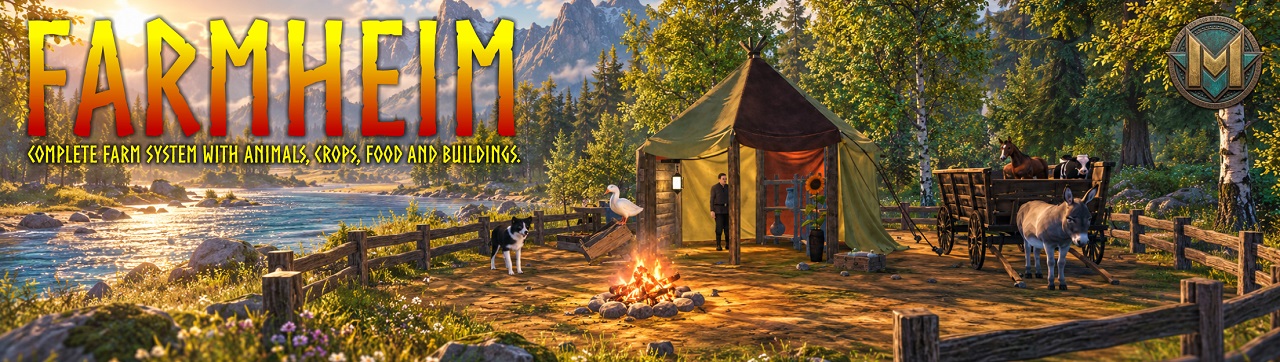




FarmHeim Description
Transform Valheim into a living medieval farm.
FarmHeim expands Valheim with farm animals, agricultural crops, orchards, food production, farm buildings, decorative rugs, furniture with changeable animal hides, a new Meadows location and systems for feeding, reproduction, animal growth and sleep.
The Farmer shop supplies animal cages, planting inputs, orchard seeds, pet accessories and construction kits. Prepared food recipes unlock progressively for each character through personal boss keys, together with the required ingredients and crafting stations.

SUMMARY (click to expand)
FarmHeim introduces:
• Farm animals with male, female and young variants
• Genetic offspring selection for compatible farm animal pairs
• Animal sleep behavior at night
• Six cat variants with beds, food bowls, litter boxes, scratching posts, toys and removable collars
• Three Border Collie variants with beds, dog houses, food bowls, hygiene pads, toys and bone-fetching behavior
• Small, Medium and Big Feeding Troughs
• Mountable FarmHeim horses and a saddle
• Agricultural crops and fruit trees
• Barns, fences, planters and farm structures
• 26 animal hides and matching decorative rugs
• Six furniture models with selectable hides applied after construction
• Direct milking of cows and female goats with empty buckets
• Windmill processing, butter, cheese, sugar, milk and honey production
• Dishes, soups, salads, jams and sweet pies with progression-based food stats
• Six potion types in Medium and Greater versions, each made from a fermented mead base
• Personal boss keys for recipe progression and server-synchronized recipe settings
• A FarmHeim location with Haakon in the Meadows
• A dedicated Farmer shop with categories, selectable animal variants, pet accessories and construction kits
• Configurable shop prices and currencies, synchronized by the server
Create your own Viking farmstead and agricultural economy inside Valheim.
FARM ANIMALS (click to expand)
FarmHeim introduces domestic animals for farming, food production, transport and decoration.
Animals include:
• Border Collie
• Cats
• Chickens, Roosters and Chicks
• Ducks, Drakes and Ducklings
• Cows, Bulls and Calves
• Goats and Goatlings
• Horses: Mares, Stallions and Foals
• Donkeys: Females, Males and Foals
• Pigs: Females, Males and Piglets
• Rabbits: Females, Males and Bunnies
• Sheep: Ewes, Rams and Lambs
Most livestock families have:
• adult male and female variants
• baby versions
• several visual variants
• custom drops
• feeding, reproduction, growth and night-sleep behavior
Cats and Border Collies are handled as companion animals rather than ordinary livestock. They retain their normal follow/stay behavior, but also use species-specific bowls, sleeping places, bathroom pieces and toys described in the pet sections below.
ANIMAL GENETICS, REPRODUCTION AND GROWTH (click to expand)
FarmHeim genetics determines the visual lineage of the offspring. The colour, coat pattern and texture variants of the male and female define which young variants can result from that specific pairing. The baby is selected from the variants configured for that father/mother combination, not from every variant in the animal family.
This is not a real-time blend of two texture files. FarmHeim uses the father/mother combination to select a prepared offspring prefab that represents the inherited colour, coat and markings for that crossing. For example, a dark male and a light female can only produce the baby variants configured for that exact pairing; they cannot randomly produce every colour available in the species.
All FarmHeim animals are already domesticated. For reproduction, the female must be fed, awake, not alerted and close to a compatible male of her family. Mammals must also be below their local creature limit. Chickens and ducks use a separate egg limit instead, as explained in the Poultry Eggs section. The system then builds affection before starting pregnancy or egg production.
Important: pregnancy duration is not the total time until a baby is born.
The female first waits for a successful reproduction check, a compatible partner, available population space and the required affection. Female prefabs check reproduction every 30 seconds. A valid check adds one affection point; three successful points start the pregnancy. These checks are paused while the animal sleeps. Only after the pregnancy begins does the configured gestation timer start.
Configured gestation timer, after pregnancy has started:
• Cows, goats, mares, donkey females and pig females: 60 seconds
• Rabbit females: 50 seconds
• Sheep: 50 seconds for Sheep v1, 60 seconds for Sheep v2 and v3
• All listed females require 3 love points before pregnancy.
Young animal growth:
• Chicks and ducklings: 60 seconds
• Bunnies: 2200 seconds
• Piglets, goatlings and lambs: 2600 seconds
• Calves, donkey foals and horse foals: 3000 seconds
Baby animals do not need to eat to grow.
ANIMAL DAY AND NIGHT BEHAVIOR (click to expand)
FarmHeim animals use their own day/night behavior. At night, tame farm animals sleep when they are not alerted and no hostile threat is nearby. They wake during the day, when threatened, or when alerted.
Animals do not reproduce or grow while they are in the FarmHeim sleep state. This makes the night cycle part of farm management instead of only a visual animation.
Special rule for horses:
• A horse without a saddle can sleep at night.
• A horse with a saddle stays awake at night, so it remains ready for riding.
Cats and Border Collies also sleep at night. If an available species-compatible bed or dog house is nearby, the pet travels to it before sleeping. If no suitable place is available, or the route cannot be completed within the allowed travel time, it sleeps on the ground. Alerted pets interrupt sleep, and daylight wakes them normally. Their normal owner interaction is hidden while they are asleep.
FEEDING TROUGHS (click to expand)
FarmHeim has three trough sizes, crafted at the Workbench:
| Piece | Recipe |
|---|---|
| Small Feeding Trough | 5 Wood |
| Medium Feeding Trough | 10 Wood |
| Big Feeding Trough | 15 Wood |
Place compatible food inside the trough inventory. Each size is made for a specific group of animals:
• Small Feeding Trough: rabbits, ducks and chickens.
• Medium Feeding Trough: goats, sheep and pigs.
• Big Feeding Trough: cows, horses and donkeys.
Cats and Border Collies do not use the three livestock troughs. They have separate Cat Feeding Bowls and Dog Feeding Bowls. These bowls accept food for their configured pet group, while compatible FarmHeim and vanilla meat can still be offered normally.
Animals reserve an available eating point, consume one compatible item from the container, and release the point afterwards. This lets several animals use the same trough without all trying to occupy the same position.
Each trough can contain three different food-fill visual objects. When food is placed inside, one visual variant is selected and synchronized. When the trough becomes empty, every food visual is disabled automatically.
CATS AND CAT CARE (click to expand)
FarmHeim includes six visual cat variants. Cats are already domesticated and keep the usual owner commands, but they also have a dedicated routine for sleeping, eating, using a litter box, scratching and playing.
Food:
Cats use the Cat Feeding Bowl v1 or v2 instead of a livestock trough. Both bowls serve the FarmHeim_Cats group and accept compatible FarmHeim and vanilla meats. A cat may also eat compatible food offered through the normal creature-feeding behavior.
Sleeping in cat beds:
At night, a cat searches for an available Cat Bed within 50 meters. When a bed is found, the cat runs while it is far away, walks for the final approach, follows the optional approach points in their configured order and only begins its lying-down animation after reaching the Sleep Point. The bed is reserved while it is being used, preventing another pet from occupying the same place.
If no available bed is found, the cat sleeps on the ground like the other FarmHeim animals. If a bed was found but cannot be reached, the cat keeps trying until the 60-second travel limit expires and then sleeps on the ground. A hostile alert wakes it, daylight wakes it normally, and player interaction is unavailable while it is asleep.
Litter box:
After the cat actually consumes food, whether the food came from a bowl, the ground or another compatible feeding source, a bathroom need is scheduled after a random delay of 5–15 seconds. The cat searches up to 50 meters for an available litter box, follows any configured approach points and uses the Defecating Point for its animation. If no usable litter box exists, it performs the behavior where it is. Litter boxes are reserved during use so two cats do not select the same point simultaneously.
Scratching post:
A cat can independently decide to use a scratching post within 20 meters. The default decision has a 50% chance when the behavior is checked, followed by a random cooldown of 20–60 seconds. The post can provide several interaction points; the cat selects and reserves an available point, approaches it, faces the direction configured by that point and plays the scratching animation for the configured duration.
Cat ball:
The FH_CatBall is exclusively for cats. A cat starts a play session when a moving Cat Ball is detected within range. One cat reserves the ball, so other cats cannot take turns interrupting the same session. The selected cat approaches it and performs 4–8 paw strikes. The physical impulse is applied at the animation's attack event, and every strike can deviate randomly to either side by up to 20 degrees, producing less predictable movement.
After the session, the cat ignores that ball for 10 seconds. It can play again after the cooldown when the ball is moving again, such as when the player picks it up and throws it. The Dog Ball is not considered a valid cat toy.
Decorative collars:
Buy Red, Blue and Green Cat Collars from the Farmer's Accessories category. Use the chosen collar item on a cat to consume it from the player's inventory and display the matching collar on that cat. Only one collar can be equipped at a time. Use Alt + E to remove the equipped collar; it returns to the inventory when space is available, otherwise it drops on the ground. If the cat dies while wearing a collar, the collar is dropped and is not lost.
Collar state, reservations and active pet interactions are synchronized so the behavior remains consistent in multiplayer and on dedicated servers.
BORDER COLLIES AND DOG CARE (click to expand)
FarmHeim includes three Border Collie visual variants. Border Collies are already domesticated and keep the normal owner commands, while gaining dedicated routines for sleeping, eating, using hygiene pads, playing with a ball and retrieving thrown bones.
Food:
Border Collies use Dog Feeding Bowl v1 or v2 instead of the livestock troughs. Both bowls serve the dog group and accept compatible FarmHeim and vanilla meats. Compatible food can also be offered through normal creature feeding.
Dog beds and dog houses:
At night, a Border Collie searches up to 60 meters for an available Dog Bed or Dog House. It runs while far from the destination, walks for the final approach, follows the optional approach points and sleeps only after reaching the configured Sleep Point. Each sleeping place is reserved by one pet at a time.
If no suitable place is available, the dog sleeps on the ground. If it cannot complete the route within 60 seconds, it also gives up the bed attempt and sleeps on the ground. It wakes during daylight or when alerted, and owner interaction is unavailable while it sleeps.
Hygiene pad:
Whenever the dog actually consumes food, a bathroom need is scheduled after a random delay of 5–15 seconds. It searches up to 50 meters for an available Dog Hygiene Pad, follows any configured approach points and uses the Defecating Point for the animation. If no usable pad exists, it performs the behavior where it is. The pad is reserved during use.
Dog ball:
The FH_DogBall is exclusively for dogs. A moving Dog Ball starts a play session for one Border Collie, while reservation prevents other dogs from interrupting that same ball. The dog approaches and performs 4–8 paw strikes. The impulse is applied at the precise attack event in the animation and can vary to either side by up to 20 degrees. After the session, the dog ignores the ball for 10 seconds and can play again when it is moving after the cooldown. The Cat Ball is not a valid dog toy.
Fetching Red and Yellow Dog Bones:
The two Dog Bones are throwable items, not ordinary static toys. Equip a Red or Yellow Dog Bone and one eligible nearby Border Collie is selected for the interaction. It approaches its owner and plays the happy-bone animation while waiting. Throwing the equipped bone creates the matching projectile and then the matching bone item on the ground.
The reserved dog runs after the thrown bone, slows for the final approach and plays its pickup animation. At the pickup animation event, the ground item disappears and the corresponding Red or Yellow Bone visual appears in the dog's mouth. The dog then returns to the player who threw it, plays the drop animation, removes the mouth visual and places the same bone item back on the ground. After delivering it, the dog plays the happy animation again.
Only one dog can claim a thrown bone. The bone colour is preserved through the complete fetch cycle. If the retrieval is interrupted or the dog dies while carrying it, the item is released rather than silently lost.
Pet targets and interaction state use synchronized reservations and persistent network state, keeping these systems compatible with multiplayer and dedicated servers.
HORSES AND RIDING (click to expand)
FarmHeim mares and stallions can be mounted with the FarmHeim Saddle. The rider uses the dedicated FarmHeim horse attachment animation.
FarmHeim Saddle:
• Prefab: FH_SaddleFarmHeim
• Crafting station: Workbench, level 1
• Recipe: 4 Deer Hide and 4 Leather Scraps
An equipped saddle also prevents the horse from sleeping at night.
NEW CROPS (click to expand)
Use the vanilla Cultivator to plant FarmHeim crops. The current selection includes 42 organic harvest items:
| Group | Crops |
|---|---|
| Berries | Blueberry, Cranberry, Currant, Gooseberry, Raspberry, Strawberry |
| Grains and sugarcane | Corn, Barley, Oat, Rice, Sugarcane, Wheat |
| Herbs | Basil, Chamomile, Dill, Echinacea, Lavender, Sage |
| Mushrooms | Black Trumpet, Chanterelle, Enoki, Fly Agaric, King Oyster, Turkey Tail |
| Squashes | Butternut, Harlequin Squash, Patty Pan, Pumpkin, Red Kuri, Zucchini |
| Roots | Carrot, Ginger, Onion, Potato, Sweet Potato, Turnip |
| Vegetables | Bell Pepper, Cucumber, Lettuce, Radish, Swiss Chard, Tomato |
Organic crop saplings use one matching harvest item as their planting ingredient. Fruit-tree saplings use their corresponding fruit seeds. Check the Cultivator menu for the required item.
FarmHeim's plant system displays growth stages and checks each plant's soil, space, sunlight, biome and temperature requirements. Depending on the plant, harvesting removes it or starts another growth cycle. Growth conditions and harvest yields belong to each plant; they are not identical across all crops.
FRUIT TREES (ORCHARD SYSTEM) (click to expand)
FarmHeim adds fruit trees for player-made orchards.
Fruit trees:
• Red Apple
• Pear
• Peach
• Pomegranate
Each tree has seeds, a plantable sapling and a harvestable fruit.
FARM PRODUCTION SYSTEMS (click to expand)
| Production | Input | Output |
|---|---|---|
| Windmill — lower grain mill | 2 Organic Barley, Oat or Wheat | 1 Flour Sack (FH_Sack_Flour) |
| Windmill — lower grain mill | 2 Organic Corn | 1 Cornmeal Sack (FH_Sack_Cornmeal) |
| Windmill — upper sugarcane crusher | 2 Organic Sugarcane | 1 Sugarcane Juice Bucket (FH_Sugarcane_Juice_Bucket) |
| Butter Churn | 2 Milk Buckets | 1 Farm Butter |
| Cauldron 1 | 2 Sugarcane Juice Buckets | 1 Sugar Cubes (FH_SuggarCubes) |
| Cauldron 1 | 2 Farm Butter + 4 Milk Buckets | 1 Farm Cheese |
Build the Windmill (FH_WindMill) at a Workbench with 100 Stone, 60 Wood and 10 Iron. Its upper and lower processors have separate inputs and collection points. Iron places flour, cornmeal and sugarcane juice production in the Swamp stage.
Build the Butter Churn (FH_ButterChurn) at a Workbench with 15 Fine Wood, 5 Bronze and 20 Bronze Nails. Butter production therefore starts after bronze.
Collect milk directly from cows and female goats with Empty Buckets. FH_MilkBucket is used directly in recipes.
Chicken and duck eggs are laid by fed female birds with a compatible male nearby. Single eggs on the ground incubate subject to the species population limit; see the Poultry Eggs section.
POULTRY EGGS, INCUBATION AND POPULATION LIMITS (click to expand)
FarmHeim uses one normal Chicken Egg item and one normal Duck Egg item. There are no genetic egg variants. This keeps eggs compatible with inventories, stacking and food recipes.
Egg production:
• A fed, awake and unalerted hen or female duck can build affection while a compatible rooster or drake is nearby.
• After the required affection and laying timer, the female places one egg.
• Poultry egg production is controlled by a separate local egg limit, not by the adult-bird population limit.
• By default, each species can have up to 30 nearby eggs inside the configured 30-meter check range.
• The count is separate by species: Chicken Eggs count toward the chicken egg limit and Duck Eggs count toward the duck egg limit.
• Eggs already on the ground and eggs currently reserved by females that have started producing an egg count toward this limit. Reservations prevent several females from exceeding the limit at the same time.
• The quantity inside an egg stack is counted. A stack containing 5 eggs counts as 5 eggs toward the limit, not as one object.
• Eggs stored in a chest or player inventory are not active ground eggs and do not count toward the nearby laying limit.
• When the local egg limit is reached, females stop producing more eggs until the number of nearby ground eggs falls below the limit.
Natural incubation:
• To incubate an egg, separate it from its stack and place that single egg on the ground.
• A stack of two or more eggs does not incubate and never hatches while it remains stacked.
• Eggs kept in a chest or player inventory do not incubate.
• The incubation timer belongs to the individual egg on the ground and uses the time configured on that egg prefab.
• When incubation finishes, the egg checks the nearby population of its own bird family before hatching.
• The default limit is 10 nearby chickens for a Chicken Egg and 10 nearby ducks for a Duck Egg, checked within the egg's configured 30-meter range.
• If the creature limit has already been reached, the egg is not destroyed and its incubation progress is not lost. It remains on the ground and checks again every 60 seconds.
• As soon as a population space becomes available, an incubated egg can hatch during a later check.
• Each successfully hatched egg creates one chick or duckling and then removes only that egg.
This means a farm may have 10 adult birds and still accumulate up to 30 eggs of that species. Those eggs wait without hatching while the bird population is full. If the population later falls below 10, eligible single eggs on the ground can begin filling the available spaces.
MILKING COWS AND GOATS (click to expand)
Milk is collected directly from adult female cows and goats.
How milk production works:
• Each eligible cow or female goat produces one milk unit per completed production cycle.
• Milk does not accumulate. An animal that already has milk ready remains at one available unit until it is milked.
• Cows and goats can have different production times.
• The default value is 3600 seconds for cows and 3600 seconds for goats.
• Changing a setting affects the next production cycle; it does not partially rewrite a cycle already in progress.
Milk readiness indicator:
When milk is ready, the animal's MilkIcon visual becomes active. The icon remains hidden while milk is still being produced and is disabled immediately after a successful collection. If a collection effect is configured on the prefab, that effect is created at the exact position and rotation of MilkIcon, allowing it to visually replace or dissolve the readiness indicator.
How to collect milk:
- Craft
Empty Bucketat a level 1 Workbench. The recipe uses 15 Wood, 1 Leather Scraps and 1 Deer Hide and creates 5 Empty Buckets. - Wait until an adult cow or female goat displays its Milk Icon.
- Carry at least one Empty Bucket in the player's inventory.
- Look at the ready animal and use
Shift + E. The normalEinteraction remains available for the animal's usual follow/stay command. - One Empty Bucket is consumed and one
FH_MilkBucketis added to the inventory. If the inventory cannot receive it, milking is refused and the Empty Bucket is not lost. - The Milk Icon disappears and the animal starts its next production cycle.
AFRICAN BEEHIVE (click to expand)
The African Beehive is a faster honey-producing hive. Buy an African Queen Bee from Haakon and use it in the hive recipe.
Server-configurable settings:
• Honey production time per unit
• Maximum honey storage
These settings are synchronized from the server.
FARM BUILDINGS AND STRUCTURES (click to expand)
FarmHeim adds functional and decorative rural structures.
Includes:
• Barn and Barn Door
• Farm Bench
• Small, Medium and Big Feeding Troughs
• Furrows in several sizes
• Wooden, plank and stone planters in several sizes
• Fence, half-fence, double-fence, stick fence and mossy fence variants
• Simple and double gates
• Bird houses that generate feathers
• Sunflower vase
• 26 rugs made from bovine, goat, horse, donkey, pig and sheep hides
• Bed, chair, table, one-seat sofa, three-seat sofa and royal throne with changeable animal hides
• Cat Beds, Cat Feeding Bowls, Cat Litter Box and Scratching Post
• Dog Beds, Dog Houses, Dog Feeding Bowls and Dog Hygiene Pad
• Windmill and Butter Churn
• African Beehive
As with vanilla pieces, recipe materials must be discovered before a FarmHeim piece appears in the build menu.
ANIMAL HIDES AND RUGS (click to expand)
FarmHeim includes 26 animal hides and 26 matching rugs, giving the animals' hides a use in home decoration and furniture upholstery. Collect hides from the corresponding farm animals; the hide colour and pattern identify its visual variant.
| Animal family | Hide and rug variants |
|---|---|
| Cows and bulls | 8 |
| Goats | 4 |
| Horses | 5 |
| Donkeys | 3 |
| Pigs | 3 |
| Sheep | 3 |
Build rugs with the vanilla Hammer, in the FarmHeim category, near a Workbench. Each rug requires one matching hide. Discovering the required hide unlocks its rug in the build menu.
Rugs are built with their chosen appearance. They do not use the furniture's hide-changing interface.
Each rug has 2 comfort by default. Multiple rugs from the same animal family, including different colour variants, count only once toward comfort. Rugs from different families can contribute separately when placed within the normal comfort range in a shelter.
FURNITURE AND CHANGING HIDES (click to expand)
FarmHeim adds six furniture models: a bed, chair, table, one-seat sofa, three-seat sofa and royal throne. Each model can use any of the 26 animal hides.
Build them with the vanilla Hammer, in the FarmHeim category, near a Workbench. Each model appears once in the build menu. The base construction requires wood, nails and, where applicable, feathers; no animal hide is required to build the base. The hide-covered parts remain hidden until you apply a hide.
How to apply or change a hide:
- Build the furniture and carry the desired animal hide in your inventory.
- Look at the furniture and press Shift + E with the default key bindings (alternate placement + interact).
- Use the animal-family filters on the left and select a hide card. The right panel previews the furniture with that hide and shows the required quantity and the quantity in your inventory.
- Click Apply hide. The required matching hides are consumed, and the furniture displays the selected appearance.
- To change it later, open the same window again and select another hide. You must have enough of that exact hide variant in your inventory.
Each application or change consumes the full quantity below. The previously applied hide is not returned. Different hide variants cannot be combined to pay the cost. Selecting a preview alone does not consume anything.
| Furniture | Matching hides per application or change |
|---|---|
| Bed | 8 |
| Chair | 2 |
| Table | 1 |
| One-seat sofa | 2 |
| Three-seat sofa | 6 |
| Royal throne | 4 |
Furniture comfort:
| Furniture type | Comfort |
|---|---|
| Bed | 3 |
| Chair | 3 |
| Table | 3 |
| One-seat sofa | 3 |
| Three-seat sofa | 3 |
| Royal throne | 4 |
Each type contributes once, regardless of the number of copies or their hide colours. Changing a hide does not change comfort. Different types contribute separately; the one-seat and three-seat sofas count as separate types. One of each of these six types can contribute 19 comfort in total within the normal comfort range in a shelter.
Normal E interaction remains available for sitting and sleeping. Use Escape to close the hide window. The chosen appearance is saved with the furniture and synchronized between players.
FARMER SHOP (click to expand)
Interact with the Farmer using E to open the FarmHeim shop. Choose a category, select a product, set the quantity and press Buy. Purchases deliver items to your inventory. The Farmer only sells products to players.
| Category | Available products |
|---|---|
| Animals | Chickens, ducks, rabbits, goats, pigs, cows, sheep, horses, donkeys, cats and Border Collies |
| Seeds | Peach, pear, pomegranate and red apple seeds; the card shows the seeds and the detail panel previews the fruit |
| Plants | 42 organic crop items used to start their corresponding plantings with the Cultivator |
| Tools | FarmHeim Saddle |
| Accessories | Cat and dog toys, cat collars and pet construction kits |
Choosing an animal: there is one card per family. Use the arrows in the right panel to browse the adult portraits and select the desired variant and male and female sex. Buying delivers the exact cage selected in the carousel. Most cages release a young animal that grows into the displayed adult; cat and Border Collie cages release their selected companion directly. Using a cage: drop the cage on the ground and wait five seconds.
Prices and currencies: every offer defaults to 100 Coins per item. Server administrators can change the synchronized settings in BepInEx/config/marlthon.FarmHeim.cfg. Existing configured prices remain in effect.
| Setting | Purpose |
|---|---|
Enabled |
Show or hide the product or animal family |
Category |
Choose the shop category |
Buy price |
Set the currency quantity charged per item |
Currency prefab |
Set the exact inventory prefab used as payment; default: Coins |
All variants within an animal family share one price, currency, category and enabled setting. Other products have individual settings. Different products or families can use different server currencies. An invalid currency prefab disables purchases for that offer. The retained Sell price entry is a legacy setting; the shop has no player-selling feature.
FARM TRADER LOCATION (click to expand)
A FarmHeim location can spawn naturally in the Meadows biome.
Features:
• Appears between 400 and 1500 meters from the world center
• Can spawn up to 4 times per world
• Includes Haakon, the FarmHeim trader
• Shows a rake icon after the location is explored
• Can be added to already explored worlds with Upgrade World
FOOD AND PERSONAL RECIPE PROGRESSION (click to expand)
Prepared food recipes appear in the crafting menu as your character progresses. A recipe that requires a personal boss key stays hidden and cannot be crafted until your character has that key. Discovering its ingredients or upgrading the Cauldron alone does not bypass this requirement. After unlocking the key, the recipe still needs its ingredients and the correct station and level.
| Food tier | Cauldron level for tier recipes | Personal key | Boss victory |
|---|---|---|---|
| Black Forest | 1 | farmheim_eikthyr |
Eikthyr |
| Swamp | 2 | farmheim_elder |
The Elder |
| Mountains | 3 | farmheim_bonemass |
Bonemass |
| Plains | 4 | farmheim_moder |
Moder |
| Mistlands | 5 | farmheim_yagluth |
Yagluth |
| Ashlands | 6 | farmheim_queen |
The Queen |
| Deep North | 7 | farmheim_fader |
Fader |
POTIONS AND FERMENTATION (click to expand)
Craft a mead base at the Mead ketill level 1, then place it in the Fermenter. Every base produces 6 potions. FarmHeim uses the Fermenter's existing fermentation time.
Medium bases require farmheim_bonemass. Greater bases require farmheim_moder.
| Potion | Medium effect | Greater effect | Duration |
|---|---|---|---|
| Exploration | Movement speed +10%; running Stamina cost −20% | Movement speed +20%; running Stamina cost −30% | 10 min |
| Transport | Carry capacity +100; running Stamina cost −15% | Carry capacity +200; running Stamina cost −25% | 10 min |
| Swimming | Swimming speed +20%; swimming Stamina cost −30% | Swimming speed +30%; swimming Stamina cost −50% | 10 min |
| Defense | Blocking and dodging Stamina cost −20%; Stamina regeneration +30% | Blocking and dodging Stamina cost −30%; Stamina regeneration +50% | 5 min |
| Magic | Restore 100 Eitr up to maximum; Eitr regeneration +30% | Restore 100 Eitr up to maximum; Eitr regeneration +50% | 5 min |
| Mountaineering | Vertical jump impulse +10%; jumping Stamina cost −20%; fall damage −50% | Vertical jump impulse +20%; jumping Stamina cost −30%; fall damage −75% | 10 min |
PREFABNAMES AND RECIPES (click to expand)
The following tables show the current default registrations. Server configuration can change configurable recipes and player-key requirements. Names and ingredient IDs are in English. The illustrated COMIDAS.docx contains food stats, duration, regeneration, icons and the complete food/mead tables.
Pet equipment and milk collection
| Prefab Name | Name | Station | Recipe |
|---|---|---|---|
| FH_CatBed_v1 | Cat Bed v1 | Workbench | 1 FH_Kit_CatBed_v1 |
| FH_CatBed_v2 | Cat Bed v2 | Workbench | 1 FH_Kit_CatBed_v2 |
| FH_FarmCatLitterBox | Cat Litter Box | Workbench | 1 FH_Kit_FarmCatLitterBox |
| FH_FeedingCat_v1 | Cat Feeding Bowl v1 | Workbench | 1 FH_Kit_FeedingCat_v1 |
| FH_FeedingCat_v2 | Cat Feeding Bowl v2 | Workbench | 1 FH_Kit_FeedingCat_v2 |
| FH_ScratchingPost | Scratching Post | Workbench | 1 FH_Kit_ScratchingPost |
| FH_CatBall | Cat Ball | Farmer shop | Purchase; no crafting recipe |
| FH_CatCollar_Red | Red Cat Collar | Farmer shop | Purchase; no crafting recipe |
| FH_CatCollar_Blue | Blue Cat Collar | Farmer shop | Purchase; no crafting recipe |
| FH_CatCollar_Green | Green Cat Collar | Farmer shop | Purchase; no crafting recipe |
| FH_DogBed_v1 | Dog Bed v1 | Workbench | 1 FH_Kit_DogBed_v1 |
| FH_DogBed_v2 | Dog Bed v2 | Workbench | 1 FH_kit_DogBed_v2 |
| FH_DogHouse_v1 | Dog House v1 | Workbench | 1 FH_Kit_DogHouse_v1 |
| FH_DogHouse_v2 | Dog House v2 | Workbench | 1 FH_Kit_DogHouse_v2 |
| FH_DogHygienePad | Dog Hygiene Pad | Workbench | 1 FH_Kit_DogHygienePad |
| FH_FeedingDog_v1 | Dog Feeding Bowl v1 | Workbench | 1 FH_Kit_FeedingDog_v1 |
| FH_FeedingDog_v2 | Dog Feeding Bowl v2 | Workbench | 1 FH_Kit_FeedingDog_v2 |
| FH_DogBall | Dog Ball | Farmer shop | Purchase; no crafting recipe |
| FH_DogBoneRed | Red Dog Bone | Farmer shop | Purchase; no crafting recipe |
| FH_DogBoneYellow | Yellow Dog Bone | Farmer shop | Purchase; no crafting recipe |
| FH_EmptyBucket | Empty Bucket x5 | Workbench | 15 Wood, 1 LeatherScraps, 1 DeerHide |
| FH_MilkBucket | Milk Bucket | Animal Interaction | Milk a ready cow or female goat with 1 Empty Bucket |
Furniture bases — vanilla Hammer, FarmHeim category
These are construction recipes for the bases, without animal hides. Apply upholstery afterwards using Shift + E, as described in Furniture and Changing Hides.
| Prefab Name | Name | Station | Base construction recipe |
|---|---|---|---|
| FH_FarmHeim_Bed_v1 | FarmHeim Bed | Workbench | 25 RoundLog, 20 IronNails, 20 Feathers |
| FH_FarmHeim_Chair_v1 | FarmHeim Chair | Workbench | 10 RoundLog, 10 IronNails, 4 Feathers |
| FH_FarmHeim_Table_v1 | FarmHeim Table | Workbench | 20 RoundLog, 10 IronNails |
| FH_FarmHeim_Sofa_1Seater_v1 | FarmHeim One-Seat Sofa | Workbench | 10 RoundLog, 10 IronNails, 4 Feathers |
| FH_FarmHeim_Sofa_3Seater_v1 | FarmHeim Three-Seat Sofa | Workbench | 20 RoundLog, 15 IronNails, 8 Feathers |
| FH_FarmHeim_Throne_v1 | FarmHeim Royal Throne | Workbench | 15 RoundLog, 20 IronNails, 10 Feathers |
Animal hides and matching rugs
Each row lists a hide item and the rug made with one of that hide. All listed rugs are built with the vanilla Hammer in the FarmHeim category, near a Workbench.
| Family | Hide item prefab | Rug prefab |
|---|---|---|
| Bovine | FH_CowHide_v1a | FH_RugBull_v1a |
| Bovine | FH_CowHide_v1b | FH_RugBull_v1b |
| Bovine | FH_CowHide_v2 | FH_RugBull_v2 |
| Bovine | FH_CowHide_v3 | FH_RugBull_v3 |
| Bovine | FH_CowHide_v4 | FH_RugBull_v4 |
| Bovine | FH_CowHide_v5 | FH_RugBull_v5 |
| Bovine | FH_CowHide_v6 | FH_RugBull_v6 |
| Bovine | FH_CowHide_v7 | FH_RugBull_v7 |
| Goat | FH_GoatHide_v1 | FH_RugGoat_v1 |
| Goat | FH_GoatHide_v2 | FH_RugGoat_v2 |
| Goat | FH_GoatHide_v3 | FH_RugGoat_v3 |
| Goat | FH_GoatHide_v4 | FH_RugGoat_v4 |
| Horse | FH_HideHorse_v1 | FH_RugHorse_v1 |
| Horse | FH_HideHorse_v2 | FH_RugHorse_v2 |
| Horse | FH_HideHorse_v3 | FH_RugHorse_v3 |
| Horse | FH_HideHorse_v4 | FH_RugHorse_v4 |
| Horse | FH_HideHorse_v5 | FH_RugHorse_v5 |
| Donkey | FH_DonkeyHide_v1 | FH_RugDonkey_v1 |
| Donkey | FH_DonkeyHide_v2 | FH_RugDonkey_v2 |
| Donkey | FH_DonkeyHide_v3 | FH_RugDonkey_v3 |
| Pig | FH_PigHide_v1 | FH_RugPig_v1 |
| Pig | FH_PigHide_v2 | FH_RugPig_v2 |
| Pig | FH_PigHide_v3 | FH_RugPig_v3 |
| Sheep | FH_SheepHide_v1 | FH_RugSheep_v1 |
| Sheep | FH_SheepHide_v2 | FH_RugSheep_v2 |
| Sheep | FH_SheepHide_v3 | FH_RugSheep_v3 |
Prepared foods and oven conversions
| Name / Prefab | Recipe or conversion | Station | Player key |
|---|---|---|---|
Farm Egg OmeletteFH_FarmEggOmelette |
FH_ChickenEgg ×2 FH_MilkBucket ×1 FH_OrganicTomato ×1 FH_FarmCheese ×1 Produces: 1 |
Cauldron 1 | farmheim_eikthyr |
Strawberry and Raspberry SaladFH_StrawberryRaspberrySalad |
FH_OrganicStrawBerry ×2 FH_OrganicRaspBerry ×2 FH_Pear ×1 Honey ×1 Produces: 1 |
Cauldron 1 | farmheim_eikthyr |
Forest Mushroom BrothFH_ForestMushroomBroth |
FH_OrganicChanterelle ×2 FH_OrganicEnoki ×2 FH_OrganicTurkeyTail ×1 FH_OrganicDill ×1 Produces: 1 |
Cauldron 1 | farmheim_eikthyr |
Honey Pork PlatterFH_HoneyPorkPlatter |
FH_RawPork ×1 FH_Organic_RedKuri ×2 FH_OrganicOnion ×1 Honey ×1 Produces: 1 |
Cauldron 2 | farmheim_elder |
Garden Harvest SaladFH_GardenHarvestSalad |
FH_OrganicCucumber ×2 FH_OrganicLettuce ×2 FH_OrganicTomato ×2 FH_OrganicRadish ×1 Produces: 1 |
Cauldron 2 | farmheim_elder |
Root Vegetable StewFH_RootVegetableStew |
FH_OrganicCarrot ×2 FH_OrganicTurnip ×2 FH_OrganicPotato ×2 FH_OrganicOnion ×1 Produces: 1 |
Cauldron 2 | farmheim_elder |
Strawberry JamFH_StrawberryJam |
FH_OrganicStrawBerry ×4 FH_SuggarCubes ×1 Honey ×1 Produces: 2 |
Cauldron 2 | farmheim_elder |
Rabbit and Mushroom CasseroleFH_RabbitMushroomCasserole |
FH_RawRabbitMeat ×1 FH_OrganicKingOyster ×2 FH_OrganicPotato ×2 FH_FarmButter ×1 Produces: 1 |
Cauldron 3 | farmheim_bonemass |
Peach and Cucumber SaladFH_PeachCucumberSalad |
FH_Peach ×1 FH_OrganicCucumber ×2 FH_OrganicLettuce ×2 FH_FarmCheese ×1 Produces: 1 |
Cauldron 3 | farmheim_bonemass |
Sweet Potato and Pork ChowderFH_SweetPotatoPorkChowder |
FH_OrganicSweetPotato ×3 FH_RawPork ×1 FH_OrganicSage ×1 FH_MilkBucket ×1 Produces: 1 |
Cauldron 3 | farmheim_bonemass |
Pumpkin and Ginger SoupFH_PumpkinGingerSoup |
FH_Organic_Pumpkin ×3 FH_OrganicGinger ×1 FH_MilkBucket ×1 Honey ×1 Produces: 1 |
Cauldron 3 | farmheim_bonemass |
Raspberry JamFH_RaspberryJam |
FH_OrganicRaspBerry ×4 FH_SuggarCubes ×1 Honey ×1 Produces: 2 |
Cauldron 3 | farmheim_bonemass |
Poultry and Rice PlatterFH_PoultryRicePlatter |
FH_RawPoultry ×1 FH_OrganicRice ×2 FH_OrganicBellPepper ×2 FH_OrganicSage ×1 Produces: 1 |
Cauldron 4 | farmheim_moder |
Duck Egg and Rice PanFH_DuckEggRicePan |
FH_DuckEgg ×2 FH_OrganicRice ×2 FH_OrganicEnoki ×2 FH_OrganicBellPepper ×1 Produces: 1 |
Cauldron 4 | farmheim_moder |
Squash and Herb SaladFH_SquashHerbSalad |
FH_Organic_Zucchini ×2 FH_Organic_PattyPan ×2 FH_OrganicBellPepper ×1 FH_OrganicBasil ×1 Produces: 1 |
Cauldron 4 | farmheim_moder |
Harlequin Squash and Poultry SoupFH_HarlequinPoultrySoup |
FH_Organic_HarlequinSquash ×2 FH_RawPoultry ×1 FH_OrganicSwissChard ×2 FH_OrganicSage ×1 Produces: 1 |
Cauldron 4 | farmheim_moder |
Blueberry JamFH_BlueberryJam |
FH_OrganicBlueBerry ×4 FH_SuggarCubes ×1 Honey ×1 Produces: 2 |
Cauldron 4 | farmheim_moder |
Raw Apple Oat PieFH_AppleOatPieRaw |
FH_RedApple ×3 FH_OrganicOat ×2 FH_FarmButter ×1 Honey ×1 Produces: 1 |
Food preparation table 1 | farmheim_moder |
Apple Oat PieFH_AppleOatPie |
FH_AppleOatPieRaw ×1 Bake in stone oven for 60 seconds. Produces: 1 |
Stone oven | farmheim_moder |
Raw Poultry & PotatoesFH_PoultryPotatoesCrua |
FH_RawPoultry ×1 FH_OrganicPotato ×3 FH_FarmButter ×1 FH_OrganicSage ×1 Produces: 1 |
Food preparation table 1 | farmheim_moder |
Poultry with PotatoesFH_PoultryPotatoes |
FH_PoultryPotatoesCrua ×1 Bake in stone oven for 60 seconds. Produces: 1 |
Stone oven | farmheim_moder |
Raw Minced MeatFH_RawMincedMeat |
FH_RawMeat ×1 Produces: 1 |
Food preparation table 1 | farmheim_moder |
Cooked Minced MeatFH_CookedMincedMeat |
FH_RawMincedMeat ×1 Bake in stone oven for 60 seconds. Produces: 1 |
Stone oven | farmheim_moder |
Raw MeatloafFH_RawMeatloaf |
FH_RawMeat ×2 Produces: 1 |
Food preparation table 1 | farmheim_moder |
Baked MeatloafFH_CookedMeatloaf |
FH_RawMeatloaf ×1 Bake in stone oven for 60 seconds. Produces: 1 |
Stone oven | farmheim_moder |
Herb Beef SkilletFH_HerbBeefSkillet |
FH_RawMeat ×1 FH_OrganicBarley ×2 FH_OrganicBasil ×1 FH_OrganicDill ×1 Produces: 1 |
Cauldron 5 | farmheim_yagluth |
Vegetable and Grain BowlFH_VegetableGrainBowl |
FH_OrganicOat ×2 FH_Organic_Zucchini ×2 FH_OrganicSwissChard ×2 FH_FarmCheese ×1 Produces: 1 |
Cauldron 5 | farmheim_yagluth |
Root and Leaf SaladFH_RootLeafSalad |
FH_OrganicSweetPotato ×2 FH_OrganicSwissChard ×2 FH_OrganicRadish ×2 FH_OrganicDill ×1 Produces: 1 |
Cauldron 5 | farmheim_yagluth |
Butternut and Barley SoupFH_ButternutBarleySoup |
FH_Organic_Butternut ×2 FH_OrganicBarley ×2 FH_MilkBucket ×1 FH_OrganicSage ×1 Produces: 1 |
Cauldron 5 | farmheim_yagluth |
Wild Mushroom CreamFH_WildMushroomCream |
FH_OrganicBlackTrumpet ×2 FH_OrganicKingOyster ×2 FH_MilkBucket ×1 FH_OrganicOnion ×1 Produces: 1 |
Cauldron 5 | farmheim_yagluth |
Gooseberry JamFH_GooseberryJam |
FH_OrganicGooseBerry ×4 FH_SuggarCubes ×1 Honey ×1 Produces: 2 |
Cauldron 5 | farmheim_yagluth |
Raw Peach Wheat TartFH_PeachWheatTartRaw |
FH_Peach ×3 FH_Sack_Flour ×2 FH_SuggarCubes ×1 FH_MilkBucket ×1 Produces: 1 |
Food preparation table 1 | farmheim_yagluth |
Peach Wheat TartFH_PeachWheatTart |
FH_PeachWheatTartRaw ×1 Bake in stone oven for 60 seconds. Produces: 1 |
Stone oven | farmheim_yagluth |
Pomegranate Glazed MeatFH_PomegranateGlazedMeat |
FH_RawMeat ×1 FH_Pomegranate ×2 Honey ×1 FH_OrganicGinger ×1 Produces: 1 |
Cauldron 6 | farmheim_queen |
Forest Berry SaladFH_ForestBerrySalad |
FH_OrganicBlueBerry ×2 FH_OrganicCranBerry ×2 FH_OrganicCurrant ×2 FH_OrganicGooseBerry ×2 Produces: 1 |
Cauldron 6 | farmheim_queen |
Red Kuri and Rabbit StewFH_RedKuriRabbitStew |
FH_Organic_RedKuri ×2 FH_RawRabbitMeat ×1 FH_OrganicCarrot ×2 FH_OrganicBasil ×1 Produces: 1 |
Cauldron 6 | farmheim_queen |
Currant JamFH_CurrantJam |
FH_OrganicCurrant ×4 FH_SuggarCubes ×1 Honey ×1 Produces: 2 |
Cauldron 6 | farmheim_queen |
Raw Strawberry Raspberry PieFH_StrawberryRaspberryPieRaw |
FH_OrganicStrawBerry ×2 FH_OrganicRaspBerry ×2 FH_Sack_Flour ×2 FH_DuckEgg ×1 Produces: 1 |
Food preparation table 1 | farmheim_queen |
Strawberry Raspberry PieFH_StrawberryRaspberryPie |
FH_StrawberryRaspberryPieRaw ×1 Bake in stone oven for 60 seconds. Produces: 1 |
Stone oven | farmheim_queen |
Raw Pear Honey PieFH_PearHoneyPieRaw |
FH_Pear ×3 FH_Sack_Flour ×2 Honey ×1 FH_ChickenEgg ×1 Produces: 1 |
Food preparation table 1 | farmheim_fader |
Pear Honey PieFH_PearHoneyPie |
FH_PearHoneyPieRaw ×1 Bake in stone oven for 60 seconds. Produces: 1 |
Stone oven | farmheim_fader |
Corn and Chicken CasseroleFH_CornChickenCasserole |
FH_RawPoultry ×1 FH_Sack_Cornmeal ×2 FH_OrganicTomato ×2 FH_FarmCheese ×1 Produces: 1 |
Cauldron 7 | farmheim_fader |
Viking Fish and Rice SoupFH_VikingFishRiceSoup |
FishRaw ×2 FH_OrganicRice ×2 FH_OrganicTomato ×2 FH_OrganicDill ×1 Produces: 1 |
Cauldron 7 | farmheim_fader |
Cranberry JamFH_CranberryJam |
FH_OrganicCranBerry ×4 FH_SuggarCubes ×1 Honey ×1 Produces: 2 |
Cauldron 7 | farmheim_fader |
Raw Pomegranate Berry PieFH_PomegranateBerryPieRaw |
FH_Pomegranate ×2 FH_OrganicBlueBerry ×2 FH_Sack_Flour ×2 FH_SuggarCubes ×1 Produces: 1 |
Food preparation table 1 | farmheim_fader |
Pomegranate Berry PieFH_PomegranateBerryPie |
FH_PomegranateBerryPieRaw ×1 Bake in stone oven for 60 seconds. Produces: 1 |
Stone oven | farmheim_fader |
Basic meat cooking
| Input | Output | Station | Time |
|---|---|---|---|
FH_RawMeat |
FH_CookedMeat |
Cooking station or Iron cooking station | 25 sec |
FH_RawPoultry |
FH_CookedPoultry |
Cooking station or Iron cooking station | 25 sec |
FH_RawRabbitMeat |
FH_CookedRabbitMeat |
Cooking station or Iron cooking station | 25 sec |
FH_RawPork |
FH_CookedPork |
Cooking station or Iron cooking station | 25 sec |
Mead bases and potion conversions
| Name / Prefab | Recipe or conversion | Station | Player key |
|---|---|---|---|
Mead Base: Medium ExplorationFH_MediumExplorationMead |
FH_OrganicBasil ×1 FH_RedApple ×2 Honey ×1 Produces: 1 |
Mead ketill 1 | farmheim_bonemass |
Medium Exploration PotionFH_MediumExplorationPotion |
FH_MediumExplorationMead ×1 Produces: 6 potions |
Fermenter | farmheim_bonemass |
Mead Base: Medium TransportFH_MediumTransportMead |
FH_OrganicChamomile ×1 FH_OrganicGinger ×1 FH_Sugarcane_Juice_Bucket ×1 Produces: 1 |
Mead ketill 1 | farmheim_bonemass |
Medium Transport PotionFH_MediumTransportPotion |
FH_MediumTransportMead ×1 Produces: 6 potions |
Fermenter | farmheim_bonemass |
Mead Base: Medium SwimmingFH_MediumSwimmingMead |
FH_OrganicDill ×1 FH_Pear ×2 Honey ×1 Produces: 1 |
Mead ketill 1 | farmheim_bonemass |
Medium Swimming PotionFH_MediumSwimmingPotion |
FH_MediumSwimmingMead ×1 Produces: 6 potions |
Fermenter | farmheim_bonemass |
Mead Base: Medium DefenseFH_MediumDefenseMead |
FH_OrganicEchinacea ×1 Honey ×1 FH_SuggarCubes ×1 Produces: 1 |
Mead ketill 1 | farmheim_bonemass |
Medium Defense PotionFH_MediumDefensePotion |
FH_MediumDefenseMead ×1 Produces: 6 potions |
Fermenter | farmheim_bonemass |
Mead Base: Medium MagicFH_MediumMagicMead |
FH_OrganicLavender ×1 FH_OrganicChamomile ×1 FH_MilkBucket ×2 Produces: 1 |
Mead ketill 1 | farmheim_bonemass |
Medium Magic PotionFH_MediumMagicPotion |
FH_MediumMagicMead ×1 Produces: 6 potions |
Fermenter | farmheim_bonemass |
Mead Base: Medium MountaineeringFH_MediumMountaineeringMead |
FH_OrganicSage ×1 FH_OrganicEchinacea ×1 FH_Sugarcane_Juice_Bucket ×1 Produces: 1 |
Mead ketill 1 | farmheim_bonemass |
Medium Mountaineering PotionFH_MediumMountaineeringPotion |
FH_MediumMountaineeringMead ×1 Produces: 6 potions |
Fermenter | farmheim_bonemass |
Mead Base: Greater ExplorationFH_GreaterExplorationMead |
FH_OrganicBasil ×2 FH_RedApple ×2 Honey ×1 Barley ×1 Produces: 1 |
Mead ketill 1 | farmheim_moder |
Greater Exploration PotionFH_GreaterExplorationPotion |
FH_GreaterExplorationMead ×1 Produces: 6 potions |
Fermenter | farmheim_moder |
Mead Base: Greater TransportFH_GreaterTransportMead |
FH_OrganicChamomile ×2 FH_OrganicGinger ×1 FH_Sugarcane_Juice_Bucket ×1 Barley ×1 Produces: 1 |
Mead ketill 1 | farmheim_moder |
Greater Transport PotionFH_GreaterTransportPotion |
FH_GreaterTransportMead ×1 Produces: 6 potions |
Fermenter | farmheim_moder |
Mead Base: Greater SwimmingFH_GreaterSwimmingMead |
FH_OrganicDill ×2 FH_Pear ×2 Honey ×1 Barley ×1 Produces: 1 |
Mead ketill 1 | farmheim_moder |
Greater Swimming PotionFH_GreaterSwimmingPotion |
FH_GreaterSwimmingMead ×1 Produces: 6 potions |
Fermenter | farmheim_moder |
Mead Base: Greater DefenseFH_GreaterDefenseMead |
FH_OrganicEchinacea ×2 Honey ×1 FH_SuggarCubes ×1 Barley ×1 Produces: 1 |
Mead ketill 1 | farmheim_moder |
Greater Defense PotionFH_GreaterDefensePotion |
FH_GreaterDefenseMead ×1 Produces: 6 potions |
Fermenter | farmheim_moder |
Mead Base: Greater MagicFH_GreaterMagicMead |
FH_OrganicLavender ×2 FH_OrganicChamomile ×1 FH_MilkBucket ×2 Barley ×1 Produces: 1 |
Mead ketill 1 | farmheim_moder |
Greater Magic PotionFH_GreaterMagicPotion |
FH_GreaterMagicMead ×1 Produces: 6 potions |
Fermenter | farmheim_moder |
Mead Base: Greater MountaineeringFH_GreaterMountaineeringMead |
FH_OrganicSage ×2 FH_OrganicEchinacea ×1 FH_Sugarcane_Juice_Bucket ×1 Barley ×1 Produces: 1 |
Mead ketill 1 | farmheim_moder |
Greater Mountaineering PotionFH_GreaterMountaineeringPotion |
FH_GreaterMountaineeringMead ×1 Produces: 6 potions |
Fermenter | farmheim_moder |
HOW TO ADD HAAKON TO AN OLD MAP (click to expand)
Always create a backup of your world before installing or updating this mod. Use at your own risk.
• Install FarmHeim.
• Install Upgrade World and its dependencies.
• Start the game as administrator.
• Open the console and type: farmheim
• Wait for the process to finish; it can take 20–30 seconds.
• On a dedicated server, download the world, run the process in single-player, then upload the updated world again.
MANUAL INSTALL (click to expand)
• Install the matching version of BepInEx for Valheim.
• Place FarmHeim.dll inside BepInEx/plugins.
• Install FarmHeim on the server or host and on every client that joins the world.
• Gameplay-relevant configuration is synchronized from the server.
❤️ Support the Development
By supporting me on Patreon, you help ensure continued support, regular updates, and the creation of new mods.
Your support is completely optional, but greatly appreciated.



FarmHeim Presentation Video
How to:
How do I feed and reproduce animals? (click to expand)
Cows, horses, pigs, rabbits, goats, sheep, donkeys, chickens and ducks eat FarmHeim vegetables and fruits, plus compatible vanilla vegetables and fruits. Cats and Border Collies eat compatible FarmHeim and vanilla meat and have their own Cat or Dog Feeding Bowls.
Animals can eat from the ground as in vanilla, or from a compatible Feeding Trough. To reproduce, use a fed male/female pair from the same animal family. The female must have a configured compatible male nearby. Mammals must be below their local creature limit; chickens and ducks instead stop laying only when their separate local egg limit is reached.
How does genetics work? (click to expand)
Each female has a list of compatible male variants. Every father/mother combination has its own possible young variants, so the baby's coat colour, markings and texture come from the genetic crossing configured for those parents. FarmHeim does not blend texture pixels at runtime; it selects a prepared young prefab representing that inherited combination. The offspring is selected from that specific crossing, not from every variant in the animal family.
Chicken and duck eggs remain normal stackable eggs. Chickens and ducks therefore use one egg item per species rather than genetic egg variants, so eggs stay usable in food recipes and stack normally.
How long do pregnancy and growth take? (click to expand)
All FarmHeim animals are already domesticated. A female must be fed, awake, safe, below the local population limit and close to a compatible male before the reproduction checks can build her 3 affection points.
Female prefabs check reproduction every 30 seconds. A valid check adds one affection point, and three successful points are needed to begin pregnancy. The values below are the gestation timer after pregnancy begins. They are not a promise that a baby will appear exactly that many seconds after two animals are placed together: the reproduction checks, chance, affection and the night-sleep pause happen before pregnancy starts.
• Cows, goats, mares, donkey females and pig females: 60 seconds pregnancy.
• Rabbit females: 50 seconds pregnancy.
• Sheep: 50 seconds for Sheep v1, 60 seconds for Sheep v2 and v3.
• Chicks and ducklings: 60 seconds to grow.
• Bunnies: 2200 seconds to grow.
• Piglets, goatlings and lambs: 2600 seconds to grow.
• Calves, donkey foals and horse foals: 3000 seconds to grow.
Young animals grow without needing food.
Do FarmHeim animals sleep? (click to expand)
Yes. Tame FarmHeim animals sleep at night when they are safe and not alerted. They wake during the day, when alerted, or when a hostile threat is nearby. Reproduction and growth are paused while an animal is sleeping.
Horses are the exception when equipped with a saddle: a saddled horse remains awake at night.
Cats search for an available Cat Bed within 50 meters. Border Collies search for a Dog Bed or Dog House within 60 meters. They run for the long part of the route, walk for the final approach and sleep only after reaching the Sleep Point. Without a usable sleeping place, or after a failed 60-second attempt, they sleep on the ground. Player interaction is hidden while a pet is asleep.
How do I use the Feeding Trough? (click to expand)
Build a Small, Medium or Big Feeding Trough at the Workbench and put compatible food in its inventory.
• Small: rabbits, ducks and chickens.
• Medium: goats, sheep and pigs.
• Big: cows, horses and donkeys.
Cats and Border Collies do not use these livestock troughs. Build their dedicated Cat Feeding Bowls or Dog Feeding Bowls and fill them with compatible meat. Each animal consumes one compatible item at a time from an available eating point.
If the trough has food, one food-fill visual is shown. When it becomes empty, the visual disappears automatically.
How do I ride a FarmHeim horse? (click to expand)
Craft FH_SaddleFarmHeim at a level 1 Workbench with 4 Deer Hide and 4 Leather Scraps. Equip the saddle on a FarmHeim mare or stallion, then interact with the horse to mount it.
How do I use eggs? (click to expand)
Chicken and duck eggs can be used in recipes or incubated naturally. Separate one egg from its stack and place it on the ground. Stacked eggs and eggs stored in inventories do not incubate.
Females continue laying until the separate local limit of 30 eggs for their species is reached, even if the local bird population is already at its default limit of 10. When 10 birds are already nearby, incubated eggs wait and check the population again every 60 seconds. They can hatch later when a space becomes available.
How do I use the cages? (click to expand)
Select an animal family at the Farmer, then use the right-panel arrows to choose its variant and, where applicable, sex. The selected adult portrait identifies the animal that the cage supplies. Purchase the cage, drop it on the ground and wait five seconds.
Where can I get FarmHeim Flour? (click to expand)
Use the Windmill’s lower grain mill. Two Organic Barley, Organic Oat or Organic Wheat produce one Flour Sack. Organic Corn produces Cornmeal instead. The Windmill requires Iron to build.
How do I milk cows and goats? (click to expand)
Milk is collected directly from an adult cow or female goat.
Craft 5 Empty Buckets at a level 1 Workbench with 15 Wood, 1 Leather Scraps and 1 Deer Hide. When the animal's Milk Icon appears, carry an Empty Bucket and use Shift + E on the animal. One Empty Bucket becomes one Milk Bucket, the icon disappears and a new production cycle begins.
Animals store only one ready milk unit at a time and cannot be milked while sleeping. Cow and goat production times are configured separately under Milk Production and synchronized by the server. At their defaults, both take 60 seconds. Use Milk Buckets directly in recipes or in the Butter Churn.
How do cat beds, litter boxes and scratching posts work? (click to expand)
At night, a cat searches within 50 meters for an available Cat Bed. It follows the bed's approach route, reaches the Sleep Point and then lies down. Beds are reserved, so only one pet uses a sleeping place at a time. Without a usable bed, the cat sleeps on the ground.
After actually eating, a cat waits 5–15 seconds and searches within 50 meters for a Cat Litter Box. If one is available, it follows the approach points and uses its Defecating Point; otherwise it performs the behavior where it is.
Cats may also choose to use a Scratching Post within 20 meters. The post supplies multiple reservable interaction points so the cat can use an unobstructed side and face the intended direction.
How do Cat Balls and Dog Balls work? (click to expand)
The two balls are species-specific: cats only recognize FH_CatBall, while Border Collies only recognize FH_DogBall. Throw or drop the correct ball so it is moving. One nearby pet reserves it and completes a session of 4–8 paw strikes. Other pets cannot interrupt the reserved session.
The ball receives its physical impulse at the attack event in the paw animation. Each strike can vary by up to 20 degrees to either side. After finishing, the pet ignores that ball for 10 seconds and can play again when the ball is moving after the cooldown.
How do I equip or remove a Cat Collar? (click to expand)
Buy a Red, Blue or Green Cat Collar from the Farmer's Accessories category and use that inventory item on a cat. The item is consumed and the matching collar becomes visible on the animal. Only one can be equipped at a time.
Use Alt + E to remove it. The collar returns to the inventory when there is room or drops on the ground if the inventory is full. A collar worn by a cat is also dropped when the cat dies.
How do I play fetch with a Border Collie? (click to expand)
Buy and equip either FH_DogBoneRed or FH_DogBoneYellow from the Farmer's Accessories category. One eligible nearby Border Collie approaches and plays its happy-bone animation. Throw the bone as a projectile. The selected dog claims it, runs to the landing position, plays the pickup animation and displays the correct colour in its mouth.
It then returns to the player who threw the bone, performs the drop animation, places the same bone item back on the ground and celebrates again. Only one dog can reserve a thrown bone, and an interrupted retrieval releases the item instead of deleting it.
How do Dog Beds, Dog Houses and Hygiene Pads work? (click to expand)
At night, a Border Collie searches within 60 meters for an available Dog Bed or Dog House. It runs while far away, walks for the final approach and follows the configured route to the Sleep Point before lying down. Without an available place, or if the route cannot be completed within 60 seconds, it sleeps on the ground.
After actually consuming food, the dog waits 5–15 seconds and searches within 50 meters for an available Dog Hygiene Pad. It follows any configured approach points and performs the animation at the Defecating Point. Without a usable pad, it performs the behavior where it is.
How do I get the African Beehive? (click to expand)
Buy an African Queen Bee from Haakon and use it to build the African Beehive. It produces honey faster than vanilla bees. The production time and storage limit are controlled by synchronized server settings.
How do I produce FarmHeim food? (click to expand)
Prepare dishes, soups, salads and jams at the required Cauldron level. Prepare raw sweet pies, Poultry and Potatoes, Minced Meat and Meatloaf at the Food preparation table, then bake them in the Stone oven for 60 seconds. Basic raw farm meats cook at the Cooking station or Iron cooking station for 25 seconds.
Prepare potion bases at the Mead ketill, then ferment them in the vanilla Fermenter. One base produces six matching potions. The finished potion has no direct crafting recipe.
Recipes also check the character's configured personal boss key. See the food progression and recipe catalog above for defaults.
Why can't I create a piece or item? (click to expand)
Discover the recipe ingredients and use the correct station at the required level. Prepared foods and mead bases also require the personal key configured under Required Player Key in that item's configuration section. The server synchronizes this requirement. Another player's boss victory or a world global key does not unlock your character's recipes.
For oven foods, check the raw item recipe; for potions, check the matching mead base recipe.
How do I plant FarmHeim vegetables and plants? (click to expand)
Use the vanilla Cultivator and select the crop in the FarmHeim category. Organic crop saplings consume one matching harvest item; orchard saplings use fruit seeds. Provide the soil and growing space required by that plant and check its hover text if growth is blocked.
My animals do not want to eat. (click to expand)
Young animals do not need food to grow. For adult animals, verify that the food is compatible with the animal and, when using a trough, that the animal belongs to a group accepted by that trough.
Where can I find Haakon? (click to expand)
On a world generated with FarmHeim installed, Haakon can appear in the Meadows between 400 and 1500 meters from the world center. A rake icon appears after the FarmHeim location is explored.
If FarmHeim was added to an existing world, follow the How to add Haakon to an old map instructions above.
Is FarmHeim a paid mod? (click to expand)
FarmHeim remains free for offline and single-player use. For the current multiplayer and dedicated-server registration requirements, follow the distribution and registration instructions supplied with the mod.