
 Install with Gale

Pressure-Plate
About
Adds multiple variation of pressure plates which open and close doors.
- Wooden pressure plate: 3 wood, 1 surtling core with the hammer. Requires a workbench in range
- Stone pressure plate: 3 stone, 1 surtling core with the hammer. Requires a workbench in range
- Crystal pressure plate, 1 crystal, 1 surtling core with the hammer. Requires a workbench in range
- Black marble pressure plate, 2 black marble, 1 surtling core with the hammer. Requires a workbench in range
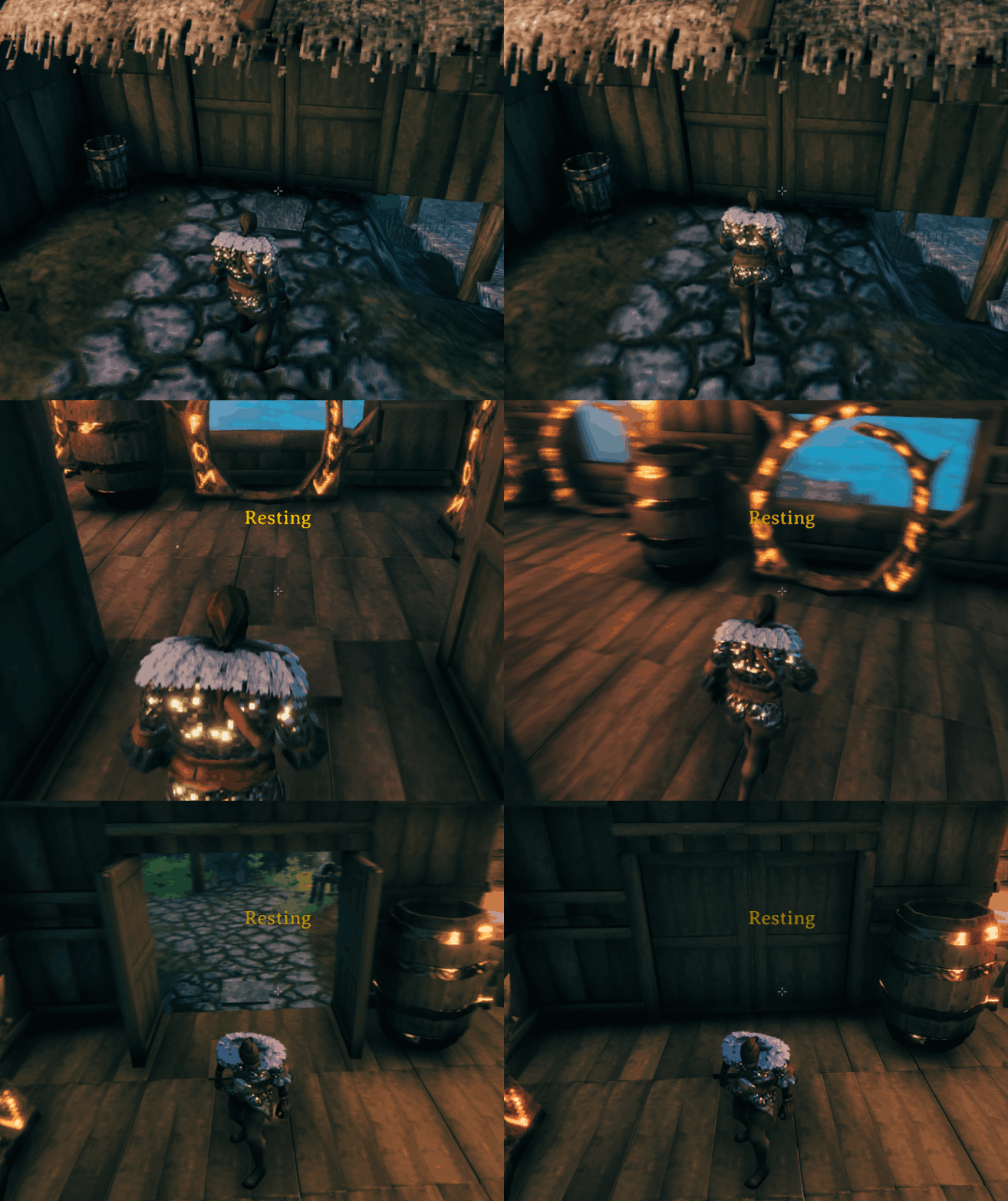
Ingame settings
Plate settings
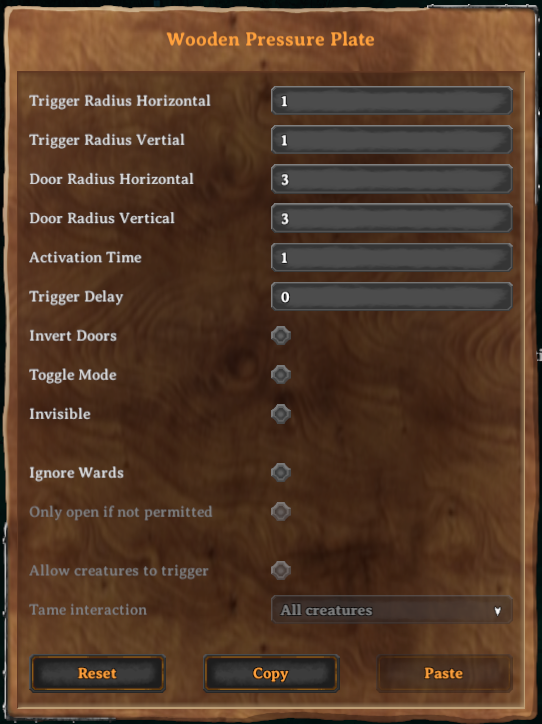
Press 'E' when hovering over a plate to open its setting:
- Trigger Radius: if a player is inside this range, the plate is pressed
- Door Radius: all doors inside this radius are opened/closed
- Activation Time: duration in which the plate is pressed
- Trigger Delay: duration it takes before the plate is pressed
- Invert Doors: inverts open/closed state
- Toggle Mode: the plate stays active after the first press and needs to be pressed again to deactivate
- Ignore wards: allows other players to open doors even they have no access
- Only open if not permitted: The plate only interacts with players that don't have permission inside the ward area. Requires 'Ignore wards' to be active
- Allow creatures to trigger: monster and creatures can also press the plate. Requires 'Ignore wards' to be active
- Tame interaction: decides what certain tame status is needed in order to interact with the plate. Requires both 'Ignore wards' and 'Allow creatures to trigger' to be active
Global settings
Config file at BepInEx/config/com.maxsch.valheim.pressure_plate.cfg
- Plate Volume: set the volume level of all plates. Can be changed while ingame
Manual Installation
- Install BepInEx and Jötunn, the Valheim Library
- Extract the content of
Pressure-Plateinto theBepInEx/pluginsfolder.
The mod can be installed at a server to enforce the installation on all clients.
Development
See contributing.
Changelog
See changelog.
Links
Nexusmods: https://www.nexusmods.com/valheim/mods/498
Thunderstore: https://valheim.thunderstore.io/package/MSchmoecker/PressurePlate/
Github: https://github.com/MSchmoecker/Valheim-Pressure-Plate
Discord: Margmas#9562
Credits
- Sound effects: http://www.freesfx.co.uk