 Install with Gale
MetalShaderFix
For Macs with Apple M-series chips only. On Windows, Linux or Steam Deck it switches itself off and does nothing, so only the Mac players in your group need it.
What it fixes
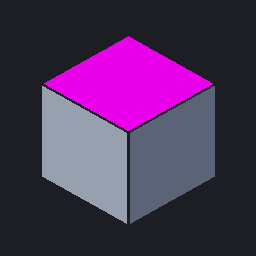
Many mods ship asset bundles built only for Windows, so their shaders have no Metal version. On a Mac their materials then render as pink cubes, or as flat, opaque, pale shapes (particles, smoke, fire, creatures).
This plugin finds those shaders at runtime, for any mod, and points their materials at:
- a Metal port from its own bundle (
metalshaderfix_shaders, installed next to the DLL): rune decals, particle shaders; - otherwise the game's working shader with the same name (or a known alias);
- otherwise a generic stand-in built from the material's own textures and colours, or it hides helper/screen-effect materials.
When a mod looks a shader up by name (Shader.Find) and Unity hands it another mod's broken copy, the plugin returns the
working shader of that name instead (config RedirectShaderFind). Natural Rivers, for example, then gets the particle
shader it asks for for its foam instead of falling back to Sprites/Default.
Install (Mac only)
Install the package with your mod manager, or copy plugins/MetalShaderFix.dll and plugins/metalshaderfix_shaders
together into one folder under BepInEx/plugins/. The two files must be in the same folder.
Client-side only: it changes nothing in the world or in saves, and other players don't need it.
Diagnostics
BepInEx/MetalShaderFix_report.txt lists every broken shader found and what was done with each material.
Changelog
- 0.6.1:
Shader.Findreturns the working shader instead of a broken mod copy of the same name. - 0.6.0: first packaged release.