 Install
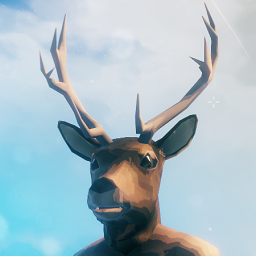
Wearable trophies
Allows equipping trophies and other gear as style.
Install on the client (modding guide).
The changes done by the mod are visible to un-modded clients.
Features
Equip any trophy or gear (with shift key pressed) from the inventory to visually replace the equipment (while still keeping the stats).
Note: Using some items can print warnings to the console but this should be harmless.
Configuration
When installed on the server, these settings are synced to all clients:
Allow armor(default:true): Armor can be used as style.Allow weapons(default:true): Weapons can be used as style.- All weapons can be used on both left and right hand.
Allow trophies(default:true): Trophies can be used as style.- Requires
Allow armorto be enabled. - Some trophies don't fit properly on the player model.
- Requires
Allow back weapons(default:true): Back weapons can be set separately.- When weapons are sheathed, they are visible on the back.
- This can be used to override what is shown on the back.
Allow forcing gear(default:true): Gear can be used on any slot.- Any gear can be forced equipped to any slot. For example weapon as helmet.
- Most combinations won't do anything but some are useful.
Allow forcing any item(default:true): Any item can be used on any slot.- Requires
Allow forcing gearto be enabled. - Most items won't do anything but some are visible (usually if they can be put to item stands).
- Requires
These settings are client specific:
Show key hints(default:true): If enabled, key binds are shown on tooltips.Style key(default:Left shift): Key to equip as style.- Weapons go to the right hand.
Left hand key(default:Left control): Key to equip weapon to the left hand.Right back key(default:Left shift + Left alt): Key to equip weapon to the right back.Left back key(default:Left shift + Left control): Key to equip weapon to the left back.Force helmet key(default:None): Key to force helmet.Force chest key(default:None): Key to force chest.Force legs key(default:None): Key to force legs.Force shoulder key(default:None): Key to force shoulder.Force utility key(default:None): Key to force utility.Force left hand key(default:None): Key to force left hand.Force right hand key(default:None): Key to force right hand.
Credits
Sources: GitHub
Donations: Buy me a computer