 Install with Gale
Valheim Heraldry Mod
Write a coat of arms in heraldic language, or pick it from dropdowns, and see it painted on banners, shields and tabards. A coat of arms is stored as its blazon (a line of text such as "Azure, a bend or"), and every player draws the arms from that text. No images are sent between players, except the charge pictures that players add themselves.
Features
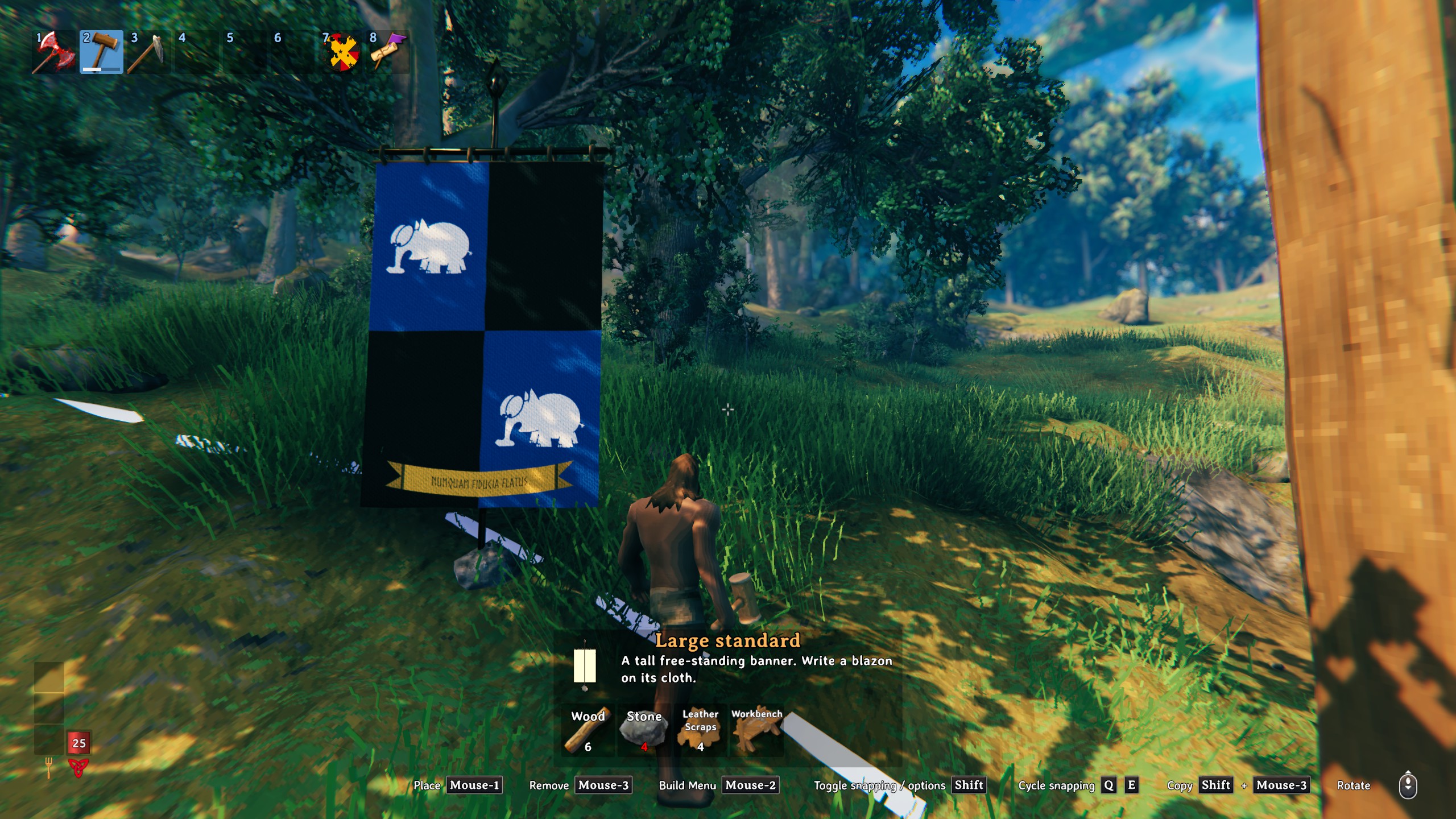
- Heraldic banners: a hanging banner and a tall free-standing large standard. Walk up, press E and write your arms.
- Painted shields: paint any vanilla shield at the herald's table. The arms show in your hand, on your back, on the ground, on item and armour stands, and on the inventory icon. Quality and enchantments are kept.
- Heraldic tabard: crafted and painted at the herald's table. The front carries the full arms; the back repeats the field and ordinaries without the charges.
- Basic mode for beginners: dropdowns for field, ordinary, charge and placement, with colours named plainly ("Red (gules)"). It writes the blazon for you, so you learn the language as you go.
- Advanced mode: write the blazon yourself, with a live preview. Wrong words get a red wavy underline, words that are understood but not proper blazon ("gold" instead of "or") get a yellow dashed one, and colour words get swatches. Hover over a word to see why. Save favourite arms and load them on any server.
- Charges (the pictures on a coat of arms): geometric charges drawn by the mod, the game's own trophy heads and any in-game item, and your own pictures, which are passed to other players on the server when they agree to take them.
- Tartan: weave a tartan from a traditional threadcount and use it like any colour, on banners, shields and tabards.
- Mottos: scrolls and ordinaries can carry words, in Latin letters or in runes.
- Tattered: put slightly tattered, tattered or badly tattered at the start of a blazon. Banners and tabards tear; shields get worn paint. The same arms always tear the same way.
- Paint: painting costs paint, mixed from berries, dandelions, coal and bone at the herald's table. Admins can configure everything, including switching paint costs off.
- Other modders can make their own shields and build pieces paintable by tagging a face in their model. No code is needed (see For modders).
Getting started
- Build the herald's table with the hammer, under the Heraldry tab: 10 wood and 6 leather scraps, near a workbench. It needs a roof.
- At the table, E opens crafting (paints and the tabard), and Shift+E paints a shield or tabard from your inventory.
- Build a heraldic banner or a large standard from the Heraldry tab and press E on it.
- New to heraldry? Stay on the Basic tab. Each choice shows its blazon underneath, and you can carry it over to Advanced to keep editing.
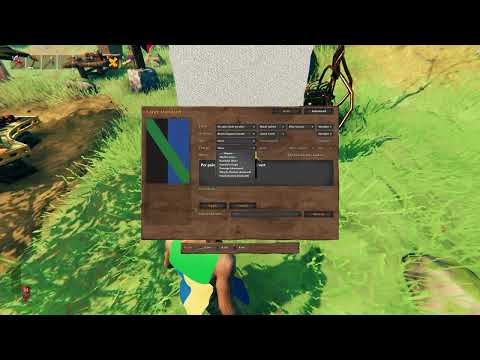
▶ Making a coat of arms in Basic mode (YouTube)
Writing a blazon
A blazon names the field first, then what lies on it. Capitals and commas are optional. The Advanced tab is where you write it yourself, with the preview and the underlines guiding you.
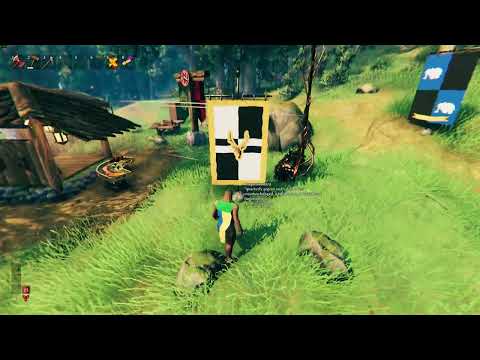
▶ Writing a blazon in Advanced mode (YouTube)
| Blazon | What you get |
|---|---|
Azure, a bend or |
blue, a gold diagonal band |
Per pale gules and argent, a chief sable |
split red and silver, a black band across the top |
Quarterly or and azure, a bordure engrailed gules |
four quarters, a scalloped red border |
Barry of eight or and sable |
eight horizontal stripes |
Vert, a fess embattled argent between three mullets or |
a battlemented band between three stars |
Gules, three roundels in pale argent |
three discs in a column |
Gules, two stags' heads caboshed or |
the game's deer trophy, twice |
Sable, a "bronze axe" proper |
any game item by its name in quotes, in its own colours |
Azure, a scroll argent inscribed "FOR ODIN" sable |
a motto scroll |
Gules, a fess or inscribed "SKOL" in runes sable |
words in Elder Futhark |
Tattered gules, a saltire argent |
a battle-worn banner |
Tartan "B24 K4 B4 K4 B4 K20 G24 K6 G24 K20 B22 K4 B4", a bordure azure |
a woven tartan field |
Tinctures: or (gold), argent (silver), gules (red), azure (blue), sable (black), vert (green), purpure
(purple), tenné, sanguine, murrey; furs ermine, ermines, erminois, pean, vair, counter-vair, potent; any
colour as a hex code (#2a6041). Plain names (red, gold, ...) are understood but marked as not proper blazon.
Field divisions: per pale, per fess, per bend (sinister), per chevron, per saltire, quarterly; patterns paly, barry, bendy, chequy, lozengy, gyronny (optionally "of eight" and so on).
Ordinaries: chief, fess, bar(s), pale, pallet(s), bend, bendlet(s), chevron, chevronel(s), cross, saltire, pile, pall, bordure. Lines: engrailed, invected, indented, dancetty, wavy, nebuly, embattled.
Geometric charges: mullet (also "of six points", "pierced"), roundel (bezant, plate, torteau, hurt, pellet, pomme, ogress, golpe), annulet, lozenge, mascle, rustre, fusil, billet, crescent, cross couped, crosslet, pattée and potent, saltorel, scroll.
Game charges: heads (a wolf's head; also boar, stag, elk, bear, troll, lox, seal, serpent, goblin,
greydwarf, draugr, drake, asksvin), a skull or a death's head, the Forsaken by name (Eikthyr, the Elder,
Bonemass, Moder, Yagluth, the Queen, Fader), and any item by its in-game name in quotes: a "wood" or.
Placement and style: in chief, in base, in pale, in fess, in bend, in saltire, in orle; between; on a (fess, chief, ...); points of the shield (in dexter chief, in sinister base, in fess point, ...); in the first and fourth quarters; voided, fimbriated, counterchanged; contourné, inverted, reversed.
Good references: drawshield.net and Wikipedia's "Glossary of heraldry".
Tartan
Tartan isn't a blazon word; it's this mod's own addition. Write tartan followed by a traditional
threadcount in quotes, anywhere a colour can go: as the field (Tartan "K4 R24 K24 Y4", a chief or), on
an ordinary (Or, a bend tartan "K4 R24 K24 Y4") or on a charge.
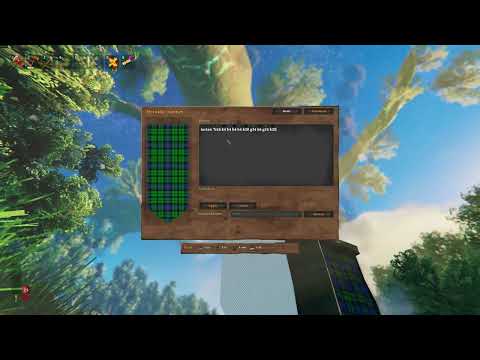
▶ Making a tartan (YouTube)
- Each stripe is a colour code followed by its number of threads: K black, W white, R red, B blue,
G green, Y yellow, O orange, P purple, N grey, T brown, with L (light) or D (dark) in front (
DB,LG). - The count mirrors at its first and last stripes, as most tartans do. A slash marks a half-count pivot:
K/2 R24 K24 Y/2is the same tartan asK4 R24 K24 Y4. - A tartan that repeats without mirroring is written with
...at both ends:...K4 R24 K24 Y4.... - It's woven as a 2/2 twill and centred on the middle of the arms, so it sits the same way on every item.
- Each colour in the threadcount costs paint like a tincture.
Looking for a real tartan? The Scottish Register of Tartans lists
thousands of them with their threadcounts. Type the threadcount in quotes after tartan; if it uses a colour
code this mod doesn't know, the editor underlines it, and the nearest code from the list above will do.
Paint
With paint costs on, each colour in the arms costs paint, split by how it is mixed. Red costs red paint; green costs yellow and blue; white and black parts cost white and black. Painting the same arms again is free, and so is removing arms. Paints are made at the herald's table, 4 bottles from each recipe:
| Paint | Default recipe |
|---|---|
| Red | 1 raspberry |
| Yellow | 1 dandelion |
| Blue | 1 blueberries |
| Black | 1 coal |
| White | 1 bone fragments |
Every recipe, every price and the paint used, along with the ceiling per painting, are server settings
(section Paint). PaintCosts = false makes painting free.
Your own charges
After the first run you have the folder Documents\ValheimHeraldryMod\Charges.
- Put a PNG in it (
black_dog.png) and use it in square brackets:Or, a [black dog] sable. The picture's shape becomes the charge. Give it a tincture to draw it in one colour, or proper to use its own colours. - Optional mask,
black_dog.mask.png, the same size: red = interior lines, green = claws and teeth (armed), blue = tongue (langued). Thenarmed and langued gulescolours them. - Packs: a folder or a .zip of PNGs, optionally with a
manifest.jsonfor several names, attitudes ([wolf] rampant) or atlases. Up to 1024 px per charge.
On a server, other players get your pictures from you through the server. Each player decides for themselves:
- On joining, and whenever arms with a picture you don't have come into view, you're told so. Until then the charge shows as a magenta and black placeholder roundel.
heraldry_pendinglists the pictures you're missing, andheraldry_get <name>(orheraldry_get all) downloads them.AutoGetServerCharges = truedownloads the server's own pictures (in its ServerCharges folder) without asking. Pictures from other players always needheraldry_get.
Console commands (F5)
| Command | What it does |
|---|---|
heraldry_pending |
pictures you've met but don't have |
heraldry_get <name> / all |
download them |
heraldry_remove <name> |
delete a downloaded picture (never your own files) |
heraldry_block / heraldry_unblock / heraldry_blocked |
never show a picture, for you only |
heraldry_info |
the arms you're looking at, with each picture's fingerprint |
heraldry_reload |
re-read your charge folder (admins: the server's too) |
heraldry_blacklist / heraldry_unblacklist / heraldry_blacklisted |
admin: ban a picture on the server for everyone |
Commands that take a name also work with no name on whatever you're looking at.
Server settings
Server settings are synced to every client and only admins can change them. Some useful ones:
MaxBlazonLength(500) andMaxBlazonElements(25).MaxBannerResolution(1024).ShowMottos: off hides the words on scrolls from everyone except admins.MaxInscriptionLength(40).ExcludeShields: shields that can't be painted (defaultShieldShare_).ExcludeGameIcons: game items that can't be charges, orall.- Charge size and upload limits.
Client settings include BannerResolution, AutoGetServerCharges, ShareCharges and the key used to edit
tagged pieces (TaggedPieceEditModifier + TaggedPieceEditKey, default Shift+E).
Requirements and compatibility
- Must be installed on the server and on every client, with the same version.
- Works alongside ShieldShare (its shields are left alone by default), TabardShare (both tabards share one slot) and BannerShare.
For modders
Make your shields or build pieces paintable without any code. In your model, name the paintable surface
object (or its material) ValheimHeraldryMod_Face. You can also add an empty named
ValheimHeraldryMod_CentrePoint to set the centre of the arms on a lopsided shape. Without this mod
installed, the tags do nothing. The full spec is in
ModderGuide.md.
Known limitations
- Some charges are recognised but have no drawing yet (lion, eagle, dragon, raven, hammer, fleur-de-lis, martlet, ...). They show the placeholder roundel. Use your own picture in brackets instead.
- Full marshalling (several coats of arms quartered into one) isn't supported.
- Controllers aren't supported in the blazon window yet.
- The heater shield and more banner shapes are planned.