
Confirm with your password

FedoSignColor

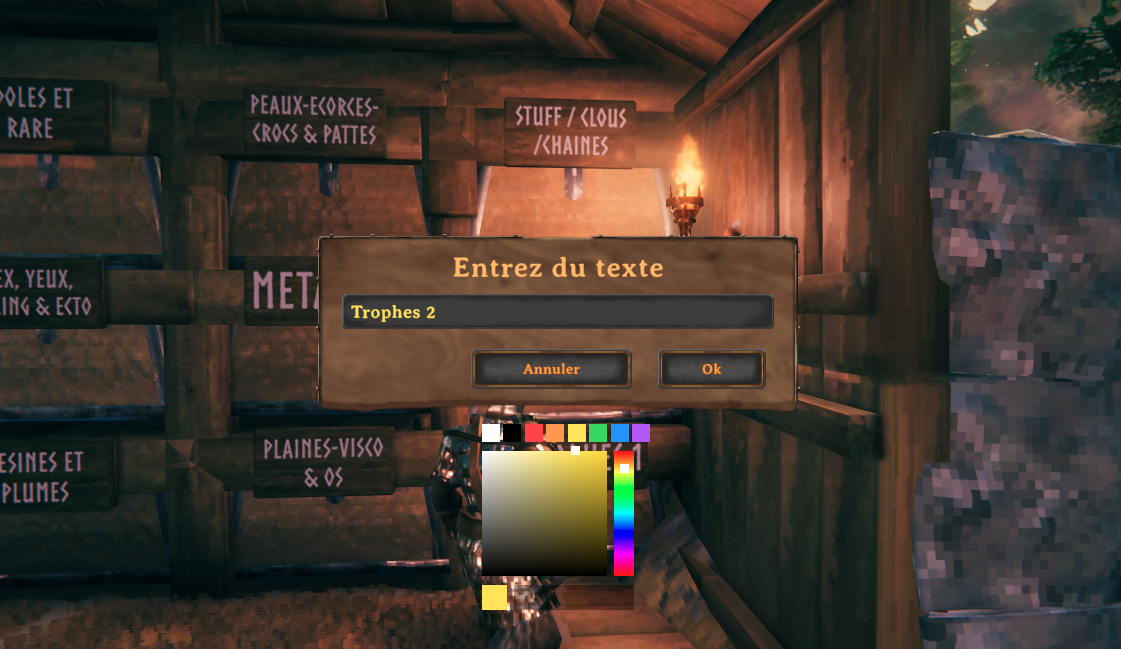
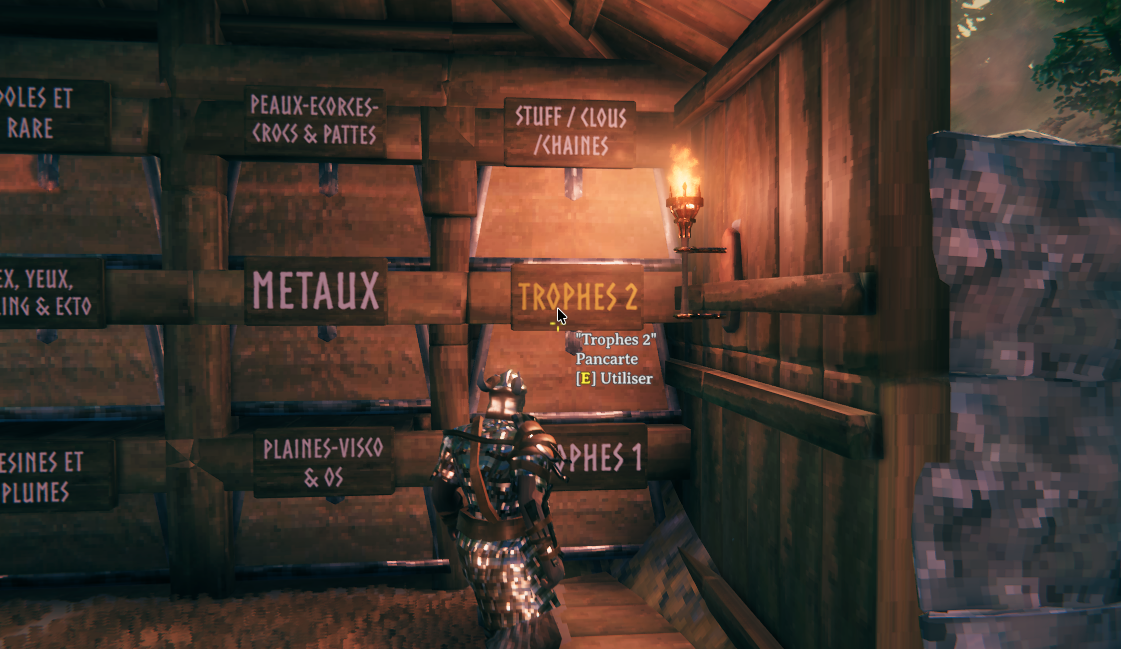
Adds a color picker next to a sign's text input window, to color your text without typing a color code by hand.

Stars
1
Downloads
20
Version
1.0.0
Updated
Author
Fedo
Virus scan
✓ Scan successful
Runs on
Client-only

Images

Description

FedoSignColor

By Fedo

Signs let you color your text, but only by typing a code like <color=#ff0000>Hello by hand. This mod adds a full color picker next to the text box whenever you write on a sign — pick any color visually (or paste a hex code) and apply it to your whole message, no typing a color code by hand required.

What it does

  • Whenever you open a sign to write on it, a color picker appears next to the text box: a saturation/brightness square, a hue bar, a live preview, and a hex code field you can type or paste into directly.
  • A row of quick color swatches is also there for one-click access to your favorite colors.
  • Any color change (moving the square/bar, clicking a swatch, typing a hex code) colors everything you've typed right away — no extra button to click. Picking another color afterward replaces the previous one instead of stacking.

Configuration

Settings live in BepInEx/config/fedo.signcolor.cfg.

[SignColor]

  • EnableColorPicker — turn the color picker on/off.
  • Palette — the list of quick-access swatch colors, as hex codes separated by commas (e.g. ffffff,ff0000,00ff00).

Changelog

1.0.0 Latest
  • New mod, built for Valheim 1.0. Adds a color picker next to a sign's text input window — a saturation/brightness square, a hue bar, a hex code field, and quick swatches — instead of typing a color code by hand.
  • Reopening a sign you'd already colored shows its current color instead of resetting to red.
  • The hex code field can be selected and copied, to reuse the same color on another sign.

Full version history & older downloads →

Manual installation instructions
1

Install BepInExPack Valheim

BepInExPack Valheim is required to run mods in Valheim.

Download BepInExPack Valheim 5.4.2351 · View mod page

Check out the mod page for detailed installation instructions.

2

Install FedoSignColor

This mod only needs to be installed on the client.

Download FedoSignColor 1.0.0

Extract the ZIP and place the file(s) into the BepInEx/plugins/ folder inside your Valheim game folder.