
 Install with Gale
FedoHud
By Fedo
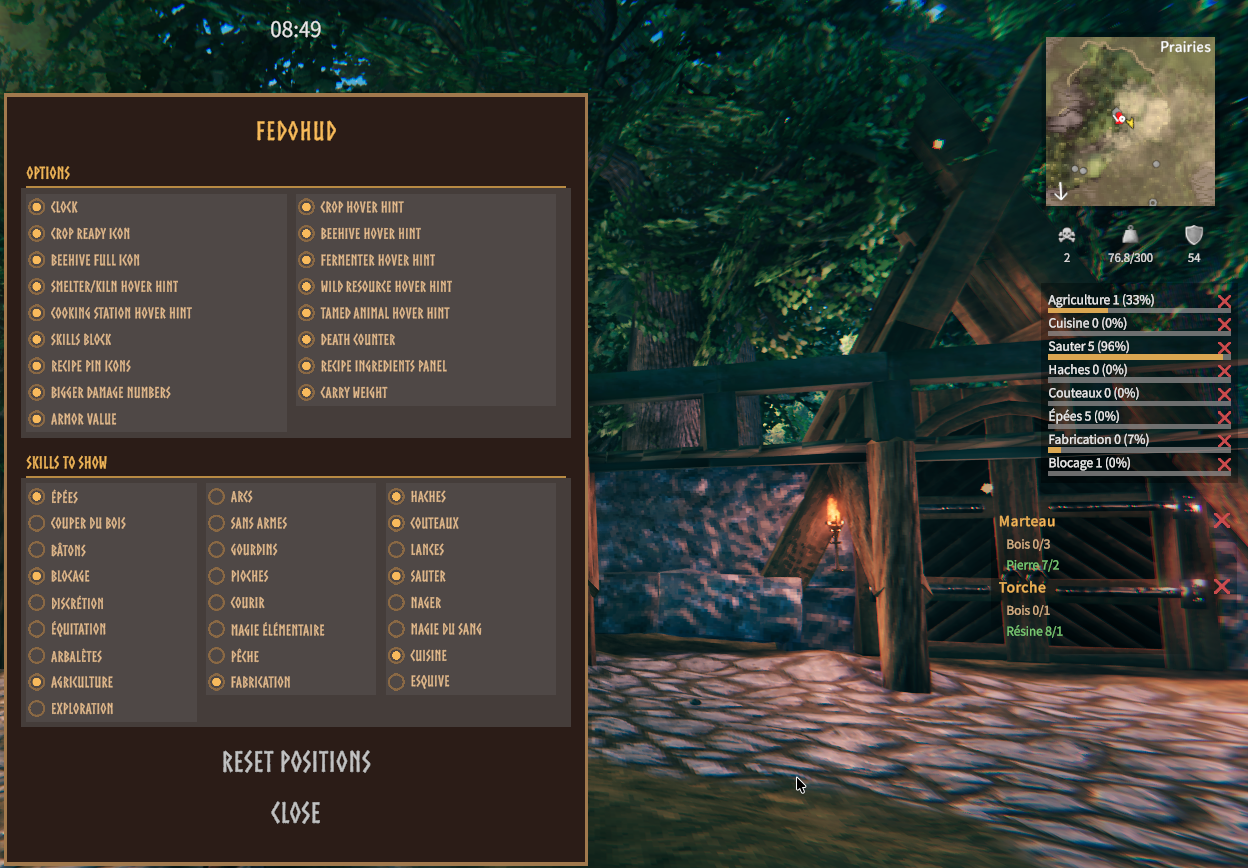
Everything the vanilla HUD forgets to show you: a draggable clock, hints for crops, beehives, fermenters, smelters, charcoal kilns, and tamed animals, a skills block, and a death/weight/armor tracker. Everything is customizable from a new "FedoHud" entry added to the pause menu (Esc), right above "Quit".
What it does
- Shows a small clock at the top of the screen, following the day/night cycle. Click and drag it anywhere — it remembers where you leave it.
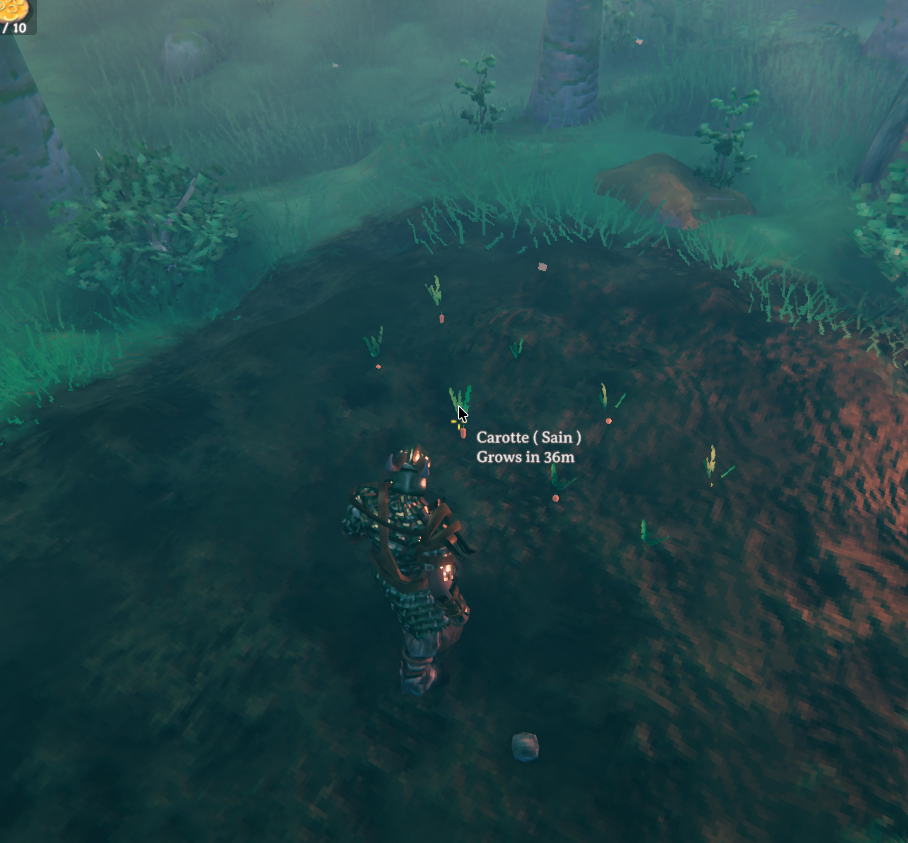
- Hovering over a planted crop shows how long until it's ready to harvest.
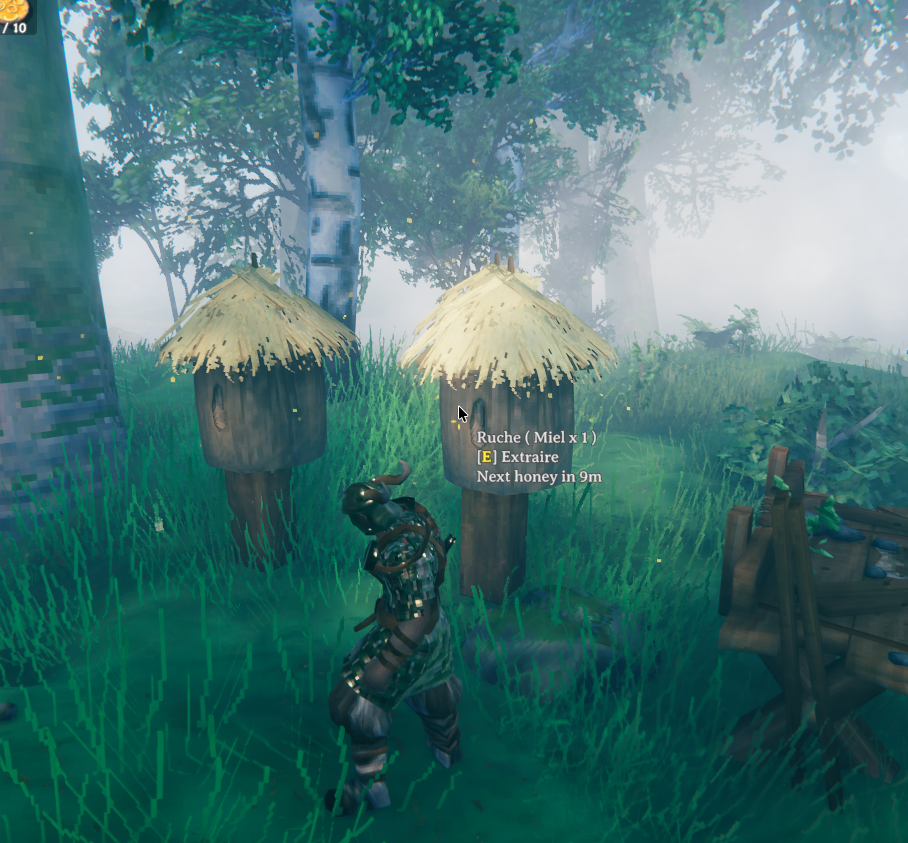
- Hovering over a beehive shows how long until it produces one more honey, and a floating "!" appears above it once it's full — a bird's nest gets the same hints (feathers instead of honey).
- Hovering over a fermenter shows how long until it's done fermenting.
- Hovering over a smelter, charcoal kiln, windmill, or spinning wheel shows how long until everything queued is done.
- Hovering over an already-picked wild resource (mushrooms, berries, thistle...) shows how long until it respawns.
- Hovering over a cooking station shows how long until each item on it is cooked, and how long until it burns once cooked.
- Hovering over a tamed animal shows how long until it's hungry, and its breeding progress (or how long until birth if it's pregnant).
- Hovering over a baby animal shows how long until it's an adult (tamed or not).
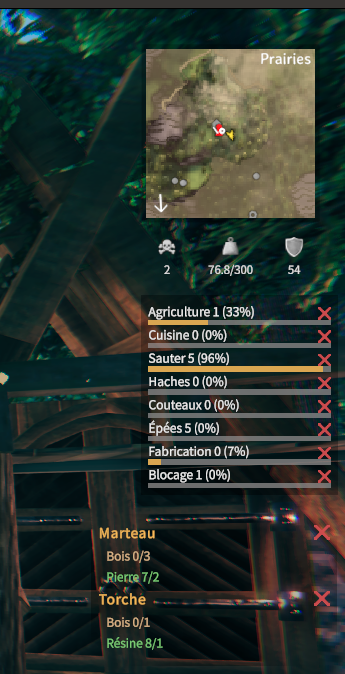
- Shows a block with your current level and progress bar for a chosen list of skills (none shown by default — pick them yourself), with skill names shown in the game's own language, sorted with your highest skill first. Click and drag it anywhere, just like the clock.
- Shows a single draggable block with three stats, each next to the same icon used for it elsewhere in the game: how many times your character has died (skull), your current carry weight and maximum capacity (weight icon, turning red once you're over the limit), and your total armor value (armor icon). Each one can be turned off individually, but they all move together.
- Adds a small pin (star) icon to each piece in the hammer's build menu, and to each recipe in the crafting/inventory menu — click it to show a draggable panel listing the ingredients needed (and how many you already have) for everything you've pinned. Independent from the game's own "Favorites" tab.
- Adds a "FedoHud" entry to the pause menu (Esc, right above "Quit"), with a panel to turn any of the hints above on/off, pick which skills to show, and reset every draggable block back to its default screen position — without editing the config file by hand.
- Makes the damage number bigger (with a little pop effect) whenever it's you landing the hit — damage you take, or dealt by someone/something else, stays the game's normal size. The size (and effect) also scales up for a bigger-than-usual hit, so real crits and lucky rolls stand out even more.
- Draws distance rings on both the corner minimap and the full map (M), centered on the world's true center — a quick visual reference for how far you currently are from it.
- Shows a small block with the ship's hull condition and real speed while you're steering it — neither is shown numerically by the vanilla HUD. Click and drag it anywhere, just like the clock; it only appears while you're at the helm.
Configuration
Settings live in BepInEx/config/fedo.hud.cfg.
[Time]
ShowClockOverlay— turn the clock on/off.ClockPositionX/ClockPositionY— where the clock sits on screen (set automatically when you drag it).
[Growth]
ShowGrowthTooltip— turn the "time until ready to harvest" hint on/off.GrowthRemainingPrefix/GrowthReadyText— the wording used for that hint.
[Beehive]
ShowBeehiveTooltip— turn the "time until next honey" hint on/off (also covers bird nests, see[BirdNest]below).HoneyRemainingPrefix/HoneyFullText/HoneyPausedText— the wording used for that hint.ShowBeehiveFullIcon— turn the floating "!" above a full beehive/bird nest on/off.
[BirdNest]
FeatherRemainingPrefix/FeatherFullText/FeatherPausedText— the wording used for a bird nest's hover hint (controlled byShowBeehiveTooltipabove — bird nests use the same hint as beehives, just with their own wording).
[Fermenter]
ShowFermenterTooltip— turn the "time until done fermenting" hint on/off.FermenterRemainingPrefix/FermenterReadyText— the wording used for that hint.
[Smelter]
ShowSmelterTooltip— turn the "time until done smelting" hint on/off (also covers charcoal kilns).SmelterRemainingPrefix/SmelterReadyText/SmelterPausedText— the wording used for that hint.
[Pickable]
ShowPickableTooltip— turn the "respawns in" hint on/off.PickableRemainingPrefix— the wording used before the time until respawn.
[Cooking]
ShowCookingTooltip— turn the "cooking"/"burns in" hints on/off.CookingRemainingPrefix/CookingBurnPrefix— the wording used for those hints.
[Tameable]
ShowTameableTooltip— turn the "hungry in"/breeding hints on/off.HungryInPrefix— the wording used before the time until hungry.LoveProgressPrefix— the wording used before breeding progress, e.g. "Love 2/4".PregnantRemainingPrefix/PregnantReadyText— the wording used for the time-until-birth hint.ShowGrowUpTooltip— turn the "time until adult" hint (on baby animals) on/off.GrowUpRemainingPrefix— the wording used before that time.
[Skills]
ShowSkillsOverlay— turn the skills block on/off.SkillsList— comma-separated list of skills to show, e.g.WoodCutting,Farming,Cooking. Empty by default — easiest to set from the in-game panel (pause menu) rather than typing skill names by hand.SkillsPositionX/SkillsPositionY— where the block sits on screen (set automatically when you drag it).
[PlayerStats]
ShowDeathCounter— turn the death counter (skull icon) on/off.ShowWeightOverlay— turn the carry weight display (weight icon) on/off.ShowArmorOverlay— turn the armor value display (armor icon) on/off.PlayerStatsPositionX/PlayerStatsPositionY— where the block sits on screen (set automatically when you drag it). All three share the same position and move together.
[RecipeTracker]
ShowRecipeTrackerIcon— turn the pin icon on the build/crafting menus on/off.ShowRecipeTracker— turn the ingredients panel on/off.RecipeTrackerPositionX/RecipeTrackerPositionY— where the panel sits on screen (set automatically when you drag it).
[PlayerDamage]
ShowPlayerDamageTextBoost— turn the bigger damage numbers on/off.PlayerDamageTextSizeMultiplier— how much bigger, e.g. 1.6 = 60% bigger.
[MapDistanceRings]
ShowMapDistanceRings— turn the distance rings (minimap + full map) on/off.MapDistanceRingStep— distance in meters between each ring, e.g. 1000.MapDistanceRingCount— how many rings to draw outward from the world center.MapDistanceRingLabelSuffix— text shown right after each ring's distance number, e.g. "m" for "1000m".
[Ship]
ShowShipOverlay— turn the ship hull/speed block on/off (still only shows up while you're actually steering a ship).ShipHullPrefix/ShipSpeedPrefix— the wording used for those two lines.ShipPositionX/ShipPositionY— where the block sits on screen (set automatically when you drag it).
[SettingsPanel]
- Every text label shown in the in-game FedoHud panel (pause menu) — section titles, the "Close" button, and every on/off toggle's name — can be edited here, same as any other text in this mod.